

Customers want instant answers. Teams want lower costs. Simple chatbots feel too rigid, and human-only service cannot scale forever.
A virtual agent is an AI-driven conversational system that understands natural language, talks with customers over voice or text, connects to back-end systems, and completes routine tasks without a human, while still handing complex or risky cases to live agents.
A good virtual agent 1 feels like a digital front door. It greets customers on any channel, solves simple work end-to-end, and only invites human agents in when the situation truly needs judgment or empathy.
How is a virtual agent different from IVR?
Many teams still use old IVR menus that force customers to press numbers and listen to long prompts. Frustration grows and containment stays low.
A virtual agent uses natural language and dialog management, not rigid menus. It understands open questions, runs business rules, calls APIs, and can complete tasks, while IVR mostly routes calls and plays recordings.

What a classic IVR usually does
A classic IVR (interactive voice response (IVR) 2) is simple. It plays recorded prompts and waits for a DTMF key press or basic speech commands. It is very good at routing. It can send callers to the right queue based on choices like “1 for billing, 2 for technical support”. It can also play balance information that it pulls from a simple database.
The IVR follows a fixed tree. If the customer does not fit that tree, the call often falls back to an agent. The IVR does not really understand intent. It does not remember past steps as context in a flexible way. When the menu grows over time, it becomes long and confusing. Many customers press zero or shout “agent” and leave the IVR as fast as they can.
What a virtual agent adds on top
A virtual agent starts at a different place. It expects the customer to speak or type in their own words. It uses natural language understanding (NLU) 3 to detect intent and key entities. It then uses dialog management 4 and business rules to decide the next best step. It can loop, clarify, and branch based on context, not only on a tree path.
The virtual agent also integrates with back-end systems through APIs. It can do real work, not just route. It can authenticate, reset passwords, check order status, change appointments, or start a refund. It can work in voice, chat, and messaging with the same logic. In practice, this means higher containment and a smoother experience.
Here is a simple view:
| Aspect | IVR | Virtual agent |
|---|---|---|
| Input style | Key presses, simple speech | Natural language voice and text |
| Logic | Static menu tree | Dialog manager plus business rules |
| Understanding | Limited phrase matching | Intent and entity detection with NLU |
| Actions | Route calls, play messages | Complete tasks via APIs, trigger workflows |
| Channels | Mostly telephony | Voice, web chat, in-app, SMS, social |
| Escalation | Fixed transfer rules | Context-rich warm handoff with full transcript and history |
When IVR is still enough
Virtual agents are powerful, but IVR still has a place. Very simple flows, like “press 1 for store hours”, do not need NLU. High volume, low value paths can stay on IVR to keep design and cost simple. Some teams also use IVR as a first gate and then shift to a virtual agent when the caller chooses self-service.
The key is to match tools to jobs. Use IVR for tiny, fixed menus. Use virtual agents when intent is varied, when tasks touch multiple systems, or when the goal is to move more work out of human queues without degrading experience.
Which channels can a virtual agent handle?
Customers no longer stick to one channel. They start on the website, move to WhatsApp, and then call if they feel stuck—a pattern typical of omnichannel customer service 5.
A virtual agent can handle voice, web chat, in-app chat, SMS, email-style messaging, and social channels, while using the same intent models, dialog flows, and back-end integrations across all these touch points.
Core channels for most deployments
Most virtual agent projects start with two or three main channels. Web chat on the public site is common, because it is easy to embed and quick to test. In-app chat in mobile apps is also popular, because you already know who the customer is. Voice over telephony comes next, where the virtual agent sits in front of, or inside, your existing IVR.
In all these channels, the same base logic can run. The NLU models detect intent from either text or transcribed speech. Dialog flows work the same, but the surface changes. On web, the agent can show buttons, quick replies, and links. On voice, it must work with short prompts and clear confirmation questions. The backbone stays the same.
After the first wins, many teams add messaging and social channels. These include SMS, WhatsApp, Facebook Messenger, WeChat, and others. Some also plug virtual agents into email-style threads inside support portals. The goal is to give customers a consistent self-service experience, no matter where they start.
Rich channels allow more than text. The virtual agent can send carousels, images, deep links, and even PDF instructions. It can collect photos from customers for claims or technical diagnostics. For example, a customer can send a picture of a damaged product. The virtual agent can check basic details and then route the case to the right human queue with all context ready.
Here is how the coverage can look:
| Channel type | Examples | Typical use of virtual agent |
|---|---|---|
| Web and in-app | Site chat, mobile app widget | FAQs, order status, account changes |
| Telephony / IVR | PSTN, SIP contact center | Spoken self-service and routing |
| Messaging | SMS, WhatsApp, RCS | Asynchronous support, reminders, simple workflows |
| Social | Facebook, Instagram, Twitter DM | First-line triage, simple service, brand protection |
| Enterprise tools | Portal chat, collaboration apps | IT help desk, HR support, internal FAQs |
Using one brain across all channels
The real strength is not just multichannel. It is a single “brain” behind all channels. One intent model, one set of dialog flows, and one link into APIs. This setup keeps behavior consistent and makes training easier. When utterance quality improves for one channel, the benefit spreads to others.
For example, if customers use new slang for a product in WhatsApp, and the team labels these utterances, the model will now understand the same slang in voice calls. This kind of cross-channel learning is hard with many siloed bots. A unified virtual agent platform makes it natural. It also simplifies measurement of metrics such as containment, CSAT, and resolution across the full journey.
How do I train a virtual agent safely?
A virtual agent is not “set and forget”. If it learns the wrong things, it can confuse customers or leak sensitive data.
To train a virtual agent safely, you need a clean intent design, ongoing utterance labeling, strong knowledge governance, PII redaction, role-based access, and strict testing and rollback plans before each change goes live.

Building a solid intent and training foundation
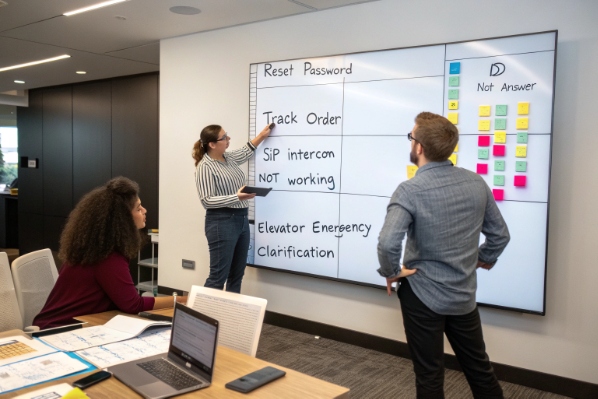
Training starts with intent design. Each intent should match a real customer goal, like “reset password”, “track order”, or “cancel subscription”. It helps to keep intents clear and not too broad. Each intent also needs sample utterances that reflect how customers really speak, not how product teams write. These come from chat logs, call transcripts, and search queries.
Ongoing labeling is a long-term habit. Teams review new utterances, match them to existing intents, or create new ones when needed. This keeps detection accurate as language shifts. Good platforms support version control, so teams can test new models in a sandbox before they reach production traffic.
Knowledge governance and prompt tuning
Virtual agents often use a knowledge base and sometimes retrieval-augmented generation 6 to answer open questions. To keep answers safe and correct, someone must own the content. That owner ensures each article is up to date, approved, and tagged for correct use. Stale or duplicate content creates confusion and lowers containment.
Prompt tuning is the other side. Prompts guide how the model uses retrieved content. Clear instructions can limit hallucinations and force the agent to say “I do not know” when needed. It is helpful to test prompts with edge cases, long questions, and mixed intents. Regression tests compare old and new behavior against a fixed set of transcripts, so you can see when accuracy drops.
Here is a simple view of safe training tasks:
| Area | Key activities |
|---|---|
| Intent model | Design intents, label utterances, review drift |
| Dialog flows | Update paths, add clarifications, test fallbacks |
| Knowledge base | Curate content, remove duplicates, tag by domain |
| Prompts and RAG | Tune prompts, set confidence thresholds, test edge |
| Testing | Run regression suites, pilot with small traffic |
Protecting data and controlling access
Safe training also means safe data. Training sets often contain PII and sensitive info. The platform should support PII redaction 7 in logs and exports. Data used for model training should be anonymized when possible. Clear policies should define which data can train which models, and for how long.
Role-based access control is important. Not everyone needs to see full transcripts or edit live flows. Product owners, content authors, data scientists, and call center leaders can have different rights. Every change should leave an audit trail: who changed what, when, and how it performed.
When training is handled this way, the virtual agent becomes more accurate and more trusted over time, without putting customers or the business at risk.
When should calls escalate to humans?
If a virtual agent never escalates, customers feel trapped. If it escalates too fast, the self-service value disappears.
Calls and chats should escalate when model confidence is low, risk or emotion is high, business rules demand a human, or the customer directly asks, and the handoff must pass full context to the live agent.
Clear triggers for escalation
Escalation works best when rules are clear and visible. Confidence is one key trigger. When intent confidence drops below a threshold, the virtual agent should ask a clarifying question once or twice. If confusion stays, it should hand off gracefully. Business logic is another trigger. Some actions, like large payments, cancellations in certain markets, or moves in regulated products, may always require a human.
Emotion also matters. Sentiment analysis can catch rising anger or fear. When the system detects strong negative sentiment, it should offer a human route quickly. Customers should also always have a simple way to ask for an agent, such as typing “agent” or saying “talk to a person”. For some journeys, like complaints or sensitive medical questions, this option should appear early.
Designing a warm, not cold, handoff
A good warm handoff carries context. The live agent should see what the virtual agent already did:
- Full or recent transcript of the bot conversation
- Detected intent and entities
- Data already collected (ID, account, order, contact details)
- Actions already taken and any errors
- Suggested next-best-actions or forms
This avoids frustrating repeats like “please give me your order number again”. It also helps agents move faster. The virtual agent can even pre-fill CRM fields and draft a short case summary before the human joins, just like a digital assistant.
Here is a simple handoff checklist:
| Handoff element | Purpose |
|---|---|
| Transcript snippet | Avoids re-asking basic questions |
| Customer profile | Shows who the customer is |
| Bot actions log | Prevents duplicate or conflicting steps |
| Recommended path | Gives agent a fast starting point |
| Flags and notes | Shows risk, VIP status, or promises |
Balancing containment and experience
Some leaders focus only on containment rate. That is risky. A virtual agent that keeps people stuck will show high containment but low CSAT and higher churn. A better view looks at both metrics together. Containment should rise, but so should satisfaction.
In practice, this means using data and judgment together. For low value, simple intents, push hard on self-service. For high value or emotionally charged cases, accept that more will go to humans. Virtual agents shine when they handle the boring, repeatable work. Human agents shine when they handle the rare, complex, and sensitive moments. When both sides know when to step in, the whole system feels smoother for customers.
Conclusion
A well-designed virtual agent is a 24/7 digital front line that understands natural language, completes real tasks, and hands off complex cases smoothly to humans with full context.
Footnotes
-
Vendor definition of virtual agents in contact centers and how they differ from simple chatbots. Back ↩
-
Background on interactive voice response systems and how DTMF-based IVR menus typically work. Back ↩
-
Overview of natural language understanding capabilities for extracting intents and entities from text or speech. Back ↩
-
Explanation of dialog management concepts for building flexible, context-aware conversational flows. Back ↩
-
Introduction to omnichannel customer service and why journeys span multiple digital and voice channels. Back ↩
-
High-level guide to retrieval-augmented generation and using knowledge grounding in virtual agent answers. Back ↩
-
Example approach to PII redaction and masking sensitive data in logs and analytics pipelines. Back ↩








