
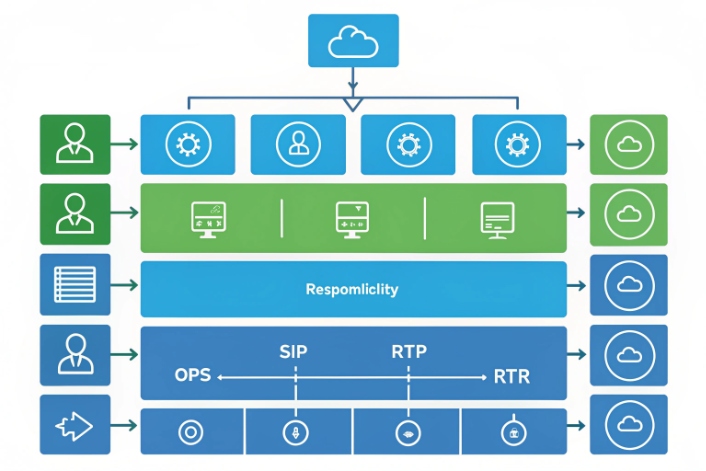
Your agents drown in simple balance checks and password resets. Lines stay busy, SLAs slip, and callers still wait just to hear basic information.
An Audio Response Unit (ARU) is an automated telephony system that plays prompts, collects keypad or speech input, and completes routine tasks over SIP, so callers finish faster without a live agent.
An ARU sits between your callers and your back-end systems. It plays clear audio prompts, captures DTMF or speech 1, calls APIs, and returns spoken answers. It does this 24/7, at scale, with predictable quality. When design is right, callers solve simple problems in one pass, your agents focus on complex cases, and your cost per contact drops. In my own deployments, a well tuned ARU has removed thousands of monthly “where is my order?” calls without hurting satisfaction. The goal is not to block people from agents. The goal is to make the common paths so easy that they never need one.
How is an ARU different from IVR?
Many teams use “ARU” and “IVR” like they mean the same thing. That confusion slows projects and makes vendor talks messy.
ARU is the media engine that plays audio and collects input, while IVR is the full self-service application and call flow built on top of that engine.
ARU vs IVR: stack view
A simple way to picture it is as a stack.
At the lower layer, the ARU handles telephony and media:
- It terminates SIP/RTP calls or legacy TDM trunks.
- It plays announcements, menus, and error prompts.
- It collects DTMF digits and, in many platforms, speech.
- It manages “ports” or “channels,” so you know how many callers can use it at the same time.
On top of that, the IVR application 2 defines the customer journey:
- Which menu options exist.
- Which APIs or databases you query.
- When you authenticate callers and how.
- When you transfer to agents and what context you pass.
In some products, ARU and IVR sit in one box, so the words blur. In larger SIP contact center designs, they are separate. The ARU might be part of a media server cluster 3. The IVR logic might live in a dedicated application server, a CPaaS flow builder, or even your CRM workflow.
You can think like this:
| Layer | ARU role | IVR role | Typical owner |
|---|---|---|---|
| Telephony + media | Terminate SIP/RTP, handle codecs, DTMF, barge-in | None | Network / voice team |
| Prompt + input execution | Play audio, gather digits or speech | Decide which prompts to play and when | Voice platform / app team |
| Business logic | None | Authentication, data lookup, routing rules | Product / operations / IT |
| Reporting and analytics | Raw events (ports, errors, DTMF events) | Journey metrics, task outcomes, containment | CX / BI / operations |
When you plan capacity, you care about ARU ports and media resources. When you plan user experience, you care about IVR flows, wording, and routing. This split also matters for contracts. One vendor might supply the ARU media layer; another might build the IVR logic. As a SIP hardware and platform supplier, we often provide the ARU side and then work with local integrators who own the IVR application and the contact center workflows.
Can ARUs play dynamic TTS prompts?
Static prompts are fine for welcome messages. They are not enough for balances, one-time passwords, or order status that change every minute.
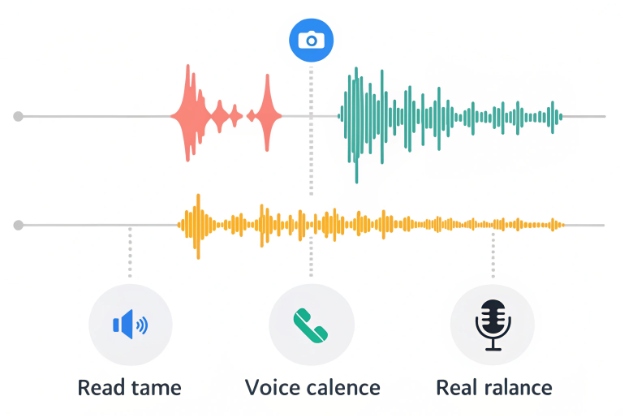
Modern ARUs can mix pre-recorded prompts with dynamic text-to-speech (TTS), so they speak real-time data like balances, OTP codes, or delivery windows to each caller.
Prompt strategy: recorded voice plus TTS
Good ARU design treats prompts like a small content system.
First, there are pre-recorded prompts. These come from voice talent. You use them for:
- Brand greetings and main menus.
- Legal disclaimers.
- Common error messages and confirmations.
They sound warm and consistent. They also change less often, so it is worth paying for studio recording and quality control.
Second, there are TTS prompts. The IVR application sends text to the ARU. The ARU converts it to speech in real time. This is ideal for:
- Account balances, usage, loyalty points.
- Order status and estimated delivery times.
- Ticket numbers, one-time passcodes, and PINs.
- Store hours and locations pulled from a content system.
A simple pattern is to blend them:
“Your current balance is” (recorded) + “one hundred twenty three dollars and forty five cents” (TTS).
Most ARUs support barge-in on both recorded and TTS prompts. So callers can speak or press digits without waiting for each sentence to finish. For DJSlink SIP intercom and hotline projects, barge-in often cuts IVR handle time by 10–20%, especially for repeat callers who already know the menus.
When you pick dynamic text-to-speech (TTS) 4, check:
| Dimension | Recorded prompts | TTS prompts |
|---|---|---|
| Voice quality | Very natural, fully controlled | Depends on engine; now often very close to natural |
| Change speed | Slow, needs voice talent and re-recording | Instant, driven by text or variables |
| Typical use | Branding, fixed menus, compliance messages | Balances, OTP, names, dates, dynamic content |
| Cost model | Upfront recording sessions | Per character / minute or engine license |
| Risk | Outdated if business changes | Risk of odd phrasing; needs testing and tuning |
To keep experience clean:
- Use TTS for numbers, dates, and short facts.
- Keep sentences short and remove jargon.
- Cache common TTS phrases when your platform allows it.
- Test pronunciation for product names, locations, and people names.
When ARU, IVR, and your SIP contact center platform work well together, your team can change prompts with simple config changes or small text edits, without any new code or production outage.
How do I connect an ARU to SIP trunks?
You might have a powerful ARU, but calls still hit old hardware or a legacy PBX. Integration with SIP trunks then looks scary and political.
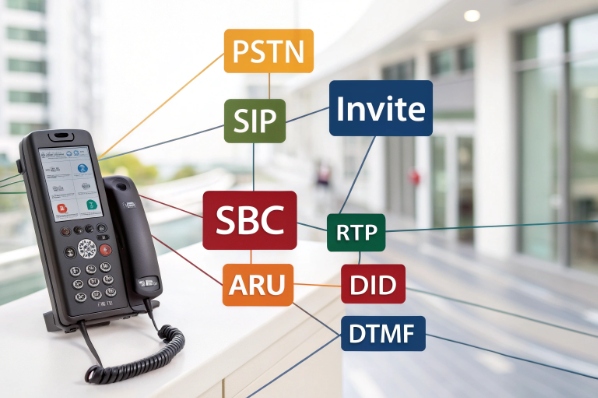
You connect an ARU to SIP trunks by treating it as a SIP endpoint or application server, routing inbound numbers to it, and passing calls by SIP/RTP through your SBC or IP-PBX.

Typical ARU SIP call flow
Most modern ARUs are pure SIP endpoints or SIP application servers. The high-level call flow is simple:
- A caller dials a public number from the PSTN or a mobile network.
- Your SIP trunk provider 5 sends the INVITE to your Session Border Controller (SBC) or IP-PBX.
- The SBC checks the called number (DID) and routes it to the ARU SIP URI or trunk.
- The ARU answers, runs the IVR logic, and collects input.
- If needed, the ARU transfers the call to a queue, an agent, or a ring group on the same SIP network.
From an engineering view, the key tasks are:
- Create a SIP trunk or registration between SBC/PBX and ARU.
- Decide which DIDs go to ARU and which go direct to agents or other services.
- Set codecs (often G.711; sometimes G.729, Opus, or others).
- Confirm how DTMF is sent (RFC 2833 / RTP events is still common).
- Open firewall ports for SIP and RTP securely.
You also want monitoring. Many platforms send SIP OPTIONS to the ARU to test if it is alive. Port metrics then show how many channels are in use, so you know when you need more capacity.
A simple ownership view helps during design:
| Element | Responsibility | Owned by |
|---|---|---|
| SIP trunk to carrier | Numbering, PSTN interconnect, SLAs | Telecom / carrier team |
| SBC / IP-PBX | Call routing, security, codec policy | Network / voice team |
| ARU platform | Media handling, prompts, DTMF, speech, barge-in | Contact center / platform team |
| IVR application | Call flows, menus, API calls, business rules | Product / operations / IT |
| Downstream systems | CRM, billing, payment, order, directory | Application owners |
In our SIP access control and emergency phone projects, we often integrate ARUs both with IT carriers and with on-prem IP-PBXs. The pattern is the same. Keep routing rules simple, give each ARU service its own DID range, and write everything down. That makes life much easier when someone adds a new language line or a new self-service flow later.
What KPIs prove ARU effectiveness?
You may feel the ARU works, but finance and operations still ask for proof. “How many calls did it really handle? Did it hurt CSAT?”
Key ARU KPIs include containment rate, task completion, transfer rate, IVR abandonment, average IVR time, payment success, and CSAT or NPS for self-service journeys.

Measuring containment, effort, and safety
A good ARU is not just a technical success. It also proves its value in clear numbers. The most useful view starts with three groups of KPIs.
First, containment and completion:
- Containment rate: share of calls that start in the ARU and end without any live agent.
- Task completion rate: share of self-service attempts that finish the intended task (for example, “hear balance,” “reset password,” “pay bill”).
- Transfer rate: share of ARU calls that go to an agent, split by intent and menu path.
Second, experience and effort:
- Average IVR time: how long callers stay in IVR before resolution or transfer.
- IVR abandonment: share of callers that hang up while still inside the ARU.
- Repeat calls: callers who call back within 24–48 hours for the same issue, based on ANI and intent.
- CSAT / NPS for IVR: short post-call survey for self-service journeys only.
Third, security and compliance, which matters a lot for payments:
- Share of payment calls with DTMF masking enabled.
- Share of recordings and logs where card data is fully redacted.
- PCI-DSS compliant flows vs. legacy flows still in use.
A simple table often helps when you start:
| KPI | What it shows | Good direction | Example target |
|---|---|---|---|
| Containment rate | How many calls ARU resolves alone | Higher is better | 50–80% for simple tasks |
| Task completion rate | How often self-service actually works | Higher is better | >90% for key flows |
| Transfer rate | How often callers still need agents | Lower is better | <40% for main menu |
| IVR abandonment | Where callers give up | Lower is better | <5–10% |
| Average IVR time | Time before resolution or agent | Depends on journey | Short and predictable |
| Payment success rate | Card entry and authorization success | Higher is better | >95% |
The best programs do not look at ARU metrics in a vacuum. They break numbers by language, device type, caller segment, and even by menu node. That way, product and CX owners can see where no-input or no-match errors spike, where callers always “zero out” to an agent, and where too many retries happen. Small wording changes, better personalization from CRM data, or clearer confirmation prompts then move KPIs in the right direction.
In one actual deployment, a bank used these metrics to tune prompts and simplify menus. Containment on balance and last-transactions calls rose from about 55% to over 80%, while complaints about “IVR loops” dropped at the same time.
Key ARU KPIs include containment rate, task completion, transfer rate, IVR abandonment 6, average IVR time, payment success, and CSAT or NPS for self-service journeys.
Conclusion
A well designed SIP ARU becomes a quiet workhorse that resolves simple tasks fast, protects sensitive data, and frees your agents to focus on complex, high-value conversations.
Footnotes
-
Overview of DTMF signaling and keypad input in traditional and VoIP telephone networks. ↩︎ ↩
-
Background on interactive voice response systems and how callers navigate automated self-service menus. ↩︎ ↩
-
Explains media servers that host IVR prompts, conferencing, and audio processing in telephony environments. ↩︎ ↩
-
Intro to speech synthesis and text-to-speech technology for generating dynamic spoken prompts. ↩︎ ↩
-
Defines SIP trunking and how VoIP providers connect enterprise PBXs to the public telephone network. ↩︎ ↩
-
Describes common call center metrics and KPIs used to measure IVR and contact center performance. ↩︎ ↩








