
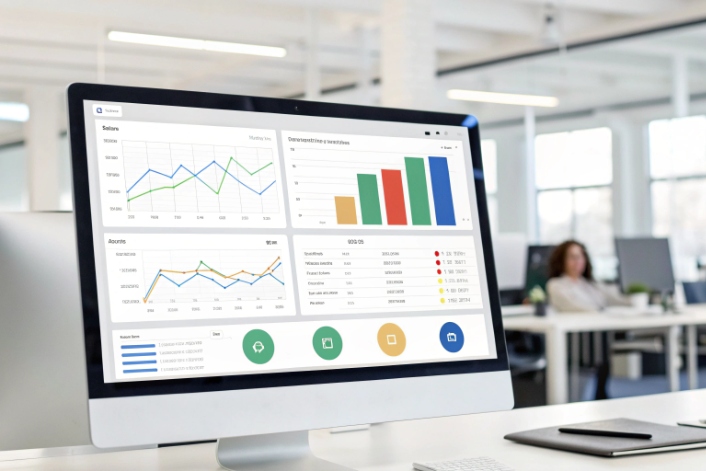
Manual dialing burns time, hurts morale, and still fails to reach enough customers each day.
An auto dialer is outbound software that automatically calls numbers from a list, filters non-answers, and connects live calls to agents or workflows so teams spend time talking, not dialing.
At the center, the dialer sits between your lists, SIP trunks 1, and agents. It decides who to call, when to call, and what to do with each outcome: connect to an agent, play a message, reschedule, or stop. In practice, real value comes from choosing the right dialing mode, staying inside TCPA/Ofcom rules 2, using voicemail detection carefully, and tuning pacing with clear metrics instead of guesswork.
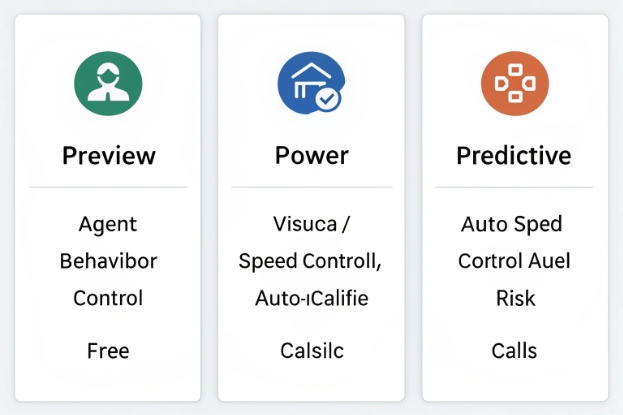
How do preview, power, and predictive differ?
Many teams say “We want predictive dialing 3” before they understand the trade-offs. Wrong mode means angry customers, tired agents, and compliance risk.
Preview gives agents control, power/progressive dials one call per free agent, and predictive dials ahead with algorithms to keep agents busy while keeping abandoned calls under strict limits.
Understanding each dialing mode
The dialer’s job is simple on paper: place calls fast enough to keep agents busy, but not so fast that people answer and hear silence. Each mode uses a different balance of control, speed, and risk.
Preview dialer
In preview mode, the system pushes the next record to an agent, but it does not dial yet. The agent sees:
- Name and contact details
- CRM history and notes
- Past outcomes and risk flags
The agent reads, prepares, then clicks to dial or skip. This mode fits:
- High-value B2B deals
- Sensitive financial or medical calls
- Any campaign where context matters more than volume
Abandoned calls are almost zero, because the system never dials without a ready agent.
Power / progressive dialer
In power (or progressive) mode:
- The dialer places one call per free agent
- It dials immediately when an agent leaves wrap-up
- It filters no-answer, busy, and fast hangups before connecting
This mode is the everyday workhorse for many outbound teams. It gives:
- Higher volume than preview
- Low and predictable risk of abandoned calls
- Simple, transparent pacing
It suits service reminders, collections, and medium-volume follow-ups where you want efficiency but still want tight control.
Predictive dialer
Predictive mode is more aggressive. The dialer:
- Uses live stats like average handle time (AHT) 4, connect rate, and agent availability
- Dials more numbers than free agents, assuming some will not answer
- Adjusts pacing constantly to keep occupancy high
If too many people answer at once, the dialer has more live calls than free agents. Some customers get silence or a very short message. These are abandoned calls, and they sit right at the center of Ofcom and TCPA risk.
A simple comparison:
| Mode | Speed | Agent control | Risk level | Typical use case |
|---|---|---|---|---|
| Preview | Slow | Very high | Lowest | High-value, complex conversations |
| Power | Medium | Medium | Low–medium | Service, collections, follow-up |
| Predictive | Fastest | Low | Highest if misused | High-volume sales, surveys, campaigns |
In SIP deployments I work on, the best setup mixes all three: predictive for big, low-risk lists, power for collections and service, and preview for regulated or VIP campaigns. The trick is to choose the mode per campaign, not per platform.
How do I avoid TCPA/Ofcom violations?
Dialer performance means nothing if it triggers fines, complaints, or carrier issues. Regulators care a lot about abandoned calls, consent, and nuisance patterns.
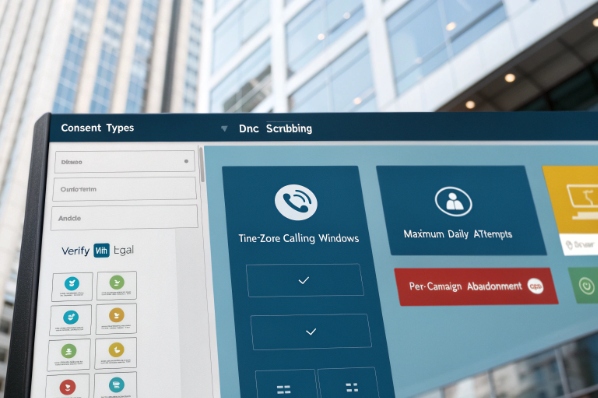
You lower TCPA/Ofcom risk by treating consent and DNC as data, enforcing time windows, capping abandonment, providing clear opt-outs, and logging every dialer decision in a way legal can review.
Building compliance into dialer design
This is not legal advice. It is a practical way to design the dialer so your legal team has something solid to work with.
Treat consent and purpose as fields, not feelings
Every record in your list should carry:
- Consent type (service, marketing, none)
- How and when consent was captured
- Allowed channels (voice, SMS, prerecorded)
- DNC status (national, state, internal)
Before dialing, the platform must:
- Scrub against national/state DNC lists 5 where required
- Apply internal DNC and past opt-outs
- Check consent against campaign type (do not use service-only consent for pure marketing)
Control abandonment and short calls
Predictive dialing can create abandoned calls when pacing is too aggressive. Ofcom focuses on silent and abandoned calls. A safe dialer:
- Sets an internal abandonment cap per campaign (for example, under 3%)
- Slows pacing automatically as abandonment approaches that cap
- Plays a short information message on abandoned calls instead of silence
- Avoids redialing numbers that just experienced an abandoned call, for a defined period
A quick view:
| Risk area | Dialer control | Goal |
|---|---|---|
| Abandoned calls | Pacing algorithm + hard cap | Keep well below internal limit |
| Silent calls | Always play recorded info on no-agent events | Zero pure silence |
| Harassment | Retry rules + daily attempt caps | No rapid repeat attempts |
Respect time zones and quiet hours
The platform should:
- Map each number to a time zone (from address and area code where possible)
- Only dial inside allowed local windows
- Enforce stricter windows and consent for marketing campaigns
After-hours and edge cases should not be left to agent memory. They should be hard-coded in the dialer.
Make opt-outs fast and permanent
Every outbound campaign needs an easy stop button:
- In agent calls, one-click “Do Not Call” in the UI
- In recorded flows, a simple key like “press 9 to opt out”
Once a person opts out, the dialer should:
- Update central DNC and consent records
- Stop all matching campaigns, not just the one currently running
In my own projects, risk drops sharply when the dialer is wired to a single “consent and DNC brain” that every channel uses. There is less guessing, fewer spreadsheets, and much faster responses when a complaint comes in.
Can an auto dialer detect voicemail reliably?
Teams often ask vendors to “skip voicemail” so agents only get humans. In practice, this is always a trade-off, not a magic switch.
Answering Machine Detection (AMD) can often spot voicemail, but it will never be perfect; aggressive settings save agent time but increase false positives, missed contacts, and compliance risk.

How AMD works and where it fails
Answering Machine Detection (AMD) 6 listens to the first seconds after a call is answered. It looks at:
- Greeting length
- Pattern of speech and pauses
- Phrases common in voicemail greetings
Then it labels the call as:
- Human
- Machine / voicemail
- Unknown
From there, your campaign rules apply:
- Human → connect to agent or start live script
- Machine → drop or play a recorded message
- Unknown → usually treat as human to avoid false positives
Two error types matter most.
False positives and missed opportunities
A false positive happens when AMD flags a real person as voicemail. The dialer might:
- Drop the call
- Play a recorded message designed for machines
The human hears something odd or cut off, and your right-party contact rate drops. In some regions, this pattern also looks like a “dead air” or nuisance call.
False negatives and wasted agent time
A false negative happens when AMD treats voicemail as human. The agent hears:
- A long greeting
- Then “please leave your message after the tone”
This wastes agent time and hurts morale. If it happens a lot, people lose trust in the dialer.
Tuning AMD per campaign
Because of these trade-offs, AMD settings should match campaign goals:
| Campaign type | AMD approach | Reason |
|---|---|---|
| High-volume cold sales | More aggressive | Maximize agent talk time |
| Regulated collections | Conservative or disabled | Reduce complaint and silent call risk |
| Appointment reminders | Message-only flows often acceptable | Voicemail still counts as useful contact |
A practical pattern:
- Start with conservative AMD on a limited test.
- Review recordings and complaint logs.
- Adjust only in small steps, and never across all campaigns at once.
In SIP environments, early media and carrier announcements can confuse AMD. So real-world testing with your carriers and lists matters more than any lab demo.
Which metrics optimize dialer pacing?
Predictive dialing is sold as “smart” by default. In reality, it is just math plus guardrails. If you feed it wrong metrics, it either floods people with abandoned calls or leaves agents idle.
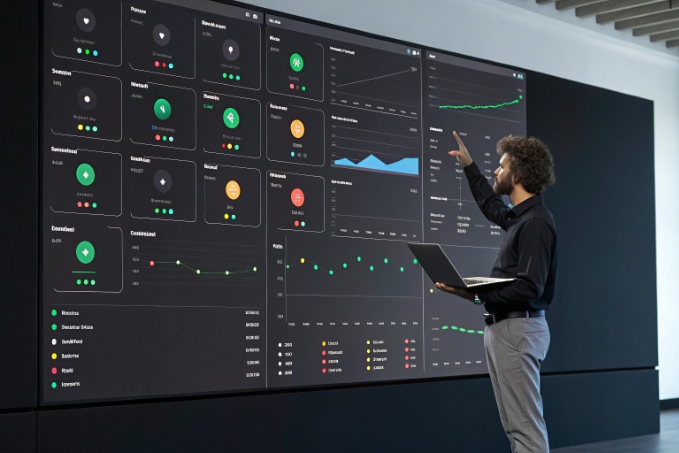
You tune dialer pacing with a small set of KPIs: connect rate, right-party contact, abandonment, agent occupancy, AHT, and cost per connect, then adjust pacing so agents are busy while abandonment stays under your cap.
Core KPIs for pacing decisions
The dialer should adjust pacing based on current, not just historical, numbers.
Key metrics:
- Connect rate = live answers ÷ total dials
- Right-party contact (RPC) = correct target reached ÷ live answers
- Average handle time (AHT) = talk + hold
- Wrap time = after-call work per contact
- Agent occupancy = (talk + wrap) ÷ logged-in time
- Abandonment rate = abandoned calls ÷ live answers
A simple decision map:
| Situation | What it means | Pacing change |
|---|---|---|
| Low connect, low abandon | Too few answers | Increase calls per free agent slightly |
| High connect, rising abandon | Too many answers at once | Slow pacing to protect cap |
| Low occupancy, low abandon | Idle agents | Increase pacing or feed more records |
| Very high occupancy, stable abandon | Agents at limit | Hold or slow slightly to protect quality |
RPC and conversion help you judge list quality. If connect is fine but RPC is poor, the list is wrong, not the pacing.
Linking pacing to business outcomes
Do not tune only for internal efficiency. Watch:
- Conversion rate per campaign
- Promise-to-pay or payment completion in collections
- Cost per connect and cost per sale or success
Sometimes, a slower pace with lower abandonment produces more total conversions and fewer complaints. In those cases, the best decision is to accept slightly lower occupancy to keep quality and revenue higher.
A simple table:
| KPI | If you push pacing too hard | If you tune pacing well |
|---|---|---|
| Abandonment | Spikes, regulators get interested | Stays below internal and legal thresholds |
| Agent occupancy | Near 100%, burnout risk | High but sustainable |
| CSAT / complaints | More “dead air” and hangups | Fewer complaints about odd call starts |
| Cost per connect | Might fall slightly | Often falls with higher usable connects |
| Cost per conversion | Can rise if quality drops | Usually falls with better targeting |
In one real campaign, we started with almost “safe power mode” pacing. After two weeks of data, we raised pacing slowly, watching abandonment and complaint levels. We ended near 88–90% agent occupancy 7, with abandonment under a strict internal cap and more conversions per hour than before.
The dialer did not become magic. It simply used the right metrics, moved in small steps, and always stayed inside clear guardrails.
Conclusion
A solid auto dialer is not just fast; it uses the right mode per campaign, stays compliant by design, treats voicemail detection carefully, and tunes pacing with clear KPIs so teams stay fast, safe, and effective.
Footnotes
-
Overview of SIP trunks and how they connect VoIP calls over the internet. ↩ ↩
-
High-level guide to TCPA rules affecting autodialers and outbound campaigns. ↩ ↩
-
Detailed explanation of predictive dialers, benefits, and typical outbound use cases. ↩ ↩
-
Definition and formula for average handle time (AHT) as a core contact center metric. ↩ ↩
-
Official guidance on complying with U.S. National Do Not Call registry rules. ↩ ↩
-
Technical description of Answering Machine Detection behavior and configuration options. ↩ ↩
-
Definition of agent occupancy and how it measures agent utilization in contact centers. ↩ ↩








