
Choppy audio, robot voices, and awkward delays make every call harder than it should be. Teams blame “the internet”, but very few know how to measure quality in a simple way.
MOS (Mean Opinion Score) is a 1–5 quality score for VoIP calls, where 1 is bad and 5 is excellent. Modern systems estimate MOS from network and codec data so IT can track, compare, and improve call quality objectively.
Once Mean Opinion Score (MOS) 1 becomes part of your VoIP dashboard, arguments turn into facts. You see where quality drops, which sites suffer, and what changes actually improve user experience. The rest of this article looks at how MOS is calculated, why higher MOS pays off, how to monitor it in UCaaS, and how new codecs and AI tools are changing the picture.
How is MOS calculated and interpreted for VoIP quality?
Most people feel when a call sounds good or bad, but those feelings are hard to compare across sites, providers, and time zones.
MOS started as human listening tests on a 1–5 scale. In VoIP, platforms now estimate MOS using algorithms such as the E-model, PESQ, or POLQA, mapping delay, loss, and codec behavior into a score that approximates human perception.
From human listeners to automated scoring
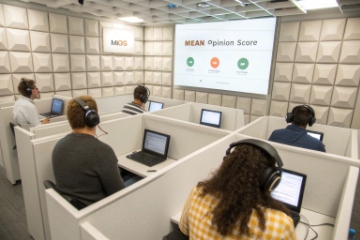
Originally, MOS came from a simple but expensive process. People sat in a lab, listened to many sample calls, and rated each one from 1 to 5. The average rating became the Mean Opinion Score. This gave a clear link to real perception, but it did not scale well to modern networks.
VoIP systems now estimate MOS automatically. They do not play every call to a human panel. Instead they use models that were calibrated against large sets of human tests. Two broad families of models are common.
The first family includes signal-based algorithms like PESQ (ITU-T P.862) 2 and POLQA (ITU-T P.863) 3. These compare a reference audio signal with a degraded version after passing through the network. They measure how much the signal changed, then map that change to a MOS-like score.
The second family includes planning models such as the ITU-T E-model (G.107) 4. Here the system does not need the original audio. It uses metrics like packet loss, jitter, delay, codec type, and packet-loss concealment quality. It then computes an “R-factor” and converts that into a MOS estimate.
Many IP PBXs and UCaaS platforms calculate MOS per call using RTCP or RTCP Extended Reports (RTCP-XR) 5 statistics. They store the score with the call detail record and show averages in dashboards. This makes MOS easy to use in day-to-day operations without complex lab setups.
How to read MOS numbers in real life
MOS is simple to read but easy to misunderstand. Scores from different algorithms, bandwidth ranges (narrowband versus wideband), or tools are not always directly comparable. It helps to define clear internal ranges and stick to them.
A practical interpretation for VoIP voice calls is:
| MOS range | Perceived quality | Comment |
|---|---|---|
| 4.3–5.0 | Excellent | Very clear HD calls, users rarely complain |
| 4.0–4.2 | Good / high business quality | Comfortable for most sales and support work |
| 3.6–3.9 | Acceptable business quality | Some minor artifacts, still usable |
| 3.1–3.5 | Fair / marginal | Frequent artifacts, people start to complain |
| < 3.1 | Poor | Annoying or hard to understand, fix required |
Wideband codecs such as G.722, Opus, or EVS can reach higher MOS than narrowband codecs at the same network conditions. Packet loss, jitter, and one-way delay pull MOS down. Echo, background noise, and bad headsets also hurt scores, even if the network looks “clean” on paper.
One more nuance matters. Classic MOS reflects listening quality. It focuses on how the audio sounds, not on how easy it is to hold a conversation. Long one-way delay may still give a decent listening MOS, but the conversation feels broken. For that, some tools use variants like conversational MOS or MOS-CQ.
When we look at VoIP environments, MOS becomes a quick “health number”. It is not perfect, but it offers a simple shared language for IT, business, and providers to discuss quality.
What ROI and CX gains come from higher MOS?
MOS sounds technical, so it is easy to treat it as just another graph. But behind each point of MOS there are real business effects: repeat calls, longer handle times, and lost deals.
Higher MOS reduces misunderstandings, repeat contacts, and call fatigue. That lifts first-call resolution, shortens handle time, improves sales conversion, and increases customer satisfaction and retention, which creates clear ROI from network and VoIP upgrades.

How better quality changes conversations
Calls with low MOS are not just annoying. They force people to repeat information, spell names, and confirm details again and again. That extra friction shows up everywhere:
- Support agents spend more time per ticket.
- Sales reps lose momentum in pitches.
- Dispatch and operations teams risk mistakes in addresses or numbers.
When MOS rises into the “good” or “excellent” range, speech becomes easier to understand. Agents hear long account numbers clearly the first time. Customers understand instructions without asking for repeats. Managers hear fewer complaints about “your phone system”.
This directly affects core metrics:
| Area | Impact of higher MOS |
|---|---|
| First-call resolution | Fewer misunderstandings, fewer callbacks |
| Handle time | Less repetition, shorter average call duration |
| Agent productivity | More conversations per hour with the same staff |
| Customer sentiment | Less frustration, better CSAT and NPS |
| Error rate | Fewer mis-keyed orders, addresses, and numbers |
In B2B environments where each call may represent a large deal or a critical support case, these differences are worth real money, not just nicer audio.
Linking MOS to hard ROI
It is sometimes hard to “sell” voice quality improvements until numbers are visible. One way is to link MOS to both operational and customer experience figures.
A simple example:
- Before improvements, average MOS sits around 3.4. Support abandonment is high, and average handle time is 8 minutes.
- After QoS and codec tuning, average MOS climbs to 4.1. Handle time drops by 30–60 seconds, and first-call resolution improves.
If a team handles hundreds or thousands of calls per week, that time adds up quickly. The same number of agents can process more calls, or the same load can be handled with fewer overtime hours. At the same time, customers feel the difference and are more willing to stay on your platform or renew maintenance.
Better MOS also reduces “blame games”. When call quality is poor, partners may claim the problem lies in your network, your SBC, or your endpoints. A clear MOS and network baseline gives you evidence to push issues to the correct side. That shortens outage resolution and protects your brand.
This is why treating MOS as a key KPI, not a side metric, makes sense. It connects network work with CX, revenue protection, and long-term customer loyalty.
How should IT measure, monitor, and improve MOS in UCaaS?
Many UCaaS projects start with basic uptime and feature checks only. Everyone is happy until users complain about “robot voices” or “laggy calls”, and IT has no quality history to investigate.
IT should collect per-call MOS, track trends by site and trunk, use dashboards and alerts for drops, and improve MOS with QoS, codec choices, jitter-buffer tuning, and endpoint hygiene across UCaaS or hosted VoIP deployments.
Building a MOS measurement framework
The first step is to decide where MOS will be calculated and stored. Most UCaaS and modern IP PBX platforms already have MOS estimation built in. You simply need to enable collection and learn where to read it.
A practical setup includes:
- Per-call MOS logging in CDRs or analytics records.
- Averages by dimension such as site, user group, phone model, trunk, or region.
- Time-based charts to see trends by hour, day, and after changes.
A simple monitoring view might look like this:
| View type | What you learn |
|---|---|
| MOS by site/office | Which locations suffer from poor connectivity |
| MOS by access type | LAN vs VPN vs Wi-Fi vs mobile |
| MOS by carrier/SIP trunk | Which provider links are weak |
| MOS by endpoint model | Which phones or headsets cause issues |
| MOS before/after change | Whether a network change helped or hurt |
Where possible, combine MOS with raw metrics such as packet loss, jitter, and round-trip time. That makes root-cause analysis easier.
You can also use synthetic tests: small scheduled calls between probes, measured with PESQ or POLQA, to sample quality across paths even when users are not on the phone.
Practical ways to lift MOS in the field
Once you know where MOS is weak, the next step is improvement. Most gains come from a few well-known actions:
- Prioritize RTP with Differentiated Services Code Point (DSCP) 6 QoS on routers and switches.
- Remove bottlenecks such as slow uplinks shared with heavy file sync or backups.
- Use wired connections for offices with many concurrent calls; treat Wi-Fi as best-effort.
- Choose modern codecs like G.722 or Opus for internal calls and HD-capable endpoints.
- Tune jitter buffers so they absorb network jitter without adding too much delay.
- Control echo and noise with good headsets and endpoint echo cancellation.
A before-and-after table can help you plan:
| Area | Typical problem | MOS impact | Fix |
|---|---|---|---|
| Network | Bufferbloat, no QoS | Loss, jitter spikes | QoS, queue tuning, WAN cleanup |
| Access | Weak Wi-Fi, crowded channels | Random artifacts | Wired or improved Wi-Fi design |
| Codec | Old narrowband codecs everywhere | Lower max MOS | Enable HD codecs internally |
| Endpoints | Cheap mics, loud speakerphones | Noise, echo | Better devices, tuning |
| Routing | Hairpin through slow paths | High delay | Local breakouts, smart SBC paths |
In UCaaS projects, some of this is under the provider’s control. Your part is usually LAN/WAN, Wi-Fi, and endpoints. The provider handles core media servers and peering. MOS gives both sides a shared view to work from.
Over time, you can set MOS targets and alarms. For example, alert if a site’s average MOS drops below 3.8 for more than an hour. That lets IT react before users open tickets, and it turns quality into a continuous process instead of one-off firefighting.
What trends affect MOS—codecs, jitter buffers, and AI diagnostics?
MOS may be an old metric, but the technologies behind VoIP are changing fast. New codecs, smarter jitter buffers, and AI-based diagnostics all shift what “good” looks like.
Modern wideband and superwideband codecs, adaptive jitter buffers, and AI-driven analytics are raising typical MOS scores and making it easier to detect and fix quality problems automatically across complex UCaaS and hybrid networks.
Codecs and packet-loss handling
Classic VoIP deployments leaned hard on G.711 and sometimes G.729. These codecs gave decent MOS on clean networks, but they were not very forgiving on lossy links.
Newer codecs like the Opus audio codec (RFC 6716) 7 and EVS are far more flexible. They support wideband or even full-band audio while adapting bitrate and applying stronger packet-loss concealment. In simple terms, they “cover up” small losses better, so MOS stays higher even on imperfect connections.
A quick comparison:
| Codec | Bandwidth type | Typical behavior | MOS potential on good links |
|---|---|---|---|
| G.729 | Narrowband | Low bitrate, quality trade-offs | Mid-range, often <4.0 |
| G.711 | Narrowband | Simple, higher bitrate | Around low 4s |
| G.722 | Wideband | HD voice, similar bitrate to G.711 | Higher perceived quality |
| Opus | Wide/super/fullband | Flexible, good loss handling | Very high when configured well |
As more platforms standardize on wideband codecs for internal calls, your internal MOS baseline should rise. External calls that traverse narrowband-only trunks will still be limited, but at least inside your domain you can reach excellent scores.
Smarter jitter buffers and adaptive logic
Old phones often had simple fixed jitter buffers. They added a fixed delay to smooth small variations in packet timing. If the network changed, the buffer could not adapt. That sometimes produced either choppy audio or unnecessary delay, both of which hurt MOS.
Modern endpoints and media servers use adaptive jitter buffers. They watch network behavior and adjust buffer size dynamically. If the network gets noisy, they increase buffer size a bit. If conditions improve, they shrink it again to keep latency down.
Combined with better PLC (packet-loss concealment) and echo control, this trend means the same network conditions can now deliver higher MOS than a decade ago, using the same basic bandwidth.
AI diagnostics and quality automation
The last trend is analytics. Manual inspection of logs and MOS charts does not scale well in global UCaaS deployments. AI-driven tools now help detect patterns that humans would miss.
These tools can:
- Monitor MOS, loss, jitter, and delay in real time across many sites.
- Correlate drops with device types, firmware versions, or specific ISPs.
- Suggest likely root causes and even recommended fixes.
- Predict risk by looking at early warning signs before MOS falls sharply.
For example, an AI engine might notice that calls from one ISP, during certain hours, show falling MOS and rising jitter. It can raise a ticket automatically or reroute traffic through another path when possible.
Some systems can also break MOS down by elements of the path (endpoint, LAN, WAN, SBC, provider). That lets you see whether a low score comes from the user’s Wi-Fi, your office router, or the cloud side, without deep manual tracing.
These trends do not replace the basics. You still need sound network design, good endpoint choices, and clear QoS. But they change what “normal” MOS looks like and give you better tools to keep voice quality strong as your SIP, UCaaS, and contact-center footprint grows.
Conclusion
MOS turns subjective VoIP call quality into a simple 1–5 score, and when IT teams measure, monitor, and steadily improve that number, every conversation becomes clearer, faster, and more valuable for both your business and your customers.
Footnotes
-
ITU-T P.800 defines MOS listening-test methodology for voice quality scoring. ↩ ↩
-
ITU-T P.862 describes PESQ, a reference-based speech quality metric widely used for VoIP testing. ↩ ↩
-
ITU-T P.863 details POLQA, the successor to PESQ for wideband and modern networks. ↩ ↩
-
ITU-T G.107 explains the E-model and R-factor conversion used for VoIP planning. ↩ ↩
-
RFC 3611 specifies RTCP XR reports that carry VoIP quality statistics like loss and jitter. ↩ ↩
-
RFC 2474 introduces DSCP marking for DiffServ QoS so voice packets get priority treatment. ↩ ↩
-
RFC 6716 defines the Opus codec, including wideband modes and resilience features that help maintain MOS. ↩ ↩








