

Travel, time zones, and long email threads slow everything down. Distributed teams move fast, but old meeting habits still work like everyone sits in the same building.
Video conferencing is real-time audio and video over the internet that lets people meet face-to-face from anywhere, with tools like screen sharing, chat, and recording to keep work moving without travel.
When video becomes a normal part of your communication stack, decisions no longer wait for flights, and remote people stop feeling like second-class participants. The key is to understand how it works, where it really pays off, how to choose a platform, and which trends will shape your next upgrade.
How does video conferencing work for distributed B2B teams?
Many companies jumped onto video tools during remote-work waves, but never defined how these meetings should fit with calls, email, and in-person visits. That is why some meetings feel random and tiring.
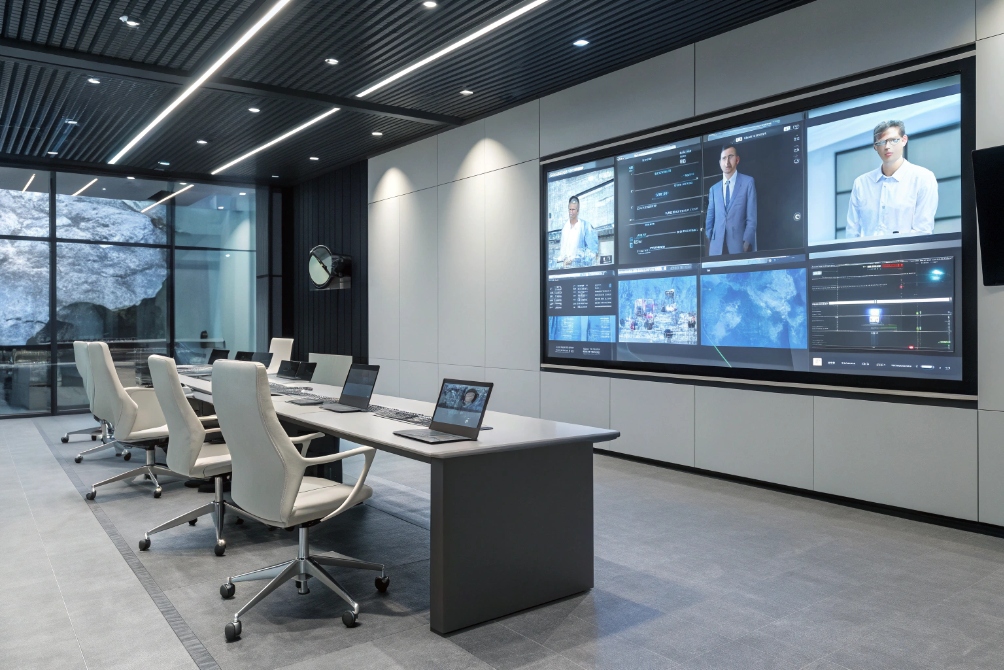
Video conferencing connects distributed teams through apps on laptops, phones, and room systems, mixing audio, video, and shared content in the cloud so internal staff, partners, and customers can work together in real time.

The basic building blocks under the hood
The surface looks simple: click a link, join a meeting. Behind that, a few core pieces work together:
- A signaling layer for join links, meeting IDs, invites, and control messages
- Media engines for audio, video, and screen-sharing streams (often carried via the Real-time Transport Protocol (RTP) 1)
- Clients on laptops, mobiles, and dedicated room devices
- Cloud or on-prem media servers that mix or relay streams
Each participant sends audio and video to the service, which either mixes them into combined streams or selectively forwards them. Modern platforms use adaptive bitrate, echo cancellation, and noise suppression so calls stay workable even on variable networks.
For B2B teams, this sits next to your IP telephony. SIP trunks built on the Session Initiation Protocol (SIP) 2, VoIP phones, and video all share the same underlying IP networks, but they use different applications on top.
How distributed teams actually use it day to day
In practice, video conferencing for B2B sits in a few common patterns:
- Internal alignment: stand-ups, sprint reviews, design reviews, weekly ops calls
- Customer collaboration: project check-ins, onboarding, support troubleshooting
- Partner and vendor meetings: roadmap sessions, joint sales calls, technical workshops
- Training and enablement: product demos, onboarding classes, certification sessions
A typical flow:
- Someone creates a meeting in the video app or calendar.
- The system generates a join link, dial-in numbers, and calendar invite.
- Participants join from room systems, laptops, phones, or browsers using the WebRTC standard 3.
- One person shares a screen or app; others use chat for links and questions.
- Optional recording captures the session for anyone who could not join live.
Because everything runs over IP, the same meeting can include people in offices, at home, in hotels, and on mobile networks. This is where it becomes powerful for distributed B2B teams.
Mapping roles to common video use cases
A simple way to see the value is to look at different roles:
| Role | Typical use of video conferencing |
|---|---|
| Sales | Remote demos, discovery calls, proposal walk-throughs |
| Customer success / support | Onboarding, QBRs, live troubleshooting with screen share |
| Engineering | Architecture reviews, incident postmortems, pair design |
| Operations / logistics | Vendor check-ins, site coordination, planning meetings |
| Leadership | Town halls, all-hands, investor or board updates |
When each role knows when and why to use video instead of email or phone, meetings get shorter, more focused, and more inclusive for remote colleagues.
What ROI and productivity gains can video conferencing deliver?
Video licenses can look cheap or expensive depending on how you count. If you only see them as a “meeting tool”, it is hard to prove value. The gains show up when you tie them to travel, sales cycles, and project speed.
Video conferencing saves hard travel costs and soft time, speeds up decisions, improves sales and customer relationships, and helps remote teams stay aligned, together creating clear ROI that goes far beyond license prices.

Hard savings: travel, facilities, and time
The easy part of the ROI story is travel. When a single round trip costs more than a year of video licenses, the math becomes simple. But there is more:
- Fewer flights and hotel nights for routine check-ins
- Less need for big meeting rooms and guest facilities
- Less unproductive time in airports, taxis, and long commutes
This does not mean travel disappears. It shifts. Teams travel for high-impact events and complex workshops, not for every monthly review or quick demo.
Time is the other hard saving. Shorter scheduling cycles and faster decisions matter. When you can book a 30-minute call this week instead of waiting a month for everyone to be in the same city, projects move faster and deals close sooner.
Soft gains: clarity, engagement, and trust
Video adds body language and facial expressions back into remote communication. That extra context:
- Reduces misunderstandings in complex or sensitive topics
- Makes “difficult conversations” like escalations feel more human
- Helps technical teams understand each other when diagrams and code are on screen
Customers also feel the difference. A sales pitch over audio-only feels distant. A live demo where they see the product, the person behind it, and maybe a hardware setup on camera feels more trustworthy.
Remote staff benefit as well. Seeing colleagues regularly makes them feel part of the team. This helps reduce isolation and improves engagement, especially when offices and factories sit in different regions.
Linking video to business metrics
To make the ROI real, it helps to link video usage to a few high-level metrics:
| Area | Possible impact from video conferencing | How to observe it |
|---|---|---|
| Sales | Shorter cycles, higher win rates for complex deals | Compare pre/post adoption or by segments |
| Support / services | Faster resolution of complex issues with screensharing | Track time-to-resolution on video sessions |
| Projects | Faster decisions, fewer blocked tasks | Observe cycle times and backlog movement |
| Travel / expenses | Fewer routine trips, smaller travel budgets | Compare travel spend year-on-year |
You do not need a perfect model. Even simple before-and-after checks often show that a well-chosen platform pays for itself quickly in B2B environments with global customers and partners.
How should I evaluate and deploy a video conferencing platform?
Most teams start with whatever tool is popular at the moment. Over time, that can create a messy mix of apps, links, and logins that confuse people and dilute security.
To choose and deploy a video conferencing platform, define your use cases and standards first, then evaluate tools for quality, features, interoperability, security, and ease of management, and roll them out with clear rules and training.

Start with use cases and requirements, not features
Instead of starting with brand names, write down what you actually need:
- Typical meeting sizes and frequency
- Internal vs external meetings, and how often guests join
- Required features: recording, breakout rooms, whiteboards, live captions, etc.
- Integration points: calendars, email, UCaaS, CRM, LMS, or ticket systems
- Regulatory or customer requirements: data residency, encryption, compliance
For B2B teams selling technical products, screen-sharing quality and low latency matter a lot. For training-heavy use, breakout rooms and whiteboards can be more important.
What to look for when comparing platforms
Once you know your scenarios, you can compare platforms more clearly:
| Dimension | Questions to ask |
|---|---|
| Audio/video quality | How stable is quality on normal broadband and mobile? |
| UX and adoption | Is joining easy for guests with no account? |
| Interoperability | Does it work with room systems, SIP, and other tools? |
| Security and control | Are encryption, SSO, and strong host controls available? |
| Management | Can IT manage users, policies, and reports centrally? |
| Cost and licensing | Do pricing tiers match how your teams will use it? |
Do not forget hardware. Even the best platform sounds bad with a weak laptop mic. Plan for a mix of:
- External webcams for key users who present often
- USB speakerphones or headsets for small meeting rooms
- Full room kits (camera, mics, compute) for boardrooms and training spaces
Deployment, network planning, and change management
A successful rollout is not just about turning on licenses. You will get better results if you:
- Check network capacity: especially for sites with many simultaneous video calls.
- Apply QoS: prioritize real-time audio/video packets using Differentiated Services (DiffServ) 4 markings over bulk traffic.
- Pilot with real teams: sales, support, engineering, and ops in live scenarios.
- Create simple policies: when to use video vs email vs audio-only.
- Train people: short guides on joining, sharing, recording, and security basics.
A basic evaluation table can help you pick a direction:
| Step | Outcome you want |
|---|---|
| Pilot and feedback | Real reactions, not just feature checklists |
| Phased rollout | Stable adoption instead of sudden forced change |
| Decommission old tools | Less confusion, better security posture |
| Ongoing review | Adjust licenses and policies as habits evolve |
With that groundwork, video becomes a reliable part of the communication stack, not an extra app people use only when they have no other choice.
What trends shape video conferencing—AI features, interoperability, and security?
Early video tools were mostly about “can we connect at all?” That baseline is now solved. The interesting questions are about how smart, flexible, and safe your platform can be.
Video conferencing is evolving toward AI-assisted meetings, better interoperability between platforms and room systems, and stronger security and compliance, so teams get more value from each meeting with less friction and risk.
AI features: from noise suppression to meeting notes
AI already hides in many features that people now expect as normal:
- Background noise suppression and echo reduction
- Virtual backgrounds and background blur
- Live captions (live) 5 and translated subtitles
- Automatic meeting notes, action items, and summaries
These tools make meetings more accessible and less tiring. Quiet rooms are not always possible, and not everyone shares a native language. AI helps smooth those edges.
The next step is smarter help: suggesting agenda items, highlighting decisions in transcripts, and connecting meetings to tasks in project tools or CRMs. This reduces manual follow-up and the risk that important actions get lost.
Interoperability and room integration
Real-world B2B environments are messy. One partner uses platform A, another uses platform B, and your rooms use different hardware. Interoperability matters more every year.
Questions to consider:
- Can your room systems join external meetings without complex workarounds?
- Does the platform support SIP or standard meeting gateways where needed?
- Can users join from browsers without installing heavy clients?
Vendors are improving cross-platform join flows and adding standards-based options, but there are still limits. During evaluation, test calls with real partners and customers, not just internal users.
Security, privacy, and compliance
As more sensitive work moves to video, security is under more scrutiny. The basics now include:
- Encrypted connections between clients and servers using TLS 1.3 6
- Waiting rooms and lobby controls for guest screening
- Host controls to mute, remove, or lock meetings
- Single sign-on via OpenID Connect 7 and strong identity for internal users
For some industries, you also need:
- Clear data residency options
- Controlled access to recordings and transcripts
- Retention policies and legal hold options
It helps to decide which meetings are safe to record and which are not, and to train hosts on using locks, passcodes, and waiting rooms. Good defaults plus simple host tools go a long way.
A quick trend summary:
| Trend | What it brings | What to watch for |
|---|---|---|
| AI assistance | Cleaner audio, captions, notes, follow-up actions | Accuracy, privacy, and data handling |
| Interoperability | Easier external meetings, better room usage | Real behavior with partners’ platforms |
| Security & privacy | Safer collaboration on sensitive topics | Config, user habits, and policy clarity |
Staying aware of these directions helps you choose a platform that will keep improving over the next years instead of feeling old as new features become standard.
Conclusion
Video conferencing is more than “online meetings”; done well, it becomes a core part of how distributed B2B teams sell, support, and build together, with clear gains in speed, cost, and customer experience.
Footnotes
-
RTP specification for carrying real-time audio/video streams over IP networks. ↩ ↩
-
SIP standard that underpins many VoIP call setups and conferencing signals. ↩ ↩
-
Explains browser-based real-time video via WebRTC and its core capabilities. ↩ ↩
-
DiffServ overview for prioritizing real-time media traffic with QoS markings. ↩ ↩
-
WCAG guidance on live captions to improve accessibility in real-time meetings. ↩ ↩
-
TLS 1.3 standard describing modern encryption for securing client-server connections. ↩ ↩
-
OpenID Connect spec commonly used for SSO in enterprise identity systems. ↩ ↩








