
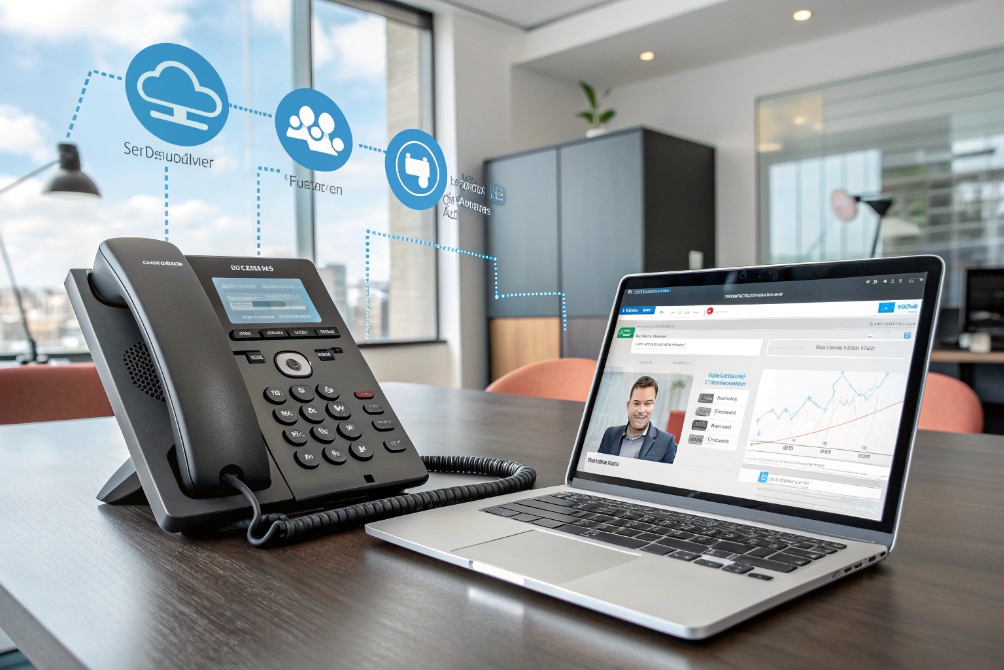
Missed calls turn into missed orders, escalations, and unhappy customers. When people move between desks, home, and sites, a fixed desk phone simply cannot keep up.
VoIP call forwarding automatically routes incoming calls from one number or extension to other phones, apps, or voicemail based on rules you set, so important calls follow you instead of dying on a ringing handset.
With a good forwarding strategy on your UCaaS platform 1 or IP PBX 2, your main numbers stay reachable, even when people are traveling, working from home, or handling other calls. The rest of this guide walks through how forwarding works across devices and locations, why it matters for sales and support, how IT should design policies and failover, and how AI and omnichannel tools are changing what “forwarding” means.
How does VoIP call forwarding work across devices and locations?
If forwarding rules are random, calls bounce between mobiles, voicemail, and queues. Callers feel this as confusion and delay, even though the technology is “advanced”.
In a VoIP system, call forwarding uses rules on the PBX or UCaaS platform to redirect calls from your extension or number to other internal extensions, ring groups, mobiles, or voicemail, based on conditions like time, busy, or no answer.
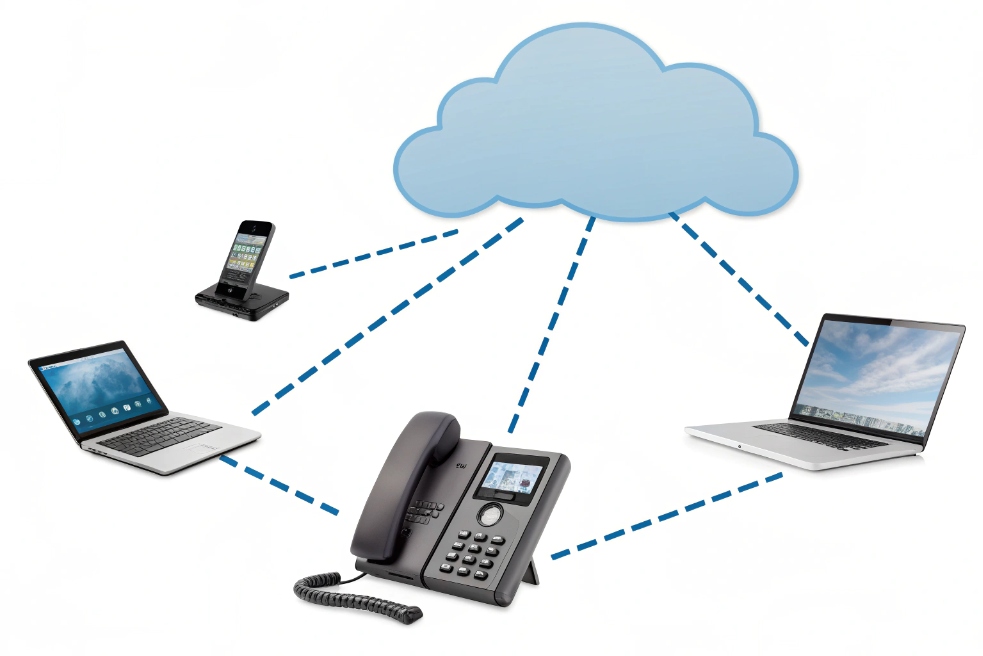
Call flow in a VoIP environment
Under the hood, the logic sits on the server, not on the device. When someone dials your Direct Inward Dialing (DID) 3 or extension:
- The platform checks your forwarding rules and presence.
- It decides whether to ring your primary device first, several devices at once, or forward immediately.
- If nobody answers within a set time, it moves to the next step in the chain.
- If all options fail, it drops into voicemail or a backup destination.
Because this logic runs in the cloud or IP PBX, it does not care where your devices are. A Session Initiation Protocol (SIP) 4 desk phone in the office, a softphone on a laptop, and a mobile app over 4G or Wi-Fi can all be targets in the same rule set.
Forwarding can be internal (to another extension, ring group, hunt group, or queue) or external (to a mobile or landline on the Public Switched Telephone Network (PSTN) 5). Providers often treat internal forwarding as “free”, while external calls consume trunks and minutes.
Forwarding modes you actually use
Most systems offer several forwarding modes. They sound abstract, but they map directly to real situations:
| Mode | What it does | Typical use case |
|---|---|---|
| Unconditional (always) | Forwards every call, no ringing on the original device | On vacation, long business trips |
| Busy | Forwards only when you are already on a call | Escalate to assistant or team |
| No-answer | Forwards if you do not pick up within X seconds | Send to queue, backup agent, or shared mailbox |
| Not-reachable | Forwards if device is offline or unregistered | Failover to mobile or main receptionist |
| Selective | Forwards calls from certain numbers or at certain times | VIP handling, after-hours on-call |
| Simultaneous ring | Rings several devices at once | Desk + mobile + softphone together |
| Sequential / hunt | Rings one after another in a defined order | Escalation ladders, small sales teams |
Simultaneous and sequential ringing are very useful for hybrid work. For example, all devices ring together during business hours, but after hours only the on-call mobile rings, then falls back to voicemail.
Handling caller ID and voicemail
Two small details make or break forwarding in practice: caller ID and voicemail.
For caller ID, you usually have options:
- Show the original caller’s number (better for context).
- Show the business main line (better for callbacks).
- Add a prefix or tag so the recipient knows it is a forwarded business call.
For voicemail, you choose where the message ends up:
- The original user’s mailbox (common for personal extensions).
- The destination’s mailbox (common for shared mobiles or teams).
- A central mailbox or ticket system.
To prevent forwarded calls from being swallowed by personal mobile voicemail, many systems offer call confirm. The mobile user must press a key (for example, “1”) to accept. If they ignore it, the platform keeps control and can move to the next rule instead of hitting personal voicemail.
Once these pieces are set, forwarding works across locations without callers noticing the hops behind the scenes.
What business benefits does VoIP call forwarding deliver for sales and support?
Sales and support teams live or die by reachability. One missed call can be a lost deal or an angry customer, but you also cannot expect people to sit at one desk all day.
VoIP call forwarding keeps sales and support reachable on main business numbers, even when they move between devices or locations, which reduces missed calls, protects SLAs, and makes customers feel they can always reach someone.

Availability without exposing personal numbers
Forwarding lets staff use personal mobiles for reachability without giving their numbers to customers. The platform shows the business caller ID to customers and hides the private number behind the scenes.
This gives teams the flexibility to:
- Take important calls while traveling between sites.
- Handle urgent customer issues from home when needed.
- Rotate on-call duties between people without changing the published number.
For managers, this keeps control. When someone leaves the company, you remove their forwarding rule and keep the main number. Customers keep calling the same contact number, and you reassign the calls to a replacement.
Sales and revenue protection
In sales, timing is everything. When an inbound lead calls:
- Forwarding can ring the primary rep, then overflow to a backup rep or team.
- Simultaneous ring can alert a small pod of reps at once.
- After-hours rules can route to a follow-the-sun team or a 24/7 answering service.
This reduces the risk that a hot lead hits voicemail and never calls back. You can also set selective forwarding for key customers or reseller hotlines to reach senior reps or account managers directly, even when the main queue is busy.
A simple mapping:
| Scenario | Forwarding strategy |
|---|---|
| Inbound web leads | Simultaneous ring to lead response team |
| Key account calling | Selective forwarding to dedicated account manager |
| Trade show or travel | Always-forward from desk phone to mobile softphone |
Over time, this shows up in higher answer rates, better conversion on inbound calls, and fewer complaints about “I tried to reach sales but nobody picked up”.
Support, SLAs, and customer experience
Support teams use forwarding to back up queues and protect SLAs:
- If a support agent does not answer, calls can forward to a backup team or supervisor.
- If the main support number is unreachable, failover can send calls to another site.
- On-call engineers can receive critical incident calls on mobile without exposing numbers.
You can define tight no-answer timers for critical lines. For example, ring the primary engineer for 15 seconds, then ring the backup for 15 seconds, then drop into an incident bridge or escalation queue.
From the caller’s point of view, this means:
- Fewer trips to voicemail for urgent issues.
- Shorter time to reach a human who can help.
- More consistent service when teams are hybrid or distributed.
In sectors with contractual service level agreements (SLAs) 6, these small routing choices directly protect revenue and renewals.
How should IT evaluate providers and set forwarding policies, failover, and rules?
If every user invents their own forwarding logic, the system becomes impossible to support. IT gets stuck chasing strange loops and surprise bills from forwarded calls.
IT should choose VoIP providers that support flexible, policy-driven call forwarding, then define standard rule patterns, failover trees, and security controls, so forwarding helps users without creating chaos or toll-fraud risk.

Core capabilities to check
When comparing platforms, look beyond “yes, we support forwarding”. You want to know:
| Area | Questions to ask |
|---|---|
| Rule types | Do you support busy, no-answer, unreachable, selective, time-based, and simultaneous/sequential ring? |
| Per-user vs global | Can users manage rules in apps, with admin overrides? |
| External forwarding | Are there limits, country blocks, or special rates? |
| Caller ID options | Can we choose original vs main number vs tagged ID? |
| Voicemail behavior | Can we control where unanswered forwarded calls land? |
| Security | Is there call confirm, rate limiting, and audit logging? |
Integration with your IP PBX, SIP trunks, and UC clients also matters. In many deployments, we tie extension rules directly into desktop and mobile apps, so users can switch profiles (“Office”, “Travel”, “Do not disturb”) instead of editing raw forwarding strings.
Policies, failover trees, and guardrails
Once the platform can do what you need, define standard patterns. For example:
- Default: ring desk and softphone together, then voicemail.
- Field staff: ring mobile app, then external mobile, then central dispatch.
- Executives: ring assistant, then executive, then team, then voicemail.
Document a simple failover tree for each key number:
- Main number or queue.
- Backup queue or location.
- External answering service or voicemail.
Then add guardrails:
- Block international forwarding except where needed, to reduce toll fraud 7.
- Require call confirm for forwarding to mobiles.
- Limit who can forward main or emergency numbers to external destinations.
- Use presence to suppress forwarding when a user is already on a call or in a meeting.
With these patterns, users get flexibility while IT keeps control of costs and security.
Monitoring and governance
Forwarding rules should not be “set and forget” forever. You want visibility and clean-up.
Helpful practices:
- Review forwarded call volumes by number and destination.
- Watch for spikes in external forwarding that may indicate misconfiguration or fraud.
- Regularly audit forwarding on shared mailboxes, hotlines, and main numbers.
- Provide simple self-service for users to see and adjust their own rules.
Metrics such as missed calls, answer rate, and time to answer before and after policy changes show whether your forwarding design is working. When users complain about missed calls, you can look at both their rules and the call logs instead of guessing.
What trends shape call forwarding—AI routing, presence-aware rules, and omnichannel continuity?
Forwarding used to mean “send my calls to another phone”. Today, call flows can take many paths across apps, channels, and even AI assistants.
Call forwarding is evolving into smarter, presence- and context-aware routing that uses AI, calendar data, and omnichannel tools to decide where each call should go, so customers reach the right destination with fewer hops.

Presence- and context-aware rules
Modern platforms can look at more than “ring/no ring”. They can read:
- User presence (available, in a call, in a meeting).
- Calendar state (busy, out of office).
- Time of day and location.
That means you can build rules like:
- During working hours, ring desk and softphone; during travel days, ring mobile app first.
- If user is presenting or in a video call, send voice calls to an assistant or queue.
- If user is OOO, skip personal devices and route straight to a backup role.
This is still call forwarding, but now it is contextual. The platform adapts instead of relying on manual toggles.
AI-assisted decision making
AI is starting to help routing decisions too. It can:
- Learn which devices a user actually answers at different times.
- Predict when to send calls directly to voicemail or a team instead of a busy person.
- Analyze repeat call patterns to suggest better default destinations.
For example, if support escalations always end up with a certain specialist, the system can suggest a rule that forwards some cases directly there when certain conditions match.
AI also supports voicebots and virtual agents. These can answer calls first, handle simple tasks, and only forward to humans when needed. In that sense, forwarding becomes part of a bigger decision tree that includes bots, queues, and humans.
Omnichannel continuity
In many businesses, the “call” is just one touchpoint. Customers also use chat, email, and messaging apps. Forwarding now needs to respect that context.
Trends here include:
- Linking call forwarding with CRM so VIP customers reach their account teams directly.
- Holding context across channels, so a caller who was chatting with support gets forwarded to the same team by voice.
- Using the same presence and routing engine for voice, chat queues, and callbacks.
A simple view:
| Trend | Forwarding impact |
|---|---|
| UC presence and calendar | Smarter, less manual rules |
| AI-based routing | Better automatic choices, fewer manual changes |
| Omnichannel platforms | Voice forwarding that respects chat and ticket context |
As these trends mature, the line between “call forwarding”, “routing”, and “contact center logic” keeps blurring. The good news is that the basic goal stays the same: make sure calls reach the right place as simply and reliably as possible.
Conclusion
VoIP call forwarding is much more than “send my calls to my mobile”; it is a routing toolkit that, when designed with clear rules and context, keeps your business reachable wherever your people are.
Footnotes
-
Understand UCaaS platforms that bundle calling, messaging, and meetings in the cloud. ↩ ↩
-
Overview of PBX/IP PBX call-control functions like extensions, routing, and forwarding. ↩ ↩
-
Explains how DID numbers map external calls directly to internal extensions. ↩ ↩
-
Read the SIP standard that underpins VoIP call setup, routing, and device registration. ↩ ↩
-
Background on the PSTN and why forwarded calls to mobiles consume carrier minutes and trunks. ↩ ↩
-
Learn what SLAs are and how response targets influence forwarding and escalation design. ↩ ↩
-
Security guidance on PBX abuse and fraud risks that forwarding policies should help prevent. ↩ ↩








