

Picking up the phone and hearing endless ringing or hitting the wrong person wastes time and hurts response for every team in the building.
Phone presence is a real-time indicator that shows if a colleague’s line is idle, ringing, on a call, or in Do Not Disturb, so you can route calls and reach people without guessing.
Once presence is part of your unified communications platform 1 or IP PBX phone system 2, reception, sales, service, and dispatch all see the same live status. Call transfers feel smooth. Fewer calls bounce to voicemail. In the rest of this article, I will walk through how presence works, what it delivers, how IT should set it up, and which trends will shape it in the next few years.
How does phone presence work in UCaaS and VoIP systems?
Busy offices still rely on “just try to call them” as a strategy. People chase each other with blind transfers and cold transfers, and callers feel every failed attempt.
In UCaaS and VoIP, phone presence uses SIP signaling and BLF or app indicators to subscribe to other extensions, then updates their status in real time as calls start, ring, connect, or end.
Under the hood: SIP presence, BLF, and soft clients
In a Session Initiation Protocol (SIP) 3-based system, each extension registers to the IP PBX or UCaaS platform. When a phone or app wants to “watch” another extension, it sends a presence or BLF subscription using the SIP SUBSCRIBE/NOTIFY framework 4. The server then pushes updates when that line changes state.
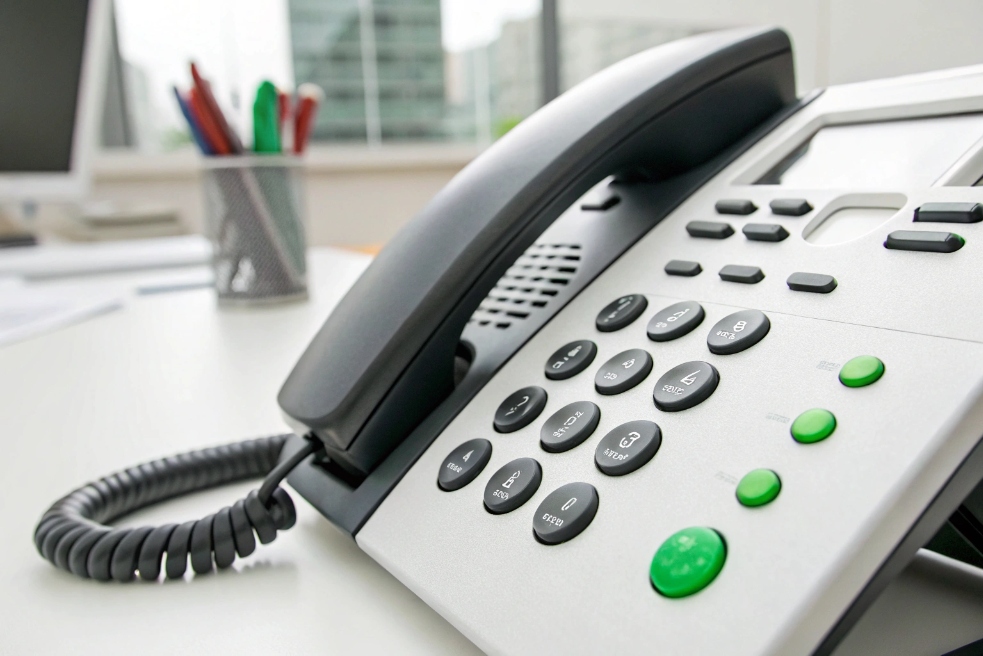
On a desk IP phone this shows up as Busy Lamp Field (BLF) keys 5:
- Green: idle or available
- Red: on a call or busy
- Flashing: ringing
Expansion “sidecar” modules add many BLF keys around the main phone. Receptionists use them to see the whole team in one view and pick up calls or transfer them with a single button. In a DJSlink style deployment, the same concept works with IP phones, SIP intercoms at doors, and help points across the site.
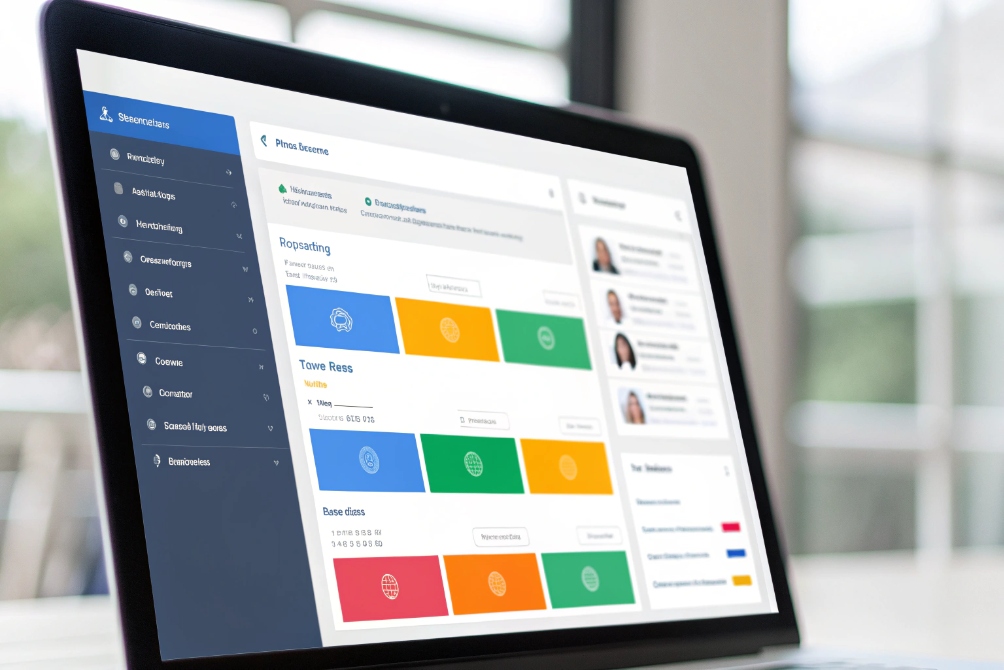
Softphones and UCaaS clients do the same thing, but in software. Instead of physical lamps, they show colored dots or labels next to contacts: Available, On a call, In a meeting, Do Not Disturb, and so on. These status changes often link to calendar and app activity as well.
Presence states and routing logic
Phones and apps do not only show status. They also use it to control call flow. A few common links:
| Presence state | What callers see | How the system can react |
|---|---|---|
| Available | Normal ringing | Ring devices as usual |
| On a call | Busy tone or queue | Send new calls to queue, backup, or voicemail |
| Do Not Disturb | No ringing to user | Route calls to assistant or team |
| Away / offline | Cannot be reached | Forward to mobile, queue, or group |
When presence ties into call queues 6 and hunt groups, it stops the system from sending calls to people who cannot answer. That simple rule alone removes many blind transfers and failed attempts.
Presence also extends beyond phones. SIP intercoms and door stations can show whether guard posts are free. Operator consoles can see which support queues have live agents. All of that uses the same presence engine under the VoIP platform.
What business benefits come from real-time presence—speed, availability, and fewer missed calls?
Without presence, people transfer calls based on guesswork. Reception sends a caller to someone who “should be at their desk”. The call lands on a busy user, or worse, bounces to a full mailbox.
Real-time phone presence speeds up call handling, reduces missed and misrouted calls, and helps teams find the right available person on the first try, which lifts customer experience and internal productivity.

Faster call handling and better first impressions
Reception and operator staff feel the difference first. With presence and BLF keys, they can:
- See at a glance who is free before they transfer.
- Avoid sending callers to people who are already on a call.
- Pick the next best person if the first choice shows busy or DND.
For external callers this feels like a better brand. They do not get bounced through three people before finding the right expert. They hear fewer “Let me try them… oh, they did not answer”. In B2B service and sales, that first impression matters a lot.
There is a simple pattern here:
| Scenario | Without presence | With presence |
|---|---|---|
| Reception transfers a call | Blind transfer, hope they answer | One look at BLF, transfer to free person |
| Sales calls a pre-sales engineer | Tries multiple numbers manually | Sees who is on a call and who is free |
| Support escalates an issue | Waits on chat or email replies | Calls a free supervisor right away |
Over time this cuts seconds and minutes from many calls. That time shows up as more answered calls and more cases closed per day.
Higher availability and fewer missed calls
Presence also makes it easier to design backup paths. For example, you can let assistant lines ring only when the main contact is busy or away. Or you can link DND to queue membership, so an agent that sets DND also leaves the queue.
This brings a few direct benefits:
- Fewer calls go to voicemail when someone is already in another meeting.
- Queues do not waste slots on agents who are not ready.
- Main numbers and hotlines stay reachable even when a key person is not at their desk.
When working with SIP endpoints, SIP intercoms, and emergency points, presence can also link to alarms. If one operator console shows offline or out of service, another site can take over.
Better collaboration in hybrid and remote teams
In hybrid work, nobody can see if someone is “at their desk” in the same way as before. Presence fills that gap.
People can:
- Check if a colleague is free before calling or starting a video meeting.
- Respect DND or “In a call” states instead of interrupting.
- Use messages or email when presence suggests voice would not work well.
This reduces random interruptions and improves focus. Teams coordinate better when they see each other’s real-time phone status instead of relying on guesswork or long email threads.
How should IT configure presence states, privacy, and routing across teams?
If presence is left wide open with no rules, it becomes noisy and confusing. If IT locks it down too hard, people do not get enough detail to work faster.
IT should define a small, clear set of presence states, decide who can see what, and link each state to simple routing rules, so teams get useful visibility without privacy problems or complex behavior.

Design a simple presence model
Start with a short list of core states. Too many options slow people down. A common model:
- Available
- On a call
- In a meeting
- Do Not Disturb
- Away / Offline
Then map each state to basic behavior:
| State | What others see | Routing idea |
|---|---|---|
| Available | Green / available | Ring as normal |
| On a call | Red / busy | Join queues but avoid blind transfers |
| In a meeting | Busy with calendar | Send new calls to backup or voicemail |
| Do Not Disturb | Red with DND | Block direct calls, allow urgent overrides |
| Away / Offline | Grey or unknown | Forward to team, queue, or assistant |
For reception consoles and BLF keys on sidecars, show clear colors and labels only. Users should not need to guess what “purple” means.
Privacy and visibility by role
Presence is helpful, but it is still part of someone’s work pattern. IT should define who sees what level of detail:
- Basic users may only need simple states for all colleagues.
- Reception, contact center supervisors, and control room staff may see more detail such as long idle periods or queue engagement.
- Sensitive lines, such as HR or legal, may expose less detail.
Most platforms let you hide some information. For example, show that someone is busy, but not which queue or which named external number they are handling. That keeps presence useful without exposing too much.
Also decide if external contacts can see presence. Often it is better to keep detailed states internal and publish a simple “online/offline” or “available/busy” view to trusted partners only.
Linking presence to routing and queues
The real power comes when presence is not only visual but also wired into routing:
- When someone sets DND, remove them from call queues automatically.
- When their softphone shows “On a call”, stop sending extra inbound calls to that extension.
- When they join a scheduled meeting, update presence to busy and forward calls to a delegate.
IT should document these links so users trust them. For example:
- “If you set DND, calls go to your team’s hunt group.”
- “If your Microsoft Teams workspace 7 status is ‘In a call’, the PBX will not send you queue calls.”
This is where DJSlink-style IP phones, SIP gateways, and UC apps join up. Presence from desk phones, mobile apps, SIP intercoms, and web clients all feed the same engine, and routing rules apply across devices.
Monitoring and health checks
Presence can go stale if endpoints disconnect without telling the server. To avoid this, IT should:
- Use registration timers and re-subscriptions so phones refresh presence often.
- Watch for phones that show offline or unknown for long periods.
- Use simple alerting when many endpoints drop presence at once, which may signal a network problem.
Regular checks keep presence reliable. When people see wrong states, they stop trusting the system, and adoption falls.
What trends shape presence—AI status prediction, richer busy reasons, and cross-app federation?
Presence started as simple red or green lights. Now it is part of a bigger picture that includes chat, meetings, and even AI assistants.
New trends in presence include AI-based status prediction, richer busy reasons tied to workflows, and federation across apps and tenants, so phone availability reflects real work context instead of just line state.
AI status prediction and smarter automation
AI can already look at patterns across calls, meetings, and device usage. From that, it can:
- Predict when someone is likely to be free or busy.
- Suggest status changes before important calls or focus time.
- Adjust routing rules automatically when patterns change.
For example, if engineers always block out deep work in the morning, the system can suggest DND or reduced queue membership during those blocks. Instead of manual status switches every day, AI can handle this in the background, while still giving the user control.
On the phone side, AI can link presence to routing decisions, not just display. It can decide:
- When to move a call to a backup because the target is unlikely to answer.
- When to offer voicemail or callback first.
- When to push a call to chat instead of voice.
Richer busy reasons and activity-based states
Presence is also growing beyond “on a call” or “in a meeting” into more detailed busy reasons:
- In training
- Doing after-call work
- On a break
- Handling email only
In contact centers, these codes already exist. Agents select “Wrap-up”, “Break”, or “Coaching”, and the system takes them out of call distribution. As UCaaS and PBXs borrow this logic, more teams can use it.
This extra detail helps:
- Supervisors understand why a group shows busy.
- Routing rules treat different busy reasons in different ways.
- Reports show real workload instead of just talk time.
The key is balance. Too many codes confuse users. A short list of meaningful reasons works best.
Cross-app federation and multi-tenant presence
Most people now use more than one communication platform: a UCaaS client, maybe a separate contact-center tool, plus external apps like Teams. Without alignment, each app shows a different status at the same time.
Presence federation aims to fix this. It lets:
- One platform read or write status to another.
- Gateways translate busy and DND states across systems.
- External partners in other tenants see basic availability for shared contacts.
For example, a user in a UCaaS app joins a video meeting in another tool. Federation can update both sides, so the phone system stops sending calls while the person presents. That reduces interruptions and keeps a single “source of truth” for availability.
As SIP, UC, and collaboration tools keep converging, phone presence becomes just one view into a shared presence layer. BLF keys, mobile apps, and web dashboards all read from the same status, and AI helps keep that status accurate without constant manual input.
Conclusion
Phone presence turns random guessing about who is free into clear, real-time insight, so calls move faster, fewer calls get lost, and teams in offices, factories, and control rooms work together with less friction.
Footnotes
-
Understand unified communications and how voice, messaging, and meetings share one platform. ↩ ↩
-
Learn the PBX concept behind modern IP calling and extension-based routing. ↩ ↩
-
See what SIP is and why it’s the core signaling protocol for many VoIP systems. ↩ ↩
-
Technical reference for SIP event subscriptions that power presence updates (SUBSCRIBE/NOTIFY). ↩ ↩
-
Technical background for dialog events commonly used to drive BLF busy/idle indicators. ↩ ↩
-
Practical guide to call-queue behavior, settings, and routing controls in a modern calling platform. ↩ ↩
-
Quick context on Microsoft Teams as a collaboration app whose status often influences calling and routing. ↩ ↩








