

Have you ever needed to bring a third person into an important call? A three-way call in SIP telephony makes this seamless and straightforward.
A three-way call in SIP telephony is a feature that allows three participants to engage in a call simultaneously, without requiring a full conference bridge.
This feature is ideal for quick collaboration, customer support, or decision-making in both personal and professional settings. Let’s take a closer look at how three-way calls work in SIP telephony, the benefits it provides, and what you should consider when using it.
How do I start a three-way call on an IP phone?
Want to quickly bring a colleague or client into your call? Starting a three-way call on an IP phone is simpler than you might think.
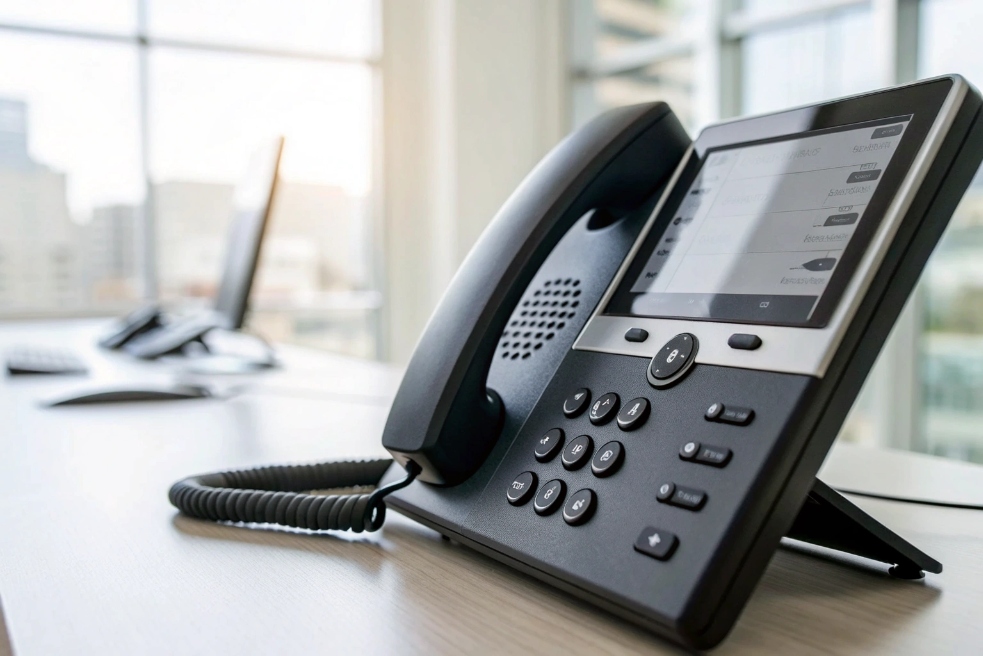
Starting a three-way call on an IP phone usually involves a few straightforward steps. First, you’ll need to initiate the first call, then place that caller on hold. Afterward, you dial the second party and, once they’re connected, use the conference button on your phone 1 to bring all parties together on the call.
This process works seamlessly on most SIP phones. The key feature here is that the IP phone supports local media mixing, which merges the audio streams from all three parties into one combined conversation, allowing all participants to communicate simultaneously.
Step-by-Step Process:
- Place the first call: Dial the first participant and wait for the call to be answered.
- Place the call on hold: Once the first call is connected, put that call on hold.
- Dial the second participant: Call the second participant and wait for them to pick up.
- Merge the calls: After the second participant answers, press the conference button on your phone to merge both calls into a three-way conversation.
Some SIP-based softphones also offer the "+" button or a specific “Add to Conference” option to make this process even easier.
Does three-way calling use my PBX conference bridge?
Wondering if you need a dedicated conference bridge for three-way calling? The answer is usually no, unless you’re aiming for a larger group of participants.

Three-way calling in SIP telephony typically doesn’t require a full conference bridge. Instead, it relies on local media mixing 2 or a lightweight virtual conference setup within the PBX system. When using an IP phone with this feature, the phone itself mixes the media from all three participants and sends the combined audio stream back to each one.
In some cases, your PBX or SIP server may route the calls through an internal conference bridge 3, but this is not the same as a full-fledged conference call setup that supports many participants. A conference bridge is more complex and typically required for calls involving more than three people.
How It Works Without a Conference Bridge:
- Local Mixing: Many IP phones handle the mixing of the audio locally. When you press the "conference" button, the phone takes care of merging both incoming audio streams (from the two calls) into one.
- Server-based Mixing: If the phone does not support local mixing, the SIP server or PBX may route the calls to a simple conference bridge to handle the merging. This process works similarly but typically involves more resources and is used for calls with more than three participants.
In summary, three-way calling doesn’t require a full conference bridge unless you’re dealing with larger groups or specific configurations.
Will three-way calling work across different SIP providers?
Does the idea of connecting different SIP providers worry you? With proper setup, three-way calls should work smoothly across different providers, but there are a few important considerations.

Three-way calls in SIP telephony can work across different SIP providers, but a few factors should be taken into account to ensure smooth connectivity. The key element here is that all participants need to support compatible SIP signaling protocols 4 and proper NAT traversal settings.
If one of the participants is on a different SIP provider, they must have compatible SIP signaling protocols and codecs, or you may encounter issues with the call setup or audio quality. This is particularly true if the providers use different codec standards or if there are NAT issues that prevent proper media stream exchange.
Important Factors for Cross-Provider Three-Way Calling:
- Codec Compatibility: All endpoints involved in the call must support compatible codecs. If there is a mismatch, you may need a Session Border Controller (SBC) 5 to bridge the gap. In mixed environments, allowing a modern codec like the Opus audio codec 6 on softphones can also help maintain quality when both sides support it.
- NAT Traversal: If any of the parties are behind NAT (Network Address Translation), such as in a private network, proper NAT traversal techniques (like Interactive Connectivity Establishment (ICE) 7) must be in place to ensure that all participants can hear and speak to each other.
With these considerations in mind, a successful three-way call across SIP providers is absolutely possible, provided both the signaling and media paths are properly configured.
What limits or fees apply to three-way calling features?
Are you worried about unexpected fees or limitations when using three-way calling? Let’s take a look at what you need to know.

While three-way calling is a standard feature in many SIP-based systems, there are potential limits and costs to consider, particularly for businesses that are scaling up their communication needs.
- Cost Considerations: Some SIP providers may charge additional fees for three-way calls, especially if they involve external numbers or international calls. Additionally, using external services like a conference bridge can incur additional costs.
- Call Duration Limits: Depending on the provider, some may impose duration limits on conference calls, including three-way calls. These limits are often applied to calls that last longer than a certain number of minutes.
- Resource Limits: If you are using a PBX or SIP server for local or server-based media mixing, be aware of resource limits on the number of concurrent calls or participants that your system can handle.
Practical Tips for Reducing Fees:
- Check your provider’s pricing: Ensure that your SIP provider doesn’t charge extra for internal three-way calls, and clarify any fees for calls to mobile or international numbers.
- Use VoIP services wisely: If you are using a cloud PBX or a third-party VoIP service, ensure that the service includes free or low-cost three-way calling in its plan.
- Consider using local mixing: If your IP phone supports it, local media mixing can reduce the need for a server-based bridge, cutting down on costs.
While three-way calling is usually included in SIP-based plans, it’s important to review your provider’s terms to avoid hidden fees and ensure the feature fits within your business needs.
Conclusion
Three-way calling in SIP telephony is an efficient and flexible way to engage multiple participants in a single call. Whether you’re collaborating with colleagues, supporting customers, or making quick decisions, this feature enhances communication without requiring complicated setups or additional resources.
Footnotes
-
Quick reference for common conference/merge steps on IP phones, including buttons, prompts, and call-flow behavior. ↩ ↩
-
Explains SIP user-agent conferencing behavior and how endpoints can control small conferences without a large media bridge. ↩ ↩
-
Provides the SIP conferencing framework that clarifies what a conference bridge does versus simple three-way calling. ↩ ↩
-
Official SIP standard for call setup and control—useful for troubleshooting signaling compatibility across providers. ↩ ↩
-
Overview of SBC roles like interoperability, security, and media handling when calls traverse different networks/providers. ↩ ↩
-
Details Opus codec capabilities and negotiation, helpful when aiming for higher quality across compatible VoIP endpoints. ↩ ↩
-
Defines ICE for NAT traversal and media connectivity—key background when multi-party audio fails across network boundaries. ↩ ↩








