
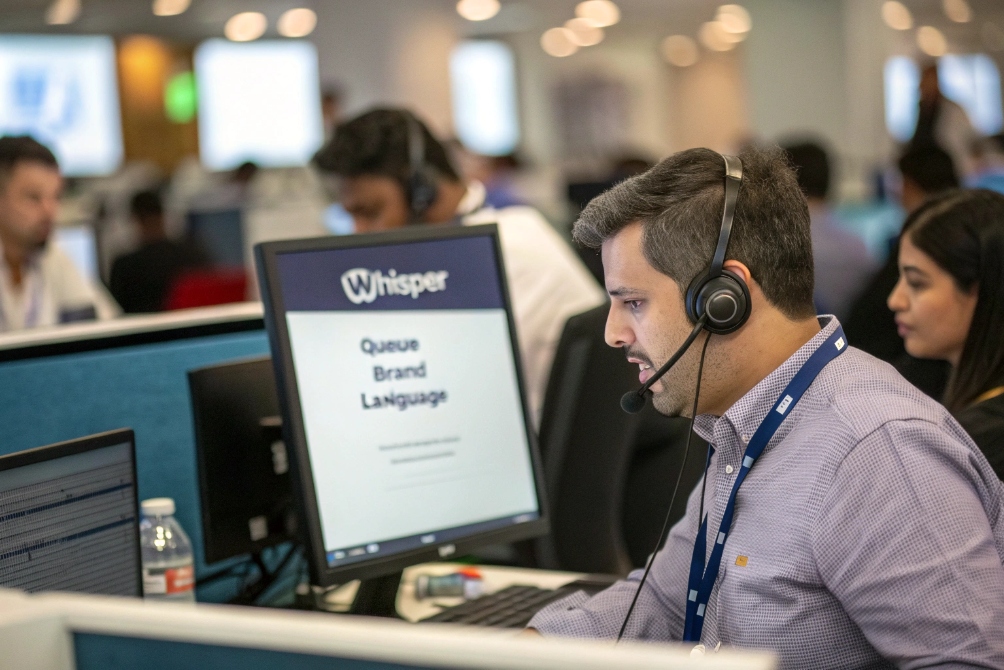
Agents often answer blind. The first seconds feel awkward, and the greeting sounds wrong. That small moment can hurt trust and waste time.
A call announcement is a short audio message (often a private “whisper”) played to the answering side before the caller is fully connected, so the agent hears context like queue, campaign, DNIS, or IVR choices.
Call announcement vs whisper vs “caller-facing prompts”
In SIP projects, the same feature is described in three ways, so it helps to separate them:
- Call announcement (generic term): any short message played around call setup that adds context.
- Agent whisper: a private announcement heard by the agent only, not by the caller.
- Caller announcement: a prompt heard by the caller (for example, “Your call is being connected”).
In most contact center designs, the goal is the agent whisper. It lets the agent answer with the right script and tone without asking “who is this and why are you calling?”
Where it happens in the SIP call flow
There are two common placements in a Session Initiation Protocol (SIP) call flow 1:
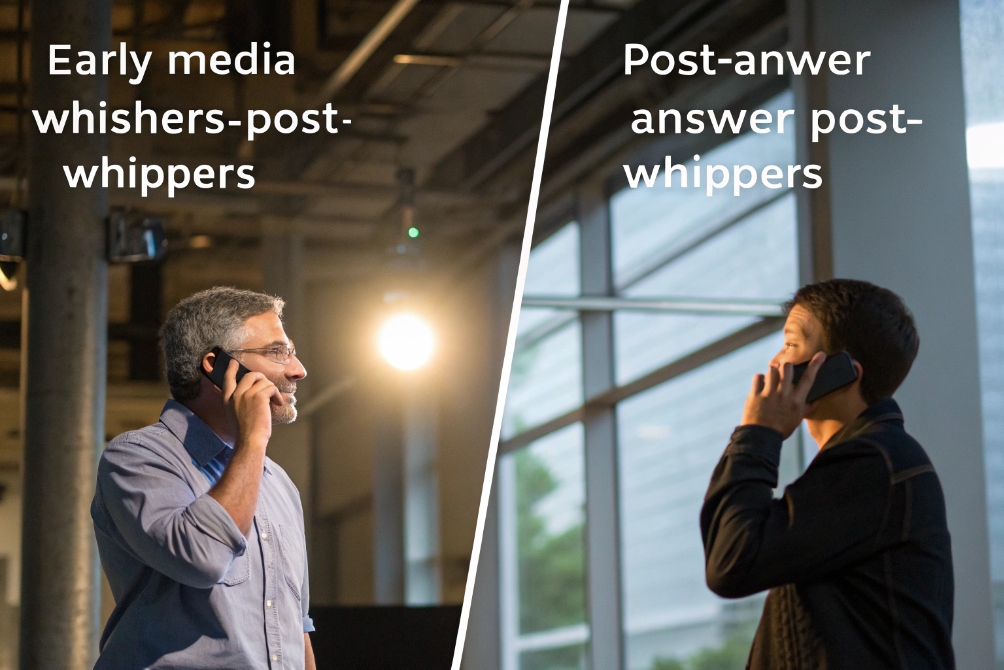
- Pre-answer (early media): the PBX/ACD sends early media (183 Session Progress) 2 so audio can play before the agent answers. This can avoid adding to agent handle time, but endpoint support and firewall rules matter.
- Post-answer (answer then bridge): the agent answers first, hears the whisper, then the PBX bridges the caller. This is widely compatible, but it can add seconds to metrics and billable time.
What the announcement can contain
A good call announcement is short and specific. It can include variables like:
- Queue name: “Support Queue”
- Dialed number: Dialed Number Identification Service (DNIS) 3 like “Brand A hotline”
- Caller ID: Automatic Number Identification (ANI) 4 like “Caller from 408…”
- IVR path: interactive voice response (IVR) selections 5 like “Pressed 2 for billing”
- Language: “Spanish”
- Priority: “VIP”
| Item announced | Why it helps | Best practice |
|---|---|---|
| Queue / skill | Correct greeting and ownership | Keep naming human-readable |
| DNIS / campaign | Agents know which brand was called | Use consistent brand labels |
| IVR selections | Faster problem framing | Announce only the final choice |
| Risk flags | Compliance and script reminders | Do not announce sensitive data |
Common pitfalls to avoid
The biggest failure is when the caller hears the whisper. That can happen when bridging is wrong or when audio paths are mixed. Another issue is a long whisper that delays connection. A whisper should feel like a quick heads-up, not a mini training session.
So the simplest definition is this: a call announcement is controlled “context audio” inserted by the PBX/ACD to make the answer smarter.
Next, the useful part is how this feature changes agent behavior and queue performance in daily operations.
How do call announcements help my agents identify callers?
Agents can sound robotic when they must ask basic questions at the start. The caller feels it, and the call starts in a defensive mood.
Call announcements help agents identify callers by delivering context (queue, dialed number, IVR choices, language, priority) before conversation begins, so the first greeting matches the caller’s intent.

Faster intent recognition in the first 5 seconds
A strong greeting is not “Hello.” It is “Thanks for calling billing support, this is Alex.” That one sentence reduces confusion and reduces repeats. When an agent hears the queue name and the IVR selection, the call starts with intent already framed.
In mixed environments, the same phone can answer multiple brands, multiple regions, or multiple departments. A whisper like “Brand B, Partner Line, VIP” prevents the classic mistake of saying the wrong company name.
Less probing, less hold, fewer transfers
Announcements reduce the “probing phase,” which is where AHT often grows. Instead of asking the caller to repeat menu choices, the agent can jump straight to validation and resolution. This also cuts avoidable transfers because the agent knows if the call belongs to their queue or is a misroute.
Better compliance and safer scripting
Announcements can also carry compliance hints. For example:
- “Payment call” → follow payment script
- “Recorded line” → read disclosure
- “Possible spam” → verify identity steps
These flags should stay high-level. Sensitive fields like full account numbers should not be spoken in a whisper.
| Benefit | What improves | Why it matters in metrics |
|---|---|---|
| Better first greeting | Caller confidence | Lower repeats and escalations |
| Faster intent framing | Shorter discovery time | Lower hold and transfer rate |
| Script reminders | Compliance quality | Fewer audit failures |
| Brand/number awareness | Lower wrong-greeting errors | Better CSAT and fewer complaints |
The real value: fewer “cold starts”
A contact center is full of tiny cold starts. Each cold start adds friction. A call announcement removes a portion of that friction. The system gives the agent a clue, so the agent can be human sooner.
Next, the natural question is how detailed the whisper can be, and whether it can say the caller’s name or IVR data safely.
Can I play the caller’s name or IVR info before connect?
Teams want a “personal” whisper, like “Call from John Smith, order issue.” That can be helpful, but it must be designed with privacy and accuracy in mind.
Yes, many IP PBX and ACD systems can play the caller’s name (recorded or TTS) and IVR selections before connect by inserting a whisper that merges tokens like ANI/DNIS, queue, and collected digits.

Playing the caller’s name: what is realistic
There are a few ways to “play the caller’s name”:
- Caller-recorded name: the system asks the caller to say their name, then plays it to the agent. This is common for directory-style screening.
- TTS name from CRM: the IVR captures an account ID, the system looks up a name, then TTS reads it.
- CID name (CNAM): some systems can use caller ID name data, but accuracy varies.
In practice, TTS-from-CRM is useful when identification is strong. If identification is weak, name whispering can create false confidence, which is worse than no confidence.
IVR info: the safest and most useful data
IVR selections are usually safe and highly actionable. Good examples:
- “Pressed 1 for sales”
- “Pressed 2 for billing”
- “Language Spanish”
- “Priority VIP”
These signals help the agent choose the right opening line and the right workflow. They also reduce repeat questions, which callers hate.
Token merging and dynamic prompts
Most systems support variable tokens in prompts. Examples of tokens that are commonly merged:
- Queue name
- Dialed number label
- Caller ID digits (partial)
- IVR choice number
- Risk score labels
| Data type | Announce it? | Reason | Safer alternative |
|---|---|---|---|
| Caller full name | Sometimes | Personal greeting | Announce “verified customer” instead |
| Full account number | No | Privacy risk | Last 4 digits only |
| IVR selections | Yes | Immediate context | Keep it short |
| Spam/fraud score | Yes (high-level) | Safer handling | “Verify identity” prompt |
Keep the whisper short and controlled
A whisper is not a report. The best whispers are under 2–3 seconds. If more context is needed, it is better to rely on a CRM screen pop and keep the whisper as a simple label like “Billing / Spanish / VIP.”
Next, the focus shifts from “what it can say” to “how to actually turn it on” inside a PBX or softphone deployment.
How do I enable call announcement on my IP PBX or softphone?
Many teams search for a single checkbox. But call announcement can live in different layers: PBX, queue engine, SBC, or the softphone itself.
Call announcements are enabled by configuring a queue whisper/announce prompt in the IP PBX or ACD, choosing pre-answer (early media) or post-answer bridging, and testing endpoint behavior so only the agent hears the message.

Typical setup path in an IP PBX / ACD
Most platforms follow a similar pattern:
- Choose the scope: per-queue, per-DID, per-campaign, or per-ring group.
- Upload or record the announcement prompt (or select TTS).
- Define variables to include (queue name, DNIS, IVR choice).
- Choose the timing: early media vs post-answer whisper.
- Optional: require keypress-to-accept after whisper for screening.
- Test on real endpoints (desk phone, softphone, mobile app).
Softphones sometimes support a local “announcement” feature, but in contact centers the reliable approach is to do it in the PBX/ACD, because the queue engine owns the call flow.
Early media vs post-answer: pick based on your environment
- Early media can keep agent metrics cleaner, but it requires correct media negotiation and firewall pinholes. Some endpoints behave differently with early media, so testing is important.
- Post-answer whisper is more compatible, but it adds a small delay and can change how ASA and AHT are measured.
Screening and keypress-to-accept
In SimRing, mobile forwarding, or external destinations, a whisper plus RFC 4733 DTMF “press 1 to accept” 6 helps avoid sending callers to voicemail. This is a strong tool when calls may land on devices that are not always attended.
| Option | Best fit | Main risk | Test focus |
|---|---|---|---|
| Per-queue whisper | Contact centers | Adds seconds if too long | Whisper length and caller isolation |
| Per-DID whisper | Multi-brand/shared lines | Confusing labels | Naming consistency |
| Keypress accept | Forwarding / SimRing | Extra step for agents | Missed calls if agents forget |
| Early media whisper | Tight metric control | Endpoint/firewall issues | One-way audio and RTP timing |
Practical testing checklist
A clean test covers:
- Caller never hears the whisper
- Whisper plays fully (not truncated)
- Caller audio connects cleanly after whisper
- Recording does not capture internal whisper content (including SIPREC call recording (RFC 7866) 7 paths)
- Failover routing still works during load
Once enabled, the last big question is the one that leadership cares about: what happens to ASA, AHT, and the overall caller experience.
Will call announcements affect ASA, AHT, or caller experience?
A whisper sounds small, but in a high-volume queue, seconds add up. Metrics can shift, and teams must know why.
Call announcements can affect ASA and AHT depending on placement: post-answer whispers add seconds to handle time and sometimes reported answer time, while early-media whispers can reduce metric impact but need strong SIP media support; caller experience improves when context leads to faster, more accurate greetings.
ASA impact: depends on when “answer” is counted
ASA is the average time to answer. If the system marks “answered” at agent answer, then a post-answer whisper may not change ASA, but it can change perceived wait because the caller is still not speaking to a human yet. Some reporting models treat “connected to agent audio” as the answer moment. In those models, a post-answer whisper can increase ASA.
Early media whispers can avoid shifting ASA, but only if the platform reports answer timing in a consistent way and endpoints handle early media smoothly.
AHT impact: whisper time can become handle time
AHT includes what the agent experiences after answer. If the whisper plays after the agent answers, those seconds can count as agent time. In large operations, even 2 seconds per call is meaningful. That is why whisper length should be minimized and kept focused.
Caller experience: usually better, if the design is clean
A caller does not care about whisper mechanics. A caller cares about:
- a correct greeting
- fewer repeated questions
- fewer transfers
- less hold time
A good call announcement makes the agent faster and more accurate, which often improves CSAT even if metrics move slightly.
Protect privacy and recordings
Internal whispers should not leak:
- Do not allow callers to hear it
- Do not include sensitive data in the audio
- Ensure recording policies exclude whisper tracks when possible
| Design choice | ASA effect | AHT effect | Caller experience effect |
|---|---|---|---|
| Short post-answer whisper (1–2s) | Small to none | Small increase | Better greeting and fewer repeats |
| Long post-answer whisper (5s+) | Can raise perceived wait | Noticeable increase | Feels like dead air |
| Early media whisper | Often minimal | Often minimal | Depends on clean media setup |
| Keypress-to-accept | Can raise wait if slow | Can reduce voicemail routing | Helps reach real humans on forwarded routes |
The best operating rule
A simple rule keeps projects healthy: keep the whisper short, keep it private, and treat it like a label, not a briefing. Then measure changes in transfer rate, hold time, and repeat calls, not only ASA.
Conclusion
A call announcement is a short private context message for agents. When kept brief and placed correctly, it improves greetings and accuracy with minimal impact on ASA and AHT.
Footnotes
-
Core SIP call signaling events that determine where “pre-answer” vs “post-answer” announcements fit. ↩ ↩
-
Explains early media behavior so announcements play before answer without confusing endpoints. ↩ ↩
-
DNIS basics for labeling which number, brand, or campaign the caller dialed. ↩ ↩
-
ANI basics for understanding caller-ID delivery and safe identification cues in agent whispers. ↩ ↩
-
IVR overview for how menu choices become useful whisper context (without asking callers to repeat themselves). ↩ ↩
-
DTMF signaling reference for “press 1 to accept” screening on forwarded or shared destinations. ↩ ↩
-
SIPREC overview to verify recordings don’t capture internal whispers or other agent-only prompts. ↩ ↩








