
Calls sound smooth only when thousands of tiny network packets behave well. When they do not, you hear gaps, echoes, or silence, even while “the internet” looks fine.
In a VoIP system, a network packet is a small, structured chunk of data that carries SIP signaling or RTP media over IP. Each packet has headers for routing and QoS, and a payload with your encoded voice.
Once I think in packets, call quality stops feeling random. I can see how SIP messages and RTP audio slices move through VLANs, NAT, and firewalls, and I can prove where they break by capturing them with Wireshark VoIP analysis features 1 or a tcpdump command reference 2.
How is a network packet structured—headers, payload, checksum?
VoIP issues are hard to fix if “packet” just means “some data on the wire.” The structure inside each packet explains why small changes in overhead, MTU, or checksums can break calls.
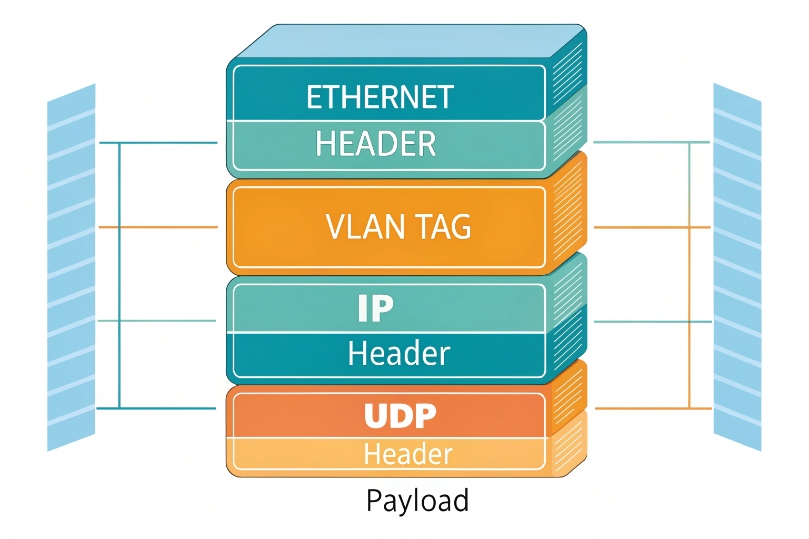
A VoIP packet is built in layers: link header (Ethernet), network header (IP), transport header (UDP/TCP), RTP or SIP headers, and a payload with codec data or signaling, plus checksums that protect each layer.
The layers inside a VoIP packet
When a device sends RTP audio over IPv4 on Ethernet, the packet looks like a stack:
| Layer | Example header size | What it holds |
|---|---|---|
| Ethernet | 14 bytes | Source MAC, destination MAC, EtherType, VLAN tag |
| IP (v4) | ~20 bytes | Source/dest IP, TTL, DSCP, protocol, checksum |
| UDP | 8 bytes | Source/dest port, length, checksum |
| RTP | 12 bytes (minimum) | Sequence, timestamp, payload type, SSRC, marker |
| Payload | Varies (20 ms audio) | Codec frames: G.711, Opus, G.729, etc. |
With IPv4, IP+UDP+RTP overhead is about 40 bytes per packet, before Ethernet. With IPv6, the IP header is larger, so overhead grows to about 60 bytes.
At the bottom, Ethernet wraps the packet for local delivery:
- Source MAC and destination MAC.
- EtherType (for example, IPv4 or IPv6).
- Optional IEEE 802.1Q VLAN tag 3 with a priority code point (PCP).
In a voice VLAN, that tag often carries a higher priority. Switches then treat VoIP packets better during congestion.
Network and transport: IP and UDP
Above Ethernet, the IP header holds:
- Source and destination IP addresses.
- DSCP bits for QoS (voice often uses EF, value 46).
- TTL and fragmentation fields.
- Header checksum (IPv4).
Next, UDP carries:
- Source and destination ports (for example, 5060 for SIP, high range for RTP).
- Length and checksum.
VoIP media prefers UDP because it does not wait for retransmissions. Lost packets simply vanish. This keeps delay low, which users feel more than small artifacts.
RTP header and payload
RTP wraps voice frames and gives them timing:
- Sequence number: used to detect loss and reordering.
- Timestamp: maps packets back to playback time.
- Payload type (PT): codec type or profile.
- SSRC: stream identifier.
- Marker bit: signals events like talk bursts or frame boundaries.
The payload is one or more codec frames. A typical RTP packet holds 20 ms of audio, but 10/30/40/60 ms are also common. Longer packetization reduces overhead but increases delay and risk per packet.
RTCP and SRTP
RTCP packets travel alongside RTP and carry:
- Reports on jitter, packet loss, and delay.
- Sender and receiver reports for sync.
- They do not carry audio.
When SRTP is used:
- The RTP payload and parts of the header are encrypted.
- An authentication tag is added.
- Keys come from SDES in SIP or from DTLS-SRTP.
The structure stays the same in shape. The content becomes unreadable without keys, but analysis still uses sequence, timing, and header info.
Finally, the Ethernet frame must stay under the Maximum Transmission Unit (MTU) 4 (often 1500 bytes). If packets exceed this, fragmentation appears. That adds delay and loss risk, so VoIP designs try to keep packets small enough to avoid it.
Which packet fields matter for my SIP and RTP traffic?
Not all header bits matter day to day. A few key fields decide whether calls register, audio flows, and QoS works as planned.
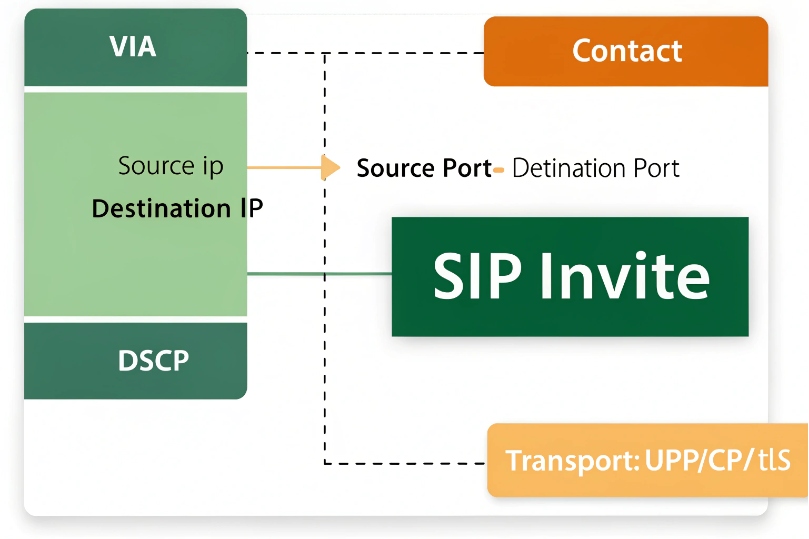
For SIP, the important fields are IPs, ports, DSCP, and transport (UDP/TCP/TLS). For RTP, the critical fields are ports, DSCP, sequence numbers, timestamps, SSRC, and payload type.
Packet fields that drive SIP behavior
The Session Initiation Protocol (SIP) 5 is signaling. It often runs over UDP or TCP 5060 and TLS 5061. Important fields at packet level:
| Layer | Field | Why it matters for SIP |
|---|---|---|
| IP | Source/dest IP | NAT mapping, routing, firewall rules |
| IP | DSCP | Priority of SIP signaling vs data |
| UDP | Source/dest port | SIP port bindings, ALG behavior |
| TCP | Flags, sequence, ACK | For SIP over TCP/TLS, session stability |
When I debug registrations, I check:
- Source IP and port of SIP packets leaving the client.
- How NAT changes those values on the public side.
- Whether DSCP marks survive across hops.
If SIP leaves on one source IP and returns to another, or if a firewall closes the TCP session early, registrations flap or calls fail.
Packet fields that drive RTP behavior
The Real-time Transport Protocol (RTP) 6 is media. Many call quality problems are visible without opening the payload, just by watching packet headers.
Key RTP-related fields:
| Field | Role in RTP and audio |
|---|---|
| UDP ports | Identify media streams, NAT pinholes |
| DSCP | Controls QoS class for media |
| Sequence number | Detects loss and reordering |
| Timestamp | Controls playout timing and jitter buffer behavior |
| SSRC | Distinguishes different streams |
| Payload type (PT) | Codec / format type |
From these, I can see:
- Packet loss (missing sequence numbers).
- Reordering (sequence jumps and returns).
- Jitter (variable arrival gaps between timestamps).
- Codec mix-ups (wrong PT at one end).
For DJSlink SIP intercoms and phones, matching payload types and SSRC between endpoints and PBX or SBC is part of basic interoperability testing.
DSCP and QoS markings
QoS often depends on one simple IP header field:
- DSCP EF (46) for RTP, defined by the Expedited Forwarding (EF) PHB 7.
- A lower-priority mark for SIP signaling, or sometimes the same.
Routers and switches then map EF into priority queues. If this marking is wrong or stripped, voice competes with bulk data, and calls sound bad when links are busy.
Packet tools let me see:
- DSCP values on live calls.
- Whether network devices remark or clear them.
- If SIP and RTP follow the intended classes.
Once I know which fields matter, packet captures become much easier to read. I do not need to understand every bit; i focus on the ones that match real symptoms.
How do packets travel across my VLANs, NAT, and firewalls?
Packets do not live in a flat world. They move through separate VLANs, hit NAT, pass firewalls, and maybe reach an SBC or cloud PBX somewhere else. That path shapes call behavior.
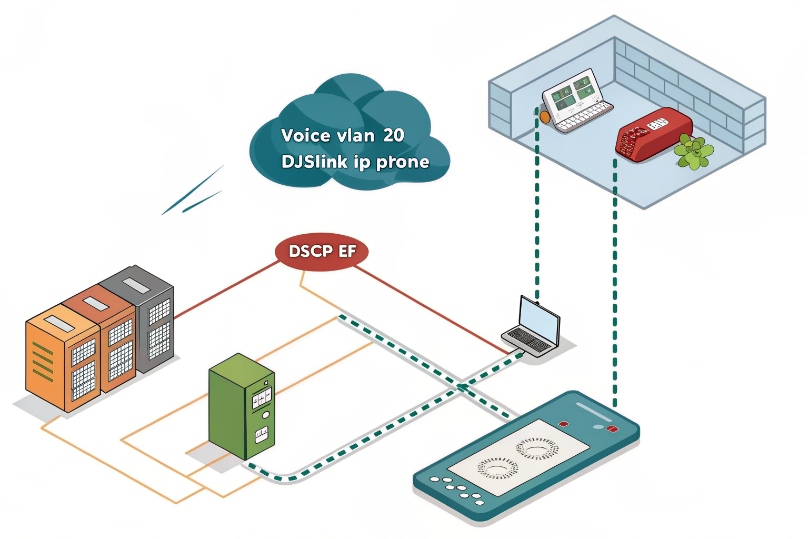
Packets start in a local VLAN, hit the default gateway, then pass through routers, QoS queues, NAT, and firewalls before reaching SBCs or providers. Each hop may retag VLANs, change IPs, or filter ports.
From phone to gateway: inside the voice VLAN
A typical voice layout:
- Phones and SIP intercoms sit in Voice VLAN X.
- Each device has an IP like
10.20.20.50/24. - Default gateway is
10.20.20.1on a Layer 3 switch or router.
Packet steps:
- An RTP packet leaves the phone, tagged with VLAN X and DSCP EF.
- Access switch receives it, keeps the tag, and queues based on DSCP.
- Switch sends it to the voice VLAN gateway.
At this point:
- MAC addresses change.
- IP addresses and ports stay the same.
- VLAN tags help separate voice and data policies.
Through routers and QoS in the core
From the gateway, packets move into the core or WAN:
- Routers inspect IP, DSCP, and routing tables.
- QoS policies apply shaping and priorities.
- Some links may re-mark DSCP to internal classes.
If design is good:
- EF traffic gets low-latency queues.
- SIP signaling is protected enough, but not at the cost of media.
- Data flows use best effort or lower priority queues.
If design is bad:
- Voice shares queues with backups or bulk transfers.
- Latency and jitter spike when links are near saturation.
- MOS falls and users hear choppy calls.
Crossing NAT and firewalls
At the edge, packets hit NAT and firewalls:
- Private IPs (for example
10.20.20.50) become public IPs. - Source ports may change, especially with symmetric NAT.
- Firewalls track “flows” from inside to outside and open pinholes for RTP.
Typical problems:
| Layer | Issue | Symptom |
|---|---|---|
| NAT | Symmetric or random port mapping | Remote cannot send RTP back correctly |
| Firewall | SIP ALG rewriting SDP badly | One-way audio or no audio |
| Routing | Asymmetric paths | Only one direction works through stateful FW |
To handle this cleanly, many designs place an SBC at the edge. All SIP and RTP flows terminate there. The SBC then manages:
- Public IP and port exposure.
- Policy and security.
- Interop with providers.
Packets still cross NAT and firewalls, but in a controlled way. The endpoints talk to a stable SIP peer, not directly to the provider.
End-to-end view
A short life story of one RTP packet:
- Leaves phone in Voice VLAN, DSCP EF, private IP.
- Traverses switches, stays tagged and prioritized.
- Hits router, goes into WAN with EF priority.
- Reaches edge device, NATs to public IP and port.
- Passes firewall state checks and rules.
- Arrives at SBC or PBX, which decodes RTP.
If any step drops DSCP, breaks NAT, or sends packets on a strange path, that one small packet may never arrive. Enough missing packets and a once-clear call sounds broken.
How do I capture and analyze packets with Wireshark or tcpdump?
It is hard to argue about where packets got lost if nobody has seen them. Packet captures turn “I think” into “I see”.
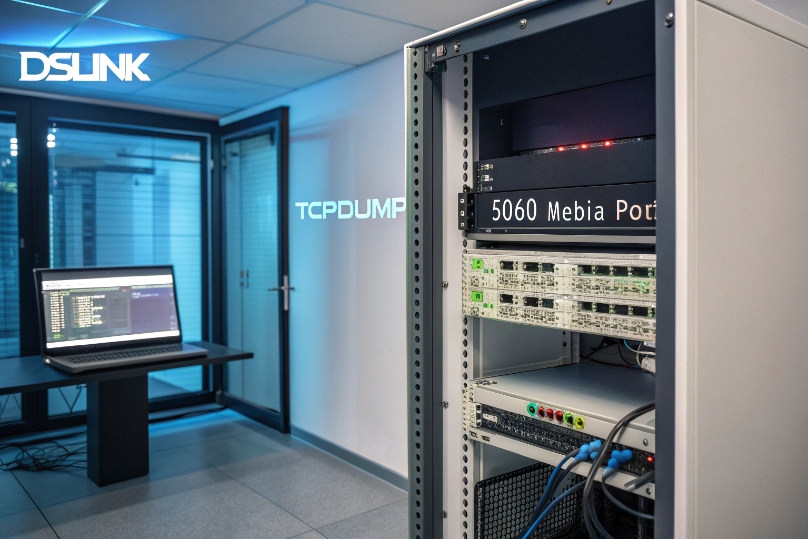
To capture packets, I mirror traffic or capture on the endpoint, use tools like Wireshark or tcpdump to collect SIP and RTP, then apply filters and RTP analysis to see loss, jitter, and codec details.
Where and how to capture
Common capture points:
- On the softphone PC (Wireshark on Windows).
- On the PBX or SBC (tcpdump on Linux).
- On a switch SPAN/port-mirror port for IP phones or DJSlink intercoms.
Examples:
On a Linux-based PBX or SBC:
tcpdump -i eth0 -n -s 0 port 5060 or portrange 10000-20000 -w voip.pcapFootnotes
-
Practical Wireshark guide for VoIP call playback and RTP stream troubleshooting. ↩︎ ↩
-
Reference for tcpdump options to capture SIP/RTP traffic cleanly on Linux systems. ↩︎ ↩
-
Overview of VLAN tagging and how 802.1Q separates voice and data on switches. ↩︎ ↩
-
MTU basics and why oversized frames trigger fragmentation and voice-quality issues. ↩︎ ↩
-
Official SIP specification for signaling behavior, message formats, and interoperability basics. ↩︎ ↩
-
RTP standard defining sequencing, timestamps, and media transport fundamentals. ↩︎ ↩
-
Explains EF PHB and why DSCP 46 is used for low-latency voice queuing. ↩︎ ↩








