
Clients fear losing their main phone number. That fear is valid. The fix is number porting done right.
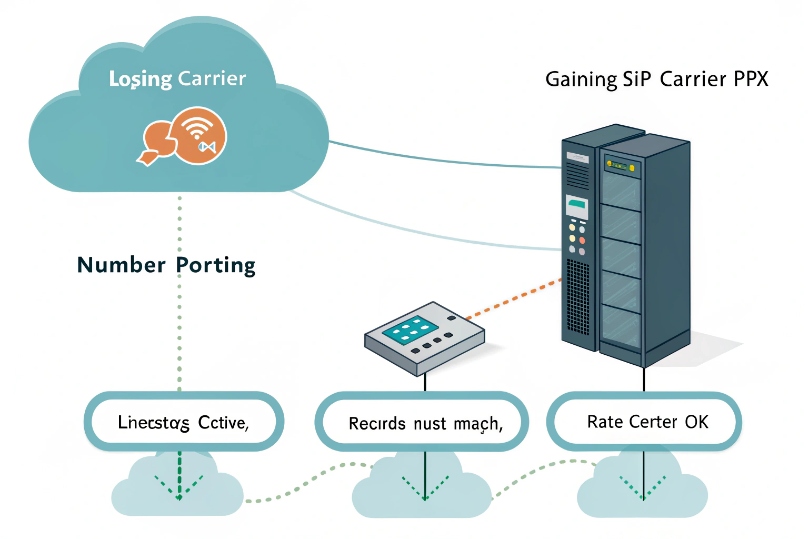
Number porting moves my existing phone number from a losing carrier to a gaining carrier or PBX without changing digits. The line must stay active and records must match.
Porting is a rules-based handoff governed by Local Number Portability (LNP) 1. It checks ownership, service address, rate center coverage, and account security. With a clean LOA, matching CSR data, and a solid plan, I can cut over with little risk.
How do I port my numbers between carriers or PBXs?
People think it is a single switch. It is not. It is a workflow with checks at every step.
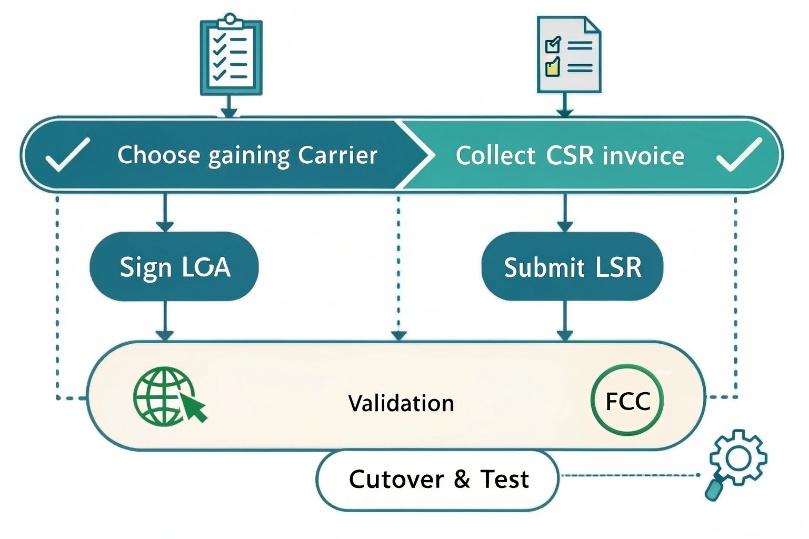
I choose a gaining carrier, gather exact account data, sign an LOA, submit the order, keep service active, get FOC, and test both directions on cutover day.
Dive deeper Paragraph:
The simple flow that works
I start with the gaining carrier or new PBX/SBC. I confirm they cover my rate center 2 or have an underlying partner who does. I collect the losing carrier’s Customer Service Record (CSR) 3 or at least a recent invoice. I fill out a Letter of Authorization (LOA) 4 so the new carrier can act for me. I list every TN (telephone number), note the BTN (Billing Telephone Number), and choose full or partial port.
Then I submit the Local Service Request (LSR) 5 through the new carrier. The losing carrier checks if the account is active, if the address, account number, BTN, and port-out PIN (when used) match, and if there are pending orders or a port freeze. If anything is off, I get a rejection. I fix the exact field, resubmit, and move on.
Before the Firm Order Commitment (FOC) date, I prepare my PBX/SBC: inbound routes, E911 address, CNAM setting, and failover targets. I keep the old trunks up. On FOC, inbound may swing in minutes or during a set window. I test inbound to the new carrier, then outbound caller ID. Only after calls land cleanly do I request any disconnects on the old side.
PBX-to-PBX or carrier-to-carrier
If I move between two PBXs under my control, I still need the DID’s carrier to point the number to the new PBX. That is either a true port to a new carrier or a SIP trunk re-point with the same carrier. The DID’s owner in the LERG decides who can receive traffic. So “PBX move” often equals “carrier change” in the background.
Handy planning table
| Step | Owner | What I prepare | Failure sign | Fix |
|---|---|---|---|---|
| Coverage check | Gaining carrier | Rate center confirmed | “Ineligible” | Use partner carrier |
| Data gather | Me | CSR, invoice, BTN, PIN | “Data mismatch” | Match CSR exactly |
| LOA sign | Me | Authorized signer | “Unauthorized” | Update account contact |
| LSR submit | Gaining carrier | All TNs listed | Partial port wrong | Reissue TN list |
| Pre-FOC prep | Me | Routing, E911, CNAM | 911 fails test | Correct E911 record |
| FOC cutover | Both | Test plans ready | Missed calls | Use temporary forward |
What documents do I need—LOA, CSR, recent invoice?
Paperwork unlocks the order. Guessing slows it down. Exact data wins.
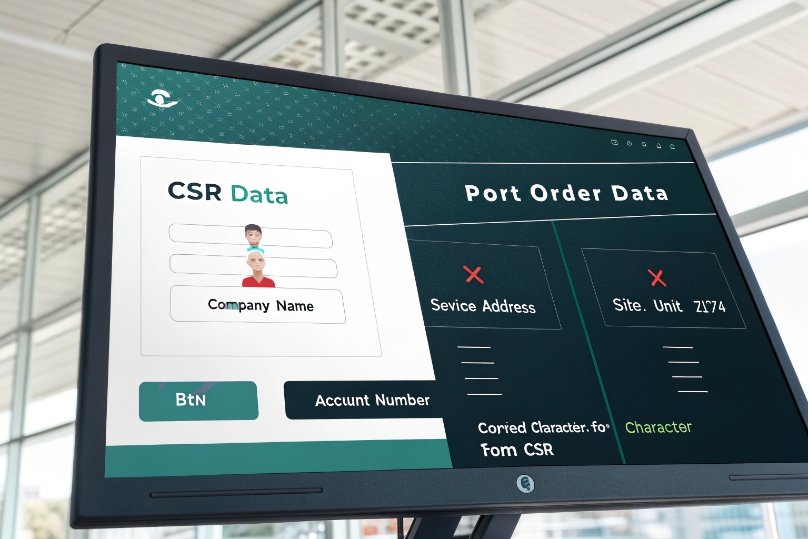
I need a signed LOA, the CSR or latest bill, and any account PIN/Passcode. All fields on the order must match the CSR exactly, including suite and ZIP+4.
Dive deeper Paragraph:
What each document does
- LOA (Letter of Authorization): This gives the gaining carrier legal permission to request the port. It includes my company name, service address, BTN, the list of numbers, and my signature. Many carriers need a fresh LOA dated within 30 days.
- CSR (Customer Service Record): This is the losing carrier’s source of truth. It lists the BTN, service address, account name format, and the lines. It often shows the exact fields the LSR must match. Without the CSR, I risk typos and rejections.
- Recent invoice: If I cannot get the CSR quickly, a full bill helps prove ownership and shows the account number, BTN, and billing address. Some carriers accept it as supporting evidence with the LOA.
- Account security data: Port-out PIN for wireless and many cable VoIP accounts. Sometimes a passcode or secret answer. Missing this triggers a fast reject.
Match fields exactly
Address formats cause many rejections. Suite vs. Ste., # vs. Unit, 5-digit vs. ZIP+4. I copy the CSR fields character-for-character. I do not use a mailing address if the CSR lists a service address. I also make sure the authorized signer matches the account’s contact or I update the losing carrier first.
Special forms
- Toll-free (RespOrg) change: Toll-free uses a different process. I sign a RespOrg LOA and the gaining RespOrg 6 updates the SOMOS record. The local LSR form does not apply.
- Partial ports: I attach a TN list that clearly marks which numbers port and which remain, plus instructions on any disconnections. This avoids orphaning DSL, alarms, or remaining voice features.
Quick checklist
| Document | Why | Must match |
|---|---|---|
| LOA | Authorization | Company name, address, BTN |
| CSR | Exact fields | Address, BTN, account number |
| Invoice | Proof and backup | Account and BTN |
| PIN/Passcode | Security | As issued by losing carrier |
How long does porting take and what is the FOC date?
Time depends on line type and complexity. Mobile is fast. Wireline can take days. Multi-line projects take longer.
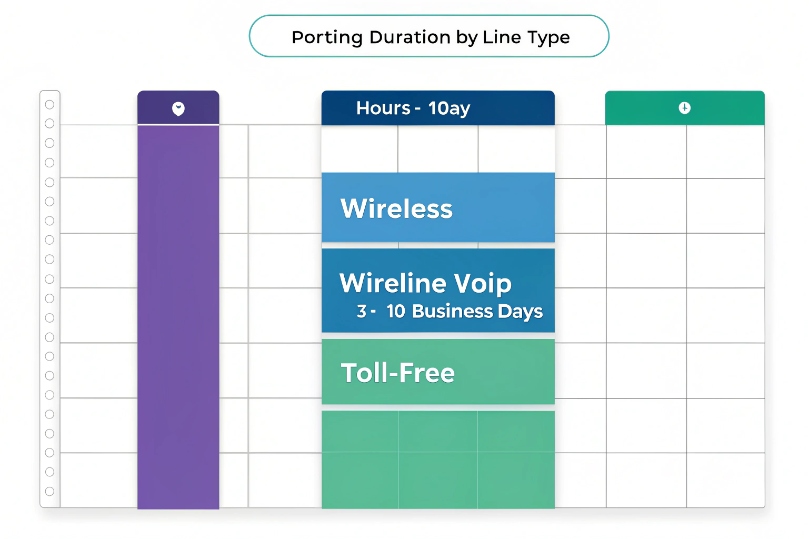
Typical timelines: wireless hours–1 day; wireline/VoIP 3–10 business days; complex/multi-site longer. The FOC date is the scheduled cutover window confirmed by both sides.
Dive deeper Paragraph:
Realistic timelines by type
- Wireless numbers: Same-day to next business day once the PIN is correct. Some ports finish in minutes after validation.
- Wireline and VoIP: Commonly 3–10 business days from a clean submission. Rural ILECs or special rate centers can stretch longer.
- Toll-free (RespOrg): Same day to a few days, depending on RespOrg response and any inventory moves.
- Projects: Blocks of DIDs, PRIs, or many sites can take 2–4+ weeks, especially with partial ports or mixed carriers.
What FOC means
FOC (Firm Order Commitment) 7 is the agreed date (and often time window) when the losing carrier will move routing to the gaining carrier. During that window, inbound calls may land on either side for a short time as switches update. I plan my tests and staff for that window. Some carriers give a precise time; others give a range (e.g., 11:00–14:00 local).
Factors that add time
- Rejections: Any mismatch resets the clock. Fix once, fix right, and resubmit.
- Holidays and weekends: LNP back offices follow business calendars.
- Pending orders: Upgrades, suspensions, or disconnects on the losing account block the port.
- Interconnect paths: If the gaining carrier changes underlying carriers to reach my rate center, timelines extend.
Planning table
| Item | Wireless | Wireline/VoIP | Toll-free |
|---|---|---|---|
| Typical duration | Hours–1 day | 3–10 business days | 1–3 business days |
| Needs PIN | Yes | Sometimes | No (RespOrg LOA) |
| FOC accuracy | Tight | Window | Window |
How do I avoid downtime—test calls, failover, or partial ports?
I do not gamble on cutover day. I build safety nets and test them. Then I cut in steps.
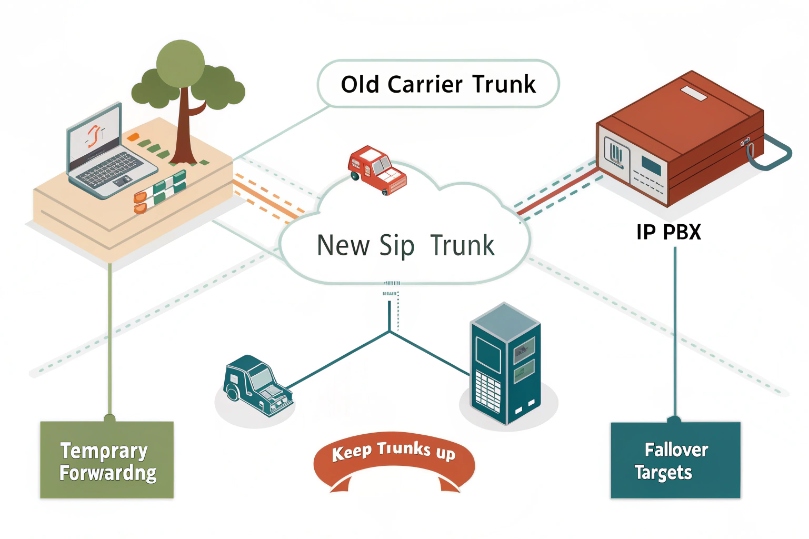
I keep the old trunks up, set temporary forwarding or failover, schedule a partial port if needed, and run a live test plan the moment FOC hits.
Dive deeper Paragraph:
Before the window
I prepare the gaining PBX/SBC: inbound routes, ring groups, IVRs, and E911 entries. I load CNAM and caller ID name rules. I confirm SMS/MMS hosting if I need texts on the same number. I add failover targets on the new carrier (mobile, backup SIP, or second site). If the number is critical, I set temporary call forwarding at the losing carrier to my new DID. This acts as a bridge if the port lags.
During the window
I keep engineers on bridge chat and phones on desks. I place test calls:
- Inbound from outside (mobile, landline, different carriers) to the porting TN.
- Outbound to known test destinations to confirm CLI presentation.
- 911 test with the local PSAP (by their policy) or the carrier’s non-emergency test line.
- Fax or modem tests if I still use them, or I move these workloads to better transports.
If calls split between carriers, the forwarding catches misses. Once I see consistent inbound on the new carrier and clean CDRs, I leave forwarding on for an hour or two. Then I tidy up.
Partial ports and staged moves
Large deployments move in waves. I port non-critical DIDs first. I verify routing and analytics. Then I port the main lines. Partial ports keep legacy services alive, such as DSL, alarm lines, or elevator phones. I document which TNs stay and confirm the losing carrier will not disconnect them when the main BTN ports.
After the window
I update auto attendants, external listings, and any CNAM dips. I check E911 records for the final time. I set fraud controls and rate limits on the new trunks. If the old carrier had directory listings or port-out blocks, I close them out.
Short checklist
| Risk | Mitigation | When |
|---|---|---|
| Missed inbound | Temporary forward to new DID | Day before FOC |
| Wrong caller ID | Prebuild outbound rules | Week before |
| 911 misroute | Verify E911 address and test per policy | Before FOC |
| SMS broken | Port or host SMS with new carrier | Before FOC |
| Split routing | Keep both trunks live; test until stable | During FOC |
Conclusion
Porting is simple when data matches and plans are in place. Keep lines active, lock in FOC, test fast, and use forwarding and partial ports to stay reachable.
Footnotes
-
FCC overview of Local Number Portability rules and consumer rights. ↩︎ ↩
-
FCC guidance explaining rate centers and related LNP concepts. ↩︎ ↩
-
CSR basics and how carriers use it to validate port orders. ↩︎ ↩
-
LOA requirements and common fields that must match for a successful port. ↩︎ ↩
-
Plain-English definition of an LSR and why it matters in porting workflows. ↩︎ ↩
-
How toll-free providers and RespOrgs fit into toll-free number administration. ↩︎ ↩
-
Quick definition of FOC and what it signals about port timing and readiness. ↩︎ ↩








