
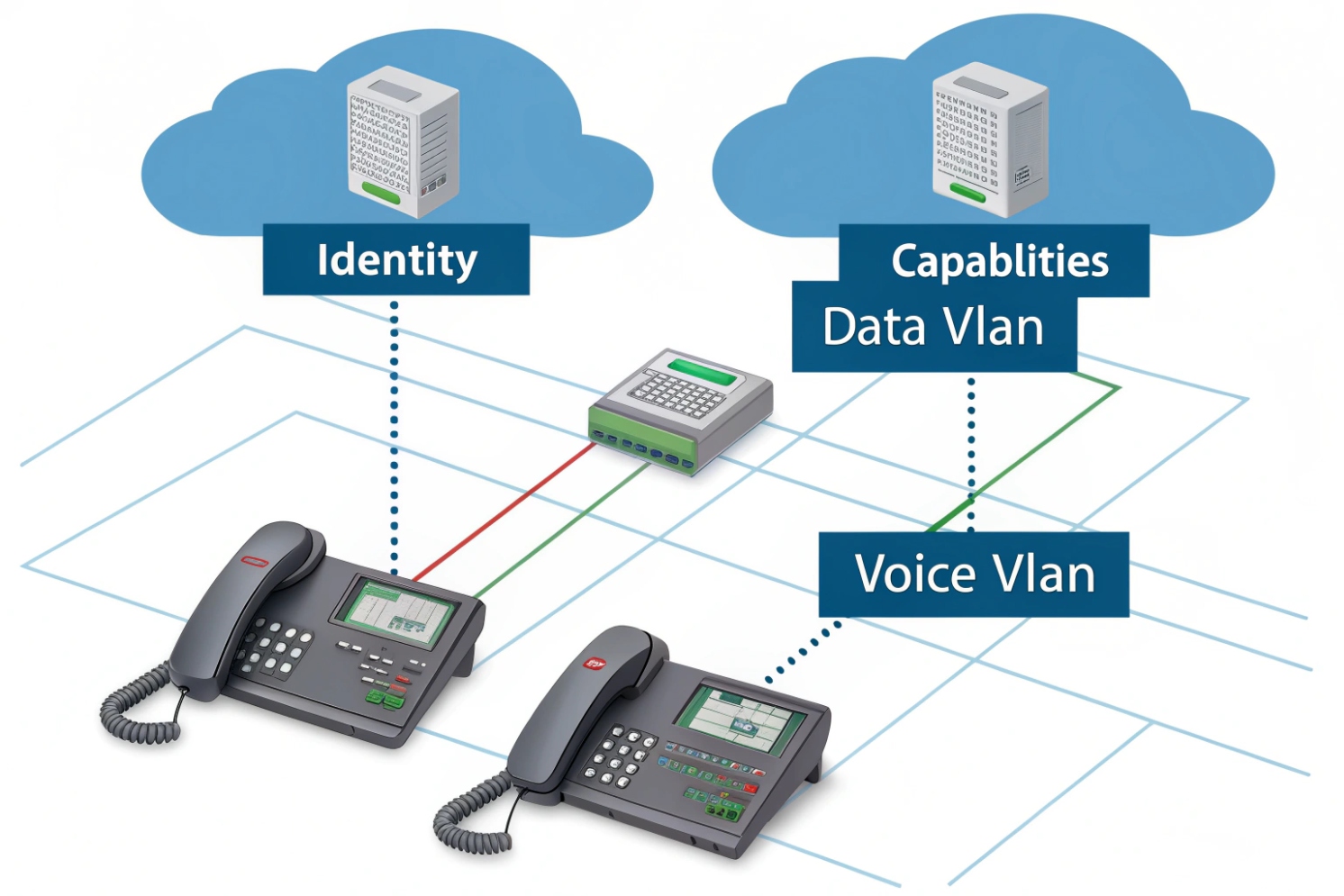
Phones land on the wrong VLAN, PoE stays off, and calls sound bad. Most of the time, the switch and the endpoint simply do not “introduce” themselves.
LLDP is a Layer-2 neighbor discovery protocol. Devices on the same Ethernet link advertise who they are and what they can do. Your switch and VoIP phone use it to auto-share identity, capabilities, and policy.
Once LLDP is working, VoIP deployments feel calmer. VLANs become consistent, QoS becomes predictable, and PoE issues become easier to spot before users complain.
What network devices support LLDP and LLDP-MED?
When LLDP is off on one side, discovery looks random. People then blame the phone, the switch, or the PBX. The real issue is usually feature mismatch or a disabled port setting.
Most managed switches support LLDP. Many IP phones, SIP intercoms, access control terminals, and Wi-Fi APs also support LLDP. LLDP-MED is common on VoIP endpoints and switches that target voice deployments.
LLDP support in the real world
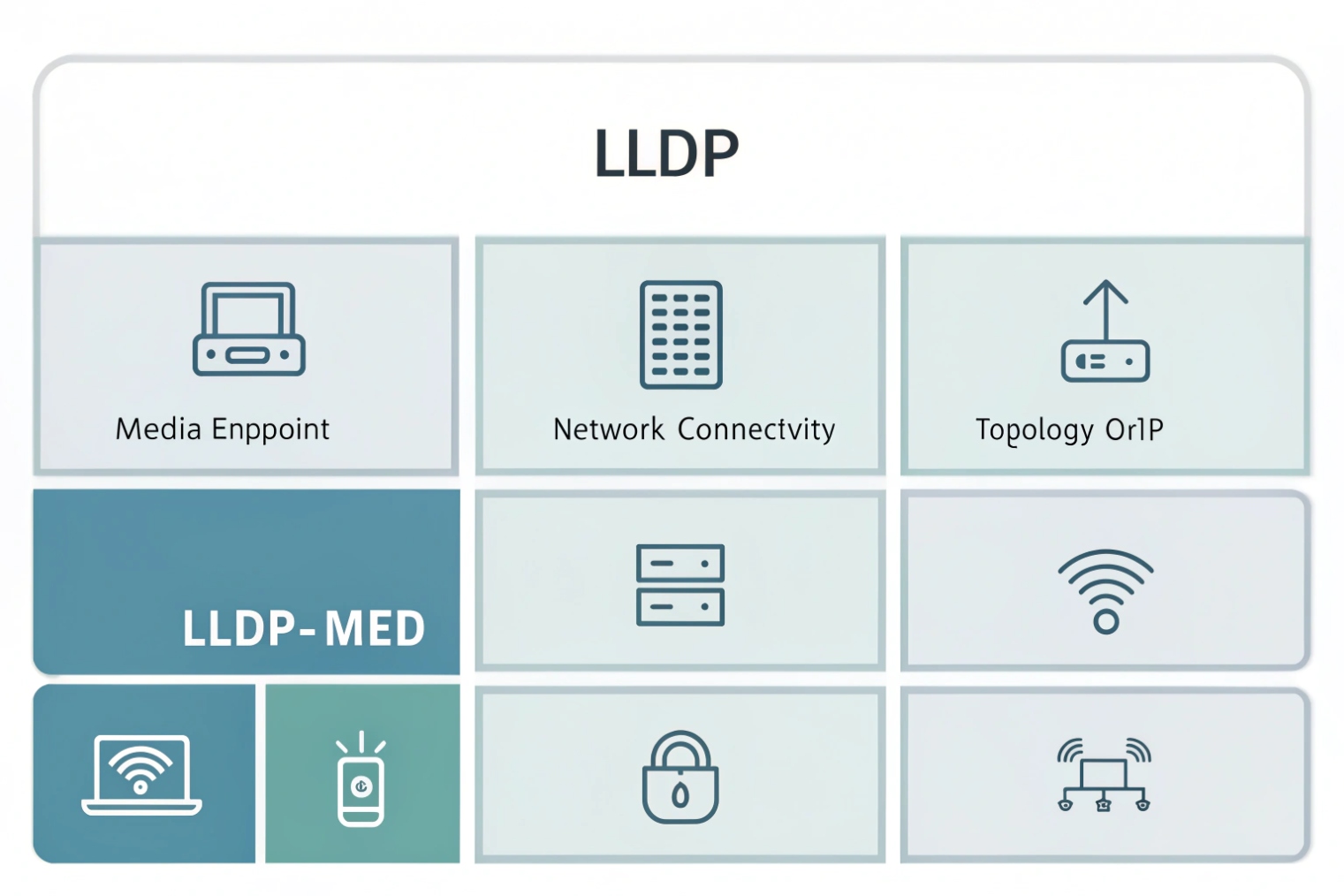
LLDP (IEEE 802.1AB Link Layer Discovery Protocol 1{#fnref1}) is widely available on enterprise and SMB managed switches. It is also common on routers, firewalls, wireless controllers, and access points. Endpoints often support LLDP too, but not always by default. Many SIP desk phones ship with LLDP enabled because enterprises expect plug-and-play voice VLAN behavior. SIP intercoms and indoor stations often support it as well, especially models that are designed for structured cabling and PoE switches.
LLDP-MED is an extension used by “media endpoint devices” like phones. It adds voice-focused TLVs for network policy and inventory. In a mixed network, LLDP may show you neighbor identity, while LLDP-MED can also carry voice VLAN and QoS rules that help phones self-configure. If you want the practical “what gets advertised” view, LLDP-MED network-policy TLVs 2{#fnref2} are the key reference point.
What LLDP does not do
LLDP is local. It is not routed. It stays on the link. It is also not a security tool. It can help you see what is connected, but it does not block anything by itself. Some security teams disable LLDP on user ports to reduce information leakage. In VoIP networks, disabling LLDP can increase operational work because phones lose auto VLAN and policy hints.
Typical devices that speak LLDP
| Device type | LLDP support | LLDP-MED support | Notes for VoIP |
|---|---|---|---|
| Managed access switch | Very common | Common | Primary LLDP source for policy |
| IP desk phone | Common | Very common | Uses MED for voice VLAN/QoS |
| SIP intercom / door phone | Common on business models | Sometimes | Check vendor provisioning options |
| Wireless AP | Common | Sometimes | Useful for topology, less for voice VLAN |
| Router/firewall | Common | Rare | Often used for topology and port mapping |
| Unmanaged switch | Rare or none | None | Can hide topology and break expectations |
A practical rule for projects
In my SIP intercom projects, the fastest field check is simple: confirm the access switch has LLDP enabled on the port, and confirm the endpoint has LLDP (and MED if needed) enabled in its network settings. If either side is off, VLAN and PoE troubleshooting becomes slower.
How does LLDP-MED set VLAN, QoS, and PoE for VoIP phones?
A phone that boots on the data VLAN will still pull DHCP and “look online.” Then voice traffic competes with file transfers and video streams. Calls become choppy, and users call it “VoIP quality.” That is a network policy issue.
LLDP-MED lets the switch advertise a voice network policy to the phone, including VLAN ID and Layer-2/Layer-3 priority. The phone then tags voice traffic correctly and can request or report PoE power details.
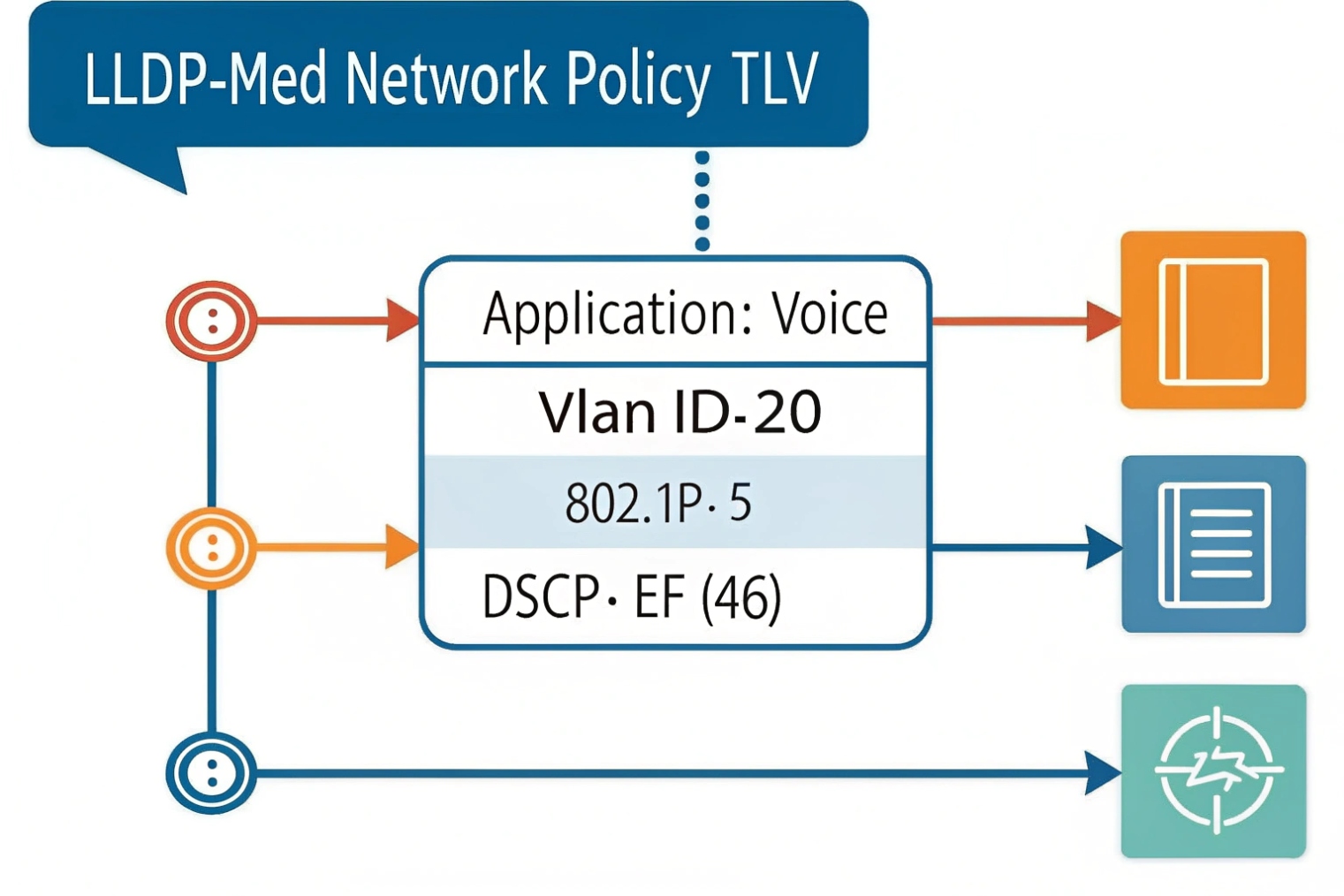
The policy handshake in plain words
LLDP works with small advertisements called LLDPDUs. They carry Type-Length-Value (TLV) structures 3{#fnref3}. Mandatory TLVs include chassis ID, port ID, and TTL. LLDP-MED adds voice-related TLVs. The switch can advertise “this is the voice VLAN” and “use this priority.” The phone receives that policy and applies it. This is why LLDP-MED is a big deal for plug-and-play voice.
When a phone supports a PC pass-through port, the typical design is:
- The phone tags voice frames into the voice VLAN.
- The PC stays untagged in the data VLAN, or tags into a data VLAN depending on policy.
This keeps voice and data separated without a second cable run.
VLAN assignment behavior
LLDP-MED can advertise a voice VLAN ID. Many phones will switch their voice interface into that VLAN automatically. Some phones allow “LLDP only,” “DHCP option only,” or “LLDP + DHCP fallback.” The safest approach is to pick one primary method and keep the fallback consistent across the fleet. Mixed behavior creates “this phone works, that phone does not” tickets.
QoS policy behavior
For voice, the goal is simple: give RTP and SIP priority. Most designs use DSCP Expedited Forwarding (EF, 46) 4{#fnref5} for RTP media and CS3 or AF31 for SIP signaling. But QoS only helps if the switch trusts or sets markings and maps them into priority queues.
A simple approach is:
- Trust DSCP only on known voice ports (phones/intercoms).
- Do not trust DSCP on generic PC ports.
- Make sure the uplink preserves DSCP markings.
Some phones pass a PC through the phone. In that case, use a “voice + data” port model: the phone traffic gets the voice VLAN and priority, while the PC stays in the data VLAN.
PoE and power hints
PoE itself is negotiated by Power over Ethernet (IEEE 802.3af/at/bt) 5{#fnref6} and hardware detection. LLDP can still help by reporting power usage and by letting endpoints and switches share power-related information. This is helpful when a phone has accessories like expansion modules, sidecars, or cameras. It is also useful when a device boots but reboots under load because the PoE budget is tight.
What to configure on the switch side
| Goal | Switch feature | LLDP-MED element | Outcome on the phone |
|---|---|---|---|
| Voice VLAN | Voice VLAN + tagging rules | Network Policy TLV | Phone tags voice traffic correctly |
| Priority queues | QoS trust/remark | Network Policy TLV | RTP gets lower jitter and loss |
| Power stability | PoE class and budget | Power info TLVs (varies) | Fewer brownouts and reboots |
| Inventory tracking | LLDP neighbor tables | Inventory TLVs | Faster asset visibility |
A simple deployment pattern
For SIP phones and SIP intercoms on a PoE switch, the clean pattern is: enable LLDP-MED on access ports, advertise a single voice VLAN, mark voice traffic with consistent DSCP/CoS, and keep PC traffic separate. This reduces manual VLAN tagging on devices and reduces mistakes during rollouts.
How to enable and verify LLDP on switches and IP phones?
LLDP failures are often quiet. The port link is up, DHCP works, and users assume discovery is fine. The only clue is that the phone never learns the voice VLAN or never shows neighbor info.
Enable LLDP globally and on the specific access ports, then verify neighbors on the switch and LLDP status on the phone. Use the switch neighbor table as the source of truth, since it sees what is physically connected.
Enable LLDP with a consistent scope
Most managed switches have a global LLDP enable plus per-port enable. Some platforms let you set transmit and receive independently. For VoIP ports, both TX and RX should be on, because the switch must advertise policy and also learn what the endpoint is. Some security designs enable receive only on edge ports, but for LLDP-MED voice policy, transmit matters.
Phones also have LLDP settings. Many phones allow LLDP-MED policy acceptance and a choice of voice VLAN discovery methods. The most common failure I see is a phone set to “manual VLAN” while the network expects “LLDP.” That phone will never move into the voice VLAN even though LLDP is working.
Verify on the switch first
The switch neighbor output should show:
- Neighbor chassis ID and system name
- Neighbor port ID
- TTL and last update time
- Capabilities (often “Telephone” for phones)
- MED policy details (on some platforms)
If the switch sees the phone, the cable and link are real. If the switch sees nothing, focus on port settings, LLDP filters, or intermediate unmanaged switches.
Verify on the phone second
On many phones, the status screen shows:
- Voice VLAN learned (from LLDP or DHCP)
- Link speed/duplex
- PoE status
- LLDP neighbor identity (switch name/port)
This is useful for field installers. It reduces the need to log into the switch during a desk move.
Useful verification checklist
| Check | Where | What “good” looks like | What “bad” suggests |
|---|---|---|---|
| LLDP enabled | Switch global | LLDP running | Feature disabled globally |
| LLDP TX/RX | Switch port | Both enabled | Port profile missing LLDP |
| Neighbors visible | Switch | Phone appears with TTL | Phone LLDP off or blocked |
| MED policy visible | Switch/phone | Voice VLAN and priority shown | MED off or not supported |
| VLAN tagging correct | Switch | Voice VLAN on phone MAC | Phone not applying policy |
| PoE stable | Switch | No power events | Budget/class mismatch |
A practical field routine
When deploying SIP phones or intercoms, the fastest routine is: plug in one device, check the switch neighbor table, confirm the voice VLAN assignment, then place a test call. If that one device works cleanly, scale the same port profile across the rest of the site. This avoids fixing the same problem 50 times.
What LLDP troubleshooting steps fix discovery, VLAN, or power issues?
When LLDP breaks, people often jump straight to firmware upgrades. That can help, but it is rarely the first step. Most issues come from port profiles, VLAN mismatches, or a “helpful” feature like LLDP filtering or SIP phone energy settings.
Fix LLDP issues by confirming link and port mode first, then checking LLDP TX/RX, MED policy settings, VLAN tagging, and PoE budget. Use packet capture only after basic neighbor tables are clean.
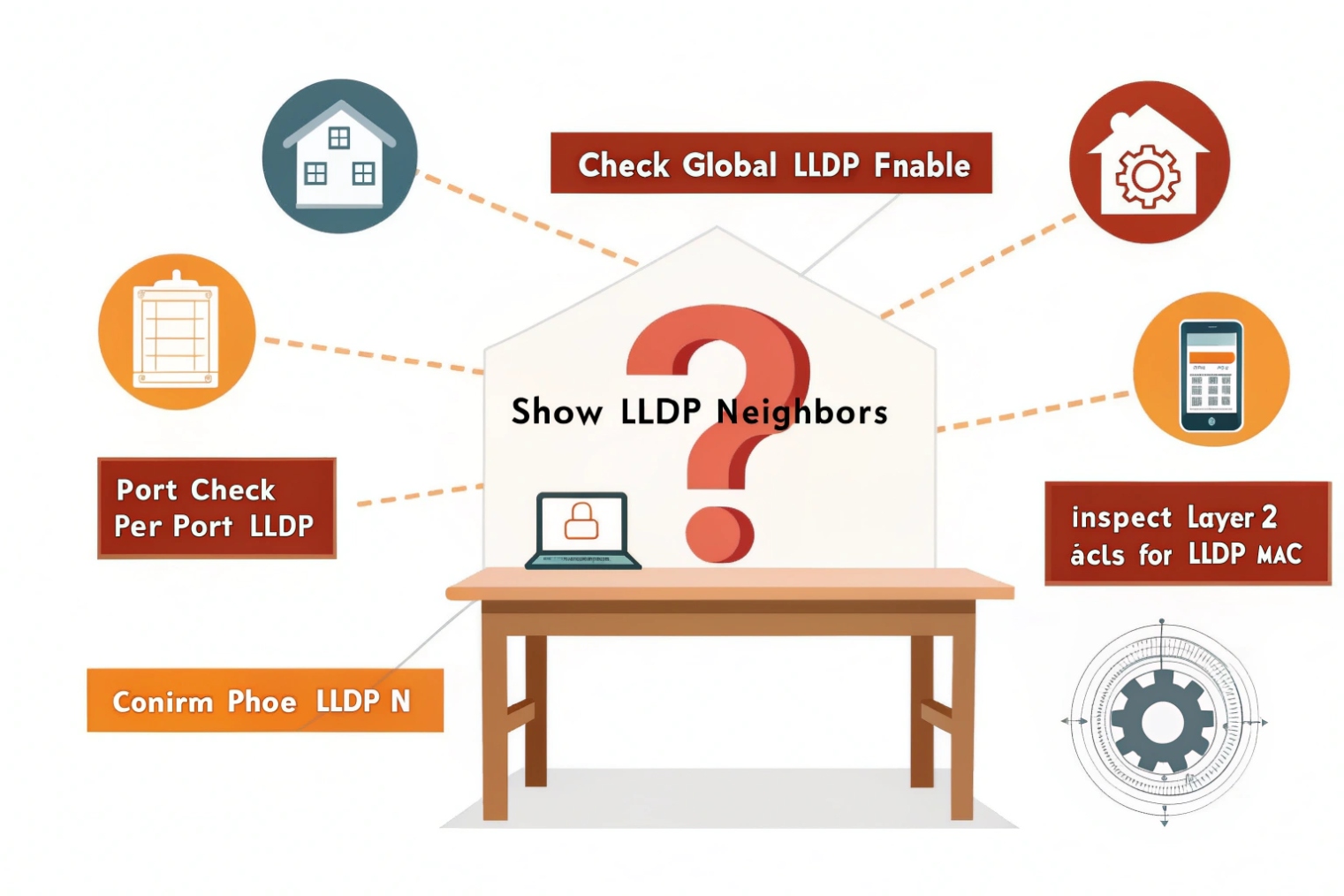
Step 1: Confirm the physical path
LLDP is link-local. If there is an unmanaged switch in the middle, LLDP may not pass as expected, and neighbor mapping becomes confusing. Also confirm the port is not err-disabled, blocked by Spanning Tree Protocol (STP) 6{#fnref7} misconfig, or set to the wrong speed/duplex.
Step 2: Confirm LLDP is not filtered
Some networks filter LLDP frames at the edge. LLDP uses a well-known EtherType and multicast destination MAC. Some switch security profiles block it intentionally. If LLDP is blocked, the phone will not learn policy. Decide if LLDP is allowed on voice ports. If it is allowed, remove the filter for those ports.
Step 3: Confirm voice VLAN and tagging model
LLDP-MED voice VLAN only helps if the switch port is built for it. Common models include:
- Access port for data VLAN + voice VLAN tagged using IEEE 802.1Q VLAN tagging 7{#fnref4} for phones
- Trunk port with allowed VLANs (for phones that tag data too)
If the port is access-only and the phone tags voice, frames may drop. If the port is trunk-only and the phone is untagged, DHCP may fail. Align port mode with endpoint behavior.
Step 4: Confirm QoS trust and queue mapping
If the phone tags DSCP or CoS but the switch does not trust it, the tags may be rewritten to best-effort. Calls then degrade during busy data traffic. Set a consistent policy: trust the phone on voice ports, and remark traffic from PCs if needed.
Step 5: Confirm PoE class and budget
PoE issues can look like LLDP issues because the phone reboots and never holds state long enough to learn VLAN. Check PoE budget at the switch. Check port power allocation. Check if the phone needs 802.3at and the switch only provides 802.3af. Also check cable quality, because PoE drops under load can come from poor terminations.
Troubleshooting table for fast isolation
| Symptom | Most likely cause | Quick check | Fix |
|---|---|---|---|
| No LLDP neighbor seen | LLDP off or filtered | Switch port LLDP status | Enable LLDP TX/RX, remove filter |
| Neighbor seen, no voice VLAN | MED policy not sent/accepted | MED policy output | Enable LLDP-MED, set phone to accept |
| Phone on wrong VLAN | Port mode mismatch | Port VLAN config | Use voice VLAN model, allow tagged voice |
| Calls choppy under load | QoS not trusted | DSCP/CoS counters | Trust/remark, map to priority queue |
| Phone reboots | PoE budget/class issue | PoE event logs | Increase budget, use 802.3at, fix cabling |
| Works on one switch only | Profile drift | Compare port templates | Standardize config templates |
A simple escalation path
If neighbor tables are empty on both sides, start at the port profile. If neighbors show up but policy does not apply, focus on LLDP-MED and VLAN tagging rules. If VLAN is correct but voice quality is bad, move to QoS and queue behavior. If the phone keeps rebooting, treat it as PoE first, not SIP.
Conclusion
LLDP helps devices discover neighbors. LLDP-MED makes VoIP plug-and-play with voice VLAN, QoS, and PoE visibility. Clean port profiles and basic verification stop most voice VLAN and power problems.
Footnotes
-
Overview of the IEEE standard that defines LLDP and its frame/TLV structure. ↩ ↩
-
Cisco guide showing LLDP-MED voice VLAN and policy TLVs used with IP phones. ↩ ↩
-
Quick reference on TLV encoding, the building block used inside LLDP frames. ↩ ↩
-
Defines Expedited Forwarding (EF) behavior used for prioritizing RTP in QoS designs. ↩ ↩
-
Background on PoE standards and power classes that affect phone boots, reboots, and accessory support. ↩ ↩
-
Explains STP basics and why misconfigured edge ports can block links or cause loops in voice networks. ↩ ↩
-
Explains IEEE 802.1Q VLAN tagging, the basis for separating voice and data on one port. ↩ ↩








