
Poor audio in a hazardous plant is not just annoying. It creates wrong actions, repeat calls, and slow response when teams already work under pressure.
Yes, many modern explosion-proof SIP telephones can support Opus, but only if the SIP mainboard firmware includes it and your PBX or SBC negotiates it correctly. The safest plan is Opus for calls, G.711/G.722 for fallback and paging.
A field-ready way to decide if Opus belongs in your Ex telephone spec
What Opus can solve in industrial voice
Opus is built for interactive voice. The Opus interactive audio codec standard (RFC 6716) 1 can deliver clear speech at low bitrate, and it can scale up when links are good. That makes it attractive for mines, offshore sites, remote pump stations, and radio backhauls where bandwidth is limited and jitter changes by time of day. In many plants, the real value is not “better sound.” The real value is “more stable speech when the link is not perfect.”
Opus also gives flexibility. A single codec can cover narrowband voice and wideband voice. It can be tuned for speech. It can also handle moderate loss with concealment and optional FEC features. This is helpful when the network is not under full control, such as leased lines or mixed IT/OT backbones.
Where Opus can still disappoint
Opus does not fix a bad network design. If the voice VLAN shares a congested uplink with CCTV or backup traffic and there is no strict QoS, Opus will still break during peak load. It may break less, but it will still break.
Interoperability is the second risk. Some PBXs and trunks still prefer G.711. Some paging gateways only accept G.711. Some systems transcode and downsample, which can erase the Opus benefit. If the call path includes a platform that does not offer Opus, the phone will fall back anyway.
A quick decision checklist that works in tenders
Use this checklist before writing “Opus required” in a spec:
- The PBX or SBC offers Opus to endpoints on the same leg.
- Paging and PAGA equipment is not forced to Opus if it cannot accept it.
- The network can protect RTP with DSCP and priority queuing using the DiffServ DSCP service class guidelines (RFC 4594) 2.
- The phone can set codec order and has a clean fallback plan.
| Item | If the answer is “Yes” | What to do next |
|---|---|---|
| Bandwidth is tight or costly | Opus can help a lot | specify Opus + FEC option and low bitrate profile |
| Paging/PAGA uses legacy gateways | Opus may cause trouble | keep paging on G.711, use Opus only for calls |
| PBX transcodes all trunk calls | Opus benefit can be reduced | focus on internal calls and WAN calls first |
| Network has strict QoS | codecs perform as intended | tune jitter buffer and ptime with real traffic tests |
A practical “best default” for Ex SIP phone projects
For most industrial deployments, a clean plan is:
- Enable Opus for endpoint-to-PBX calls where it is supported.
- Keep G.722 and G.711 enabled as fallbacks.
- Keep paging and PAGA on G.711 unless the whole paging chain is proven to support Opus.
- Protect RTP with QoS, then tune jitter buffer and ptime.
This plan keeps interoperability high and still lets the project gain Opus benefits where they are real.
The next sections go deeper into PBX support, Opus profiles, loss tools, and codec priority rules that keep paging and emergency flows safe.
Which PBXs support Opus interoperability—Asterisk/FreePBX, 3CX, BroadWorks, and Microsoft Teams SIP gateways?
If the PBX does not offer Opus, the phone cannot “force” it. Then teams waste time testing audio settings that will never take effect.
Asterisk-based systems, 3CX, and many BroadWorks deployments can use Opus. Microsoft Teams SIP connectivity usually relies on certified SBCs, and the Teams Direct Routing leg lists SILK, G.711, G.722, and G.729, so Opus often needs SBC handling rather than direct endpoint negotiation.
Asterisk and FreePBX: strong, but version and distro matter
Asterisk can support Opus when the Opus codec module is present and enabled—validate against the Asterisk Codec Opus configuration documentation 3. In real projects, the key is consistency. Some FreePBX builds ship with Opus enabled and manageable, while older distros may not expose it cleanly. The safest procurement rule is to validate Opus with the exact Asterisk version and the exact deployment method you will use.
Also, keep the call path in mind. Internal calls can run Opus end-to-end. Calls that go to PSTN via a SIP trunk often end up on G.711 anyway. In that case, Opus still helps internal plant calling and WAN inter-site calling.
3CX: explicit Opus support and clear codec ordering
3CX documents Opus support and shows how codec priority affects the SDP offer order—see the 3CX SIP trunk codecs & SDP guide 4. That is helpful in industrial rollouts because we can enforce a stable policy per trunk and per endpoint group. Still, the same reality applies: if the trunk does not support Opus, the PBX will transcode or use another codec. So Opus is most valuable for internal calls and links under plant control.
BroadWorks: Opus appears in modern media support
BroadWorks deployments vary by release and by what media servers are in use, but Opus is present in modern BroadWorks feature sets and is used in some client ecosystems. For plant deployments using BroadWorks, the correct approach is to confirm Opus in the media policy and in the device pack or endpoint configuration plan.
Microsoft Teams: treat it as an SBC problem, not an endpoint codec list
Teams is different from classic SIP PBXs. For Teams Direct Routing, the interface between the SBC and Teams lists specific codecs on that leg; use Microsoft’s Teams Direct Routing planning guidance 5 when you define what the SBC can negotiate. In most industrial cases, a standard SIP endpoint cannot speak SILK, so the SBC does the work. That means:
- The Ex phone can use Opus on the phone-to-SBC leg if your SBC and policy allow it.
- The SBC then uses the allowed Teams codecs on the Teams leg.
So “Opus with Teams” is usually possible only through SBC policy and transcoding control. It is not a simple “endpoint registers to Teams and uses Opus” story.
| Platform | Opus support status in real deployments | What to check before promising Opus |
|---|---|---|
| Asterisk / FreePBX | commonly supported on modern builds | module availability, endpoint allow list, ptime policy |
| 3CX | supports Opus and codec ordering | trunk codec list, internal call policy, transcoding impact |
| BroadWorks | supported on newer releases and media policies | media server codecs, device packs, feature release level |
| Microsoft Teams (Direct Routing) | SBC leg uses specific codec list | SBC policy, certified SBC, transcoding, media bypass rules |
A simple field rule helps: if the PBX is a classic SIP server, Opus can often be end-to-end inside the plant. If the PBX is Teams-connected, assume the SBC is the codec gatekeeper and plan accordingly.
What bitrates and sampling rates are configurable—6–32 kbps, narrowband to fullband 48 kHz?
A codec “support” checkbox is not enough. Plants need a stable profile that fits the network and still sounds clear through PPE and background noise.
Opus can run from very low bitrates and narrowband up to wideband and fullband 48 kHz. For industrial voice, the most useful profiles are often 12–24 kbps with a capped playback rate (8–16 kHz for narrow/wideband voice) to keep bandwidth predictable.
What “sampling rate” means for Opus in SIP calls
Opus uses a 48 kHz internal sampling base, but it can signal bandwidth limits and playback caps so the effective speech bandwidth matches your needs. In SIP, this is often managed by SDP parameters such as max playback rate and by endpoint or PBX codec settings.
For industrial voice, fullband is not always needed. Wideband speech can be enough, and it often cuts bandwidth while staying clear. The best approach is to define a policy like:
- Wideband for normal calls
- Narrowband or wideband with lower bitrate for long WAN links
- Keep G.711 available for interoperability
Bitrate selection: keep it simple and predictable
Many operators ask for “6–32 kbps.” That range is a useful planning tool. In real voice deployments, stable settings are more important than chasing the lowest number. Too low can sound thin and reduce intelligibility in noise. Too high can increase congestion risk on links that are already busy.
A practical starting point in plants:
- 12–16 kbps for constrained links
- 16–24 kbps for most LAN/WAN voice
- 24–32 kbps only when links are clean and you want extra headroom
ptime and overhead matter as much as bitrate
On small packets, overhead can dominate. A 20 ms ptime is often a safe default. Shorter ptime increases packet rate. Longer ptime can reduce overhead but increases the “damage” of each lost packet and can add delay. So the profile should include ptime, not only bitrate.
| Profile name | Target use | Bitrate range | Playback rate cap | ptime suggestion |
|---|---|---|---|---|
| “WAN Safe” | radio backhaul, limited MPLS | 12–16 kbps | 8–16 kHz | 20 ms |
| “Plant Default” | refinery LAN + routed WAN | 16–24 kbps | 16 kHz | 20 ms |
| “HQ Clear” | quiet offices, clean LAN | 24–32 kbps | 16–48 kHz | 20 ms |
| “Paging Chain” | gateways and speakers | keep Opus off | n/a | use G.711 |
What to request from the Ex phone vendor
To keep rollout predictable, request these items in the datasheet or OEM control plan:
- Supported Opus modes and configurable parameters
- Ability to cap playback rate
- Ability to set or follow ptime
- Ability to set codec priority per line or per provisioning profile
When these controls exist, Opus becomes a controlled tool rather than a “best effort” feature that changes by device.
Can Opus use in-band FEC, packet loss concealment, and adaptive jitter buffers for noisy industrial networks?
Plants do not lose packets in a clean way. Loss comes in bursts, and jitter changes when links fail over. That is where the right endpoint tools help.
Yes. Opus includes packet loss concealment, can use in-band FEC when enabled, and works well with adaptive jitter buffers. These features help at moderate loss and jitter, but they cannot replace QoS and proper queue control on congested links.
Packet loss concealment: the baseline safety net
PLC is always part of the plan. It fills small gaps and smooths short losses. In field terms, PLC is most effective when loss is low and spread out. It is less effective when loss is bursty. Burst loss usually points to queue drops, not random line errors.
In-band FEC: useful, but it costs bandwidth
In-band FEC can help recover a lost frame using data carried in later packets. For engineering teams, it helps to reference the Opus in-band FEC encoder controls 6 so “enable FEC” is not a vague checkbox. This works best when:
- loss is isolated, not long bursts
- jitter is controlled so the “recovery packet” arrives on time
- the link has enough headroom for the added bitrate
The common mistake is enabling FEC on a link that is already congested. Added overhead can increase drops, which reduces the benefit.
Adaptive jitter buffers: good for changing links
Industrial networks change by time and by state. A radio link can be clean, then fade. A redundant path can add jitter during failover. An adaptive jitter buffer can grow for stability and shrink for latency.
A simple tuning approach:
- Start low for duplex calls, allow moderate growth.
- Allow higher growth for paging and PAGA if the site accepts small added delay.
- Keep a hard ceiling so talk delay does not become painful.
| Network condition | Recommended tools | What to tune first | What to avoid |
|---|---|---|---|
| Clean LAN | PLC + small adaptive buffer | low min buffer | large max buffer “just in case” |
| Mild WAN jitter | PLC + adaptive buffer | raise max buffer slightly | huge ptime that increases loss impact |
| 1–3% loss | PLC + optional Opus FEC | enable FEC only if headroom exists | redundancy that doubles bandwidth |
| 5% loss spikes | QoS + buffer + FEC | fix queue drops first | blaming codec before fixing congestion |
| 10–15% loss | survival design | reroute, add bandwidth, local SBC | expecting codec tricks to save the call |
What to include in an acceptance test
For emergency voice, test behavior under stress, not only in idle hours:
- A controlled congestion test on the worst link
- Measure one-way delay and jitter buffer growth
- Confirm that emergency calls stay intelligible and do not exceed a delay limit
- Confirm paging does not clip first words and does not collapse into gaps
In most projects, the biggest gain comes from QoS and priority queuing. Opus tools then reduce the remaining pain during short events.
How is codec priority set—Opus first with fallback to G.722/G.711 for paging, PAGA, and emergency calls?
Codec priority is where projects quietly fail. A phone can support Opus, but if Opus is offered to a paging gateway that only accepts G.711, paging breaks on day one.
Codec priority is set by the endpoint and PBX offer order in SDP. A safe policy is Opus first for normal calls when both sides support it, with fallback to G.722 and G.711. For paging and PAGA, keep G.711 as the first choice unless the whole paging chain is proven Opus-ready.
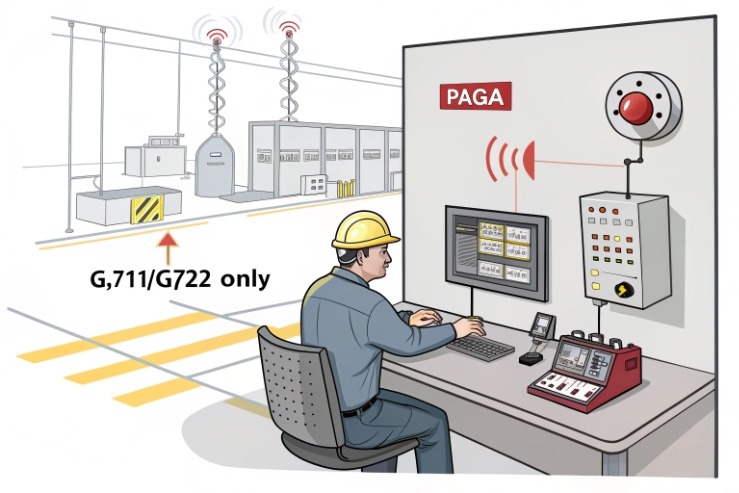
One policy rarely fits every media path
Industrial voice has multiple media paths:
- Phone-to-phone internal calls
- Phone-to-PBX-to-trunk calls
- Paging calls to speakers or paging gateways
- PAGA paging through amplifiers and zone controllers
Each path has different interoperability needs. So codec priority should be defined per path where possible, or at least per device group.
A safe codec order for normal calls
For internal plant calling and controlled WAN links:
1) Opus
2) G.722
3) G.711 (PCMA/PCMU as your region requires)
This gives good quality and still keeps universal fallback.
A safe codec order for paging and PAGA
Paging often must interoperate with:
- SIP paging gateways
- multicast speakers
- legacy analog paging adaptors
Many of these chains are happiest on G.711. Some do not accept Opus or do not handle it well. So for paging:
1) G.711 first
2) G.722 optional if your paging chain supports it
3) Keep Opus off for paging unless proven end-to-end
Emergency calls: prioritize clarity and predictability
Emergency calling should use the same codec policy as normal calls, but with one extra rule: avoid codec confusion during failover. Keep a clean fallback plan so that if Opus negotiation fails, the call still completes quickly on G.722 or G.711 without repeated re-INVITEs.
| Use case | Recommended codec order | Why |
|---|---|---|
| Plant internal calls | Opus > G.722 > G.711 | best clarity with safe fallback |
| Inter-site WAN calls | Opus (capped) > G.722 > G.711 | lower bandwidth and stable speech |
| Paging to SIP speakers | G.711 > G.722 | wide compatibility |
| PAGA gateway path | G.711 first | avoids surprises on gateways and amplifiers |
| Teams-connected call via SBC | phone side Opus or G.722, Teams leg per SBC | SBC is the codec bridge |
How to configure at scale without drift
For a fleet, codec policy should be controlled by templates:
- PBX sets trunk codec policy and internal codec policy
- Phones are provisioned with the correct codec order per profile
- Paging endpoints and gateways use a separate codec profile
- Changes are versioned and rolled out in batches
When this is done, Opus becomes a benefit with no risk to paging and emergency workflows. Codec negotiation behavior is defined by the SDP offer/answer model (RFC 3264) 7, so keep endpoint and PBX policies aligned.
Conclusion
Opus can be a strong upgrade for Ex SIP calls, but keep G.711/G.722 for paging and fallbacks. For OEM Ex SIP phone planning, email info@sipintercommanufacturer.com.
Footnotes
-
Opus codec standard details and design goals for interactive VoIP. ↩ ↩
-
DSCP class guidance to prioritize voice RTP on shared networks. ↩ ↩
-
How to enable and tune Opus in Asterisk via codecs.conf options. ↩ ↩
-
How 3CX sets codec priority and SDP negotiation per trunk. ↩ ↩
-
Official codec list and media-leg behavior for Teams Direct Routing. ↩ ↩
-
Exact Opus API controls for enabling in-band FEC and loss settings. ↩ ↩
-
SDP offer/answer negotiation rules that determine codec selection and fallback. ↩ ↩








