
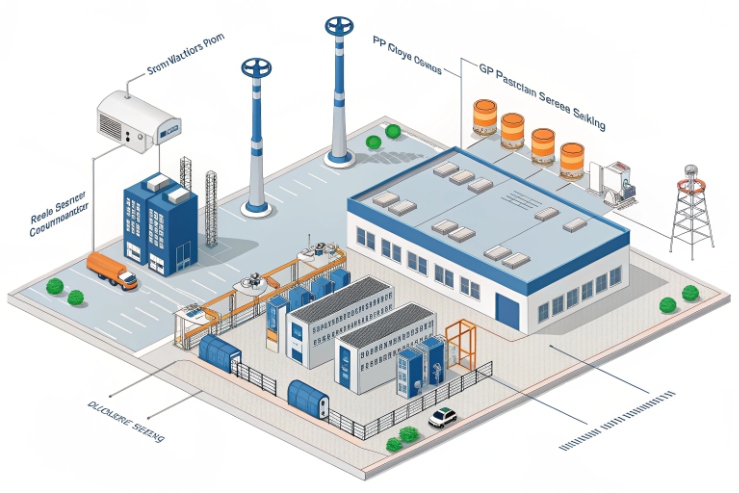
A control room can miss a critical SOS if the phone only rings on SIP and never shows up in the VMS 1. That delay can turn a fast response into a slow search.
An explosion-proof telephone can integrate with ONVIF events when the event source is clear: either the phone has an ONVIF Event Service, or a camera/gateway converts phone signals (SOS, off-hook, fault) into ONVIF digital input or analytics events that your VMS can subscribe to.
Build an ONVIF event path that your VMS already understands
Start from the VMS behavior, not from the protocol
ONVIF 2 events are only useful when the VMS can turn them into actions. Most offshore and refinery users want the same outcomes:
-
A pop-up appears on the operator screen.
-
The right camera starts recording or marks the timeline.
-
A PTZ camera 3 jumps to a preset.
-
The operator gets a clear alarm message like “SOS from Zone 1 phone”.
The simplest design is the one that matches how VMS platforms already work with ONVIF cameras. Many VMS platforms are very good at consuming these event types:
-
Motion and tamper events from cameras
-
Digital input events from cameras and encoders
-
Analytics events exposed through ONVIF topics
A pure audio telephone often does not look like a camera to a VMS. That is why real deployments usually integrate through one of three patterns:
Three proven integration patterns
Pattern A: The phone is also an ONVIF device
This is common for SIP video intercoms and SIP video door phones. The device exposes ONVIF profiles and events. The VMS subscribes to the device. Then “call start”, “tamper”, “input triggered”, and “fault” can arrive as ONVIF notifications.
Pattern B: The phone drives a camera digital input
This is the most universal pattern for explosion-proof phones. The phone provides a dry contact relay. That relay wires into a camera or encoder digital input. The camera publishes an ONVIF digital input event. The VMS reacts. This avoids custom software. It also keeps the phone in its certified role.
Pattern C: A small middleware gateway converts SIP/IO to ONVIF
A gateway listens to SIP (Session Initiation Protocol) 4 call state, HTTP triggers, or syslog. It then exposes an ONVIF Event Service to the VMS, or it uses the VMS automation interface. This method is best when you need many event types or you want rich alarm text.
| Pattern | What you need | Best fit | Main risk |
|---|---|---|---|
| A: Phone has ONVIF | ONVIF-capable phone/intercom | Video-enabled Ex endpoints | Vendor event topic differences |
| B: Relay → camera DI | Phone relay + camera/encoder DI | Audio-only Ex phones | One relay gives limited data |
| C: SIP/IO → gateway | Gateway + rules | Large sites, rich workflows | More engineering and IT approvals |
Make “event naming” stable for operators
Operators do not want protocol words. They want clear messages. A practical rule is to standardize event labels across the site:
-
“SOS Phone – Area A – North Pipe Rack”
-
“Off-hook – Phone – Tank Farm 3”
-
“Fault – Phone – Compressor House”
This is also where maintenance wins. When alarms are standardized, the team can test monthly and know what “normal” looks like.
A clean ONVIF event path usually lowers call-center stress. The operator sees the alarm and the camera at once. The incident response becomes faster and more consistent.
The next section shows which ONVIF events are most useful for VMS pop-ups and recording. That choice decides everything that follows.
Which ONVIF events enable VMS pop-ups and recording—motion, digital input, call start, or tamper?
A VMS pop-up is only as reliable as the event type behind it. If the VMS cannot match the event, nothing happens.
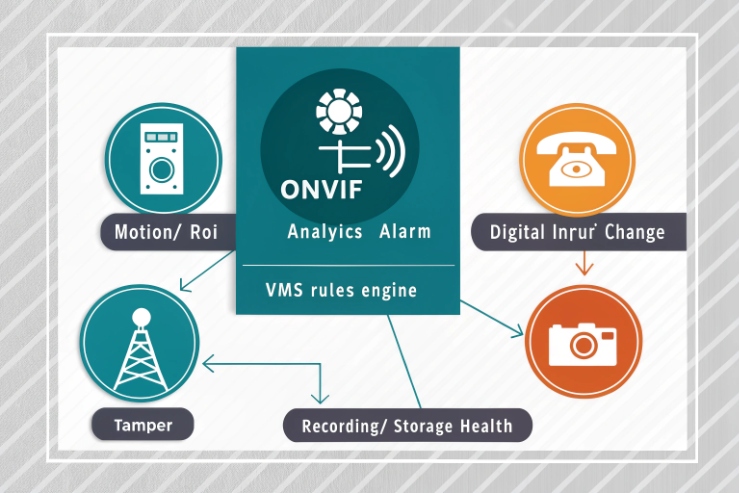
The safest ONVIF events for VMS actions are motion and tamper from cameras, plus digital input events from cameras/encoders. “Call start” can work when the phone exposes it as an ONVIF topic, but digital input is the most universal bridge for Ex phones.
Use the events that VMS platforms already treat as alarms
Many VMS platforms have built-in workflows for:
-
Motion events → start recording, show camera, raise alarm
-
Tamper events → raise alarm, show camera, notify security
-
Digital input events → alarm rules, map pop-ups, action triggers
Profile T 5 descriptions often call out support for alarm events such as motion and tampering detection. That is why Profile T devices are easier to use in modern VMS systems. Motion and tamper topics also show up consistently across many camera vendors.
Digital input is the best “adapter” for a telephone. Most explosion-proof telephones provide at least one relay. When that relay changes state, the camera DI changes state. Then the VMS sees it like a door contact.
Decide what is the “anchor camera” for each phone
A phone on a process skid usually has one or two cameras that matter. A practical rule is to assign one anchor camera per phone:
-
Phone ID maps to Camera ID.
-
SOS triggers that camera pop-up.
-
Off-hook triggers a live view or a bookmark.
This reduces operator confusion. It also keeps the system scalable.
Suggested event choices by use case
| Use case | Best ONVIF event type | Why it works well | Notes |
|---|---|---|---|
| SOS emergency | Digital input event | Very stable and easy to map | Use latching logic in VMS or PLC |
| Off-hook / in-use | Digital input or custom topic | Simple occupancy signal | Add a short delay to avoid bounce |
| Tamper | Tamper event from device | Direct detection from the unit | Works best when unit supports it |
| Motion near phone | Motion analytics event | Good for context video | Motion can be noisy in windy zones |
| Fault / offline | Health status or heartbeat rule | Clear maintenance signal | Better with gateway or VMS health |
Can SIP hook/SOS map to ONVIF notifications and trigger camera presets or bookmarks?
Many plants want the same outcome: “When SOS is pressed, show the right camera, move PTZ, start recording, and add a bookmark.”
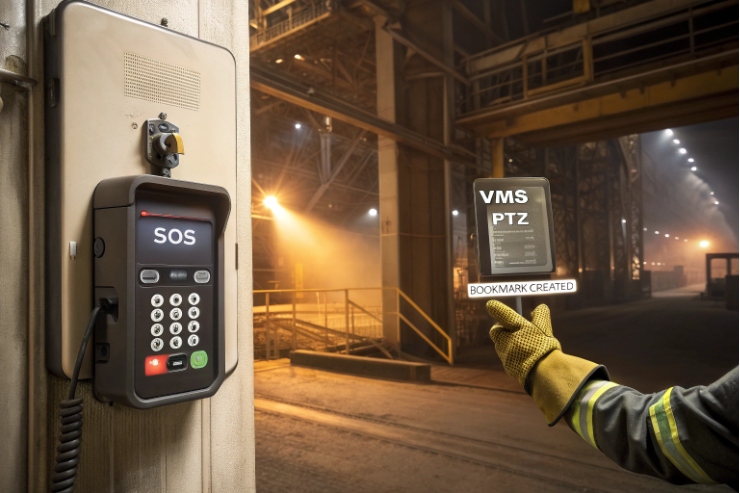
Yes. SIP hook/SOS can map to ONVIF-triggered workflows in three practical ways: phone relay to camera DI, SIP event to a gateway that publishes ONVIF events, or direct ONVIF event topics from an ONVIF-capable phone/intercom.
Method 1: Relay to camera digital input (fastest and most common)
This method treats SOS like a contact sensor:
1) Phone SOS event closes relay (or opens NC, based on your design).
2) Relay wires to camera DI (or encoder DI).
3) Camera publishes DI event via ONVIF.
4) VMS rule triggers:
-
Pop-up camera tile
-
Start recording at high frame rate
-
Move PTZ to preset
-
Create an incident tag or bookmark (VMS feature)
This method works even if the phone is audio-only. It also keeps the Ex phone simple. The phone does not need to run ONVIF. The camera does the ONVIF part.
Best practice: use NC wiring for fail-safe if the site wants supervision. A broken wire then triggers an alarm, not silence.
How are event subscriptions set—Profile S/T, WS-Eventing, authentication, and heartbeat with Milestone/Genetec/NX?
Subscriptions are the hidden engine. If they fail silently, alarms disappear even though video still streams.
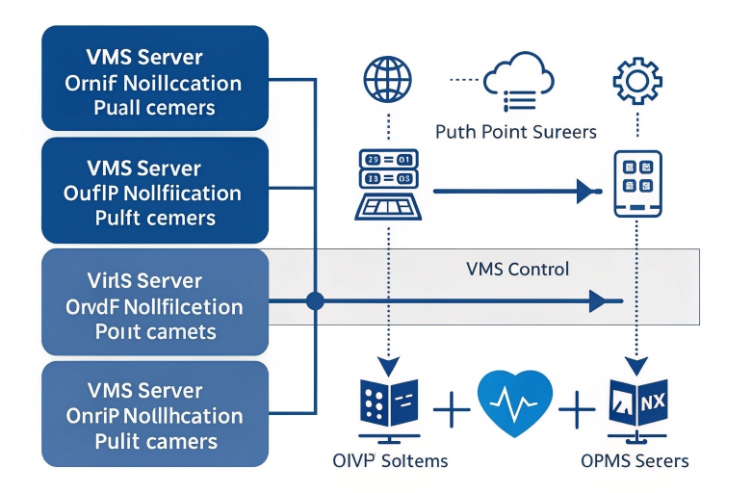
Most VMS systems consume ONVIF events through WS-Eventing with a PullPoint subscription, then poll PullMessages on a timer. Authentication is usually HTTP digest or HTTPS credentials, and a heartbeat plus subscription renew rules keep events alive through network noise and server failover.
Profile choice: aim for Profile T where possible
Profile T is widely used in modern systems and is positioned as a richer successor path to older profile sets. Profile T descriptions often highlight support for alarm events such as motion and tamper, and it also covers digital inputs and relay outputs for conformant devices and clients when supported.
Different Milestone Systems 6 and Genetec 7 platforms have different driver behaviors. Still, the success factors are the same:
-
The VMS must subscribe and stay subscribed.
-
The event topic must match what the VMS expects.
-
The network must allow the HTTP(S) session and keep it stable.
-
The operator must see a clear alarm message.
What network design ensures low-latency event delivery—QoS, VLANs, TCP vs UDP, and NVR failover?
If the network is flat and noisy, alarms arrive late or not at all. This is common near paging, multicast, and heavy video bursts.
Low-latency ONVIF event delivery comes from segmentation and predictability: separate VLANs, controlled routing, QoS that protects voice first and events second, and failover rules that keep subscriptions alive when the recording server changes.
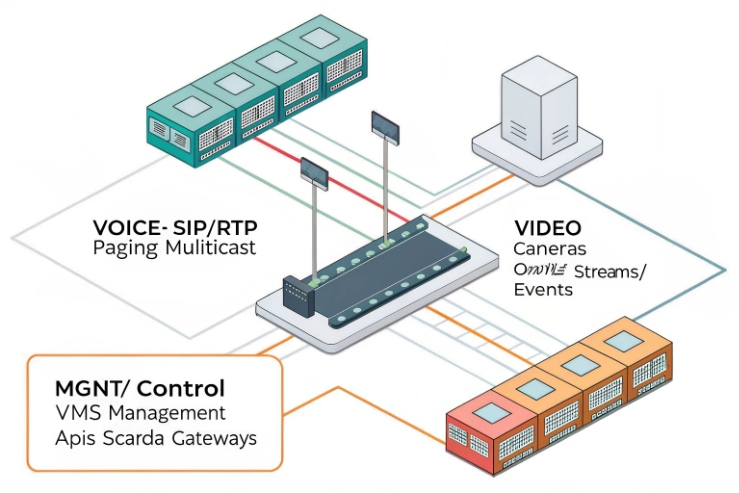
Understand the traffic types
ONVIF events run over TCP because they use HTTP(S) and SOAP messaging. TCP is reliable, but it can still be delayed when links are congested. SIP signaling also uses TCP or UDP, while RTP media is usually UDP. Multicast paging is often UDP multicast and can flood a VLAN if IGMP is not controlled.
VLAN and routing model that works in plants
A practical and clean model uses:
-
Voice VLAN: SIP phones and intercoms
-
Video VLAN: cameras and NVR traffic
-
Management/Events VLAN: VMS servers, ONVIF polling, device management
QoS: keep it simple and consistent
QoS is only helpful when it is consistent end-to-end. A basic policy is:
-
RTP media gets highest priority.
-
SIP signaling and ONVIF events get medium priority.
-
Bulk video recording gets best-effort or controlled priority.
| Network design goal | Control | What to test during FAT |
|---|---|---|
| Low latency events | VLAN + QoS | SOS to pop-up time |
| Stable subscriptions | Firewall + timeouts | Renew behavior under load |
| Voice quality | QoS + IGMP | Call during paging |
| Security | ACLs + least privilege | No open access from field VLANs |
| Resilience | VMS/NVR failover design | Alarm after failover |
Conclusion
Explosion-proof phones can fit ONVIF workflows when SOS and hook states become stable ONVIF events, subscriptions are maintained, and VLAN/QoS rules protect voice, events, and paging together.
-
A software platform that manages video surveillance operations and data analysis. ↩ ↩
-
An open industry forum for developing global standards for IP-based physical security. ↩ ↩
-
A camera capable of remote pan, tilt, and zoom movements for monitoring. ↩ ↩
-
A signaling protocol used for initiating, maintaining, and terminating real-time communication sessions. ↩ ↩
-
An ONVIF profile designed for advanced video streaming and event handling in security. ↩ ↩
-
A world-leading provider of open-platform IP video management software for security systems. ↩ ↩
-
A leading global provider of unified security, public safety, and business operations solutions. ↩ ↩








