
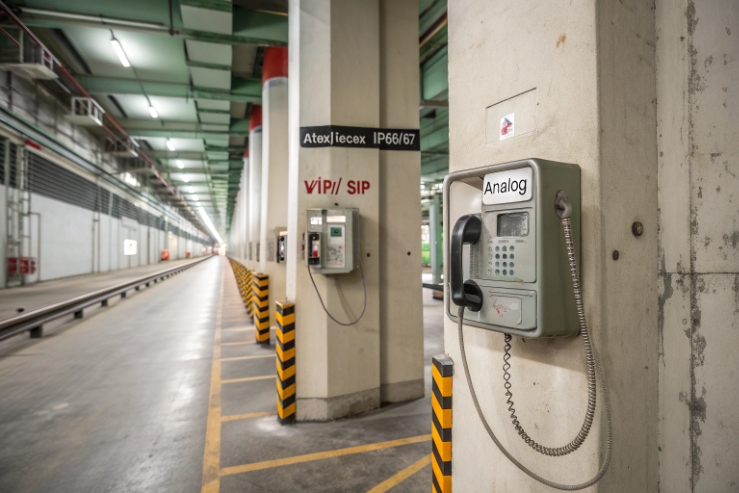
A wrong choice can lock a hazardous site into years of service calls, missed alarms, and slow upgrades. The cost shows up later, not on the first invoice.
Choose VoIP (SIP) when your site has stable Ethernet, centralized operations, and paging or dispatch needs. Choose analog when copper is proven, power is hard, and the call flow is simple.
The real decision is not “VoIP vs analog”, it is “system control vs system simplicity”
Start from the environment, not the interface
In hazardous areas, the phone is only one part of the risk. Heat, humidity, salt, and chemicals can hurt any interface. So the first step is to define what the site will do to the system, not what the system will do for the site.
A simple site profile helps:
-
Is there Ethernet at the mounting point today?
-
Is there PoE available, or only local DC?
-
Is the area a washdown zone or exposed to spray?
-
Does the phone need to trigger paging, beacons, or I/O actions?
-
Do technicians have easy access, or is every visit a permit and shutdown?
Once this is clear, the VoIP vs analog choice becomes a set of small decisions. Each small decision has a clear owner: IT, OT, E&I, safety, or maintenance.
Think in blocks: where conversion and power live
A phone deployment is a chain. Any weak link becomes a “phone problem” during an incident.
VoIP chain (typical):
Analog chain (typical):
- Ex analog phone → copper pair → analog PBX extension (FXS) or PSTN line → dispatch / paging (often via PBX features)
VoIP gives more control and visibility, but it asks for network discipline. Analog gives fewer moving parts at the endpoint, but it often hides faults until a real call fails.
A decision table that aligns teams
| Factor | VoIP (SIP over Ethernet) | Analog (legacy copper) |
|---|---|---|
| Best fit | Sites with Ethernet and centralized operations | Sites with proven copper and simple calling |
| Feature growth | Easy to add paging, monitoring, and routing | Limited, often PBX-dependent |
| Fault visibility | Strong (registration, logs, monitoring) | Weak unless extra test tools exist |
| Endpoint power | Needs PoE or local DC | Often powered from the line (central battery) |
| Commissioning | Network + SIP settings + QoS | Pair quality + ring/current checks |
| Long-term change | Software-driven, scalable | Hardware-driven, slower |
The choice is not about what is “modern.” It is about what the site can support every day. Many failures come from mixing a high-control VoIP endpoint with a low-discipline network. Many failures also come from trusting old copper that has never been tested under load.
If this framing makes sense, the next step is to map integration to your exact site, because integration decides most of the lifecycle cost.
Now the key question becomes: which integration model fits the plant and the control room?
Which integration fits my site—SIP PBX/PAGA over Ethernet or legacy FXS/FXO lines?
When a project team argues about interfaces, the real issue is usually integration. A phone that “works” but cannot reach PAGA zones or dispatch is not a working system.
SIP fits best when you already run a SIP PBX and need paging or dispatch over the same network. Analog fits best when the site has stable FXS extensions or PSTN lines and needs simple point-to-point calling.
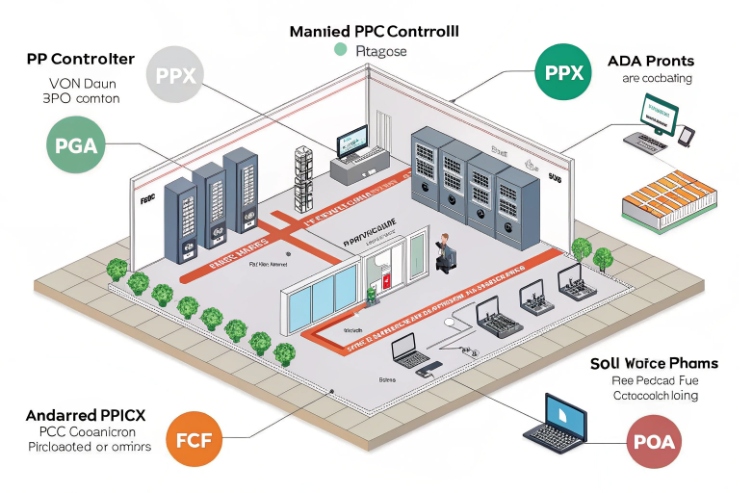
SIP integration: one network, many functions
SIP over Ethernet is strong when the site wants one platform for:
-
Direct calling and ring groups
-
Dispatch consoles and recording
-
Paging to PAGA via SIP paging gateways or multicast
-
Remote provisioning and firmware control
In many plants, the PAGA system already has IP endpoints or IP gateways. In that case, SIP phones can call paging groups like normal extensions, or they can use multicast paging 2 for faster, wider audio distribution. This is helpful when emergency workflows must be consistent across many locations.
SIP also fits migration projects. A site can add an Ex SIP phone today, then expand later without changing the hazardous area wiring. That is a big advantage when each field change needs permits.
Analog integration: clean when the PBX is truly analog
Analog is still the fastest retrofit when the site has:
-
Existing copper pairs to each location
-
An analog PBX with available FXS extensions
-
Simple call routing, such as “call control room” and “call maintenance”
Analog becomes less clean when features grow. PAGA integration often ends up as PBX feature codes, external dialers, or extra gateways. It can still work, but it creates more dependencies. It also spreads configuration across more devices.
A quick “site fit” checklist
| Question | If “yes”, SIP tends to win | If “yes”, analog tends to win |
|---|---|---|
| Ethernet is already at each phone point | ✅ | |
| Plant uses dispatch consoles or recording | ✅ | |
| Paging zones are IP-enabled or will be | ✅ | |
| Copper pairs already exist and are labeled | ✅ | |
| No IT support for QoS, VLANs, or certificates | ✅ | |
| Call flow is simple and stable for years | ✅ |
In my projects, the cleanest deployments happen when the integration model matches the team structure. If the plant has a strong IT/OT network owner, SIP scales well. If the plant has a strong E&I team and weak network ownership, analog stays stable.
Integration settles “how it connects.” Next comes “how much it costs to own,” because hardware price is a small part of the total.
What are the TCO trade-offs—PoE, auto-provisioning, monitoring vs. analog simplicity and spares?
Teams often compare purchase prices and miss the true costs: commissioning time, failure diagnosis time, and how fast a site can recover during an incident.
VoIP usually lowers TCO at scale through PoE, auto-provisioning, monitoring, and remote updates. Analog can win on small sites because it is simple, spare-friendly, and needs less network work.
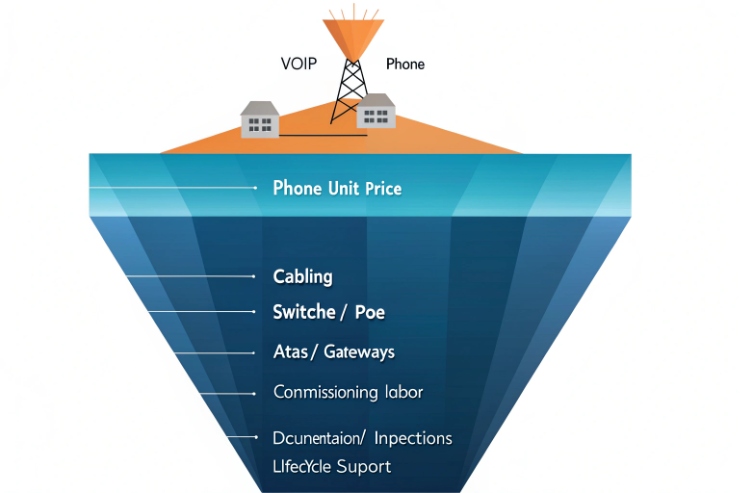
VoIP TCO: higher planning cost, lower operating cost at scale
VoIP adds cost items up front:
-
PoE switches 3 or midspans
-
UPS capacity for network closets
-
VLAN and QoS planning
-
SIP server licensing or redundancy design
But VoIP often reduces operating cost:
-
auto-provisioning 4 cuts setup time. It also reduces human error.
-
Monitoring shows failures early. Registration alarms, packet loss, and device health can be tracked.
-
Firmware and configuration are centralized. This matters when security policies change.
Large multi-site operators feel this benefit the most. A single template can deploy hundreds of endpoints. Troubleshooting is faster because logs exist.
Analog often has a lower planning burden:
-
No SIP accounts
-
No network QoS
-
No IP addressing or certificate work
But analog has hidden costs:
-
Copper faults are hard to spot remotely. A line can degrade for months.
-
Spares are simple, yet diagnosis is slow. The phone is blamed when the pair is the issue.
-
Feature expansion needs extra boxes. Each extra box becomes another spare and another failure point.
Analog can still be the right choice when the site is small and stable. It can also be right when compliance prefers proven circuits and the staff wants a familiar maintenance model.
Cost drivers that decide most projects
| Cost driver | VoIP impact | Analog impact |
|---|---|---|
| Commissioning time per phone | Lower after templates exist | Often steady, depends on line tests |
| Remote fault diagnosis | Strong | Weak unless extra tools exist |
| Network power/UPS | Required | Often not at endpoint |
| Spares strategy | More software, fewer hardware variants | Simple phones, but line parts vary |
| Future expansion | Cheap and fast | Slower and more hardware-heavy |
A simple rule works well: if the site expects growth, routing changes, or new paging workflows, VoIP usually pays back. If the site expects no change and has reliable copper, analog can stay the lowest-risk cost path.
Cost is not enough, though. In a hazardous environment, reliability and power behavior decide what happens during a real emergency.
How do reliability and power work—PoE with UPS, local 24 V fallback, or analog central battery?
People assume analog is always more reliable because “it powers from the line.” People also assume VoIP is fragile because “it needs the network.” Both can be wrong if the power design is poor.
VoIP is reliable when PoE switches are on UPS and the network has clear redundancy. Analog is reliable when the PBX and line power are centrally backed and the copper is maintained. The best designs add local DC fallback where risk is high.
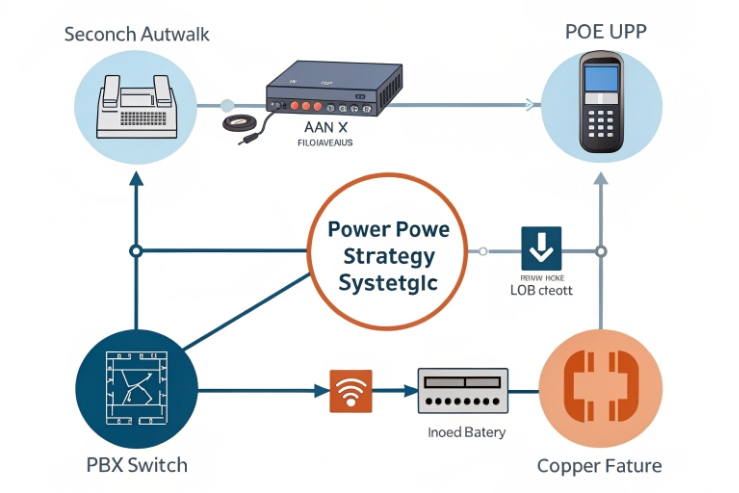
VoIP power: put the battery where the phone depends on it
VoIP endpoints rely on:
-
PoE switch power
-
Uplink availability
-
SIP server reachability
So VoIP reliability is a power architecture problem. A strong pattern is:
-
PoE switch on UPS
-
UPS sized for the required emergency runtime
-
Clear labeling and maintenance of UPS batteries 5
-
Optional redundant uplinks for critical zones
For very critical points, local DC fallback can help. Some installations use a 24 VDC supply near the hazardous area boundary, then feed the phone through a certified method. This reduces dependency on a single PoE closet. It also helps when cable runs are long.
Analog power: central battery is strong, but copper health is the real risk
Analog lines can provide talk battery and ring from the PBX or a central system. That can be very robust when designed well. Still, analog reliability depends on copper quality:
-
Water ingress in junction boxes
-
Corrosion at terminations
-
Accidental pair swaps during maintenance
-
High loop resistance due to poor joints
Analog also depends on the PBX. If the PBX is old and has no spares, the “simple” system can become a high-risk asset.
Reliability is also about failure detection
VoIP often fails loudly and early. A device goes offline, and monitoring catches it. Analog can fail quietly. The phone looks fine, but the pair is weak, and the ring does not pass.
A reliability plan should include testing:
-
VoIP: periodic registration and call test logs
-
Analog: scheduled line resistance checks and ring tests at the endpoint
| Scenario | VoIP behavior | Analog behavior | Best mitigation |
|---|---|---|---|
| Site-wide power loss | Works if PoE/UPS is sized | Works if PBX battery backup exists | Define emergency runtime and test it |
| Local cable damage | Isolated to that drop | Isolated to that pair | Protect routes and document repairs |
| Hidden degradation | Often visible in stats | Often invisible until failure | Scheduled tests and monitoring |
| Control room failure | SIP PBX redundancy helps | PBX redundancy helps | Redundant cores for critical sites |
In practice, reliability comes from design ownership. If nobody owns the UPS runtime and tests it, VoIP becomes risky. If nobody owns copper inspections, analog becomes risky.
After power and reliability, the final decision point is certification and features, because these define what is allowed in the area and what the phone can do during an emergency.
Do certification and features differ—ATEX/IECEx, IP66/67, SRTP/TLS, multicast paging, and external I/O support?
Some teams think certification is the same for any interface. The truth is that certification is about the protection concept and the full device design, and feature sets vary a lot by platform.
Certification targets (ATEX/IECEx and IP66/67) can exist for both VoIP and analog models, but VoIP models usually offer stronger security and paging features like SRTP/TLS and multicast, plus richer external I/O options for alarms and beacons.
Certification: focus on the marking and the temperature range
Both analog and VoIP Ex phones can be certified under ATEX and IECEx 6, and both can reach IP66 or IP67 in rugged designs. The selection should verify:
-
The correct hazardous area suitability (zone and gas group)
-
The allowed ambient temperature range
-
The enclosure ingress protection 7 that matches washdown and weather exposure
The interface choice does not remove the need to validate the marking. It only changes the system around the phone.
Security and control: VoIP has real tools
If the site cares about security, VoIP has clear advantages:
-
SRTP for media protection
-
TLS for signaling protection
-
Controlled provisioning and access policies
Analog has fewer security options. It is not “unsafe,” but it is harder to control and audit. If the threat model includes network attacks, VoIP must be designed with basic security practices, not left open.
Paging and PAGA: VoIP scales cleaner
VoIP systems can support:
-
SIP paging groups
-
Multicast paging for wide-area audio distribution
-
Integration with IP paging gateways and dispatch systems
Analog can still page through PBX feature codes or analog paging adapters, but it usually becomes a patchwork of devices as the site grows.
External I/O: the practical feature that saves minutes
External I/O matters in emergencies. Typical use cases:
-
Trigger a beacon or sounder when a call connects
-
Drive an external relay for door release in controlled zones
-
Accept an input from an alarm button or sensor
VoIP models often provide richer I/O options because they already have control logic and management interfaces. Analog models can support some I/O, but it varies more, and it often needs extra modules.
| Feature | VoIP (SIP) typical strength | Analog typical strength |
|---|---|---|
| ATEX/IECEx availability | Strong | Strong |
| IP66/67 rugged sealing | Strong | Strong |
| SRTP/TLS security | Strong | Limited |
| Multicast paging | Strong | Rare |
| Remote provisioning | Strong | Limited |
| External I/O control | Often richer | Often basic |
From a buyer view, the best approach is to write the emergency workflow first. Then match features to that workflow. A phone that is certified but cannot trigger the needed beacon or paging group can still fail the project.
In DJSlink deployments, the most stable outcomes come from a simple match:
-
Use VoIP when the site wants managed features, paging scale, and monitoring.
-
Use analog when the site wants minimal dependencies and has maintained copper and PBX support.
Conclusion
Pick VoIP for managed growth, paging, monitoring, and security. Pick analog for copper-only sites with simple calling and strong central power. Design power and maintenance first.
Footnotes
-
A guide to SIP PBX technology for managing Voice over IP communications in enterprise networks. ↩ ↩
-
Learn how multicast paging distributes audio across multiple network endpoints simultaneously for efficient broadcasting. ↩ ↩
-
Technical details on how PoE switches deliver both power and data over a single Ethernet cable. ↩ ↩
-
Discover the benefits of auto-provisioning for rapid, automated deployment of industrial communication devices. ↩ ↩
-
Best practices for selecting and maintaining UPS batteries to ensure continuous power during site outages. ↩ ↩
-
Official site for ATEX and IECEx standards governing equipment safety in explosive hazardous atmospheres. ↩ ↩
-
Understanding Ingress Protection (IP) ratings for certifying equipment resistance to dust and water entry. ↩ ↩








