
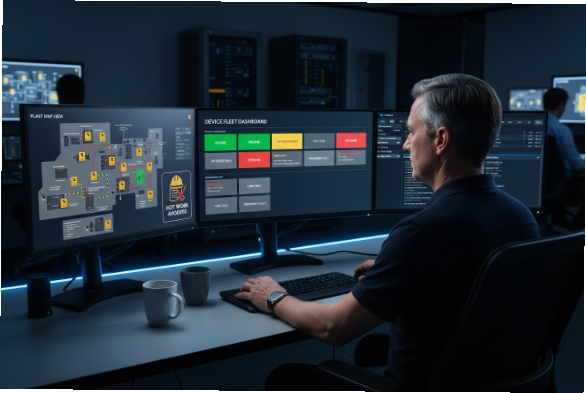
Managing a fleet of telephones in a hazardous environment is costly and dangerous. Every time a technician enters a Zone 1 1 area to fix a configuration error, they require a Hot Work Permit, PPE, and a safety spotter. This "sneaker-net" approach is obsolete. Modern explosion-proof telephony is designed to be treated exactly like any other IT asset: managed entirely from the safety of the control room.
Yes, modern explosion-proof SIP phones are fully manageable remotely. They utilize standard IT protocols like TR-069 (CWMP), SNMPv3, and HTTPS auto-provisioning to enable centralized configuration, bulk firmware updates, and real-time health monitoring without requiring physical access to the hazardous zone.
Which remote provisioning and management protocols are supported?
Gone are the days of proprietary serial cables. DJSlink phones speak the universal languages of IT infrastructure.
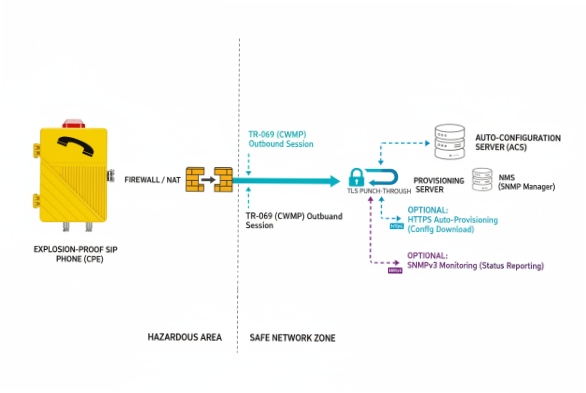
The industry standard for carrier-grade management is TR-069 (CWMP) and its successor TR-369 (USP), which allows phones to punch through firewalls to communicate with an Auto-Configuration Server (ACS). For local LAN management, encrypted HTTPS Auto-Provisioning (using XML/CFG files) and SNMPv3 for status monitoring are the standard supported protocols.
The Protocol Toolkit
-
Auto-Provisioning (RPS): The phone boots up, asks a central server (via DHCP 2 Option 66), "Who am I?", and downloads its specific configuration file. This is "Zero Touch Provisioning."
-
TR-069 (CWMP): Ideal for complex networks. It allows the server to actively reach out to the phone to push changes, reboot devices, or query parameters, even if the phone is behind a NAT router.
-
SNMP (Simple Network Management Protocol): We typically use SNMPv3 (encrypted) to feed status data into Network Monitoring Systems (NMS) like SolarWinds or PRTG.
Can firmware upgrades, configuration templates, and backups be pushed remotely?
Imagine needing to update 500 phones because a security vulnerability was found in the old firmware. Doing this manually would take weeks. Doing it remotely takes minutes.
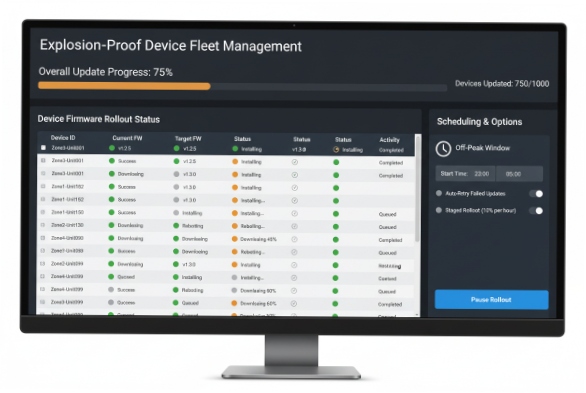
Yes, batch operations are central to industrial VoIP management. Administrators can define "Common Configuration" templates (e.g., SIP Server IP, Timezone, Codecs) that apply to all devices, and "MAC-Specific" configurations (Extensions) for individual units. Firmware can be scheduled to upload and install automatically during off-peak hours to minimize operational disruption.
The Efficiency of Templates
At DJSlink, we structure our config files to separate the static data from the variable data.
| Config Level | Scope | Example Parameters | Update Frequency |
| :— | :— | :— | :— |
| Global | All Phones | SIP Proxy, NTP Server, VLAN Tags | Rare |
| Group | Specific Zone | Ring Volume, Multicast Address | Occasional |
| Individual | One Phone | SIP User ID, Password, Display Name | On Setup |
Backup & Restore: Before pushing a major update, the management system can force the phone to upload its current config .xml to the server. If the update fails, we can roll back instantly.
How can remote diagnostics confirm SIP registration and network health?
If a user says "the phone is broken," you need to know if it’s the hardware, the network, or the server, before you send a technician into the blast zone.
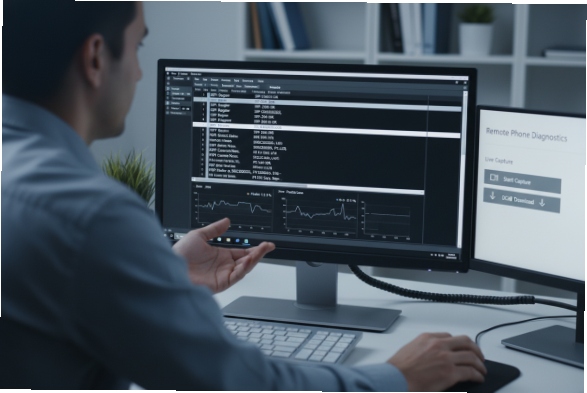
Remote diagnostics tools embedded in the phone’s web UI allow admins to run Ping and Traceroute tests, view real-time SIP Registration status, and capture PCAP (Packet Capture) traces. These traces can be downloaded and analyzed in Wireshark to diagnose complex issues like one-way audio or handshake failures.
The "Virtual Presence" Capability
We build "Virtual Technician" features directly into the firmware:
-
Syslog Streaming: The phone sends its internal error logs to a remote Syslog 3 server. We can see "Registration Failed (403 Forbidden)" immediately.
-
RTP Statistics: During an active call, the web interface shows Packet Loss, Jitter, and Latency graphs.
-
Remote Reboot: 90% of IT problems are solved by turning it off and on again. You can do this via the web portal or an SNMP command.
What security settings protect remote management?
Opening a phone to remote access creates a potential attack vector. You must ensure that only your admins can control the devices.
Management traffic should always be encapsulated in TLS (HTTPS/SIPS). Security best practices include enforcing Mutual TLS (mTLS) for provisioning (client and server certificates), utilizing Role-Based Access Control (RBAC) to limit user privileges, and routing management traffic through a dedicated Management VLAN or VPN tunnel to isolate it from general voice traffic.
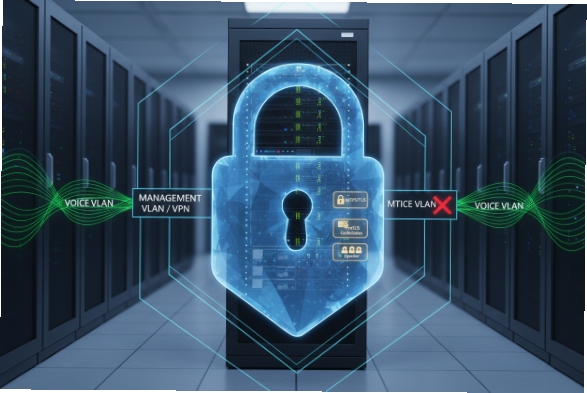
Hardening the Management Plane
-
No HTTP: We disable port 80 by default. Only port 443 (HTTPS) is open.
-
Encrypted Configs: The
.xmlconfiguration file containing passwords is AES-256 encrypted. Even if someone intercepts the file, they cannot read the SIP credentials. -
Audit Logs: The phone logs every login attempt. If someone tries to brute-force the admin password, the system locks it out and alerts the NMS.
Conclusion
Remote management is not a luxury; it is an operational necessity for hazardous areas. By leveraging TR-069 and Auto-Provisioning, you remove the need for dangerous physical interventions. DJSlink phones are designed to be deployed once and managed forever from the safety of your desk, secured by TLS and Encrypted Configuration to ensure that your safety system never becomes a security liability.
Footnotes
-
A hazardous area classification where an explosive gas atmosphere is likely to occur in normal operation. ↩
-
Network management protocol used to automatically assign IP addresses and other communication parameters. ↩
-
Standard for message logging that allows separation of the software that generates messages from the system that stores them. ↩








