
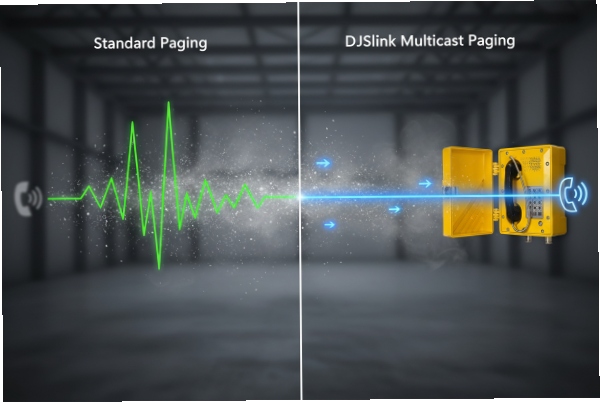
A paging feature that works in the office can fail in a refinery. The call still registers, but audio never reaches the loud, dusty corners where it matters.
Yes, many SIP explosion-proof telephones support multicast paging, but success depends on the phone’s paging mode, multicast group/port settings, IGMP behavior, and network QoS. A short FAT with real switches and VLANs prevents most “silent paging” problems.
Multicast paging on Ex SIP phones: what to confirm before you buy
What “multicast paging” usually means on a hazardous-area phone
In most projects, multicast paging means one sender transmits a single UDP/RTP stream to a multicast group address. Many phones subscribe to that group and auto-play the audio. This saves bandwidth compared with calling each phone one by one.
Some vendors implement paging as “raw UDP audio.” Some implement it as RTP with G.711 payload. Both can work, but the receiver must match the sender. This is why I do not accept “supports multicast paging” without a simple interop test.
Why hazardous-area sites expose paging weaknesses
Hazardous-area networks often include:
-
long fiber rings and multiple switches
-
strict VLAN separation
-
IGMP snooping that drops traffic if the querier is missing
-
QoS policies that remark DSCP/PCP
-
PoE power budgets that cause reboots during busy traffic
Paging has no session handshake in many designs. If multicast is blocked by VLAN policy, the sender never knows. The result is a clean “send” and a silent “receive.”
The five checks that keep paging predictable
| Check | What must be true | What fails most often |
|—|—|—|
| Address plan | use a safe multicast range and document it | using reserved 224.0.0.x addresses |
| Port plan | choose a port that is open end-to-end | firewall blocks UDP |
| IGMP | snooping and querier are configured | no querier, so group traffic dies |
| QoS | RTP marked and queued correctly | multicast treated as best-effort |
| Phone behavior | auto-answer priority and volume rules are set | paging is muted by call state |
A solid design starts with address and port choices, then it confirms IGMP and QoS, then it proves phone behavior under active calls.
Next is the detail most integrators ask first: which multicast addresses and ports can be configured on the phone, and what range should be used.
A clear answer here avoids endless switch rework later.
Which multicast addresses and ports are configurable?
Remote sites often “pick a multicast IP” at random. Then the paging stream disappears because it uses a reserved range, or crosses VLANs incorrectly.
Most multicast-capable SIP explosion-proof phones allow a configurable multicast group IP and UDP port per paging zone. The safest address plan uses administratively scoped multicast (239.0.0.0/8) and a documented, non-conflicting port range.

Address ranges that reduce risk
Multicast addresses live in 224.0.0.0/4. Not all of that space is equal. A simple, safe rule for plant paging is:
-
Use 239.x.x.x for internal paging zones (site-controlled).
-
Avoid 224.0.0.x because it includes link-local control groups that should not be used for paging audio.
A practical site plan is to create a “paging zone map,” such as:
-
239.10.10.10 = Zone A (process units)
-
239.10.10.11 = Zone B (tank farm)
-
239.10.10.12 = Zone C (gatehouse)
This makes troubleshooting easy because the group address tells you the zone.
Ports that stay stable through firewalls and SBC edges
Multicast paging often uses UDP. Phones typically let you set the UDP destination port. Some paging servers default to popular ports, but I prefer a plan that avoids collisions with other UDP services:
-
Choose a dedicated range, such as 16000–16999 or 20000–20999
-
Avoid using the same port as SIP signaling (5060/5061)
-
Keep the same port across the site unless there is a strong reason to split it
Paging “channels” and per-zone subscription behavior
Many phones support multiple multicast channels. That can be used for:
-
normal paging
-
emergency paging
-
maintenance paging
Each channel can have its own group and port. The phone may also allow:
-
per-channel volume
-
auto-answer enable/disable
-
priority rules (paging vs call)
A clean configuration table for submittals
| Item | Recommendation | Why |
|—|—|—|
| Group IP | 239.site.zone.x | avoids reserved ranges and is easy to map |
| UDP port | 16000–16999 (example) | reduces conflict and stays clear of SIP |
| TTL | 1 for single VLAN, higher if routed | avoids leaking beyond intended scope |
| Codec | G.711 PCMA/PCMU (match region) | widest interoperability |
| ptime | 20 ms | stable for most paging receivers |
When the address and port are clean, multicast distribution depends on the network. That is where IGMP snooping and QoS rules decide if the stream reaches the phones.
The next section focuses on those network controls in plain, testable terms.
Are IGMP snooping and QoS markings respected?
Paging streams can flood a plant if IGMP is not correct. Or they can vanish if snooping is enabled without a querier. Both cases are common.
Yes, paging can respect IGMP snooping and QoS, but only when the phone joins the multicast group correctly and the switches have a working IGMP querier per VLAN. QoS markings must be trusted or remarked consistently on every hop.
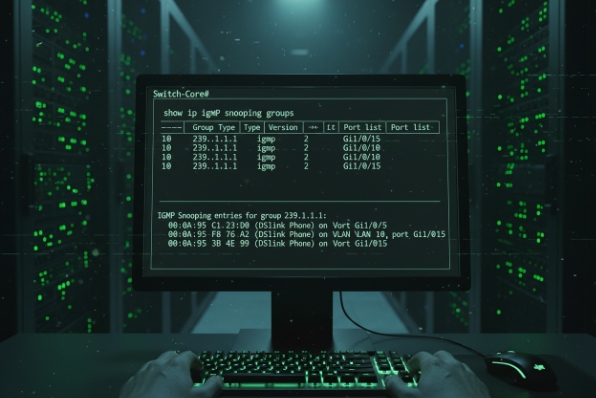
IGMP snooping: the “silent failure” cause
IGMP snooping 1 tells switches to forward multicast only to ports that asked for it. That is good. It prevents flooding. But snooping needs an IGMP querier 2 in the VLAN. Without a querier, group memberships can age out. Paging works during early tests, then fails later.
A stable approach is:
-
Enable IGMP snooping on the voice VLAN
-
Ensure an IGMP querier exists (often the L3 interface or a switch feature)
-
Set a clear membership timeout policy
-
Confirm phones re-join after reboot and link flap
Multicast across VLANs: snooping is not routing
If paging must reach phones across VLANs, you need multicast routing. Snooping alone does not move multicast between VLANs. In that case, a plant uses a multicast routing method (often PIM 3 on routers) and controls TTL.
If the design is “paging stays within the voice VLAN,” keep TTL low (often 1). That reduces accidental leakage.
QoS: treat paging as real voice
Paging audio is still RTP-like traffic. It needs low jitter and low loss. If QoS 4 is not set, paging becomes choppy during traffic bursts.
Best practice:
-
Mark paging RTP with a voice DSCP value that your network queues correctly
-
Make sure switches map DSCP to PCP as needed
-
Decide if the switch trusts endpoint markings or overwrites them
If the sender is a paging server, it must mark packets too. If it does not, a switch cannot “guess” it is voice.
A quick test checklist for IGMP and QoS
| Test | Tool | Pass result |
|—|—|—|
| Group join | switch IGMP table / CLI | phone port appears in group |
| Querier | VLAN IGMP status | querier is present and stable |
| Flood check | mirror port capture | multicast not sent to non-members |
| QoS mark | Wireshark DSCP/PCP view | marking matches site policy |
| Jitter under load | traffic generator + listen test | paging stays clear under burst load |
If IGMP and QoS are correct, the last “human” issue shows up: what happens when a phone is already in a call. Many sites want paging to override active calls, especially for emergency alerts.
That is not a network problem. That is phone behavior and policy.
Can priority paging override active calls?
A paging stream that politely waits for the call to end can be useless in an emergency. At the same time, auto-barge can annoy operators if it is not controlled.
Some explosion-proof SIP telephones support priority paging that can interrupt an active call, while others only play paging when idle. The correct behavior is usually configurable per paging channel, and it should be matched to the site’s emergency communication policy.
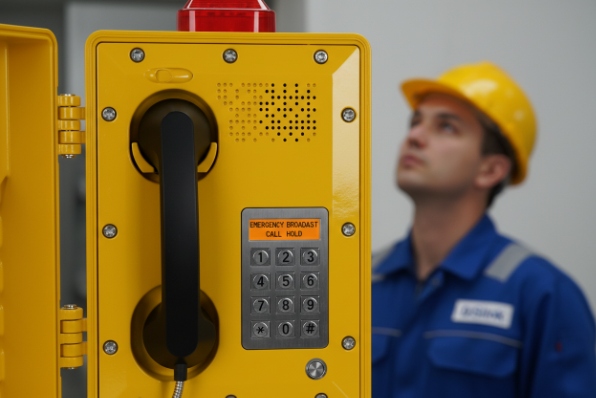
Three common paging behaviors on phones
Phones usually implement one of these behaviors:
1) Idle-only paging: paging plays only when the phone is on-hook and not busy.
2) Mix or duck: paging plays and the call audio is reduced (less common on rugged endpoints).
3) Barge/override: paging interrupts the active call and forces paging playback.
The right choice depends on the role of the device. A dispatch phone may need to protect the active call. A field emergency phone may need to play emergency paging at all times.
How to avoid “paging chaos”
A simple policy works well:
-
Normal paging: idle-only, medium volume
-
Emergency paging: override allowed, high volume, fixed timeout
-
Maintenance paging: idle-only, low volume
This keeps daily operations calm while still allowing emergency priority.
Interaction with handset, speaker, and headset states
Override behavior also needs clear rules:
-
If the handset is off-hook, does paging switch to speaker?
-
If the phone is in speaker mode, does paging raise volume?
-
If a headset is used, does paging go to headset or speaker?
These details should be tested. Many end users assume paging always plays on the loudspeaker. That is not always the default.
A FAT scenario set that proves override logic
| Scenario | Expected outcome | Why it matters |
|—|—|—|
| Phone idle | paging plays immediately | basic function |
| Phone in active call | emergency paging overrides (if required) | confirms priority |
| Call waiting state | paging still plays per policy | avoids missed pages |
| Volume locked | emergency paging ignores user volume | prevents muted emergencies |
| Post-page recovery | phone returns to call or ends per policy | user experience control |
If the phone cannot override calls but the site requires it, there are two system-level workarounds:
-
Use dedicated paging speakers for emergency paging, not the phones
-
Use SIP-based paging calls (unicast or group call) instead of multicast, so the PBX can force priority rules
After behavior is set, the final question is interop. Many plants already use paging servers or PA controllers. They want proof that the phone will receive and play the stream without vendor finger-pointing.
Is interoperability verified with common IP paging servers?
Interoperability is where “multicast” stops being a simple network story. Different paging servers send different audio formats and different RTP framing rules.
Interoperability can be strong, but it must be verified against the exact paging server or PBX feature used on site. The main interop factors are codec (PCMU/PCMA), payload framing (RTP vs raw UDP), ptime, and multicast join behavior.

What “common paging servers” usually are in industrial sites
In practice, sites use:
-
PBX paging features (group paging / intercom)
-
dedicated IP paging servers
-
PA controllers that support multicast audio
-
SIP-to-multicast bridges
Even when two products both say “multicast paging,” they might not send the same stream type. One might send RTP with G.711. Another might send a vendor-specific UDP payload. A phone must match the sender.
What to ask for in a compatibility statement
A useful compatibility statement should include:
-
sender type: RTP multicast or raw UDP multicast
-
codec: PCMA or PCMU
-
sample rate: 8 kHz for G.711
-
packetization: 20 ms frames
-
destination: group IP, port, and TTL
-
join method: IGMP version behavior if specified
This is better than a generic “supports multicast.”
The fastest way to verify interop without debate
A short FAT removes finger-pointing:
1) Configure the paging server to a known group/port.
2) Configure the phone to subscribe to that group/port.
3) Capture packets at a switch mirror.
4) Confirm the phone sends IGMP joins.
5) Confirm the phone plays audio with correct volume and no stutter.
6) Repeat under network load.
If you can, run one test on a real switch model used on site. IGMP behavior differs in practice across platforms when snooping, querier, and VLAN design are involved.
A simple interop matrix table you can include in submittals
| Paging source | Stream type | Required match on phone | Verification method |
|—|—|—|—|
| PBX paging feature | often SIP/unicast, sometimes multicast | must support that mode | call trace + audio test |
| Paging server | multicast RTP G.711 | codec and ptime match | Wireshark + listen |
| PA controller | vendor-defined multicast | confirm payload format | vendor guide + capture |
| SIP-to-multicast bridge | RTP multicast | match codec and payload type | capture + join check |
If a client asks for “verified interop,” the best answer is a project-specific test report. It should name the paging source product, firmware versions, codecs, and group/port settings.
That report is also a clean way to pass audits. It shows the voice function is proven without changing the Ex build.
Conclusion
Multicast paging is widely possible on Ex SIP phones, but it only works well when group/port plans are clean, IGMP querier and QoS are correct, paging priority is defined, and interop is proven in FAT with real switches and the chosen paging server.
Footnotes
-
The process of listening to Internet Group Management Protocol (IGMP) network traffic to control delivery of IP multicasts. ↩
-
A network device that sends IGMP Query messages to discover which multicast groups have members on the network. ↩
-
Protocol Independent Multicast, a family of multicast routing protocols. ↩
-
Quality of Service, managing network resources to ensure performance for critical applications. ↩








