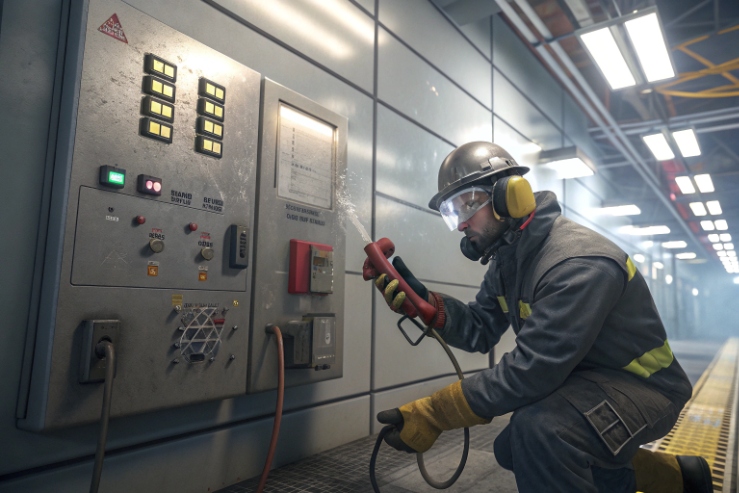
A hands-free call point sounds easy, until the pedal chatters, the cable entry leaks, or the inspector rejects the wiring. Then the “simple” upgrade turns into downtime.
Yes. An explosion-proof telephone can work with a foot pedal switch through dry-contact DI, a 24 V digital input, or an intrinsically safe (Ex i) loop using a barrier/isolator. The best design depends on zone, cable route, and what SIP action the pedal must trigger.
A practical integration blueprint for hands-free control in hazardous plants
Start with the safest system layout
A foot pedal switch 1 can be installed in a safe area or inside the hazardous area. These two choices change everything.
If the pedal is in a safe area, the clean design is simple. Use a standard industrial pedal (IP-rated). Wire it to a PLC or an I/O gateway. Then trigger the SIP phone by network logic, HTTP, or SIP paging 2. This avoids Ex wiring rules at the pedal.
If the pedal is in the hazardous area, the pedal itself must be certified for that zone, and the wiring must follow hazardous installation rules. In many plants, the easiest compliant method is to treat the pedal as a simple contact and make the loop intrinsically safe (Ex i) 3 with a barrier or galvanic isolator 4 in the safe area.
Decide what “pedal press” means before picking hardware
A foot pedal can mean different actions:
- Push-to-talk paging (press to talk, release to stop)
- Emergency autodial (press to call a group)
- Auto-answer enable (press to open hands-free mode)
- Relay control (press to turn on beacon or door request)
Use a simple architecture checklist
| Question | If “Yes” | Recommended architecture |
|---|---|---|
| Pedal is in hazardous area? | Yes | Ex-rated pedal or Ex i loop + barrier/isolator |
| Long cable run near motors/VFDs? | Yes | Dry contact + twisted pair + shielding + isolation |
| Need loud local feedback? | Yes | Add beacon relay logic or external Ex sounder via safe switching |
| Need system-wide logging? | Yes | Map pedal events to SIP/HTTP and send syslog/SNMP events |
Which interfaces support foot pedals—dry-contact DI, 24 V input, or Ex i barrier with NO/NC wiring?
Pedals fail most often because the interface is wrong. Noise, wrong voltage, or missing isolation can make the input flicker and trigger calls by accident.
Foot pedals can connect through a dry-contact DI (NO/NC), a “wet” 12/24 V digital input, or an Ex i loop using a barrier/isolator. For hazardous areas, dry-contact with an Ex i barrier is usually the most inspector-friendly path.

Option 1: Dry-contact DI (recommended for most cases)
A dry-contact DI treats the pedal like a simple switch. It does not push plant voltage into the phone. It is easy to troubleshoot, and it is easier to convert to Ex i because the energy can be limited at the barrier.
Option 2: 12/24 V “wet” input
Some phones or I/O modules accept a voltage input, often 12–24 VDC. This is common in OT panels. It can work well when a local 24 V control supply already exists and is stable.
How to map pedal actions to SIP features—PTT paging, auto-answer, emergency autodial, and relay control?
A pedal that only changes an input is not the goal. The goal is a predictable SIP workflow that operators can trust in noise, gloves, and stress.
Pedal presses can be mapped to PTT multicast paging, hotline autodial, auto-answer enable, and relay outputs for beacons. The best mapping uses clear state rules (press, hold, release) plus anti-repeat protection and event logging.

For plant use, three states are enough:
- Press (edge): one-time trigger
- Hold (level): active while pressed
- Release (edge): stop action
PTT should be a hold action. Emergency autodial should be a press action with lockout so it cannot repeat quickly.
What hazardous-area requirements apply—ATEX/IECEx rating for the pedal, Ex cable glands, cable length, and earthing?
Hazardous-area acceptance is not only the phone nameplate. Inspectors check the pedal, the cable entry, the sealing, and the installation method.
If the pedal is installed in the hazardous area, it must have a suitable Ex rating (or be part of an Ex i loop), and the cable entry must use correct Ex-approved glands and installation rules. Cable length must stay within Ex i entity limits, and earthing/bonding must follow the site method.

Decide: Ex-rated pedal vs Ex i loop
- Ex-rated pedal: simplest conceptually, but harder to source and often expensive. It still needs correct glands and installation.
- Ex i loop with barrier/isolator: often easier because the field device can be a simple switch, and safety is achieved by energy limitation.
For a pedal in Zone 1, an Ex i loop is often the most practical option. A suitable ATEX/IECEx rating 5 ensures compliance across global hazardous locations.
Cable glands and entry planning
A foot pedal in a harsh plant needs good sealing and strain relief. If the cable enters an Ex d or Ex e enclosure, the cable glands 6 must match the thread type and protection concept.
How to ensure reliability—debounce settings, galvanic isolation, ESD/EMI robustness, IP66/67 pedal rating, and strain relief?
In the field, reliability fails in small ways: a bouncing contact, a loose gland, or a cable that becomes a lever. These failures are preventable.
Reliability comes from five controls: correct debounce, galvanic isolation for noisy or long runs, ESD/EMI protection, an IP-rated pedal suited to washdown, and strong strain relief at the pedal and the phone gland.

Galvanic isolation: the cheapest uptime insurance in noisy plants
Isolation helps when the cable run is long or the route passes VFDs and motors. Ensuring ESD/EMI robustness 7 prevents random off-hook or PTT events in heavy industrial environments.
Strain relief and mounting details
The best DI design still fails if the cable moves.
- clamp the cable near the pedal
- use a gland with proper compression range
- use internal tie-down so terminals do not carry cable pull
- use anti-loosening methods if vibration is continuous
Conclusion
Yes, Ex phones can use foot pedals through DI or Ex i loops. The safest build is dry-contact + isolation + clear SIP mapping. Email info@sipintercommanufacturer.com.
Footnotes
-
A foot pedal switch allows hands-free control by using foot pressure to operate an electrical circuit. ↩ ↩
-
SIP paging uses standard protocols to broadcast audio messages across networked communication systems efficiently. ↩ ↩
-
intrinsically safe (Ex i) design limits energy to prevent ignition of hazardous atmospheres in industrial environments. ↩ ↩
-
A galvanic isolator prevents unwanted current flow between two circuits while allowing signal or power transfer. ↩ ↩
-
The ATEX/IECEx rating ensures equipment is certified for safe operation in potentially explosive or hazardous locations. ↩ ↩
-
cable glands provide sealed entry points for cables into enclosures to maintain environmental and explosion protection. ↩ ↩
-
ESD/EMI robustness ensures devices remain functional despite electrostatic discharges or electromagnetic interference. ↩ ↩