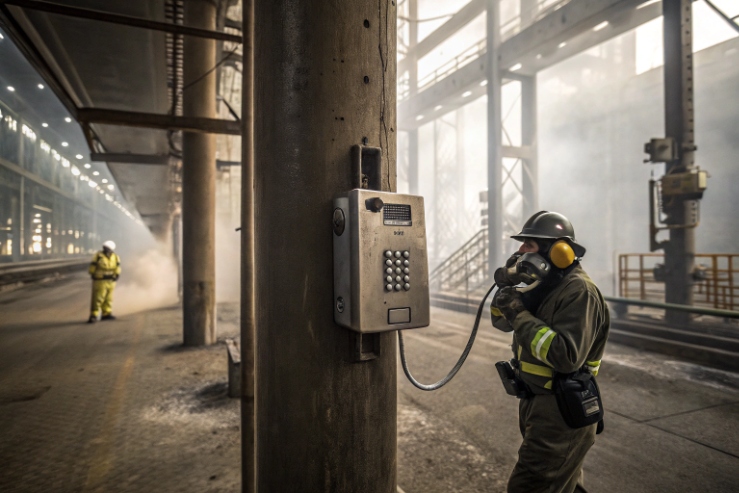
A wrong busy tone sounds like a small issue. In plants, it can confuse operators under stress and slow down emergency response.
Yes. Many explosion-proof SIP telephones can customize call progress tones like busy, ringback, and reorder by selecting regional tone profiles or by defining frequency and cadence. The safe approach keeps SIP signaling behavior standard and only changes local playback.
How tone customization works on industrial SIP endpoints
Call progress tones are the sounds a phone plays to tell the user what is happening: ringing, busy, congestion, or reorder. On SIP systems, these call progress tones 1 can come from two places:
1) Network-provided tones from the PBX/SBC (often as audio in early media 2).
2) Locally generated tones by the endpoint based on SIP response codes and call state.
Explosion-proof telephones are deployed across many countries and many PBX platforms. That is why regional tone profiles 3 exist. A regional tone profile usually sets:
- tone frequency (single or dual tone)
- cadence (on/off pattern)
- level (volume in dB relative scale)
- special tones (reorder, SIT, call waiting)
In real projects, it is important to decide who “owns” tones:
- If the PBX owns tones, the phone should avoid overriding them.
- If the phone owns tones, the PBX should not send early media tones for the same event, or users will hear double tones.
The best practice is to keep SIP signaling standard and only localize the user experience.
A small story from the field: one site used a European PBX profile but deployed phones in the Middle East. Operators thought calls were failing because the busy tone cadence was unfamiliar. The calls were fine. The tone was wrong. A profile change fixed it without touching SIP routing.
Which call progress tones can be configured—busy, ringback, reorder, and how are cadence and frequency set per country?
If only busy tone is changed, the phone can still feel “foreign” because ringback and congestion tones stay wrong. The correct way is to treat tones as a profile.
Most configurable industrial SIP phones allow tone profiles for busy, ringback, reorder/congestion, call waiting, and sometimes special information tone. Profiles define frequency (Hz) and cadence (ms on/off) and are usually selected by country/region.

How cadence and frequency are defined in practice
A typical tone definition includes one or two frequencies and the cadence 4, which is the rhythm of ringing and silence.
- Busy tone: 400 Hz, 500 ms ON / 500 ms OFF
- Reorder tone: 425 Hz, 250 ms ON / 250 ms OFF
These values vary by national standards and operator practice, so the correct move is to reference the country tone plan required by the customer.
Can SIP 486 Busy Here and 183/180 map to local busy tone playback?
If SIP mapping is wrong, the phone will play the wrong tone at the wrong time. That creates confusion and can break emergency workflows.
Yes. Phones can map SIP responses like 486 Busy Here to a local busy tone, and can use 180 Ringing and 183 Session Progress to control ringback versus early media behavior. That is why tone profiles exist. The key is deciding whether the PBX or the phone generates tones.

How the mapping normally works
Phones utilize SIP response codes 5 to determine which local audio file or frequency to play back to the user.
- 486 Busy Here: commonly maps to local busy tone playback if the phone is responsible for tones.
- 180 Ringing: usually indicates remote ringing without early media.
- 183 Session Progress: often used when the network wants to send early media.
How to upload or edit tone profiles via web UI, auto-provisioning, or API templates?
If tone customization requires manual clicks per phone, it will not scale. Industrial rollouts need provisioning control.
Tone profiles are typically selected and edited via web UI on a single unit, then pushed to fleets through auto-provisioning templates. Some platforms allow API or config file management, but the safest method is provisioning with version control and a defined rollback plan.

Auto-provisioning: best for volume deployments
For large sites, auto-provisioning 6 is the right path to ensure every phone receives identical tone settings automatically upon connection.
A good provisioning approach includes:
- one master config template per country or per project
- a tone profile version field (so changes can be tracked)
- a rollback profile stored and tested
Will custom busy tones affect PBX interoperability, emergency call behavior, or regulatory compliance?
Many buyers worry that changing tones might “break SIP.” In reality, tones are mostly user experience, but there are still risks if done poorly.
Custom busy tones usually do not affect SIP interoperability if SIP signaling remains standard. Risks appear when tones conflict with early media from the PBX, when emergency hotline behavior relies on specific prompts, or when local rules require specific alert sounds in regulated environments.

PBX interoperability: mostly safe if early media is handled correctly
Maintaining PBX interoperability 7 ensures that endpoint tone changes do not interfere with the underlying signaling used to route calls.
Tone changes are typically local playback. SIP response codes and call routing remain unchanged. Problems appear when the PBX sends early media and the phone also generates tones, causing confusion for the operator.
Conclusion
Yes, busy tones can be customized through regional profiles or custom cadence/frequency, as long as SIP signaling stays standard and early media behavior is defined. For OEM support: info@sipintercommanufacturer.com
Footnotes
-
Learn how audible signals indicate the status of a telephone call to the user. ↩ ↩
-
Understanding how audio is transmitted before a SIP session is officially established between endpoints. ↩ ↩
-
A comprehensive guide to the different telephone signaling frequencies and patterns used globally. ↩ ↩
-
The specific rhythm or pattern of ringing and silence used in telephone signals. ↩ ↩
-
A list of standard response codes used by the Session Initiation Protocol to manage calls. ↩ ↩
-
The process of automatically configuring network devices remotely to ensure consistent performance across a fleet. ↩ ↩
-
Ensuring that different telephone systems and hardware can work together without communication failures. ↩ ↩