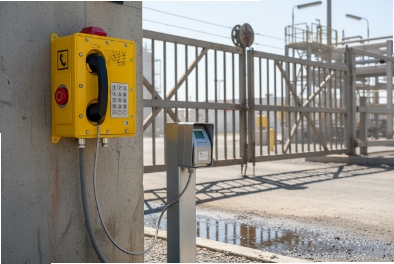
Managing Ex phones one by one is slow and risky. When a setting drifts, calls fail, and the fix needs a hazardous-area permit and a site visit.
Yes, some explosion-proof SIP telephones can support TR-069 (CWMP) for remote configuration, firmware upgrades, and backup. The key is matching the phone’s supported data models (TR-181/TR-104) with your ACS and your industrial firewall rules.
TR-069 in an industrial Ex telephone deployment
Where TR-069 fits best
TR-069 was built for large fleets. It shines when a project has many endpoints across petrochemical refineries 1, mines, tunnels, and remote substations, and the customer wants a single control plane. In that model, the phone becomes a managed node like a CPE. It checks in to the ACS, reports status, and receives parameter updates and software images.
In industrial networks, the most important question is not “does it support TR-069.” The better question is “can TR-069 be used without opening risky inbound paths and without fighting the existing provisioning method.” Many plants already use HTTPS auto-provisioning 2 for SIP phones, plus SNMP for monitoring. TR-069 can still work, but it must have a clear role.
What a “good” TR-069 Ex phone looks like
A procurement-ready TR-069 (CWMP) 3 implementation should provide:
-
a clear CWMP parameter tree (Device:2 data model 4 / TR-181 is common)
-
stable device identity and certificate handling
-
controlled firmware upgrade with rollback strategy
-
configuration backup / restore or at least exportable templates
-
predictable behavior when the ACS is unreachable
A phone that “supports TR-069” but cannot expose useful parameters is not helping. It becomes another box that only partially obeys the management platform.
TR-069 vs the tools you already use
| Tool | Best at | Weak point | How to use it with Ex phones |
|---|---|---|---|
| TR-069 (CWMP) | full lifecycle management | needs careful firewall design | use for fleet config + firmware governance |
| HTTPS provisioning | fast SIP setup | limited feedback and inventory | use for bootstrap and quick replacements |
| SNMP | monitoring and alarms | not great for bulk config | use for NOC visibility and polling |
| MQTT/webhooks | event streaming | not a full config system | use for incident workflows and dashboards |
| REST APIs | on-demand actions | vendor-specific | use for integration tasks and automation |
In my OEM projects, the cleanest setup is “one source of truth.” Either TR-069 owns configuration and firmware, or HTTPS provisioning owns it. Mixing both without rules creates drift.
The sections below go deeper into TR-069/TR-104 functions, TLS and ports, ACS discovery, and coexistence with other management methods.
When TR-069 is designed in from the start, it can reduce site visits and keep emergency endpoints consistent for years.
Which TR-069/TR-104 functions are available—ACS enrollment, CWMP parameter tree, firmware upgrade, and configuration backup?
If TR-069 only enrolls but cannot control VoIP and network parameters, it adds complexity without value. That is the most common buyer regret.
For Ex telephones, the most useful TR-069 functions are ACS enrollment, a complete CWMP parameter tree (TR-181 Device:2), firmware upgrade scheduling, and configuration backup/restore. If voice parameters are needed, TR-104 VoiceService objects (or vendor mappings) should be confirmed.

ACS enrollment and identity
Enrollment is more than entering an ACS URL. A stable fleet needs:
-
unique device identity (serial, OUI, or a controlled DeviceID)
-
credentials for ACS auth (and a plan for rotation)
-
optional client certificates if TLS mutual auth is required
-
predictable “first inform” behavior after factory reset
For industrial deployments, enrollment must also survive power cycling and link bounce. That matters in outdoor cabinets and remote units.
CWMP parameter tree: what to demand
Most ACS work is “set and verify.” That requires a readable, writable parameter tree. A practical Ex phone should expose:
-
network: IP settings, DNS, VLAN tags, QoS/DSCP defaults
-
SIP: registrar/proxy, transport, TLS enable, SRTP options
-
device health: uptime, temperature status (if present), error counters
-
audio: gain profiles, sidetone (where supported), volume limits
-
security: admin accounts, HTTPS control, certificate store status
If the vendor says “TR-069 supported,” ask which model is used:
-
TR-181 (Device:2) is common for modern devices
-
some legacy devices still use the older InternetGatewayDevice model
TR-104: voice service control
TR-104 defines a voice service data model (VoiceService) that can map to SIP lines, codecs, and call features. For industrial SIP phones, TR-104 support is not guaranteed, so it must be confirmed. If the project needs “ACS controls SIP account and dial plan,” TR-104 (or an equivalent vendor voice model) becomes important.
Firmware upgrades and configuration backup
Fleet governance needs safe updates:
-
staged rollout by group (site, unit, or hazard zone)
-
time windows that respect operations and permits
-
checksum verification and failure handling
-
rollback plan or at least “do not brick” behavior
Backup can mean different things:
-
full configuration export (ideal)
-
template-based reconstruction (acceptable)
-
ACS-side “last known good” snapshot (very helpful in practice)
| Function | Must-have details | Why it matters in Ex sites |
|---|---|---|
| Enrollment | identity + auth + reset behavior | fast replacement without manual setup |
| Parameter tree | read/write scope list | prevents “ACS can’t actually manage it” |
| Firmware | staged upgrade + rollback idea | avoids mass outage in one shutdown window |
| Backup | snapshot + restore path | speeds recovery after swaps and failures |
When these four blocks are solid, TR-069 becomes a real maintenance tool, not just a checkbox.
Can TR-069 run over TLS with client certificates and required firewall ports 7547/443?
Opening the wrong port is a security problem. In plants, the safest management traffic is outbound-only, tightly scoped, and monitored.
TR-069 can run over HTTPS (TLS). Many deployments use TCP 7547 by tradition, but 443 is often preferred in industrial networks. Client certificates can be used for mutual TLS when supported by both the phone and the ACS. The safest firewall rule is “phone initiates outbound to ACS only.”

Port choices: 7547 vs 443
Port 7547 is widely associated with CWMP deployments. In industrial networks, security teams often dislike opening uncommon management ports across zones. Using 443 can simplify firewall policy and monitoring, because HTTPS inspection and logging are already designed around it.
A practical rule that avoids arguments:
-
Use 443 for TR-069 over TLS when possible
-
Use 7547 only when the ACS platform or vendor device expects it and the network team accepts it
Outbound session model: the safest default
TR-069 normally works with the device initiating a session to the ACS at intervals (Inform). That fits plant policy because it reduces inbound exposure. The ACS can also do “Connection Request” toward the device, but this often requires inbound access, NAT handling, or special routing.
For hazardous-area phones, the simplest safe strategy is:
-
rely on periodic device check-in
-
push changes during the next Inform window
-
shorten the Inform interval only on management VLANs where traffic is acceptable
This keeps the firewall simple and reduces surprise pathways.
TLS and client certificates
TLS protects the management channel from sniffing and tampering. Mutual TLS 5 (client certificates) strengthens device identity. For mutual TLS to work smoothly, the project needs:
-
certificate provisioning method (factory loaded, ACS bootstrap, or local PKI)
-
renewal plan before certificates expire
-
clear error handling so devices do not “fall off” management silently
Firewall and ACL guidance that works in industrial networks
| Control | Recommended approach | Why it is practical |
|---|---|---|
| Outbound rule | allow phones → ACS on 443 (or 7547) | simple and auditable |
| Inbound rule | avoid inbound to phones if possible | reduces attack surface |
| Segmentation | dedicated management/voice VLAN | limits lateral movement |
| Logging | log ACS traffic and failures | helps incident response |
| Rate control | limit Inform storms after power return | avoids ACS overload |
A common plant failure case is a large power restore that makes hundreds of devices inform at once. A well-sized ACS and randomized inform timers prevent that.
How do ACS platforms—GenieACS, Friendly, or vendor servers—integrate with DHCP options and redirect services?
If devices cannot learn the ACS URL at first boot, rollout turns into manual entry. In a refinery shutdown, that is the last thing anyone wants.
ACS discovery often uses DHCP options (commonly option 43 or 125, depending on device support), and some devices also support DNS-based discovery. Platforms like GenieACS and commercial ACS servers can work well if discovery is standardized per VLAN and the device firmware actually honors the chosen option.

DHCP-based ACS URL delivery
Many deployments use DHCP options 6 to deliver the ACS URL. In practice, the “right” option depends on the device vendor:
-
some devices read DHCP option 43
-
some prefer option 125
-
some expect a vendor-class structure that must be encoded correctly
So the winning approach is not guessing. It is testing the exact handset firmware against the DHCP template in a lab.
A simple industrial template strategy:
-
Voice VLAN scope includes ACS URL and NTP servers
-
Data VLAN scope does not include ACS URL
This keeps management predictable and avoids accidentally enrolling devices that should not be managed.
Redirect services: useful, but not always needed
Some TR-069 ecosystems support redirect behavior so devices can be pointed to a different ACS. In industrial networks, redirect is often avoided unless there is a clear multi-ACS architecture, because it complicates security review.
If redirect is used, define:
-
which domains are allowed
-
how certificates are validated across redirection
-
what happens if redirect fails
ACS platform integration patterns
-
GenieACS is popular because it is flexible and scriptable. It works well when the operator has strong automation skills and wants custom workflows.
-
Commercial ACS platforms often provide stronger GUI, reporting, and built-in integrations, which can be valuable for large enterprise operations.
-
Vendor ACS servers can be the fastest path when the vendor tightly controls the device parameter tree and firmware updates.
In industrial settings, “best” often means “easiest to secure and maintain.” The site team usually prefers fewer custom scripts and more predictable change control.
A discovery decision table for Ex phone fleets
| Discovery method | Strength | Weak point | Best use |
|---|---|---|---|
| DHCP option | fast bootstrap | vendor-specific encoding | large rollout with standard VLAN templates |
| DNS discovery | clean design | depends on DNS control | sites with strong DNS governance |
| Manual ACS URL | works anywhere | not scalable | pilots and small sites only |
A practical test that prevents rollout pain: factory reset one phone, plug into a target VLAN, and verify it enrolls and pulls its profile without any web UI access. If that passes, the project is ready for volume.
Can TR-069 coexist with HTTPS auto-provisioning, SNMP, MQTT webhooks, and REST APIs in industrial networks?
When multiple tools touch the same settings, drift is guaranteed. Then operators blame the phone, the PBX, and the switch at the same time.
Yes, TR-069 can coexist with other methods, but only if parameter ownership is defined. The safest model is: TR-069 controls configuration and firmware, HTTPS provisioning is used for initial bootstrap or as a fallback, SNMP monitors health, and MQTT/REST handle event workflows without changing core config.

Define “source of truth” per parameter group
A clean coexistence plan splits responsibilities:
-
TR-069 owns: SIP accounts, VLAN/QoS defaults, certificates, firmware, admin policy
-
HTTPS provisioning owns: initial bootstrap profile, site-specific labels, quick replacement config
-
SNMP owns: SNMP for monitoring 7 only (no config writes unless your policy allows)
-
MQTT/webhooks own: event publishing (call state, alarms, DI/DO triggers)
-
REST APIs own: controlled actions (trigger test call, export logs), not permanent settings
The key is to stop two systems from writing the same object. If the ACS sets SIP registrar and a provisioning file sets it too, the device may oscillate after every reboot.
Network design for coexistence
In plants, coexistence is easier when management traffic is segmented:
-
a management VLAN or management ACL path to the ACS
-
an allowed HTTPS path to the provisioning server
-
SNMP allowed only from the NMS subnet
-
MQTT allowed only to the broker subnet
This keeps review simple and stops accidental cross-talk.
Security and change control
Coexistence often fails because of “silent changes.” A stable program uses:
-
change logs in the ACS (who changed what, when)
-
signed or authenticated provisioning files
-
SNMPv3 when possible for monitoring security
-
API tokens with rotation and rate limits for REST/MQTT triggers
A coexistence table used for industrial tenders
| Function | Primary tool | Secondary tool | Rule to prevent conflicts |
|---|---|---|---|
| SIP registration config | TR-069 | HTTPS bootstrap | only one writes SIP params after Day 0 |
| Firmware upgrade | TR-069 | manual fallback | upgrades only in defined windows |
| Monitoring | SNMP | syslog/MQTT events | monitoring never changes config |
| Paging workflows | SIP/multicast | MQTT/REST triggers | events trigger actions, not base settings |
| Certificates | TR-069 | local PKI process | keep one certificate authority flow |
A small field lesson: in one site, HTTPS provisioning updated a “default QoS” value every night, while the ACS enforced a different value every morning. Audio complaints never stopped until parameter ownership was written down and enforced.
When coexistence is planned, TR-069 becomes the backbone, and the other tools become clean add-ons instead of competing control planes.
Conclusion
Yes, Ex SIP phones can support TR-069, but value depends on strong data models, secure TLS transport, clean ACS discovery, and clear ownership with provisioning and APIs.
Footnotes
-
Insights into the safety protocols and complex infrastructure of petrochemical refineries within hazardous industrial environments. ↩ ↩
-
Comprehensive overview of HTTPS auto-provisioning methods for secure and scalable device deployment. ↩ ↩
-
Official technical specifications for the TR-069 (CWMP) management protocol from the Broadband Forum. ↩ ↩
-
Technical documentation on the Device:2 data model used for standardized device service configuration. ↩ ↩
-
Explanation of how mutual TLS provides robust two-way authentication for secure communication. ↩ ↩
-
IANA registry for DHCP options used to manage network configuration parameters effectively. ↩ ↩
-
A guide to using SNMP for monitoring to maintain network visibility and device health. ↩ ↩