

A phone can sit on the wall and look “ready,” while the mic is already dead or the network path is broken. That is a hidden risk in hazardous areas.
Fault self-diagnosis is a set of automatic tests that check audio parts, keypad, network, SIP state, and power health. The device logs results, reports alarms to monitoring systems, and triggers safe failover actions when faults persist.
A practical self-diagnosis blueprint for Ex telephones
Self-diagnosis in an explosion-proof telephone has one clear goal. It should prove the phone can place and carry a call when someone needs it. This is more than “device online.” A device can reply to ping and still fail an emergency call. A good self-test plan checks the real chain: handset hardware, audio path, keypad input, network link, SIP registration, and power stability.
The best designs treat self-tests as a lifecycle, not a single boot check. Some tests run at boot. Some run every minute. Some run once a day. The schedule matters because hazardous operations cannot accept random interruptions. A test that steals audio during a call is not a “feature.” It is a new failure mode.
A practical blueprint uses four layers:
1) Hardware checks that never need the network
These checks confirm the device can sense key events and keep stable power. Examples include keypad scan health, hook-switch state, internal temperature sensor sanity, and local storage integrity for logs. These checks should not cause user impact.
2) Audio path checks that are call-aware
Audio checks are where many phones fail in the field. Water film on ports, salt corrosion, or a damaged cord can reduce voice clarity. A safe design runs non-intrusive checks when idle and only runs loopback tests when the handset is on-hook or when a maintenance mode is enabled.
3) Network and SIP checks that confirm reachability
A good design separates “link is up” from “service is up.” Link up means Ethernet is stable. Service up means SIP registration is active and RTP can pass when needed. Most plants want both.
4) Reporting and actions that match the fault severity
A minor jitter spike should not trigger a watchdog reboot. A dead mic should raise a clear alarm. A repeated PoE undervoltage should trigger a staged response that avoids call interruption.
| Self-diagnosis area | What gets tested | Common fault found on site | Best output signal |
|---|---|---|---|
| Handset path | Hook state, cord continuity, mic/receiver presence | Cord damage, water ingress, corrosion | “Handset fault” alarm + event log |
| Audio quality | Speaker/mic level, clipping, noise floor | Blocked port, broken transducer | “Audio degraded” + test result |
| Key input | Matrix scan, stuck key detect | Oil contamination, vandal damage | “Keypad fault” + last key code |
| Network | Link, speed/duplex, CRC counters | EMI, bad termination, water in RJ45 | “Link error rate high” |
| SIP | Register state, proxy reachability | VLAN/QoS misconfig, server down | “SIP unreachable/unregistered” |
| Power | PoE class, voltage dips, brownout | PoE budget, long cable | “PoE undervoltage” + reboot count |
This blueprint is the base. The next sections break it into real device behavior, reporting paths to NMS/SCADA, and safe configuration rules.
A fault system is only useful if it is specific. “Offline” is not specific. “Mic open-circuit” or “SIP 408 timeout” is specific.
What self-tests should cover handset, microphone, speaker, keypad, network, SIP, and PoE, and how should results be logged?
A phone can fail in small ways that are invisible until an emergency call happens. A missing mic or a failing cord should never be found during a real incident.
A strong self-test set checks handset state, mic/receiver electrical presence, audio loopback when idle, keypad scan integrity, Ethernet link quality, SIP registration state, and PoE voltage margin. Results should be written to a time-stamped event log with severity and export options.
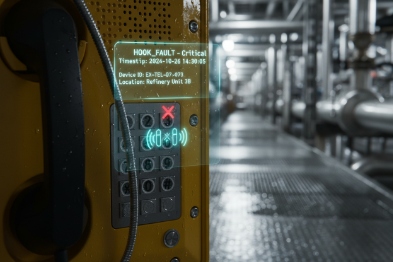
Handset and cord checks
The handset side has several low-cost checks that work well:
- Hook-switch state (on-hook/off-hook) sanity. A stuck hook can block calls.
- Cord detect using impedance or continuity sensing, when the hardware supports it.
- Receiver and microphone presence via impedance window checks. A short or open can be detected without playing loud audio.
- Water ingress hints using abnormal impedance drift over time, which can be a warning sign.
Microphone and speaker checks
Audio tests should be safe and predictable:
- Microphone bias and noise floor checks during idle.
- Speaker amplifier health check using current draw and clipping flags.
- Optional low-level tone injection when idle, then measure return via internal loopback path if the audio codec supports it.
- Detect “stuck in mute” states by validating gain path registers in firmware.
Keypad checks
Keypads fail from oil, salt, and wear. A good keypad test includes:
- Matrix scan for stuck lines and stuck keys.
- Debounce health. A key that bounces too much can create false DTMF.
- Keypad backlight current check if present.
Network and SIP checks
Network checks should separate physical issues from SIP issues:
- Link up/down events, speed/duplex, and renegotiation count.
- RX/TX error counters (CRC/FCS), which often reveal EMI or bad terminations.
- DHCP lease renew success and IP conflict detection.
- SIP REGISTER 1 success, expiry timer status, and last failure code.
- SIP OPTIONS 2 reachability to primary and backup proxy.
PoE and power checks
Power faults can look like packet loss. The best devices track:
- PoE 3 class and negotiated power.
- Brownout events and reboot reason codes.
- Internal voltage rails margin if the design supports it.
- Heater or beacon load impact if accessories are powered.
Logging rules that make diagnosis fast
Logs should be simple and consistent:
- Time-stamped entries with severity (INFO / WARN / ALARM).
- Clear reason codes and last-known-good state.
- A circular buffer to avoid “disk full” problems.
- Export paths: local web UI download, syslog forwarding, and SNMP-readable counters.
| Log item | Example content | Why it matters in plants |
|---|---|---|
| Fault code | MIC_OPEN, RX_CRC_HIGH, SIP_408 | Helps isolate root cause fast |
| Severity | WARN vs ALARM | Avoids alarm fatigue |
| Timestamp | UTC or plant standard | Matches SCADA/NMS timelines |
| Context | Port, VLAN, proxy IP | Shortens troubleshooting steps |
| Recovery event | “Recovered after 2 retries” | Proves stability and fixes |
A detailed log turns a service ticket into a quick fix. The next question is how those events move into the plant monitoring stack without extra wiring.
How can devices send fault events via SNMP traps, syslog, or HTTPS API to NMS or SCADA platforms?
A control room cannot babysit every endpoint screen. Health must flow to the systems the site already trusts, and it must be easy to filter.
Fault events can be integrated through SNMP polling and traps, syslog event streams, or HTTPS APIs. The best approach uses traps or push events for fast alarms, and polling for trend metrics and audit checks.
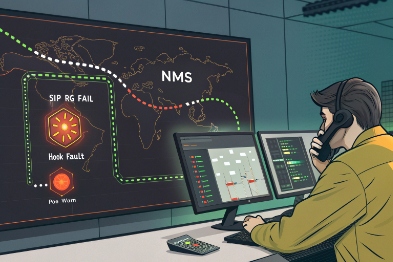
SNMP: fast alarms plus predictable polling
SNMP 4 fits industrial monitoring because many plants already use it for switches and firewalls. Two patterns work well:
- Poll key values every 60–300 seconds (registration state, uptime, temperature, error counters).
- Send SNMP traps for immediate events (link down, SIP unregistered, audio fault, tamper).
Traps matter because they cut detection time. A trap can arrive in seconds. A poll may take minutes.
Syslog: the best “timeline” for investigations
Syslog 5 is strong for post-event analysis because it creates a time-ordered story across many devices. RFC 5424 defines a standard syslog message format, which helps parsing and correlation when the monitoring tool supports structured data. This is useful when the plant wants to match an alarm with a switch port event and a firewall rule change.
A practical syslog design uses:
- One-line messages that include fault code, interface, and state.
- Consistent facility and severity mapping.
- Optional JSON payload inside the message field when the collector supports it.
HTTPS API and webhooks: clean integration with modern platforms
Some plants want alarms in an ITSM tool or a custom dashboard. An HTTPS API 6 can support:
- Pull: query current health state and last faults.
- Push: webhook call on state change (offline, recovered, degraded).
HTTPS can also support certificates and allowlists, which helps security teams.
SCADA-friendly integration paths
SCADA often wants simple signals:
- “Healthy / degraded / fault”
- “SIP OK / SIP fail”
- “Audio OK / audio fail”
- “Power OK / power fail”
Those signals can be delivered through MQTT 7 in some architectures, but SNMP and HTTPS are the more common paths in mixed IT/OT plants.
| Integration method | Best for | What to send | One practical tip |
|---|---|---|---|
| SNMP polling | Trends and audits | Counters, states, uptime | Keep polling intervals stable |
| SNMP traps | Fast alarms | Link down, SIP loss, audio fault | Rate-limit repeat traps |
| Syslog | Forensic timeline | State changes and fault codes | Use consistent message keys |
| HTTPS API/webhook | Dashboards and ITSM | Health JSON + last faults | Use retries and backoff |
When reporting is clean, the last hard part is configuration. Self-checks must not interrupt calls, and watchdog reboots must not create a new hazard during operations.
How should periodic self-checks, thresholds, and watchdog reboot be configured to avoid call interruption in hazardous operations?
A phone that reboots at the wrong moment can be worse than a phone that shows a warning. In hazardous operations, stability is part of safety culture.
Periodic checks should be call-aware, use thresholds with hysteresis, and avoid disruptive tests during active calls. Watchdog reboot should be the last step, only after repeated faults, and it should never trigger mid-call unless the device is fully stuck.
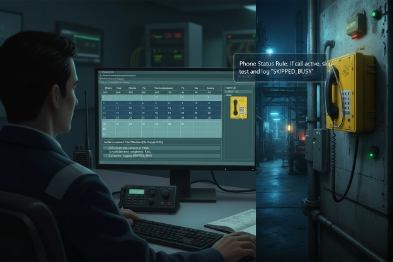
Build a call-aware schedule
A safe schedule separates test types:
- Always-safe checks: link counters, SIP state, internal voltage flags, keypad scan integrity.
- Conditional checks: audio loopback, DTMF loop tests, relay toggles.
Conditional checks should run only when:
- The phone is idle and on-hook, or
- A maintenance window is active, or
- A remote command is issued by authorized staff.
This prevents test tones and relay clicks during critical moments.
Use thresholds and hysteresis to stop false alarms
Plants have noise. Networks have bursts. A single missed SIP reply should not create an “offline” alarm. A good approach uses:
- A “degraded” state when early warning signs appear.
- An “alarm” state only after repeated failures over time.
- A “recovery” rule that requires more than one success to clear the alarm.
A simple model works well:
- Raise degraded after 2 consecutive failures.
- Raise alarm after 5 failures within 5 minutes.
- Clear alarm after 2 consecutive successes.
This model reduces false alarms during maintenance and short congestion.
Watchdog reboot as a staged action, not a first action
Watchdog logic should respect operations:
- First stage: retry SIP stack and refresh network interface.
- Second stage: switch to backup proxy and re-register.
- Third stage: report alarm to NMS/SCADA and raise local indicator.
- Final stage: reboot only if the device is stuck or memory is corrupted, and only after a defined lock condition.
Many plants also want a “do not reboot during call” rule. That rule is simple and effective. If the firmware detects an active call, it can delay reboot unless the device is non-responsive.
| Fault type | First response | Second response | Last resort |
|---|---|---|---|
| SIP unreachable | Re-OPTIONS, re-register | Switch proxy | Reboot SIP service |
| High CRC errors | Raise alarm, log port | Suggest cable/ground fix | No reboot needed |
| PoE undervoltage | Reduce optional loads | Raise alarm | Controlled reboot if stuck |
| Audio codec stuck | Reset audio path | Restart service | Full reboot when idle |
A safe configuration reduces interruptions and still keeps the phone reliable. The last topic is remote diagnostics. Many plants want to test endpoints without opening enclosures, but Ex rules require care.
Do remote diagnostics enable audio loopback, DTMF tests, relay I/O checks, and firmware integrity verification on ATEX/IECEx models?
Remote diagnostics is the difference between “truck roll” and “remote fix.” In hazardous areas, fewer site visits can mean less risk and lower downtime.
Remote diagnostics can support audio loopback, DTMF tests, relay and input checks, and firmware integrity checks. The design must stay within the certified configuration and follow controlled repair and modification rules for Ex equipment.

Audio loopback without disrupting operations
Audio loopback is useful, but it must be safe:
- Run loopback only when on-hook or in a maintenance mode.
- Use low-level tones or a short burst, then stop.
- Log measured levels (mic gain, receiver level, noise floor) and compare with baseline.
A loopback test can confirm the handset cord is intact and the mic and receiver still work. It can also detect blocked ports when the measured level drops below a threshold.
DTMF and signaling tests that prove call control
A remote test can place a short test call to a test IVR and verify:
- DTMF transmit and receive (in-band or RFC 2833/4733 style, depending on the platform) 8.
- Hook-switch state changes.
- Keypad scan accuracy by matching pressed keys to received digits.
This helps confirm that a phone can navigate an emergency menu or trigger a hotline flow.
Relay I/O checks for plant integration
Many Ex telephones include relay outputs for beacons or door control, and inputs for sensors. Remote diagnostics can:
- Toggle a relay for a short test window.
- Read back input states.
- Confirm “dry contact” behavior through a safe test procedure.
Relay tests should be permission-based because they can activate external equipment.
Firmware integrity verification with a “no-surprise” policy
Firmware integrity matters because unstable firmware can look like random faults. A strong approach includes:
- Signed firmware packages.
- Hash checks before activation.
- A/B partition rollback if an update fails.
- A secure boot 9 chain when the hardware supports it.
For ATEX 10/IECEx models, updates and replacements should follow controlled rules. Repair and modification principles for Ex equipment are covered in guidance and standards for overhaul and repair. A plant should treat firmware updates like a controlled change, with version tracking and rollback planning.
| Remote diagnostic tool | What it proves | What must be controlled |
|---|---|---|
| Audio loopback | Mic/receiver path health | Run only when idle |
| Test call + DTMF | End-to-end call control | Use a dedicated test route |
| Relay toggle test | I/O wiring and external alarm path | Permission and time limits |
| Integrity check | Firmware consistency and rollback | Signed images and audit logs |
Remote diagnostics works best when it is built into the deployment plan. That plan includes a test route, a maintenance policy, and a clear rule for which actions are allowed remotely.
Conclusion
Fault self-diagnosis combines safe self-tests, clear logs, standard alarm outputs, and careful scheduling. Remote diagnostics reduces downtime, but it must respect Ex control rules and operations needs.
Footnotes
-
SIP REGISTER The SIP method used by a user agent to notify a registrar of its current IP address and contact information. ↩
-
SIP OPTIONS A SIP method often used as a heartbeat mechanism to check the availability and capabilities of a SIP user agent or server. ↩
-
PoE Power over Ethernet; technology that passes electric power along with data on twisted pair Ethernet cabling. ↩
-
SNMP Simple Network Management Protocol; a standard for collecting and organizing information about managed devices on IP networks. ↩
-
Syslog A standard for message logging that allows separation of the software that generates messages, the system that stores them, and the software that reports and analyzes them. ↩
-
HTTPS API A secure method for applications to communicate over the web using HTTP requests, often used for integrations and webhooks. ↩
-
MQTT A lightweight messaging protocol for small sensors and mobile devices, optimized for high-latency or unreliable networks. ↩
-
RFC 2833 A standard for carrying DTMF digits, telephony tones, and telephony signals in RTP packets. ↩
-
secure boot A security standard that ensures a device boots using only software that is trusted by the Original Equipment Manufacturer (OEM). ↩
-
ATEX The European Union framework for controlling explosive atmospheres and the standards of equipment used within them. ↩








