

A hazardous-area phone can be certified and still fail on day one because the PBX settings are wrong. That failure wastes time and puts safety calls at risk.
Connect it like an enterprise SIP endpoint: set the right SIP account, register to the correct PBX or SBC, prove inbound/outbound calls, then lock provisioning, firewall rules, VLAN, and QoS for long-term stability.
A PBX Connection Plan That Works in Hazardous Areas?
Treat the PBX path as a system
A PBX connection is not only “enter server IP and password.” A hazardous site adds long cable runs, cabinet switches, power events, and strict IT policy. Many explosion-proof telephones are built on the same SIP endpoint 1 foundation as enterprise IP phones. The phone must keep registration after PoE drops. The PBX must accept retries without locking the account. The network must deliver RTP with low jitter. The final result depends on the full chain: phone → switch → VLAN/QoS → router/firewall → SBC/PBX → operator endpoints.
Choose a simple architecture
Most sites use one of these patterns:
-
Phone registers directly to the PBX on the same LAN.
-
Phone registers to an edge Session Border Controller (SBC) 2, then the SBC routes to the PBX.
-
Phone registers to a local survivable node, then fails over to a central PBX.
In industrial networks, an SBC path is often the cleanest. It makes NAT, TLS, and failover easier. It also limits who can talk to the PBX.
Define success before commissioning
A project should define “connected” with measurable checks:
-
Registration stays up for 24 hours with no manual reboot.
-
Inbound calls ring and answer with clear audio both ways.
-
Outbound calls connect fast and DTMF works.
-
SOS/Hotline calls always reach dispatch.
-
Reboot test: power cycle the phone and the switch port, then confirm auto re-register.
| Layer | What to set | Typical acceptance check |
|---|---|---|
| SIP account | server, user, auth, transport | registers within 30–60 seconds |
| Media | codecs, DTMF, RTP ports | two-way audio + IVR test |
| Survivability | keepalive, retry timers, failover | recovers after link drop |
| Management | provisioning URL, admin policy | phone reconfigures by template |
| Network | VLAN, QoS, firewall | stable audio during network load |
A stable plan saves the most time. It also keeps the Ex phone “hands-off” after installation, which is the safest outcome in hazardous areas.
What SIP account settings are required—server address, extension, authentication, transport, and NAT traversal?
Wrong SIP account settings create the most common failure: the phone looks alive, but it never registers or it registers and then drops.
A SIP account needs the correct registrar/proxy address, extension and password, chosen transport (UDP/TCP/TLS), and NAT/keepalive settings that match your network, with an SBC preferred when NAT exists.
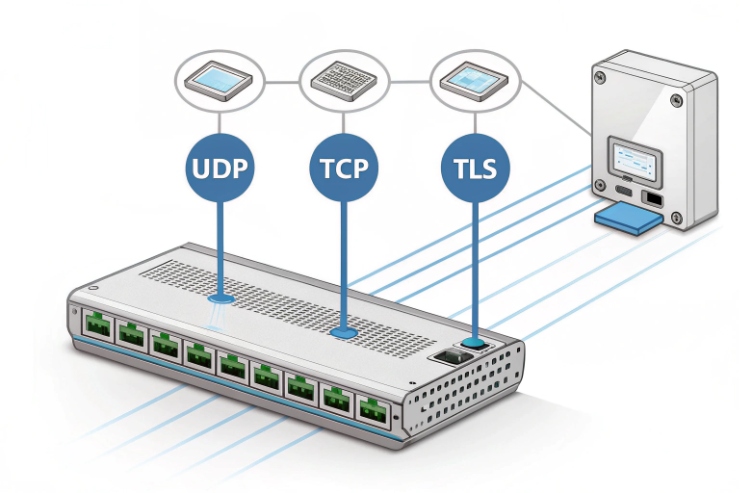
Transport choice: keep it practical
-
UDP is the most common and usually works on a clean LAN.
-
TCP is often more stable across strict firewalls and some NAT devices.
-
Improved TLS protocol 3 security and policy control are essential for secure signaling across untrusted networks.
If the site uses TLS, the most predictable path is often: phone TLS to SBC, then SBC to PBX. This keeps certificate management away from field cabinets.
NAT traversal: solve it by design
If the phone sits behind NAT, audio can fail even when registration works. A simple approach is:
-
Use an SBC at the edge, or
-
Use PBX NAT helpers plus symmetric RTP and rport settings
STUN can help in some networks, but it is not a universal fix in industrial sites. A controlled SBC is often easier to support.
How to register with Asterisk/FreePBX, 3CX, or CUCM, and test inbound/outbound calls?
Registration is not a checkbox. It is a workflow: register, call, confirm audio, confirm DTMF, then prove recovery after failures.
Register by matching the PBX template to the phone account, then run a fixed test script: inbound call, outbound call, SOS call, hold/transfer (if used), DTMF to IVR, and a power-cycle re-registration test.
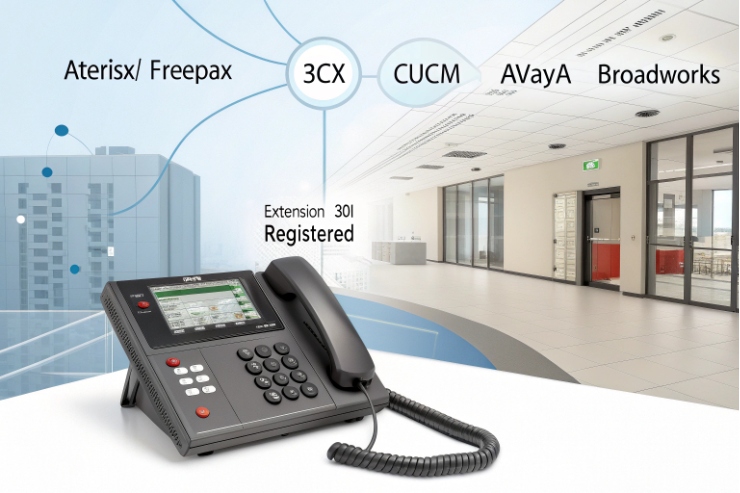
Asterisk/FreePBX: keep endpoints consistent
Asterisk-based systems 4 can accept many SIP variations. That flexibility can hide problems until load increases. A stable approach is:
-
Create one extension for the phone.
-
Set the same codec policy for the site.
-
Set DTMF to RFC2833/4733 unless your IVR needs SIP INFO.
3CX: follow the phone template and avoid mixed policies
3CX 5 projects work best when the correct phone template is used. Provisioning ensures that codecs and DTMF are aligned with platform expectations while keeping emergency routing separate from normal ring groups.
| Test item | Pass condition | What it proves |
|---|---|---|
| Register | stable state, no flapping | SIP basics and timers |
| Inbound call | rings and answers | routing and identity |
| Outbound call | connects fast | dial plan and trunk |
| Two-way audio | clean both ways | RTP path and NAT correctness |
Can provisioning auto-configure extensions via DHCP options, HTTPS templates, or TR-069 ACS?
Manual configuration fails at scale. It also increases risk when a field replacement happens at night or offshore.
Yes. Provisioning can auto-configure SIP accounts using DHCP-provided URLs and HTTPS templates, and some projects use TR-069 ACS, but HTTPS template provisioning is the simplest and most common approach in industrial deployments.
DHCP options: point devices to the right server
Many sites use DHCP to provide the provisioning URL. Different vendors support different DHCP options 6 numbers and formats. The safe method is to keep the DHCP design simple and document it per vendor model.
| Provisioning method | Strength | Risk | Best practice |
|---|---|---|---|
| HTTPS templates | simple and scalable | template mistakes | version control + staged rollout |
| DHCP URL | zero-touch | DHCP scope errors | dedicated voice scopes and testing |
What firewall, QoS, and VLAN rules ensure reliable SIP/RTP across industrial networks?
A phone can register and still sound bad if the network drops RTP. A phone can also lose registration when a firewall times out idle sessions.
Reliable SIP/RTP needs simple segmentation and predictable rules: a voice VLAN, tight firewall ACLs between phones and PBX/SBC, QoS that prioritizes RTP, and multicast controls if paging is used.
QoS: prioritize RTP and keep policy consistent
Quality of Service (QoS) 7 must be enforced at access switch ports, cabinet uplinks, and core switches to protect audio during network load.
-
RTP: DSCP EF
-
SIP signaling: a standard class like CS3
-
Paging multicast: high priority only when it is emergency-tier
Conclusion
Connect the phone with correct SIP account settings, prove registration and two-way audio on your PBX, then lock provisioning, firewall ACLs, VLAN separation, and QoS so emergency calls stay stable under load.
Footnotes
-
Learn about the protocol used for initiating and terminating real-time communication sessions like voice and video. ↩ ↩
-
A specialized network device that protects and regulates IP communications flows in enterprise and industrial networks. ↩ ↩
-
A cryptographic protocol designed to provide communications security over a computer network for sensitive data. ↩ ↩
-
An open-source framework for building communications applications like PBX systems and VoIP gateways. ↩ ↩
-
A software-based private branch exchange based on the SIP standard for modern telecommunications. ↩ ↩
-
Specific parameters in the DHCP protocol used to deliver additional configuration data to network endpoints. ↩ ↩
-
Networking mechanisms that prioritize specific traffic to ensure stability and performance for critical applications. ↩ ↩








