
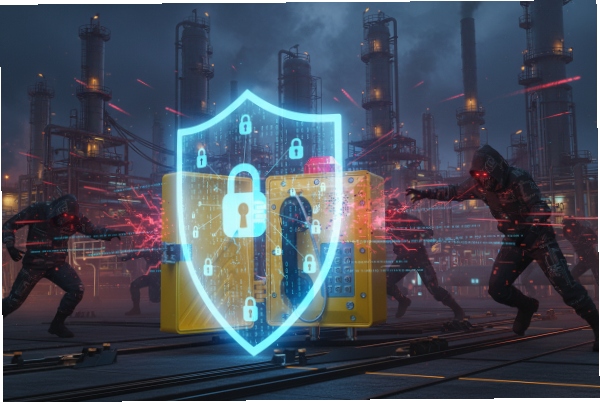
Industrial espionage and cyber threats are targeting critical infrastructure more than ever before. Leaving your hazardous area voice communications unencrypted exposes vital operational data to malicious actors.
Configuring TLS and SRTP on explosion-proof SIP phones is highly recommended to prevent eavesdropping and signaling tampering, especially when traffic traverses shared networks. However, in strictly isolated, physically secured Operational Technology (OT) networks using dedicated VLANs, standard UDP/TCP may be acceptable to reduce configuration complexity.
Understanding SIP Security in Hazardous Environments
In the world of industrial telecommunications, we often focus heavily on the physical robustness of the device. Is the casing ATEX 1 certified? Can the horn speaker withstand corrosion? As a representative of DJSlink, I have spent over 15 years ensuring our explosion-proof phones survive the harshest physical conditions. However, the digital survivability of these devices is just as critical.
Many system integrators treat voice data as low-risk traffic. This is a mistake. In a petrochemical plant or a power station, an intercom system isn’t just for casual chat; it carries emergency broadcast commands, evacuation instructions, and sensitive operational coordination. If a bad actor intercepts the SIP signaling, they could potentially spoof an "All Clear" message during a fire or disable emergency call boxes remotely.
The debate usually centers on the trade-off between security and performance. Transport Layer Security 2 (TLS) encrypts the signaling (who is calling whom), while Secure Real-time Transport Protocol 3 (SRTP) encrypts the actual voice media. Enabling these adds computational overhead and administrative burden.
Here is a quick breakdown of the protocols we are comparing:
| Protocol | Function | Security Level | Complexity | Typical Use Case |
|---|---|---|---|---|
| UDP | Signaling | Low (Clear text) | Low | Isolated LANs, Legacy Systems |
| TCP | Signaling | Low (Clear text) | Low | Reliable delivery required |
| TLS | Signaling | High (Encrypted) | High | Public Internet, Shared WAN |
| RTP | Media | Low (Clear audio) | Low | Standard VoIP |
| SRTP | Media | High (Encrypted) | Medium | Security-sensitive areas |
Transitioning from a standard unencrypted setup to a fully secured environment requires planning. It is not just a toggle switch; it involves network architecture decisions.
When is SIP over TLS mandatory for hazardous-area projects?
Safety standards and IT policies often clash when designing communication networks for volatile environments. Network architects usually prefer simplicity, but security officers demand compliance.
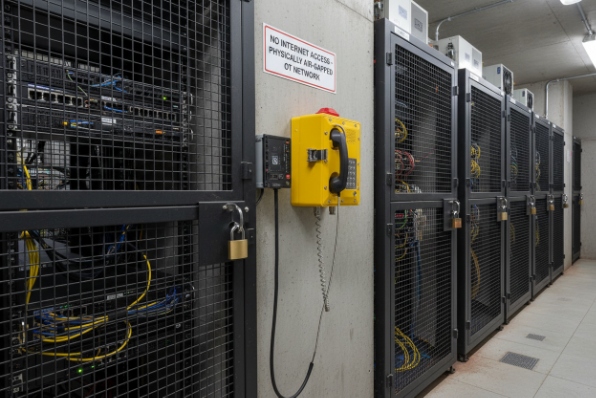
TLS is mandatory whenever voice traffic traverses the public internet or shares bandwidth with corporate IT networks to comply with ISO 27001 4 standards. Conversely, if the system resides on a physically air-gapped OT network with strict access control, UDP inside a secured VLAN is often universally accepted.
Compliance vs. Practicality in Zone 1 Areas
When we deploy DJSlink explosion-proof phones in Zone 1 or Zone 2 areas, we first audit the network topology. The decision to enforce TLS often comes down to where the SIP server 5 (PBX) lives.
If you use a Cloud PBX hosted on AWS or Azure, your SIP traffic must leave the safety of the plant’s firewall. Here, TLS is non-negotiable. Sending SIP credentials in clear text over the public internet is negligent. In these scenarios, SRTP is also required to ensure the voice conversation cannot be replayed or analyzed.
However, many oil rigs and mines use on-premise servers. The network is an intranet, physically cut off from the outside world (air-gapped). In these setups, the risk of a "Man-in-the-Middle" attack is negligible unless the attacker is already inside the facility. Here, System Integrators often prefer UDP. It is faster to debug, requires no certificate management, and has lower latency.
Consider the following scenarios when deciding on your architecture:
| Scenario | Network Type | TLS/SRTP Recommendation | Reason |
|---|---|---|---|
| Cloud PBX | Public Internet | Mandatory | Prevents credential theft and eavesdropping over WAN. |
| Multi-site VPN | WAN (Site-to-Site) | Recommended | Defense in depth; VPNs can be compromised. |
| On-Premise (Shared) | Corporate LAN | Mandatory | Protects OT traffic from infected IT office devices. |
| On-Premise (Dedicated) | Air-gapped OT VLAN | Optional | Physical security and VLAN isolation provide sufficient protection. |
What certificate settings are needed to deploy TLS on Ex SIP phones?
Deploying encryption keys to hundreds of headless devices in a refinery can quickly turn into a logistical nightmare if not managed correctly.
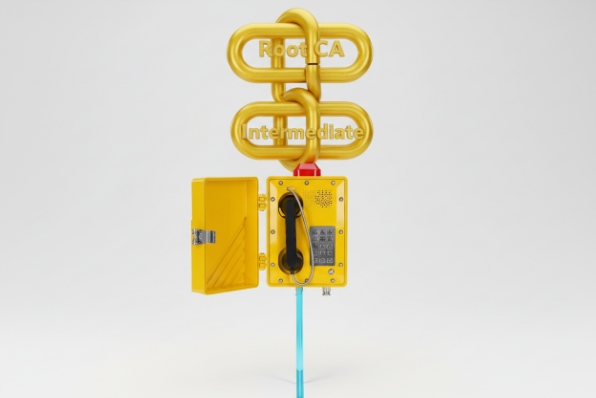
Successful deployment requires a valid Root CA trusted by the phone, strict clock synchronization via NTP to ensure certificate validity, and a decision on Mutual TLS (mTLS). Self-signed certificates often fail unless the custom Root CA is manually uploaded to every single endpoint.
Managing The Chain of Trust
The biggest hurdle I see integrators face is the "Certificate Verify Failed" error. An explosion-proof phone is an embedded device; it does not have a web browser’s massive library of trusted Root CAs updated daily.
When you enable TLS, the phone checks the PBX’s certificate. If you bought a certificate from a major authority (like GoDaddy or DigiCert), you must ensure the phone’s firmware includes that authority’s Root CA. If it doesn’t, you have to upload the Intermediate and Root CA certificates to the phone manually or via auto-provisioning.
For high-security sites, we often see the requirement for Mutual TLS (mTLS). In standard TLS, only the phone verifies the server. In mTLS, the server also verifies the phone. This requires generating a unique client certificate for every single intercom. DJSlink phones support this, but it adds significant setup time.
Here are the critical components you need to configure:
| Component | Description | Critical Action |
|---|---|---|
| Root CA | The ultimate trust anchor. | Upload to the phone’s "Trusted CA" list. |
| Server Certificate | The PBX’s ID card. | Ensure the "Common Name" (CN) matches the SIP Server address exactly. |
| NTP Server | Time synchronization. | Crucial. If the phone’s date is wrong (e.g., 1970), it will mark the cert as "Not Yet Valid." |
| Transport Protocol | SIP Settings. | Switch transport from UDP to TLS on the specific SIP account. |
Which SRTP method is supported by the IP PBX or dispatch platform?
Encryption mismatches result in one-way audio or dropped calls, potentially silencing critical alarms during an emergency.
Most legacy industrial systems use SDES-SRTP where keys are exchanged in the SIP signaling, making TLS a prerequisite for true security. Newer WebRTC-based dispatch platforms prefer DTLS-SRTP. Compatibility is verified by cross-referencing the PBX’s ‘Media Encryption’ profile with the phone’s supported cipher suites.
SDES vs. DTLS in Industrial VoIP
Not all encryption is created equal. In the VoIP world, we primarily deal with two methods for setting up the encryption keys for SRTP.
SDES (Session Description Protocol Security Descriptions) is the traditional method. The encryption key is actually sent inside the SIP packet (in the SDP body). This creates a dependency: if you use SDES-SRTP without using SIP-TLS, you are sending the key to unlock your audio in plain text. It is like locking your front door but taping the key to the handle. Therefore, if you choose SDES, you must use TLS.
DTLS (Datagram Transport Layer Security) is newer and is used by WebRTC 6. It performs a handshake directly in the media stream to agree on keys. It is more secure but less supported by older, ruggedized PBX systems used in mining or oil and gas.
When commissioning DJSlink devices, I always ask the client for their PBX model first. Here is a general compatibility guide:
| PBX / Platform | Preferred Method | Notes |
|---|---|---|
| Asterisk (Legacy) | SDES | Requires encryption=yes in sip.conf. |
| Asterisk (PJSIP) | DTLS or SDES | Flexible, but DTLS requires careful port config. |
| 3CX | SDES | Often labeled as "Secure SIP" in extension settings. |
| Avaya Aura | SDES | Enterprise standard, very strict on TLS versions (1.2+). |
| WebRTC Dispatchers | DTLS | Mandatory. SDES will usually fail. |
How do TLS/SRTP affect call setup time and troubleshooting?
Adding encryption layers adds processing weight, which raises concerns about slowing down emergency response times or complicating maintenance.
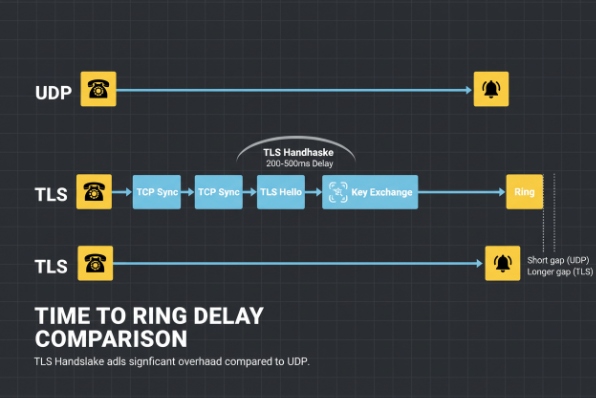
TLS adds a slight delay to the initial register and call setup due to the handshake, while SRTP consumes marginally more CPU resources. Troubleshooting becomes harder, often requiring the export of session keys to decrypt traces or relying on PBX-side logs to confirm secure media negotiation.
Performance Overhead and Debugging
A common fear is that encryption will make the phone sluggish. On modern DJSlink hardware, the CPU overhead for SRTP is negligible—usually less than 3% additional load. The audio quality remains crystal clear.
The real impact is on call setup latency. A UDP call is fire-and-forget. A TLS call requires a TCP handshake, followed by a TLS handshake (Hello, Key Exchange, Cipher Spec). on high-latency satellite links used in offshore drilling, this can add 200-500ms to the "time to ring." In most scenarios, this is imperceptible, but for time-critical emergency broadcasts, it is a factor to consider.
Troubleshooting is where the pain lies. If a customer reports "one-way audio" on a UDP system, I fire up Wireshark 7, capture the packets, and play back the audio stream. With SRTP, that audio is static noise. You cannot play it back without the keys.
To verify encryption is working without being able to listen, we look at the packet headers:
| Indicator | Tool | What to look for |
|---|---|---|
| SIP Register | PBX Console | Look for "Reachability: TLS" or specific port (usually 5061). |
| Packet Type | Wireshark | Packets should be labeled SRTP, not RTP. |
| Payload | Wireshark | Payload type should be dynamic and unreadable. |
| Padlock Icon | Phone UI | DJSlink phones display a lock icon on the screen during secure calls. |
Conclusion
Securing explosion-proof communication endpoints is a vital step in modernizing industrial safety. While TLS and SRTP introduce complexity in certificate management and troubleshooting, they provide essential protection against malicious interference. For air-gapped systems, a VLAN is a valid alternative, but for any internet-connected system, encryption is non-negotiable. At DJSlink, we build our firmware to handle these security protocols efficiently, ensuring that safety is never compromised by latency.
Footnotes
-
European directive regulating equipment for use in explosive atmospheres. ↩
-
Cryptographic protocol designed to provide communications security over a computer network. ↩
-
A profile of RTP intended to provide encryption, message authentication and integrity, and replay attack protection. ↩
-
International standard on how to manage information security. ↩
-
A server that deals with the management of SIP calls in a VoIP network. ↩
-
Open source project providing web browsers and mobile applications with real-time communication via simple APIs. ↩
-
A widely-used network protocol analyzer. ↩








