
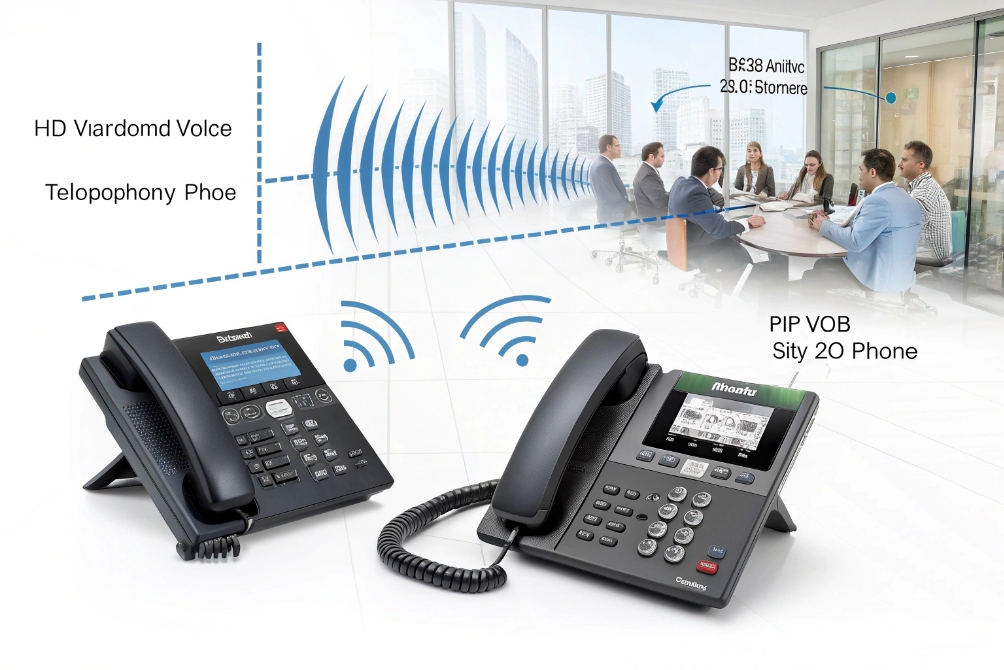
Old narrowband calls sound flat and muffled. In noisy lobbies or factories, people ask “Say that again?” more than they realize, and small misunderstandings pile up.
HD voice is wideband telephony that carries more of the human voice (roughly 50–7,000 Hz instead of 300–3,400 Hz), so calls sound clearer and more natural and speech is easier to understand in real-world noise.
When HD voice runs across your IP PBX, Session Initiation Protocol (SIP) intercoms 1, and VoIP phones, people hear consonants, accents, and names much better. That means fewer repeats at the door, smoother support calls, and less fatigue for operators. The rest of this guide looks at SIP intercom clarity, codecs, endpoint requirements, and how to turn HD voice on in a real VoIP deployment.
How do HD voice calls improve SIP intercom audio clarity?
Entrance panels and emergency phones usually sit in the worst acoustic spots. Wind, traffic, engines, and crowds all fight against a narrowband audio channel that was designed for quiet office phones.
HD voice improves SIP intercom clarity by carrying a wider range of speech sounds and pairing that with wideband-optimized noise reduction, so callers can hear names, instructions, and alarms much more clearly in noisy spaces.

Why wideband audio matters at doors, gates, and tunnels
A standard narrowband channel cuts low and high parts of the voice. It keeps the “middle” only. That works for basic speech, but it removes many consonants and parts of the voice that help our brain separate signal from noise. HD voice keeps more of that detail.
On a SIP intercom at a gate, this shows up in very simple ways:
- Names and company names are easier to catch the first time
- Building numbers, parking bay numbers, and apartment numbers are clearer
- Security instructions (“stop”, “flash your ID”, “step back from the door”) stand out better from traffic and wind
In industrial or public safety projects, we see this difference even more. On explosion-proof phones or tunnel emergency points, background noise is constant. With HD voice, operators can still understand callers without shouting or asking for many repeats. That speeds up response in real incidents.
HD voice also works well with echo cancellation (ITU-T G.168) 2 and noise reduction on modern SIP endpoints. The algorithms have more detail to work with. They can cut hum, wind, or fan noise while leaving the voice intact. That is much harder on a thin narrowband signal.
Here is a simple view of what changes:
| Aspect | Narrowband call | HD voice (wideband) |
|---|---|---|
| Frequency range | ~300–3,400 Hz | ~50–7,000 Hz (often more) |
| Perceived sound | Flat, “telephone” tone | Fuller, closer to face-to-face |
| Consonant clarity | Many details lost | S, F, T, K, SH much easier to hear |
| Use in noisy areas | Many repeats needed | Shorter calls, fewer misunderstandings |
| Operator fatigue | Higher, need more focus | Lower, easier long-term listening |
In DJSlink projects, when we upgrade existing analog intercoms to SIP HD voice, the first feedback from guards is very simple: “Now I know what visitors say the first time.” That is the real reason to care about HD on intercom lines.
Which codecs deliver HD voice on my IP PBX (G.722, Opus)?
Many people hear “HD voice” in marketing, but under the hood it is only codecs and settings. If the wrong codec is in use, calls silently fall back to old quality.
Common HD voice codecs on VoIP and IP PBX systems include G.722, Opus, and G.722.1. These wideband codecs sample audio at higher rates and carry more frequency detail than G.711 or compressed narrowband codecs.

Understanding HD voice codecs in practice
A codec defines how the system turns sound into packets, and back again. Different codecs trade bandwidth, quality, and CPU. For HD voice on SIP and IP PBX platforms, the key ones are:
- G.722 – Classic wideband VoIP codec, 16 kHz sampling, usually seen as “HD” on many desk phones
- Opus – Very flexible codec used in WebRTC and many modern VoIP softphones, supports wideband, super-wideband, and even full-band audio with smart bitrate control
- AMR-WB / EVS – Used more on mobile networks (VoLTE/5G) than in office PBX systems, but you may meet them in mobile apps or SBCs
Most business IP phones and SIP intercoms support the G.722 wideband codec 3 as the default HD codec. Many newer softphones and browsers add the Opus audio codec 4. Your IP PBX must also support these codecs and avoid unnecessary transcoding between them and narrowband.
A simple mapping looks like this:
| Codec | Type | Typical use | HD? |
|---|---|---|---|
| G.711 | Narrowband | Legacy VoIP, SIP trunks, PSTN interop | No, standard phone quality |
| G.729 | Narrowband | Low-bandwidth VoIP links | No |
| G.722 | Wideband | Desk IP phones, SIP intercoms, IP PBX | Yes |
| Opus | Wide/super/full band | WebRTC, softphones, modern PBX | Yes (often even better) |
Inside an IP PBX, you can set codec preferences by trunk, extension, and device type. For example, prefer G.722 for internal calls between IP phones and intercoms. Use Opus for WebRTC softphones. Still allow G.711 for older SIP trunks or where the carrier does not support wideband.
The goal is simple: keep the call in HD end-to-end where possible. If a call must pass through a narrowband trunk, the PBX will transcode and quality will drop to the lowest common level. That is expected. The win is on all internal and SIP-only paths where HD can stay alive.
Do both endpoints need HD voice for me to hear benefits?
This is one of the most common questions. People turn on HD voice on one phone, make a call to the outside, and do not hear a big difference. Then they doubt the whole idea.
For true HD voice, both endpoints and the whole path between them must support wideband codecs. If any leg is narrowband, the call falls back and you will not get the full HD effect.

How HD voice “falls back” in real call paths
Think of a call as a chain. Every link must handle HD for the chain to stay HD. The chain includes:
- Caller device (IP phone, intercom, softphone)
- Local network and IP PBX
- SIP trunk or carrier path
- Remote PBX or carrier
- Remote device
If any part is limited to G.711 or a narrowband codec, the PBX or SBC will transcode. The wideband audio is cut to narrowband. You still get a valid call, but not HD quality.
Here is how common call types behave:
| Call type | Likely HD result |
|---|---|
| IP phone ↔ IP phone on same PBX | HD very likely if codecs enabled |
| SIP intercom ↔ IP phone on same LAN | HD very likely, ideal scenario |
| IP phone ↔ mobile over PSTN only | Often narrowband, depends on carriers |
| IP phone ↔ browser softphone (Opus) | HD if PBX bridges G.722/Opus correctly |
| Intercom ↔ external PSTN line | Usually narrowband on the PSTN leg |
Inside a DJSlink-style deployment, internal calls between SIP intercoms, indoor stations, and IP phones can stay HD almost all the time. The same is true for calls between branches if they connect over SIP trunks or VPN-controlled SIP, not forced PSTN breaks.
On cellular, HD voice (often under the name VoLTE (Voice over LTE) 5 / VoNR) faces similar rules: both sides, both carriers, and the radio coverage must support it. If not, the call drops back to narrowband. The logic in your IP world is the same.
Managing expectations and planning rollouts
This does not mean HD voice is pointless when some calls are still narrowband. It means you plan where HD matters most:
- Internal helpdesk, NOC, and operations bridges
- SIP intercom to control room audio, especially in noisy sites
- Executive and sales calls where tone and clarity matter
- Cross-room and campus calls that replace old analog lines
You can roll out HD devices and codec policies there first. Over time, as more trunks and partners support wideband, the share of HD calls will grow.
For Bluetooth headsets, also check their audio profile. Many headsets use a “wideband speech” profile that is still better than old narrowband, but not full HD from the codec. In some cases, this profile becomes the limiting factor. So when you test HD voice, test with both built-in handset and headsets, and compare.
Once people hear a real HD internal call next to a narrowband one, they understand the difference quickly. That is usually enough to justify keeping HD as the standard inside the VoIP network, even when some outside paths remain old-style.
How can I enable HD voice on my VoIP phones and intercoms?
Many systems already support HD. The main missing piece is configuration and small habits during deployment. Phones may ship with G.711 at the top of the codec list, and intercoms may ship with HD disabled to fit old systems.
To enable HD voice, you turn on wideband codecs (G.722, Opus) on your IP PBX, VoIP phones, and SIP intercoms, prefer them over G.711, and make sure internal calls stay on all-IP paths without forced transcoding.

Step-by-step on IP PBX and endpoints
The exact menus differ by brand, but the process is similar:
-
On the IP PBX
- Check that G.722 and/or Opus are enabled at system level.
- Set codec order so wideband codecs come before G.711 on internal profiles.
- For internal SIP profiles or LAN trunks, prefer HD codecs.
- Avoid unnecessary transcoding rules between internal endpoints.
-
On VoIP phones
- Log in to the phone’s web UI or provisioning system.
- Enable G.722 and move it above G.711 in the codec list.
- Save and reboot. Make a test call to another HD-capable phone.
-
On SIP intercoms and door phones
- In the device settings, enable G.722 or the vendor’s HD mode.
- Confirm the registration profile on the PBX allows that codec.
- Test calls from intercom → indoor station, and back.
-
On softphones and browser clients
- Choose the HD or “high quality” audio profile.
- For browser calling, confirm WebRTC media transport 6 is enabled end-to-end and not blocked by SBCs.
In DJSlink deployments, we usually build templates. All SIP intercoms, indoor stations, and IP phones that support HD get a common profile with G.722 priority. This keeps behavior consistent and makes troubleshooting much easier.
A small planning table can help you track status:
| Device / Endpoint Type | HD capable? | Codec to use | Status |
|---|---|---|---|
| Desk IP phones | Yes | G.722 | Rollout profile A |
| SIP video door phones | Yes | G.722 | Rollout profile B |
| Industrial phones | Often yes | G.722 | Check firmware |
| Legacy analog phones | No | G.711 only | Use where needed |
Network, QoS, and real-world testing
Wideband codecs add some bandwidth but not as much as people fear. In many LANs, the difference between G.711 and G.722 is small. Opus can even save bandwidth while sounding better. Still, you want a clean network.
Simple checks:
- Give voice and intercom VLANs proper DSCP (DiffServ) QoS tags 7.
- Avoid saturating uplinks with non-real-time traffic.
- Keep jitter low for HD voice just like for normal VoIP.
After you turn HD on, do structured tests:
- Intercom at a busy entrance calling the control room
- Indoor station calling a remote guard across a WAN link
- IP phone conference between multiple HD endpoints
Ask users what they hear, not just if the call “works”. Listen for consonant clarity and background noise behavior. Adjust gain and echo settings where needed.
For customers who move from analog to SIP, it can help to run a short A/B demo. One call in narrowband, one in HD, same devices and position. Once they hear the difference, there is no need for deeper theory. They start to treat HD voice as the normal baseline for modern SIP systems.
Conclusion
HD voice calls make SIP intercoms, IP phones, and softphones sound closer to real conversation, so teams catch details faster, reduce repeats, and give visitors and customers a more professional, modern experience.
Footnotes
-
SIP call setup standard; useful for understanding how SIP devices negotiate codecs. ↩ ↩
-
Echo cancellation reference used widely in telephony for clearer speech in handsfree environments. ↩ ↩
-
Official G.722 wideband codec spec—baseline “HD voice” for many business phones. ↩ ↩
-
Opus RFC explaining a modern adaptive codec used by softphones and WebRTC. ↩ ↩
-
Overview of VoLTE, where mobile “HD Voice” commonly appears on LTE networks. ↩ ↩
-
WebRTC specification describing browser-based real-time media transport and negotiation. ↩ ↩
-
DiffServ/DSCP standard explaining packet marking used to prioritize voice traffic on networks. ↩ ↩








