
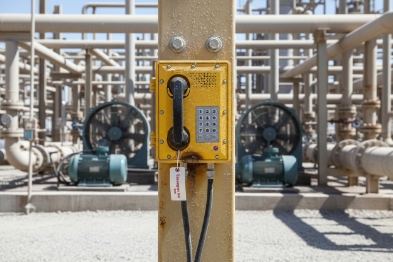
When an Ex phone fails, people guess first and test later. That wastes time, and it can leave a hazardous area without a reliable emergency voice path.
Most explosion-proof telephone faults come from four places: SIP signaling, RTP media flow, unstable power, or stressed hardware parts. Fast troubleshooting starts by separating these domains, then proving each one with simple checks and clear logs.
A fault-first troubleshooting map that works in industrial plants?
A good troubleshooting plan does not start with “reboot.” It starts with a fault map. Explosion-proof telephones are VoIP 1 endpoints, but the plant environment adds noise, long cable runs, strict firewalls, and busy switches. A single symptom can have multiple causes. “Cannot call” can be DNS, SIP proxy reachability, wrong time, a TLS issue, or a PoE brownout that resets the network stack.
Split the problem into four domains
Each domain has its own evidence.
- SIP signaling domain: registration, authentication, and call setup messages.
- RTP media domain: voice packets, jitter, packet loss, and NAT pinholes.
- Power and physical network domain: PoE class, voltage margin, link flaps, CRC errors.
- Endpoint hardware domain: handset cord, mic, speaker, keypad, hookswitch, relay I/O, and seals.
Use “prove or remove” checks
A fast method is to prove one domain and remove it from the suspect list.
- If the phone is registered and can place a call, SIP is mostly healthy.
- If SIP is healthy but there is no audio, RTP and firewall rules become the focus.
- If CRC errors climb, the problem is often EMI, bonding, or cable termination, not SIP.
- If a handset test fails, chasing VLAN settings will not help.
Keep a 10-minute triage kit
In DJSlink deployments, a small checklist reduces downtime more than any complex tool.
- A known-good PoE switch port
- A short tested patch cable
- A spare handset or handset module
- A test SIP account and an echo test number
- Access to switch counters and logs
| Symptom seen on site | Most likely domain | Fastest proof | Common fix |
|---|---|---|---|
| Phone shows “unregistered” | SIP | Check DNS + proxy reachability | Fix DNS, proxy, credentials, time |
| Calls connect but no audio | RTP | Check RTP ports and NAT | Open pinholes, fix symmetric RTP, QoS |
| Random audio dropouts | Network | Check switch drops and CRC | QoS, re-route cable, improve bonding |
| Phone reboots or freezes | Power | Check PoE logs and voltage margin | PoE budget, cable length, SPD, ground |
| Keys misbehave | Hardware | Stuck key / bounce test | Clean, replace keypad, adjust debounce |
This fault map keeps troubleshooting calm and repeatable. It also helps write clear project acceptance tests, which matters in tenders and handover.
The next sections go through the three big problem clusters and show quick, plant-friendly ways to find root cause without guessing.
Why do SIP registration or call setup fail?
SIP failures feel random because the phone powers on and looks alive. The real failure is often one small mismatch that blocks signaling.
SIP registration and call setup usually fail because the phone cannot resolve the proxy, cannot reach it, cannot authenticate, cannot keep a NAT binding, or cannot validate a TLS certificate. Each cause leaves a different trace in the phone log and the SIP server log.
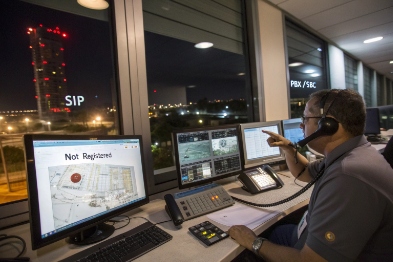
DNS and proxy resolution problems
DNS is a top cause in industrial networks. A phone may receive an IP address, but DNS points to the wrong server, or the DNS server is unreachable from the voice VLAN. SRV records 2 can also be missing when a platform expects them.
Quick checks:
- Confirm the phone can resolve the SIP domain.
- Confirm it resolves to the expected IP.
- Confirm the resolved IP is reachable from the voice VLAN.
Proxy reachability and transport mismatch
Plants often mix UDP, TCP, and TLS. A phone set to TLS will fail if the server expects UDP on a different port, or if a firewall blocks 5061. Some networks allow SIP only through a session border controller 3 (SBC), not directly to the PBX.
Quick checks:
- Ping or trace route from the same VLAN (or use switch L3 checks).
- Confirm SIP port and transport match the server profile.
- Confirm the proxy address is correct for that site zone.
NAT, keepalive, and registration timers
NAT is common in remote hazardous sites. NAT timeouts can drop UDP bindings, then the phone looks registered but cannot receive calls. A short SIP OPTIONS 4 interval or shorter REGISTER refresh can keep the binding alive. A symmetric RTP setting also helps, but it is more about media.
Quick checks:
- Compare “registered” state with actual inbound call tests.
- Look for periodic “408 timeout” or “no response” events.
- Adjust keepalive interval before changing the PBX.
TLS certificate mismatch and time errors
TLS failures often look like “cannot register” with no other clue. Wrong system time is a common hidden cause. If the phone clock is wrong, certificate validation fails. A missing CA chain can also break trust.
Quick checks:
- Enable NTP and confirm time sync.
- Confirm the server certificate matches the domain name.
- Confirm the phone trust store has the right CA chain.
| SIP symptom | Likely cause | Phone log clue | Fast correction |
|---|---|---|---|
| “DNS fail” | DNS unreachable or wrong | Resolve error | Fix DNS server and VLAN ACL |
| “403/401 loop” | Bad credentials or realm | Auth reject | Correct user/pass/realm |
| “408 timeout” | Proxy unreachable or blocked | No response | Fix route, ACL, or port |
| “TLS handshake fail” | Time or cert chain issue | Cert verify error | Fix NTP, load CA, match CN/SAN |
| Incoming calls fail only | NAT binding expired | Late INVITE | Shorten keepalive, use outbound/SBC |
A stable SIP layer is the base. Still, many plants see a different pattern: SIP works, calls connect, but voice is broken. That is almost always RTP flow, QoS, or firewall policy.
What causes no audio or one-way audio?
No audio creates frustration fast because call setup looks “successful.” The call timer runs, but nothing is heard.
No audio or one-way audio is usually RTP path failure: blocked UDP ports, wrong NAT behavior, codec mismatch, or QoS/VLAN policies that drop RTP under load. Fixing it starts by proving which direction is missing.
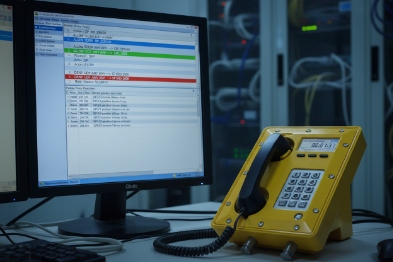
RTP basics that matter in plants
SIP sets up the call, but RTP 5 carries voice. RTP typically uses dynamic UDP ports. Firewalls that only open 5060/5061 but block RTP will create silent calls. NAT can also rewrite addresses in a way that breaks return audio unless symmetric RTP or an SBC is used.
Fast proof:
- Place a call to a known echo test. If echo works, both directions work.
- Check if only one side hears. That points to one blocked direction.
Codec mismatch and transcoding traps
Codec mismatch can cause no audio if the endpoints negotiate a codec that one side cannot actually handle, or if the PBX forbids the selected codec. A transcoding path can also fail if the DSP resources are exhausted in a gateway during busy hours.
Fast proof:
- Force one known codec like G.711 for a test call.
- Confirm both sides show the same codec in call stats.
VLAN, QoS, and firewall rules that treat voice as “best effort”
RTP is small packets. It loses first when queues are congested. If DSCP 6 and 802.1p are not trusted and mapped, RTP may sit behind camera streams or file transfers. In industrial networks, burst traffic is common, so voice needs real priority.
Fast proof:
- Check switch QoS counters for drops in the voice class.
- Check if problems happen only at busy times.
RTP pinholes and stateful inspection
Some firewalls perform SIP ALG or deep inspection. That can help or hurt. In many industrial plants, SIP ALG breaks NAT behavior and rewrites headers incorrectly. RTP pinholes may not open, or they open with the wrong address when the phone is behind NAT.
Fast proof:
- Disable SIP ALG for a controlled test.
- Use an SBC if the network is segmented or has strict firewalls.
| Audio symptom | Likely cause | Fast check | Fix direction |
|---|---|---|---|
| Call connects, both silent | RTP blocked both ways | Echo test fails both ways | Open RTP range, use SBC |
| One-way audio | NAT or firewall pinhole | Check which side hears | Symmetric RTP, fix NAT, disable SIP ALG |
| Audio breaks only at peak | QoS not enforced | Queue drops and DSCP trust | DSCP EF for RTP, voice VLAN, priority queue |
| “Robotic” voice | Jitter / loss | RTCP 7 jitter and loss | Increase jitter buffer, fix congestion |
| Audio ok, DTMF fails | DTMF method mismatch | In-band vs RFC2833 | Align DTMF mode end-to-end |
When SIP and RTP are healthy, the next common category is power and physical reliability. In hazardous zones, PoE margins and EMI control can decide if the phone stays stable for years.
How to diagnose power issues and hardware faults quickly in hazardous areas?
Power and hardware faults waste the most field time because they look like “network problems” at first. A phone may drop registration when the real issue is brownout.
Power issues come from PoE budget limits, voltage drop on long cables, surge events, and bonding mistakes. Hardware faults often show up as handset failures, mic damage, keypad bounce, hookswitch problems, relay I/O faults, or degraded IP66 seals. A fast test plan separates these in minutes.
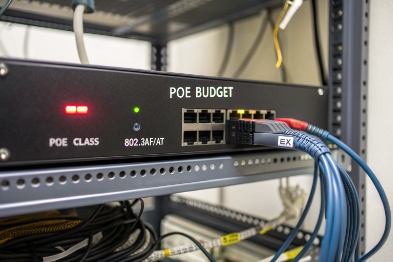
PoE class, budget, and brownouts
A PoE switch 8 can show “power delivered” and still be near limit. Cold starts, loud ringer use, beacon loads, and long cables increase draw. A tight power margin causes resets or partial failures like “Ethernet up but SIP fails.”
Quick checks:
- Read PoE power class and actual draw at the switch.
- Check switch logs for PoE deny, overload, or renegotiation.
- Move the phone to a known-good PoE port for comparison.
Voltage drop, cable length, and connectors
Long cable runs increase resistance. Bad terminations add more resistance and noise. In wet or salty sites, RJ45 connectors can corrode and create intermittent link drops that look like packet loss.
Quick checks:
- Check link flaps and renegotiation count on the switch port.
- Check CRC/FCS errors. Rising CRC often means EMI or bad termination.
- Swap to a short patch cable at a nearby switch for a clean test.
Surge protection and grounding mistakes
A surge 9 can damage the PoE front end or the Ethernet PHY. Ground loops and poor bonding can inject noise that raises error rates. External SPDs must be coordinated and grounded correctly, or they can make problems worse.
Quick checks:
- Inspect SPD installation and grounding path.
- Check if failures started after storms or after new motor drives were installed.
- Check if errors spike during machinery starts.
Quick hardware tests that do not need a lab
Hardware faults are common wear items in harsh sites. A fast method is to test in a fixed order.
- Handset and cord: swap handset or use a handset loop test if supported.
- Microphone and speaker: call an echo test and check levels and clarity.
- Keypad bounce: long-press tests and DTMF accuracy tests.
- Hookswitch: verify on-hook/off-hook transitions in the status page.
- Relay I/O: toggle relays in maintenance mode and verify input state change.
- IP66 seals: check gasket condition, gland tightness, and water ingress signs.
| Hardware area | Common fault | Fast test | Field action |
|---|---|---|---|
| Handset cord | Broken conductors | Swap handset/cord | Replace module, check strain relief |
| Microphone | Water or corrosion | Echo test, noise floor check | Replace mic module, inspect seals |
| Keypad | Bounce or stuck key | DTMF 10 digit test | Clean or replace keypad |
| Hookswitch | Stuck state | Status change check | Replace switch, adjust mechanism |
| Relay I/O | Contact failure | Output toggle + input verify | Replace relay module, check wiring |
| Seals | Compression set or crack | Visual + leak signs | Replace gasket, re-seat gland |
A deployment stays reliable when these tests are planned, not improvised. A site can standardize on a spare kit: handset module, keypad module, gasket set, and a tested gland. That kit turns many “mystery faults” into quick maintenance work.
Conclusion
Most Ex telephone faults are SIP, RTP, power, or wear parts. A fault-first checklist plus logs, switch counters, and simple swap tests reduces downtime and keeps emergency calling dependable.
Footnotes
-
VoIP Voice over Internet Protocol; technology that allows you to make voice calls using a broadband Internet connection instead of a regular phone line. ↩
-
SRV records A DNS record that specifies the hostname and port number of servers for specified services. ↩
-
session border controller A network element used to protect SIP-based VoIP networks, handling security, interoperability, and routing. ↩
-
SIP OPTIONS A SIP method often used as a heartbeat mechanism to check the availability and capabilities of a SIP user agent or server. ↩
-
RTP The protocol used to carry the actual audio data of a VoIP call across an IP network. ↩
-
DSCP A field in the IP packet header used to classify and manage network traffic priority (QoS). ↩
-
RTCP RTP Control Protocol, used to monitor data delivery quality in large multicast networks. ↩
-
PoE switch A network switch that has Power over Ethernet injection built-in. ↩
-
surge A transient wave of current, voltage, or power in an electric circuit, often caused by lightning or switching. ↩
-
DTMF Dual-Tone Multi-Frequency signaling; the sounds made when pressing keys on a telephone keypad. ↩








