
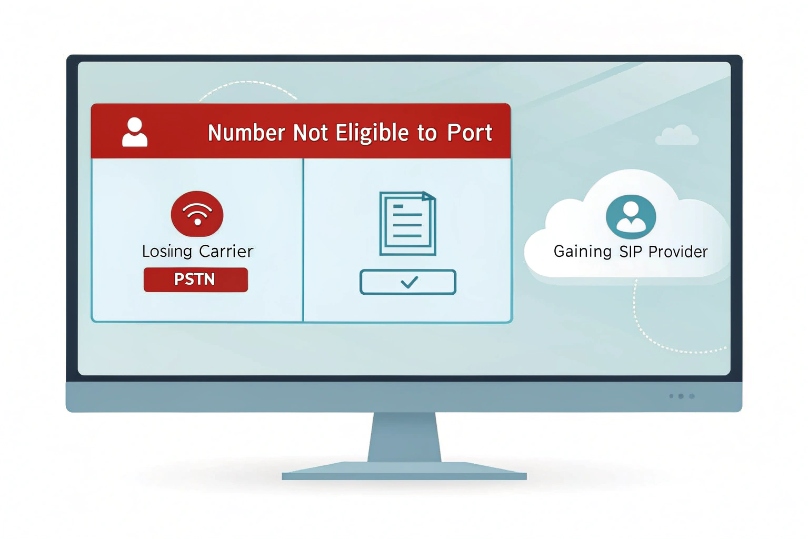
Port request comes back rejected. Calls still land on the old carrier. The status line reads: “Not eligible to port.”
“Not eligible to port” means the losing carrier or a clearinghouse rejected the transfer. The record, the geography, or the line status does not meet the rules—yet.
Porting is a rule-driven workflow. It checks service type, rate center coverage, active status, account credentials, and regulatory limits. With the right data and sequence, most “ineligible” results turn into clean, confirmed ports.
Why is my number not eligible—line type, region, carrier freeze, or regulatory limits?
The error looks final. It is not. It is a clue. The database is saying the number, as submitted, does not fit the rules for this path.
Common blockers: wrong account data, inactive line, rate center not covered, carrier freeze, unpaid balances, or no interconnect path between providers.
Dive deeper Paragraph:
What “eligibility” actually checks
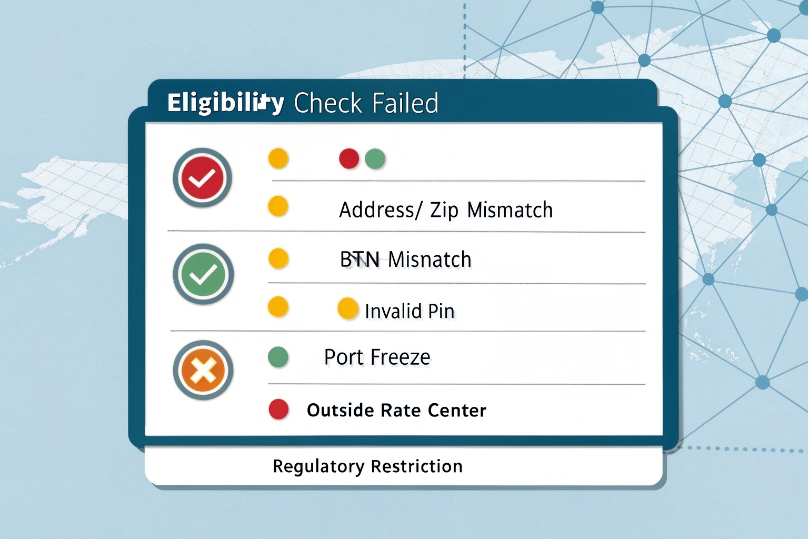
Eligibility is not only about law. It is about coverage and records. The gaining carrier must have rate center presence (or a partner) for the number’s NPA-NXX. The number must be active on the losing carrier. The Customer Service Record (CSR) must match what you submit on the Letter of Authorization (LOA) 1 and Local Service Request (LSR). If any field mismatches, the automated check fails. Some automated lookups also rely on the Number Portability Administration Center (NPAC) 2 ecosystem to confirm portability and routing status.
Frequent rejection reasons decoded
| Reason on rejection | Plain meaning | What it implies |
|---|---|---|
| “Address/ZIP mismatch” | LOA address ≠ CSR address | Ask for CSR; resubmit exactly |
| “BTN mismatch” | Billing Telephone Number wrong | Use the true Billing Telephone Number (BTN) 3 from CSR |
| “Invalid/absent PIN” | Port-out PIN needed | Get the account PIN/Passcode |
| “Unauthorized signer” | LOA signer not on file | Add authorized contact on account |
| “Pending order” | Change/upgrade/suspend active | Wait or cancel, then re-submit |
| “Account inactive” | Line disconnected/suspended | Reactivate before porting |
| “Freeze on line” | PIC/port freeze at losing carrier | Request freeze removal |
| “Outside rate center” | Gainer has no coverage | Use different gainer or underlying |
| “Regulatory restriction” | Rural/exempt block or service type | Use alternative route or service |
Line type and geography matter
- Wireline vs. wireless vs. VoIP: Most wireline numbers tie to a rate center. If the gaining carrier does not serve that rate center, it shows “ineligible.” Wireless has broader portability but often needs a port-out PIN.
- Rural/exempt areas: Some exchanges have special rules or limited interconnects. Ports may be delayed or refused unless routed via a partner.
- Toll-free: Portable, but they follow a RespOrg process 4, not local LNP. Port with the toll-free account info, not the local CSR.
- Cross-country: Generally not portable across countries. Order a new DID or use number hosting with remote forwarding.
Contract and billing flags
Unpaid balances, term contracts, or equipment liens can hold the port. The losing carrier still must port per regulation in many regions, but practical reality is this: unresolved billing leads to “reject” loops. Clear the balance or escalate with documentation.
How do I resolve ineligibility—CSR mismatch, account PIN, unpaid balance, or address errors?
Do not resubmit blindly. Fix the root data first. Then submit a clean LSR with exactly matching fields.
Pull the CSR, match every field on the LOA/LSR, get the PIN/BTN, clear freezes and balances, and resubmit. Most ports clear on the next pass.
Dive deeper Paragraph:
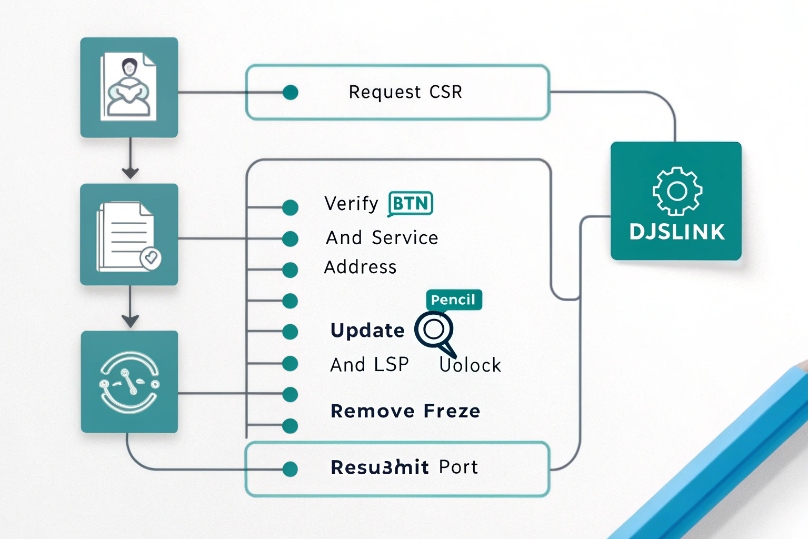
A simple, reliable workflow
- Get the CSR from the losing carrier (or ask the gaining carrier to request it). Confirm: BTN, service address, account name, ZIP+4, and any port-out PIN.
- Match the LOA text exactly to the CSR. No abbreviations, no typos, no vanity names. Use the same Suite/Unit format and ZIP+4.
- Confirm account status: the number must be active. If disconnected, request temporary reactivation (possible with many carriers).
- Remove freezes and blocks: ask the losing carrier to remove any port freeze/PIC freeze. Get a confirmation ticket.
- Clear pending orders: cancel or complete upgrades, moves, or feature changes before resubmitting.
- Provide the PIN/Passcode (wireless/VoIP accounts). Some cable VoIP accounts use a hidden PIN—ask support to read it out.
- Check rate center coverage: if your gainer lacks coverage, request an underlying carrier change or use a temporary hosting/parking carrier.
- Resubmit the LSR with corrected data and attach the latest bill copy as proof.
What each field means in practice
| Field | Why it matters | Where to find |
|---|---|---|
| BTN | Key that ties all lines on the account | CSR or first page of the bill |
| Service address | Must match E911/LERG record | CSR; do not use mailing-only |
| Authorized name | Signature authority | CSR or account profile |
| Account/PIN | Security gate for release | CSR or account portal |
| LOA date | Must be recent (e.g., ≤30 days) | New LOA if stale |
| List of TNs | Exact numbers to port | Audit against bill/portal |
Handling special cases
- Partial port (some numbers stay): state which TNs move and who keeps the rest. Ask for TN disconnect or account split instructions to avoid orphaning services.
- Hunt groups/rollover: include all associated TNs or expect busy/no-ring after port.
- Toll-free: submit a RespOrg change with correct SOMOS info instead of a local LSR.
- FAX/alarms/elevators: often analog overlay; decide whether to port or replace with SIP/T.38 or cellular POTS replacement.
Escalation path
If rejections repeat after data fixes, request the reject code and a verbatim reason. Ask the gainer to move the order to a different underlying carrier with coverage in your rate center. As a last resort, port to an intermediate that can accept the TN, then re-port to your target.
Can I port wireless, VoIP, toll-free, or POTS numbers across carriers or countries?
Most North American numbers are portable across carriers in the same country. Cross-border ports are not supported for standard LNP.
Wireline, wireless, VoIP, and toll-free are portable—with different rules. Cross-country moves use new DIDs, hosting, or remote forwarding, not LNP.
Dive deeper Paragraph:
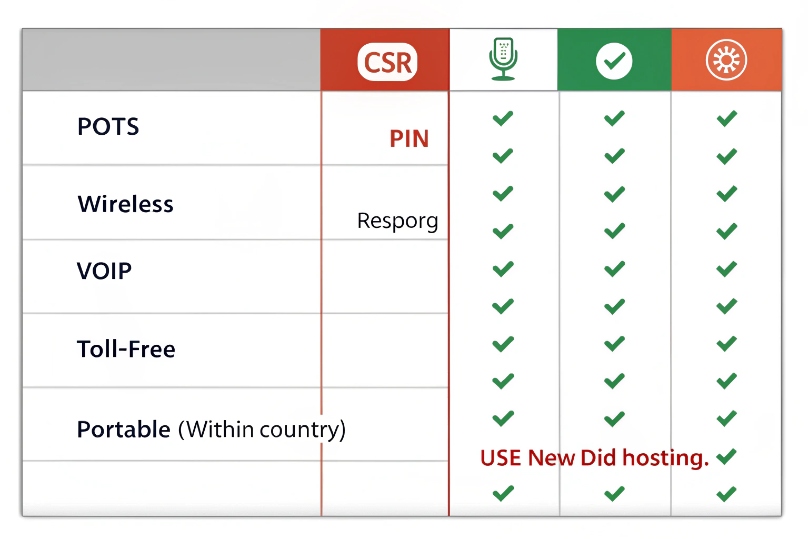
Portability by service type
| Service type | Portability | Keys to success | Gotchas |
|---|---|---|---|
| POTS (wireline) | Yes, within country | CSR match; rate center coverage | Rural/exempt exchanges |
| Wireless (mobile) | Yes, within country | Account number + port-out PIN | Family plans, freezes |
| VoIP (cable/OTT) | Yes, within country | Account number + PIN; keep line active | Hidden PINs, pending orders |
| Toll-free | Yes (RespOrg process) | LOA + current RespOrg info | Not via local LSR |
| Cross-country | No via LNP | Order new DID; use number hosting | Regulatory barriers |
Regional notes that matter
- Rate center coverage 5: A gainer must use an underlying carrier present in the rate center. If not, the check returns “ineligible.”
- Rural protections: Some rural ILECs have different obligations. Ports are possible, but timelines may be longer and interconnect paths limited.
- Regulatory clocks: Wireless ports are often hours. Wireline can be several business days. Toll-free can be same-day with fast RespOrg, or longer if records do not align. In the U.S., carrier workflows are heavily influenced by the FCC’s Local Number Portability porting interval and validation requirements 6.
What to do for cross-country moves
Keep the legacy number with number hosting in its home country. Point it to your SIP trunks abroad via SIP URI or PSTN forwarding. Advertise the legacy number for inbound reach; publish a local DID for outbound in the new country to meet CLI and local presence expectations.
When to choose a new DID
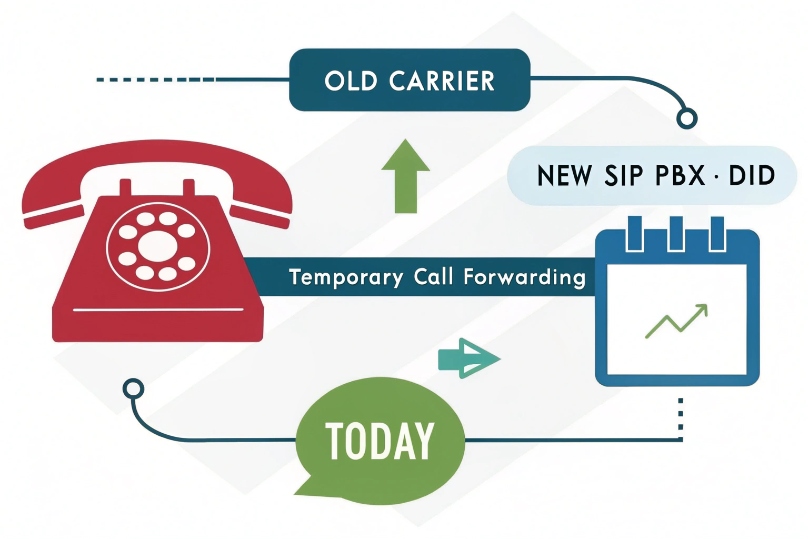
If eligibility stays blocked and timing is critical, issue a new DID in the needed rate center. Put temporary call forwarding from the old carrier to the new DID, update directories, and schedule a quiet-hour port later or retire the legacy number.
What are my options if I can’t port—temporary call forward, new DID, or number hosting?
There is always a path to keep calls flowing while the paperwork catches up. Pick the option that fits timing, cost, and control.
Use call forwarding now. Host or park the number if direct LNP fails. Issue a new DID for outbound, then migrate callers over time.
Dive deeper Paragraph:
Practical continuity options
| Option | How it works | Pros | Cons | Good for |
|---|---|---|---|---|
| Temporary call forwarding | Losing carrier forwards to new DID | Fast, simple | Extra fees, single route | Short transitions |
| Remote call forward (RCF) / Virtual line | Carrier hosts TN, forwards permanently | Keeps TN alive | Monthly charge | Long transitions |
| Number hosting/parking | Move TN to hosting carrier; route to SIP | Control routing, redundancy | One more vendor | Complex migrations |
| Intermediate port (two-hop) | Port to carrier A that can accept, then to B | Solves coverage gaps | Two ports, two risks | When direct LNP fails |
| New DID with announcement | Publish new TN; old TN plays message | Clear user comms | Caller friction early | Rebrands, clean cutovers |
Network and caller-experience tips
- Failover destinations: Forward first to your SBC/PBX, then to a backup like a mobile or hunt group.
- CNAM and E911: If you issue a new DID, set CNAM and E911 immediately. Keep these in sync for any hosted legacy TN.
- Outbound CLI: Present the legacy TN as From/PAI when allowed. If not, present the new DID and update customer records.
- Announcements: A short, friendly message on the old TN that states the new number reduces missed contacts.
- Analytics: Track answer rates on old vs. new TN. Retire forwarding when old TN volume drops to near zero.
Security and compliance
Keep the legacy line active until the port completes. Closing it early loses the number. Limit who can request ports on your account. Use port-out PINs and account locks. Keep LOA/CSR copies for audit trails.
How do I troubleshoot no-go ports and move to FOC quickly?
A clean checklist beats guesswork. Fix data, prove coverage, and verify the number is active. Then push for a FOC date you can plan around.
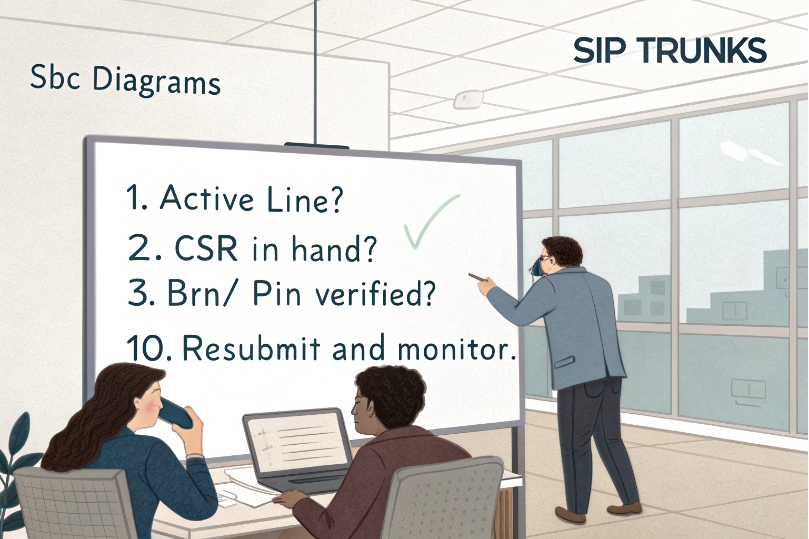
Confirm CSR, BTN, PIN, and address; remove freezes; clear pending orders; prove coverage; resubmit; and request an achievable FOC window.
Dive deeper Paragraph:
My go-to triage list
- Active line? Place an outbound call from the TN. Confirm caller ID.
- CSR in hand? If not, pause. Request it. Do not guess.
- BTN/PIN verified? Enter exactly as shown. Case and spacing matter on some portals.
- Service address exact? Match Suite/Unit and ZIP+4.
- Freeze removed? If wireless/cable, ask for port freeze removal. Keep the ticket ID.
- Pending orders cleared? Any change order blocks porting.
- Rate center coverage checked? If weak, ask the gainer to switch underlying carrier or propose an intermediate.
- Toll-free? Use RespOrg process instead of local LSR.
- Partial vs. full port? Spell out retained TNs and disconnections to avoid surprises.
- Resubmit and monitor: Watch for reject codes; each code points to one fix.
What success looks like
You receive a FOC date/time window. Plan a dual-run period: keep the old trunk up until you see calls arriving on the new carrier. Test inbound, outbound, CNAM, E911, and failover. Only then request disconnects.
Conclusion
“Ineligible” is a data or coverage problem, not the end. Fix the CSR details, confirm coverage, keep the line active, and use forwarding or hosting until the FOC lands.
Footnotes
-
See what an LOA is and what information carriers commonly require to authorize number transfers. ↩︎ ↩
-
Learn what NPAC is and why portability/routing records can affect eligibility checks. ↩︎ ↩
-
Quick definition of BTN and why an incorrect BTN triggers porting rejections. ↩︎ ↩
-
Explanation of the RespOrg role in toll-free number administration and why toll-free ports differ from local LNP. ↩︎ ↩
-
Understand what a rate center is and why lack of coverage often causes “ineligible” results. ↩︎ ↩
-
FCC-aligned guidance on porting intervals and validation rules that commonly drive carrier acceptance/rejection behavior. ↩︎ ↩








