
Noise complaints, “you’re too quiet”, acoustic shock fears… all of them point back to one basic thing that many teams never define clearly: what does a decibel actually mean?
A decibel (dB) is a logarithmic way to express a ratio. On its own it’s relative, but with a reference (like dB SPL, dBm, dBV) it tells me how loud, how strong, or how noisy an audio signal really is.
Once I understand dB as a ratio 1, call quality, SNR, headset safety, and codec choices all become easier to reason about. The rest is just applying the same idea in different places: at the ear (dB SPL), in the wire (dBm, dBV), or inside the digital signal (dBFS, SNR).
How do dB and SNR affect call quality?
If agents keep saying “the line is noisy” or customers complain about “hissing in the background”, they are really talking about signal and noise levels, even if they do not use those words.
dB sets the actual signal level, while SNR (Signal-to-Noise Ratio, in dB) tells me how clearly the voice stands above the noise. Too low a signal or too low SNR means muffled, noisy, or tiring calls.
Making dB and SNR concrete for voice
In voice systems I deal with three related ideas:
- The absolute voice level 2 (for example, in dBFS, dBm0, or dB SPL)
- The noise floor (background hum, fan noise, office chatter)
- The difference between them, which is SNR
1. dB as level inside the system
Inside a digital audio chain, I often think in dBFS (decibels relative to full scale):
- 0 dBFS = the loudest value the system can represent (clipping starts)
- Typical speech peaks sit around –12 to –6 dBFS
- Average speech level (RMS or “active speech level”) often ends up near –20 dBFS
If agents speak far below that, customers call them “quiet”, even when there is no real “noise problem”.
2. SNR as the gap above noise
From a Signal-to-Noise Ratio perspective 3, SNR = Signal level – Noise level (both in dB).
Examples:
- Voice at –20 dBFS, noise at –50 dBFS → SNR = 30 dB (usually OK)
- Voice at –25 dBFS, noise at –40 dBFS → SNR = 15 dB (noticeably noisy)
Some simple guidance for call quality:
| SNR (dB) | Perceived quality |
|---|---|
| < 15 dB | Very noisy, tiring, words often unclear |
| 15–25 dB | Acceptable but not pleasant |
| 25–35 dB | Good, typical office target |
| > 35 dB | Very clean, “studio-like” for voice |
Codecs and echo cancellers can mask some noise, but they cannot fix a fundamentally weak signal or a very high noise floor.
3. Practical steps to improve SNR
To improve what people actually hear, I focus on:
- Microphone placement: closer to the mouth; avoid rubbing on clothes
- Gain structure: mic gain high enough to lift speech, but not so high that it clips
- Noise control: close window/door, use noise-reducing headsets, limit fan noise
- Consistent agent talk level: training agents to keep steady distance and volume
In VoIP, jitter and packet loss cause their own problems (robotic sound, dropouts), but dB levels and SNR remain the base layer. If those are wrong, everything else becomes harder.
What dB levels are safe for headsets?
Call center teams live inside headsets for hours. Too quiet leads to strain and misunderstandings. Too loud leads to fatigue, headache, or in worst cases, acoustic shock and hearing damage.
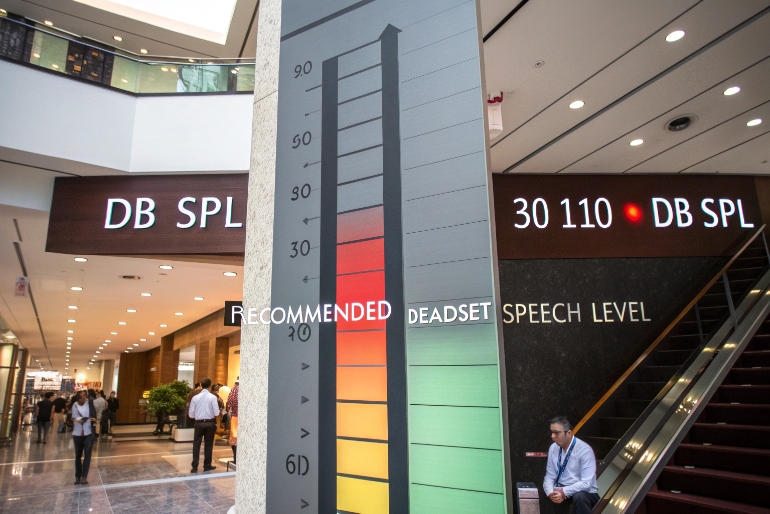
Safe headset levels keep typical speech around 65–75 dB SPL at the ear, with peaks well below dangerous levels like 100–110 dB SPL. Long-term exposure above about 80–85 dB SPL increases hearing risk and should be avoided.
Balancing clarity and safety
Here we are talking about dB SPL (sound pressure level), referenced to 20 µPa in air. 0 dB SPL is the threshold of hearing near 1 kHz, not “no sound”.
1. Simple real-world reference points
Rough guide:
- Quiet office: 40–50 dB SPL
- Face-to-face conversation: 60–65 dB SPL
- Busy traffic: 70–85 dB SPL
- Very loud concert: 100–110+ dB SPL
Inside a headset, I want the effective speech level to feel like a clear conversation in a quiet room, not like standing next to a speaker at a party.
2. Standards and typical guidance
Different authorities publish occupational noise exposure guidelines 4, but the pattern is similar:
- Around 80–85 dB(A) for 8 hours is the common “action level” for long-term exposure
- For every +3 dB, safe exposure time roughly halves (so 88 dB → 4 hours, 91 dB → 2 hours, etc.)
For practical call center use, I aim for:
- Average in-headset speech: 65–75 dB(A)
- Peaks: kept brief and below 100 dB(A)
- Acoustic shock protection: hardware or software that limits sudden spikes
3. How to keep levels safe in practice
Some concrete steps:
- Choose headsets with built-in limiters and support for acoustic shock protection 5
- Use platform controls (or SIP/CCaaS policies) to cap gain and playback levels
- Train agents not to keep volume at maximum “just in case”
- For very noisy floors, fix the environment instead of just cranking the volume
A simple table for policy discussions:
| Target | Recommended value |
|---|---|
| Average speech at ear | 65–75 dB(A) |
| Short peaks | < 100 dB(A) where possible |
| Long-term exposure | Keep under ~80–85 dB(A) for 8-hour day |
| Volume control behavior | Default mid-level, never forced max |
Safe dB levels are not a luxury. They protect agents’ health and reduce fatigue, which also improves accuracy, patience, and overall call quality.
How do I measure dB over SIP networks?
With SIP and RTP, audio lives as packets, not as “analog voltage”. That can make traditional dB talk feel abstract. The good news: we can still measure levels very precisely.
In SIP/VoIP, I measure dB by analyzing the audio samples carried in RTP (usually as dBFS or dBm0), or by using standard tools and RTP audio level headers. SIP just sets up the call; the real levels live in the media.
From packets to levels
There are a few practical approaches, depending on how much detail I want.
1. Understand the common VoIP “dB languages”
In SIP networks I often see:
- dBFS: full-scale reference inside digital audio, 0 dBFS = max sample
- dBm0: a telephony reference that maps back to analog 0 dBm at a “zero transmission level point”
- Sometimes RTP header extensions that carry an estimated level in dB relative to full scale
These are all just ways to say “how big is this signal” relative to some reference.
2. Use packet captures and analysis tools
One practical method:
- Capture RTP with a tool like Wireshark 6.
- Export the audio stream (for example as .wav).
- Open it in an audio editor or analyzer and check:
- Peak level (dBFS)
- Average or RMS level
- Noise floor in silent sections
For active speech level, telecom engineers often use ITU-T P.56 methods, but many simpler tools can give a close-enough picture.
3. Monitor in real time
Some CCaaS/WFO platforms and SBCs can:
- Compute average send/receive levels per call
- Track RTP audio level from header extensions (RFC 6464)
- Build alarms if levels are too low or clipping too often
This is useful when troubleshooting “you sound quiet to customers” complaints:
- Check agent → platform level (mic gain, headset, local noise)
- Check platform → carrier level (transcoding, gain settings)
- Check carrier → customer if you have end-to-end visibility
4. Map digital levels back to real-world levels
If I need to relate digital dB to physical headset dB SPL:
- Use a head-and-torso simulator or a calibrated coupler with a sound level meter
- Feed a test tone or test speech through the full chain
- Measure dBFS in the file and dB SPL at the ear at the same time
This gives me a conversion like: “–20 dBFS average speech ≈ 70 dB SPL at the ear” for a given device and setup. Then I can control digital levels and know roughly what agents hear.
In short, SIP does not block me from measuring dB. I just need to remember that levels live in the RTP media and in the endpoint hardware, not in the SIP signaling itself.
Do codecs impact perceived loudness?
Sometimes two calls measure the same dBFS level in the system, but one sounds “louder” or “clearer” than the other. This is where codecs and perception step in.
Codecs impact perceived loudness because they shape frequency content, dynamic range, and noise. Wideband codecs like Opus and G.722 usually sound clearer at the same measured level than narrowband codecs like G.729.
Why “same dB” can sound different
Human hearing is more sensitive to some frequencies than others, especially around 2–4 kHz, where speech clarity lives. Codecs treat frequencies differently.
1. Narrowband vs wideband
Classic telephony codecs like G.711 and G.729:
- Cover a limited band (roughly 300–3400 Hz for narrowband)
- Cut low and high frequencies that carry some naturalness and brightness
Wideband codecs like Opus and G.722 7:
- Carry more bandwidth (for example, 50–7000 Hz or more)
- Preserve consonant detail and “air” in the voice
At the same measured level (for example, –20 dBFS speech), wideband audio often feels clearer and subjectively “louder” because it matches how ears detect detail.
2. Codec-specific behavior
Codecs also differ in:
- Bit rate and artifacts: heavy compression introduces “swishy” sound that can mask quiet speech
- Packet loss concealment: some codecs hide dropouts better than others
- Built-in level adjustments: some implementations normalize gain subtly
Even when peak level is the same, one codec may produce a denser mid-frequency band, which the ear treats as “more present”.
3. Interaction with AGC and post-processing
Most real systems also run:
- AGC (Automatic Gain Control) on input or output
- Noise suppression and echo cancellation
- Sometimes dynamic range compression
If AGC is aggressive, it pulls quiet parts up and loud parts down. That can:
- Make average level higher (seems louder)
- Reduce dynamic range, which can be good or bad depending on context
A simple comparison table:
| Codec | Bandwidth (typical) | Perceived effect at same dBFS |
|---|---|---|
| G.729 | Narrowband | Thinner sound, less “body” |
| G.711 | Narrowband | Standard PSTN quality, familiar sound |
| G.722 | Wideband | Clearer, more natural speech |
| Opus WB | Wideband/fullband | Very clear, robust at lower bitrates |
So yes, codecs absolutely influence perceived loudness and clarity. That is why I always test levels end-to-end, with the same codecs, AGC, and headsets that real agents will use.
Conclusion
A decibel is just a smart way to talk about ratios, but it sits at the heart of call quality. When I understand dB, SNR, safe SPL in headsets, how to measure levels over SIP, and how codecs change perception, I can build voice environments that are clear, safe, and consistent.
Footnotes
-
Intro to decibels as logarithmic ratios for level measurements in audio and telecom. Back ↩
-
Overview of audio level concepts like dBu, dBFS, and practical metering. Back ↩
-
In-depth explanation of Signal-to-Noise Ratio and why it matters for clarity. Back ↩
-
NIOSH guidance on workplace noise exposure limits and hearing risk thresholds. Back ↩
-
Whitepaper describing headset acoustic shock risks and protection technologies. Back ↩
-
Documentation on analyzing VoIP and RTP streams with Wireshark for level checks. Back ↩
-
Technical note on Opus and G.722 wideband codecs and their benefits for voice quality. Back ↩








