
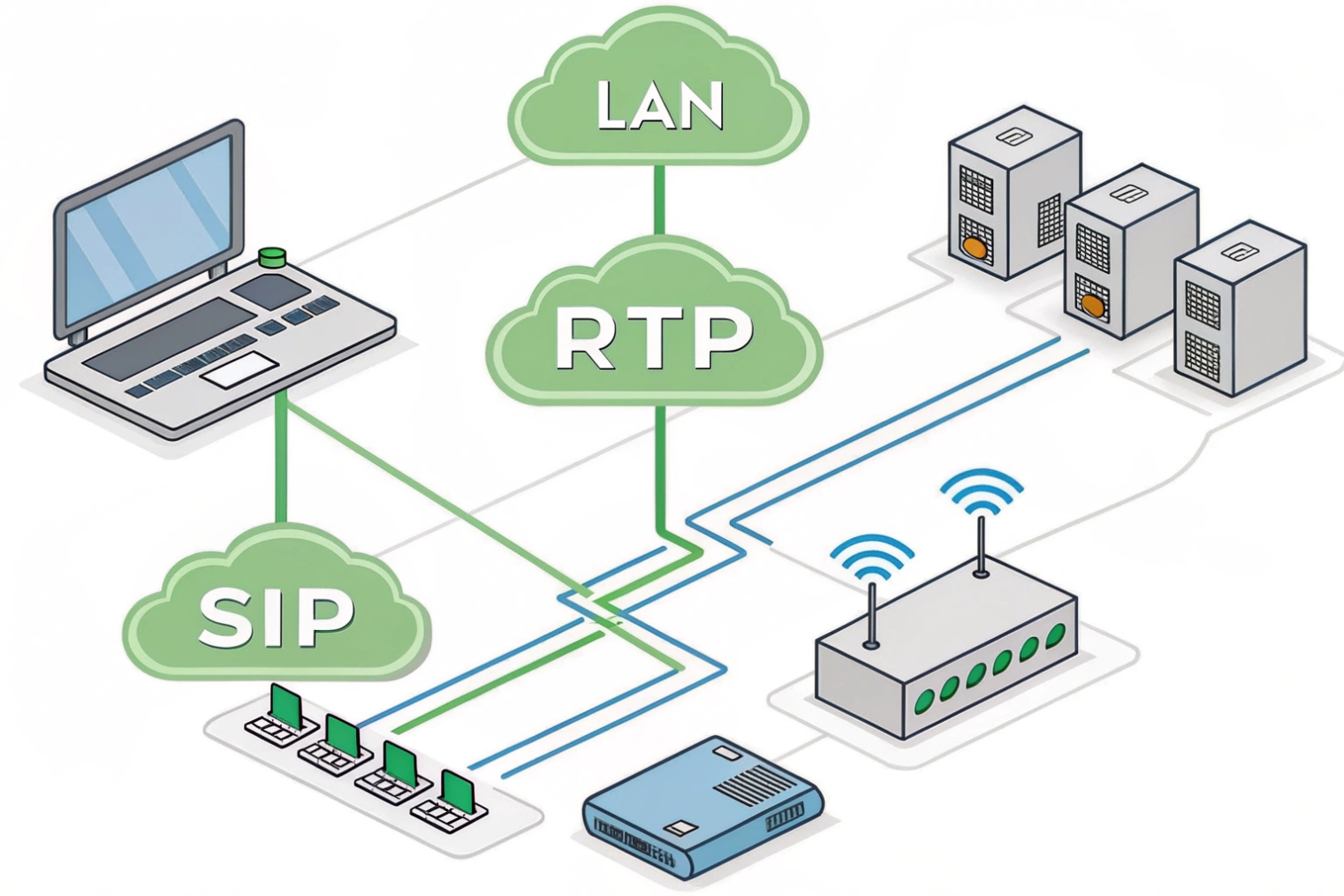
Calls need low delay and steady paths. A router gives that path. It moves packets between LAN and WAN 1 and keeps voice steady when links are busy.
A router forwards IP packets between networks and hides your LAN with NAT. For VoIP, it must keep latency and jitter low, honor QoS, secure SIP, and fail over fast when links drop.
Next I will list the router features that matter for SIP and RTP. Then I will explain NAT, QoS, and VLANs. After that I will compare dual-WAN, SD-WAN, and VPN. I will end with safe firewall rules for SIP trunks.
Which router features do I need for SIP and RTP traffic?
Voice hates delay and loss. The right features protect speech first, then everything else. Pick a router that treats voice like a first-class citizen.
You need strict-priority QoS for RTP, smart outbound policies for SIP, clean NAT, real-time monitoring, and stable failover. Turn off SIP ALG unless a specific design needs it.
Core packet features for clean calls
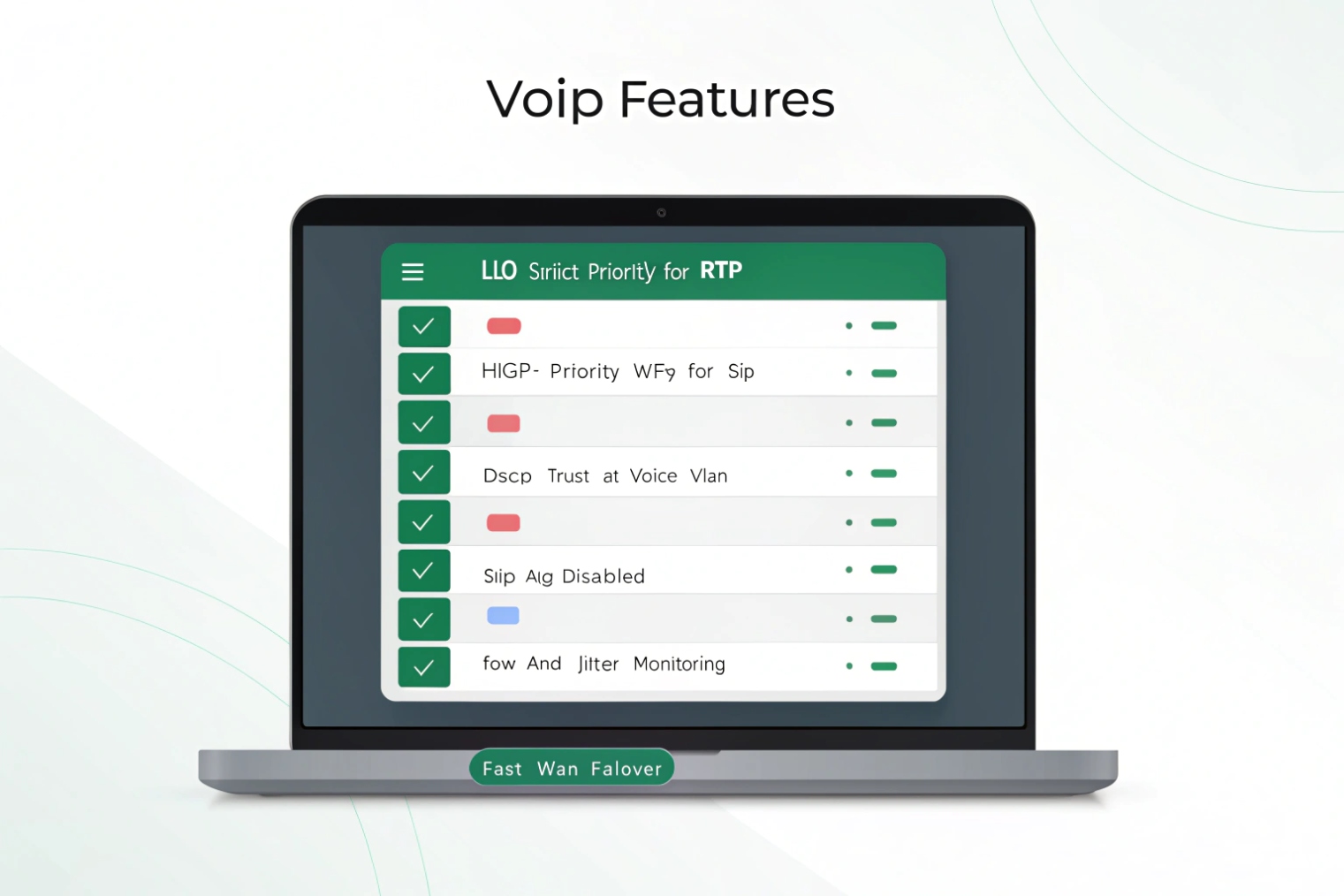
A good VoIP router forwards packets fast and fairly. It must keep jitter low and prevent queue bloat. RTP media should ride in a strict-priority queue. SIP signaling should sit in a high, but not strict, class. This protects voice without starving other apps. The router should trust the Differentiated Services Code Point (DSCP) 2 at the edge, or remark it at a clear trust boundary. RTP uses EF (46), aligned with the Expedited Forwarding (EF) per-hop behavior 3. SIP often uses CS3/AF31. The router should also shape egress a little below the uplink so the ISP does not drop your packets first.
Control plane and NAT that play nice with SIP
Traditional Network Address Translation (NAT) 4 lets many phones share one public IP. That is normal. Problems start when helpers rewrite SIP headers in the wrong way. SIP ALG often breaks early media, TLS, or registration. Disable it unless your SBC or provider says to enable it for a known profile. Use symmetric RTP or an SBC to manage media pinholes. On smaller sites, enable UDP timeouts long enough for keepalives but not so long that ghost pinholes remain.
Visibility you will actually use
Voice issues need data. The router should export flow stats, show per-class drops, and report latency, loss, and jitter. If it can pass RTCP or expose MOS/R-Factor from a probe, even better. Alerts for EF queue drops catch issues before users do. Logs for SIP response codes near the edge help explain busy hours and carrier events.
“Just works” extras for phones
A built-in DHCP server with Option 66/160 speeds phone onboarding. Static or policy DNS lets you steer phones to the right SBC. MSS clamping avoids RTP fragmentation behind VPNs. A clear UI and APIs make changes safe and repeatable. These small things save hours during rollouts.
| Capability | Why it matters for VoIP | What “good” looks like |
|---|---|---|
| LLQ / strict priority | Protects RTP from delay | One EF class with police/shape |
| WFQ for SIP | Fast setups without starvation | SIP in high class, not strict |
| DSCP trust/remark | End-to-end priority | Trust voice VLAN; remark bad marks |
| NAT that stays out of SIP | Stops one-way audio | SIP ALG off; SBC or symmetric RTP |
| DHCP with options | Zero-touch phones | Option 66/160; per-VLAN scopes |
| Monitoring | Short MTTR | EF drops/jitter/latency charts |
| Egress shaping | Prevents ISP tail-drop | 90–95% of CIR; stable queues |
| API/Automation | Repeatable changes | Versioned configs, templates |
How do routers handle NAT, QoS, and VLANs for my calls?
These three tools set the path, the priority, and the scope. Use them together. Keep the roles simple and calls stay clean.
NAT hides your phones. QoS marks and queues RTP and SIP. VLANs isolate voice and make trust boundaries clear. Together they cut jitter and speed up setup.
NAT: make it invisible to the call
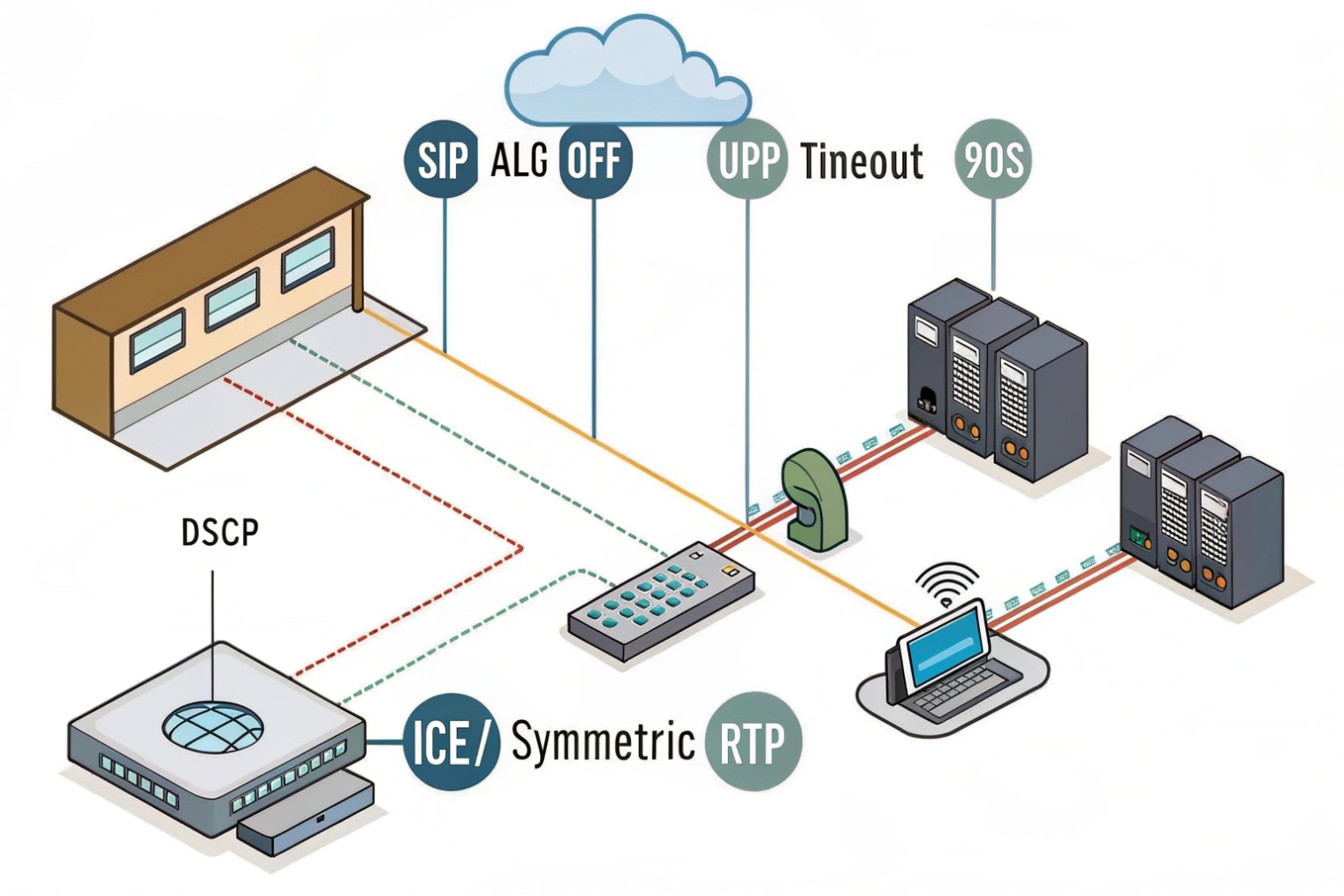
NAT changes private IPs to a public IP. RTP and SIP carry IPs and ports in headers, so helpers try to “fix” them. Many do it poorly. The safe pattern is simple: turn off SIP ALG; let endpoints or an SBC handle contact and media candidates; keep UDP timeouts long enough for keepalives (e.g., 60–120s for SIP over UDP). If using TLS or SIP over TCP, NAT is even easier since the control path stays pinned. For media, use symmetric RTP or ICE-style behavior so return traffic follows the same ports. When you add VPNs, copy DSCP to the outer header so priority survives the tunnel. Also set MSS clamping to avoid fragmentation of RTP inside IPsec.
QoS: give RTP the fast lane
QoS has two parts: marking and queuing. Phones or your PBX mark packets with DSCP. The router should trust marks on access ports in the voice VLAN and remark anything untrusted at the edge. Use Low-Latency Queuing (LLQ) to give RTP a strict, policed lane sized to peak voice bitrate plus a small margin. Put SIP in a high WFQ class. Best effort gets the default class. Backups drop to a scavenger class. On slow links, enable shaping just below the committed rate so your router, not the ISP, decides which packets to drop.
VLANs: make policy easier, not harder
A dedicated voice VLAN isolates broadcast, simplifies DHCP options, and draws a clear trust boundary. It does not create priority by itself. You still need DSCP marking and queue maps. On switches, trust DSCP on voice access ports. On trunks, carry the voice VLAN with IEEE 802.1Q VLAN tagging 5 end to end. This also helps with PoE budgets and security policies.
| Function | Setting | Starter value | Notes |
|---|---|---|---|
| NAT UDP timeout (SIP) | udp-timeout | 90s | Keep above phone keepalive |
| SIP ALG | feature | Disabled | Enable only for known profiles |
| EF queue size | LLQ bandwidth | RTP peak +10–20% | Police to same rate |
| SIP class | WFQ min share | 2–5% link | No strict priority |
| WAN shaping | egress shape | 90–95% CIR | Stabilize queues |
| Voice VLAN | ID | unique per site | Trust DSCP on ports |
| MSS clamp (VPN) | value | 1360–1380 | Adjust for IPsec/SSL overhead |
Should I use dual WAN, SD-WAN, or VPN for redundancy and security?
Uptime and clear calls need more than one path. Choose the simplest tool that meets risk and budget. Add more only when needed.
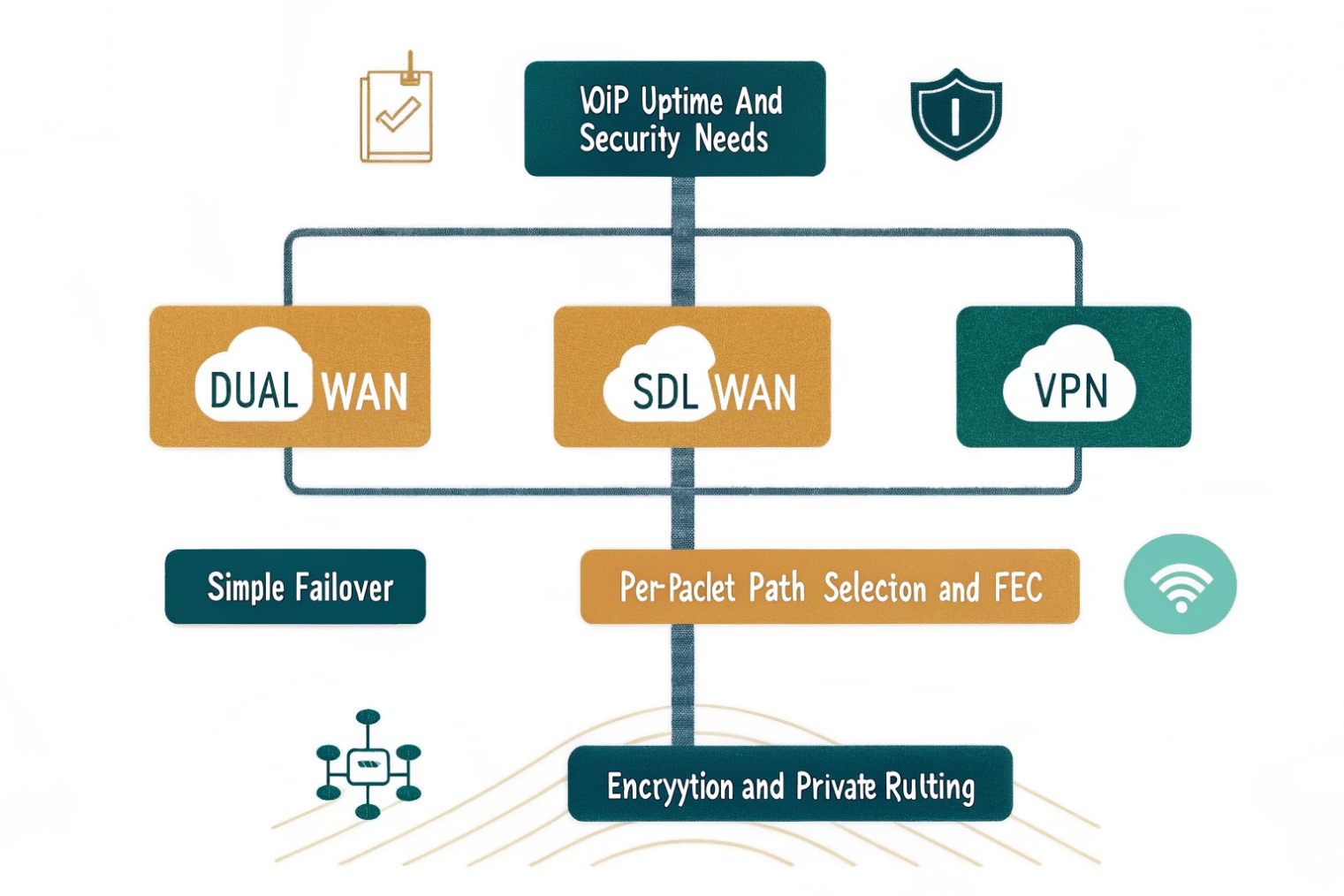
Dual WAN adds failover. SD-WAN adds dynamic path choice, QoS, and measurement. VPNs secure traffic and link sites. For voice, prefer the lowest latency and copy DSCP across tunnels.
Dual WAN: quick wins with low complexity
Two ISPs give you fast failover. Policy-based routing can pin RTP to the better link by latency or jitter. Health checks should use real probes, not just DNS pings. Test failover with live calls to confirm media re-anchors fast. Keep public DNS for SIP endpoints short-TTL if your SBCs change egress IPs during failover. If your provider supports carrier-side failover on DIDs, add it. That keeps inbound alive when your site is offline.
SD-WAN: control and visibility
SD-WAN measures loss, latency, and jitter per path and per app. It can steer RTP over the best link every second. It can do forward error correction or packet duplication for media. This costs more but gives you real control and graphs you can show to leadership. It also simplifies branch rollouts with templates. Watch CPU limits during packet duplication, and size appliances for peak codec counts. Always ensure DSCP values are preserved end to end, not reset at the overlay.
VPNs: security and reach
IPsec or SSL tunnels secure signaling and media. They also add headers and can change MTU. Use MSS clamping and test Path MTU Discovery (PMTUD) 6 so RTP does not fragment. If phones live behind VPNs, anchor media near users or at an SBC with short path to carriers. For multi-region deployments, hub-and-spoke can add delay; consider local internet breakout plus SD-WAN steering for voice. For emergency calling, check that E911 logic still uses the right site when users move between tunnels.
Picking the right mix
Small sites: dual WAN with simple policy rules. Medium sites: dual WAN + SD-WAN for dynamic steering. Remote users: client VPN into an SBC or cloud edge close to them. Highly regulated sites: VPN everywhere, but shape and prioritize inside the tunnel and copy DSCP to the outer header.
| Option | Pros for VoIP | Cons / Watch-outs | Good fit |
|---|---|---|---|
| Dual WAN | Simple, cheap, fast failover | No per-packet steering | Small/medium offices |
| SD-WAN | Best-path, FEC/dup, metrics | Cost, complexity, overlay DSCP | Multi-site, mixed ISPs |
| Site VPN | Security, private routing | MTU/overhead, CPU | Regulated or private backbones |
| Client VPN | Remote worker security | Home NATs, variable Wi-Fi | Mobile/remote staff |
How do I configure firewall rules and ports for SIP trunks safely?
Most attacks enter through exposed SIP. Keep it shut. Only open what the trunk needs. Log and rate-limit the rest.
Use a stateful firewall. Allow established flows. Limit inbound to your provider IPs and SBCs. Disable broad SIP pinholes. Prefer TLS and SRTP. Forward only when you must.
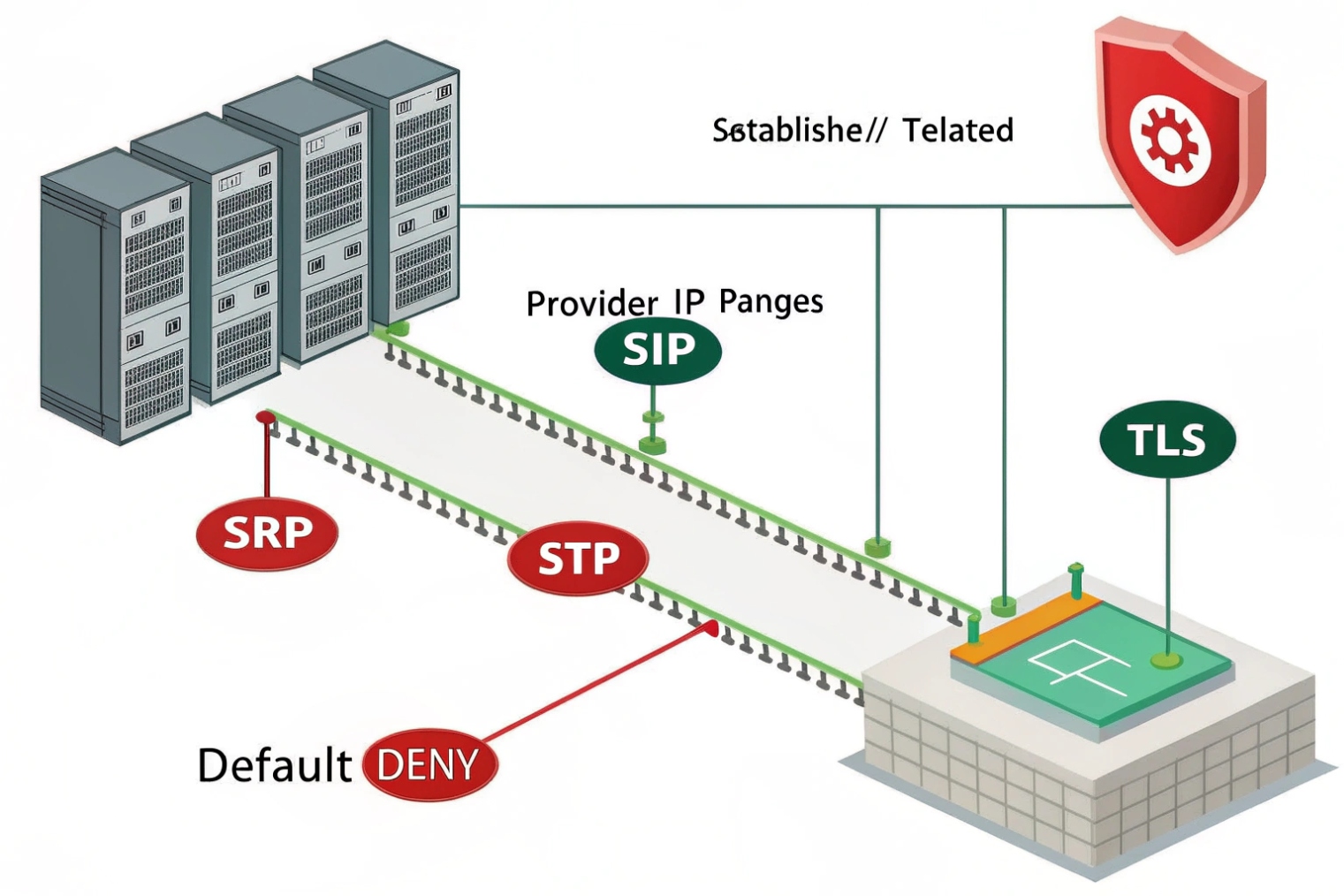
Base policy: deny by default, stateful allow
Start with a default deny on inbound WAN. Allow ESTABLISHED/RELATED flows. For SIP trunks, do not expose phones directly to the internet. Terminate trunks on a PBX/SBC with fixed public IPs. On the edge firewall, allow only the provider’s source IP ranges to reach your SIP ports. Drop the rest. Add rate limits for invite floods. Log, but do not rely on log-only actions.
Protocol choices that lower risk
Prefer SIP over TLS (5061) and Secure Real-time Transport Protocol (SRTP) 7. If you must use UDP 5060, lock it to specific sources and add SIP request-rate limiting. Keep RTP media in a tight, known port range on your PBX/SBC, and allow that range only from the provider’s media IPs. If your provider uses anycast media, request the current list and automate updates.
Port and address plan you can manage
Phones inside do not need inbound pinholes; they register out and use stateful flows for return media. For trunks, anchor RTP on the PBX/SBC in a small range like 10000–20000 UDP (or even narrower, vendor-specific). Document it. If you run a fax gateway or special features, give them their own ranges. Never expose web GUIs of the PBX to the WAN.
Anti-fraud and hygiene
Use access control lists per country if you only dial a few regions. Add class-of-service on the PBX to block premium and satellite unless needed. Enable SIP authentication with strong secrets. Enforce fail2ban-style blocks on repetitive failures. Sync time (NTP) and keep certs current. Monitor for spikes in 401/407 to catch brute force early.
Testing and safe rollout
Stage changes during low traffic. Run packet captures to confirm you see the right SIP codes and RTP on the right ports. Test both directions: inbound DID, outbound local, long distance, and international. Confirm E911 routes override any privacy settings and use the registered trunk.
| Rule / Setting | Recommendation | Why |
|---|---|---|
| Inbound SIP | Allow from provider IPs only | Cuts scans and fraud |
| SIP ALG | Disable | Prevents header mangling |
| SIP transport | TLS when supported | Integrity, privacy |
| RTP ports | Narrow, documented range | Easier firewalling |
| SRTP | Prefer On | Stops media snooping |
| Rate limits | INVITE/REGISTER throttles | Deters floods |
| Geo/IP ACLs | Allowlist regions | Lower attack surface |
| Management | LAN/VPN only | No WAN GUI |
Conclusion
Pick a router that gives RTP a strict lane, keeps SIP simple, and fails over fast. Disable SIP ALG, trust DSCP on the voice VLAN, shape egress, copy DSCP in VPNs, and lock SIP to provider IPs with TLS and narrow RTP ranges.
Footnotes
-
Router primer: how routing decisions move traffic between networks and why hop-by-hop forwarding matters. ↩︎ ↩
-
DiffServ DSCP specification—helps you understand marking, trust boundaries, and how routers classify traffic. ↩︎ ↩
-
Defines the EF per-hop behavior used for real-time voice queues, matching DSCP 46 expectations. ↩︎ ↩
-
RFC on traditional NAT behavior and mappings—useful when diagnosing SIP/RTP issues across private/public edges. ↩︎ ↩
-
Explains 802.1Q VLAN tagging and priority bits so you can design voice VLANs and trunks correctly. ↩︎ ↩
-
PMTUD guidance to prevent fragmentation in tunnels—critical when VPN overhead shrinks MTU for VoIP packets. ↩︎ ↩
-
SRTP standard reference for encrypting RTP media, helping secure calls without relying on perimeter-only protection. ↩︎ ↩








