
Traditional dial-in bridges feel clunky, expensive, and hard to manage. Teams now sit in different cities, but old phone systems still slow every group call down.
A VoIP conference call is a multi-party audio meeting that runs over your IP network through IP phones, softphones, or browsers, so people join from anywhere while your IP PBX or cloud platform mixes the audio and enforces your business rules.
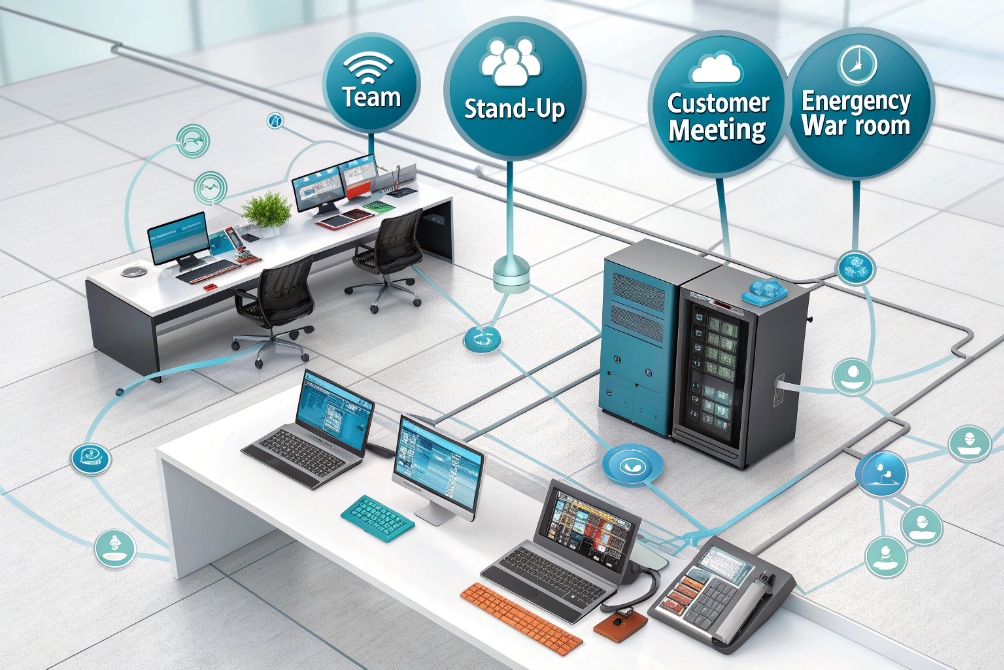
When the conference feature lives inside your IP PBX 1, you control how users join, how many they can host, and which security and recording policies apply. In real projects this replaces old hardware bridges and gives one simple fabric for team stand-ups, customer calls, and emergency war rooms. The rest of this guide breaks the topic into how conferences work on an IP PBX, capacity planning, bandwidth and codecs, and security.
How does a VoIP conference call work on my IP PBX?
Many users think conference calls are a “special” external service, separate from the phone system. So they jump between phone bridges, calendar links, and their SIP phones, which creates confusion and extra cost.
On an IP PBX, a VoIP conference call uses an internal conference bridge. Every participant dials or clicks into the same virtual room, the PBX mixes all audio streams, and host controls manage who can speak, join, or stay on hold.

Conference bridge inside the IP PBX
Inside most IP PBX systems, the conference feature is a built-in application. It has one or more “rooms”, each identified by a conference number or ID. When a user dials that conference number from a SIP phone or softphone, the PBX places them into that room.
The PBX receives a separate audio stream from each participant. It then creates a mixed stream for everyone, often excluding the user’s own voice to avoid echo. This mixing happens in real time. The PBX applies the same routing, caller ID, and recording policies as other calls.
In many deployments I set up, each team or department has its own static conference extension, such as 700 for daily stand-ups or 900 for emergency bridges. Some systems also support on-demand conferences with random meeting IDs, more like cloud meeting tools.
Ways participants can join
Participants do not all need to use the same type of device. A single conference room on your IP PBX can accept joins from different paths:
| Join method | Example device | How it connects |
|---|---|---|
| Internal SIP extension | Desk IP phone, DECT, Wi-Fi phone | Dials internal conference extension |
| Softphone / UC client | Windows, macOS, Linux app | SIP or WebRTC to PBX, same extension |
| Browser WebRTC link | Web client link | Encrypted WebRTC to a media gateway |
| PSTN dial-in number | Mobile or landline | Dials DID, routed by trunk to conference |
| SIP trunk from another PBX | Branch office IP PBX | SIP INVITE into conference bridge |
So a customer can dial a local or toll-free DID from the public network, while staff join with IP phones on the LAN. A WebRTC widget can also give browser-based access without a separate softphone. The PBX treats all of them as participants in the same room.
In many office projects, we integrate the conference details with calendar invites. The scheduling system inserts the conference extension, dial-in number, meeting ID, and PIN into the event. Users just click the link from a PC or dial the number from a SIP phone.
Host controls and meeting workflow
A good IP PBX conference bridge gives the host simple controls. Common actions include:
- Mute/unmute self
- Mute all participants
- Lock/unlock the conference
- Enable “lecture mode” where only host talks
- Admit/remove participants from a lobby
- Play name or number when someone joins or leaves
The host often uses DTMF codes on the phone keypad or buttons in a softphone or web interface. For example, “1” may mute all, and “2” may lock the room. In one customer deployment, the incident manager used these controls to keep a bridge open during outages, while changing who could speak as teams joined.
Recording and transcription can also run on the PBX or a linked service. You can configure retention for compliance and training. In regulated sectors, many admins enforce recording on certain conference rooms and block external dial-out from them.
How many participants can I host with SIP phones or softphones?
One of the first questions from IT and business leaders is “How many people can this bridge handle?” They worry the PBX will fall over as soon as a whole department joins a call.
The number of participants your VoIP conference can handle depends on IP PBX resources, licensing, codecs, and network capacity. Small on-prem PBXs often host 10–20 people per room, mid-size systems reach 30–60, and cloud providers can go far beyond that.
What really limits participant capacity
Conference mixing is CPU and memory intensive. The PBX needs to read an audio packet from each participant, combine them, and send a mixed stream back. Every extra participant increases this work.
The main limiting factors are:
- CPU power and architecture of the PBX server
- Available RAM and system tuning
- Codec choice and transcoding needs
- Whether the PBX runs on-prem or in the cloud
- Bandwidth between PBX, branches, and remote users
If everyone uses the same codec, such as G.711 or Opus, the PBX can often mix streams without transcoding. That keeps CPU usage lower. But if some users use G.711 and others use G.729, the PBX must transcode, which costs more CPU per participant.
In one factory deployment, the customer wanted 50 people on the same audio bridge from rugged SIP phones and softphones. We had to move the PBX from a small appliance to a more powerful server and standardize codecs. After that change, the same hardware handled several large rooms without issues.
Typical ranges for different deployment sizes
You can use rough ranges as a starting point. Exact numbers still depend on your hardware and PBX software.
| Deployment type | Typical safe participants per room | Notes |
|---|---|---|
| Small on-prem appliance | 5–15 | Limited CPU, good for team huddles |
| Mid-size server on-prem | 20–40 | Enough for most internal department meetings |
| Large on-prem / VM cluster | 40–80 | Needs careful codec and QoS planning |
| Cloud PBX / hosted service | 50–200+ | Scales by adding media servers |
Many PBX vendors also set license limits for active conference participants or rooms. This is separate from what the hardware can handle. It is important to check both the technical and commercial caps when you plan.
To reduce risk, plan headroom. If you expect 20 people on a call, test with 30 or 40. Check CPU load, memory, and call quality. Make sure other call features, like call queues and intercoms, still work under that load.
Using multiple rooms and overflow patterns
For very large meetings, it often makes sense to split traffic into several rooms or use a webcast model. For example:
- Core decision makers in one conference room
- Wider audience listens via streaming or a one-way audio bridge
- Smaller follow-up rooms for breakout discussions
Your IP PBX can manage some of this with multiple conference rooms and dial plans. A dedicated conferencing server or cloud service can handle even larger events. You still keep your SIP phones and softphones as endpoints, but the heavy mixing happens on a platform built for hundreds of streams.
What bandwidth and codecs do I need for clear group audio?
Many teams only notice bandwidth when conferences sound choppy. Calls clip, people talk over each other, and everyone blames “the internet” without numbers to guide upgrades.
For clear VoIP conferencing, use modern codecs like Opus or G.711 and reserve enough stable bandwidth per stream, with extra headroom. A simple rule is to budget about 100 kbps per participant for G.711 or around 40 kbps with Opus.
Common VoIP codecs and their bitrates
Different codecs compress audio to different sizes. They trade bandwidth for quality and CPU cost. For business conferences, wideband codecs such as Opus give very good clarity at moderate bitrates.
Here is a simple comparison:
| Codec | Typical bitrate (per direction) | Audio quality | Notes |
|---|---|---|---|
| G.711 codec 2 | ~64 kbps payload (~80–100 kbps with overhead) | Standard PSTN-like | Very simple, no compression |
| Opus codec 3 | 16–32 kbps common (can be higher) | Wideband, very clear | Adapts to network, great for VoIP |
| G.722 | ~64 kbps | Wideband HD voice | Similar bandwidth to G.711, better quality |
| G.729 | ~8 kbps payload (~24 kbps with overhead) | Fair, narrowband | Low bandwidth, more CPU, license limits |
When we include IP, UDP, RTP, and other overhead, the real bandwidth per call is higher than the raw codec bitrate. That is why G.711 usually needs close to 80–100 kbps in each direction for one stream.
Calculating bandwidth for a conference
Each participant needs bandwidth from their device to the PBX, and from the PBX back. For a rough office-level plan, you can multiply the per-call bandwidth by the number of active participants.
For example, if you run a conference with 10 users on G.711:
- Each user needs about 100 kbps up and 100 kbps down
- The PBX uplink, if remote users join over the internet, must handle roughly 10 × 100 kbps = 1000 kbps (1 Mbps) in each direction for that room, plus other calls
If 20 remote users join on G.711, you might need about 2000 kbps (2 Mbps) in each direction for that conference alone. With Opus at around 40 kbps, the numbers drop, but you still need some headroom.
It is wise to keep at least 20–30% spare capacity over your calculated peak. This helps absorb short bursts, jitter, and other traffic on the same link. For offices with many concurrent calls, a dedicated data link or VLAN with QoS markings for VoIP packets helps a lot.
QoS, jitter, and practical stability tips
Bandwidth is not the only factor. Packet loss, jitter, and latency also change call quality. Even with enough raw throughput, oversubscribed links and Wi-Fi congestion can hurt conferences.
Practical tips that have saved many projects:
- Prefer wired connections for conference rooms and operator desks
- Enable QoS (DSCP) for SIP and RTP, and honor it on routers and switches
- Avoid heavy downloads, backups, and file sync on the same link during peak calls
- Use jitter buffers on endpoints and the PBX with sensible sizes
- Keep round-trip latency low, especially for global audio bridges
Home users who join from softphones or browsers can test their uplink speed and stability. For them, even 1 Mbps upstream on a stable line is enough for several audio streams, but spikes from video or large uploads can still affect quality. Simple training and pre-call checks help reduce surprises.
How do I secure conference calls with PINs, TLS, and SRTP?
Unprotected conferences can leak sensitive plans, pricing, or incident details. Unknown callers may slip in, or outsiders might capture audio if you do not encrypt traffic.
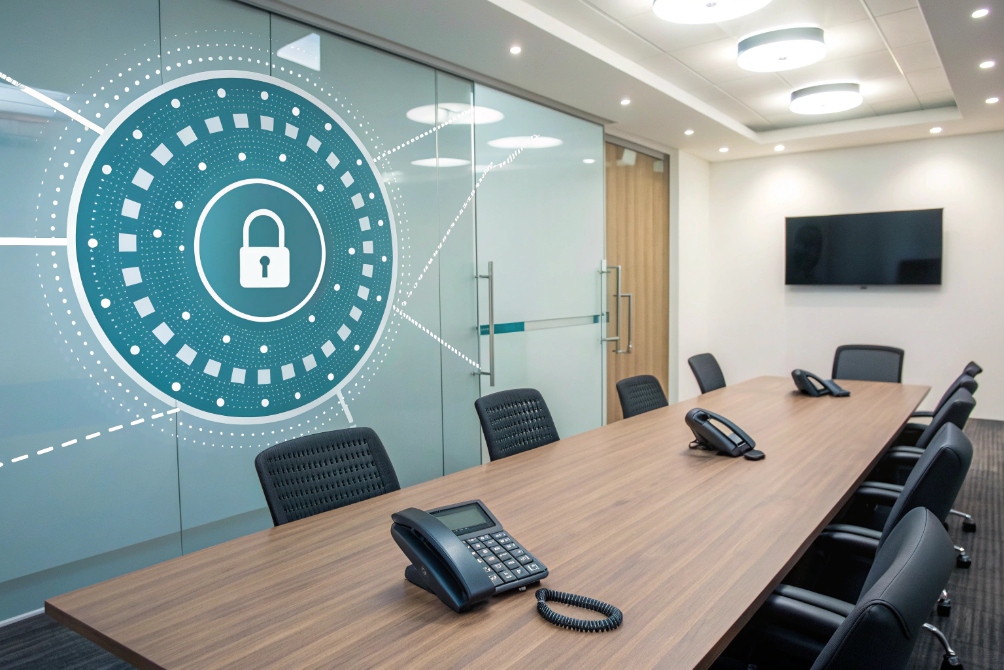
Secure conference calls combine access control (meeting IDs, PINs, host codes) with transport security (TLS for signaling, SRTP for media), plus logging and policies that enforce how and when people can join.
Controlling who can join
The first line of defense is to control who can enter the conference room. Most IP PBXs support:
- Unique conference IDs or room numbers
- Participant PINs
- Separate host PINs with extra powers
- Time-limited or one-time codes
In a real project for a finance company, we created separate host PINs for leadership calls. Staff could listen with a regular participant PIN, but only hosts could start recording, lock the room, or remove users.
You can combine these features with PBX access rules. For example, allow internal extensions to dial the conference room directly, but force external callers to come through an IVR that collects a PIN. You can also block conferences from being started from unknown caller IDs.
A simple threat-control view looks like this:
| Risk | Control |
|---|---|
| Random outsiders join | PIN codes, lobby, lock feature |
| Staff share codes too widely | Time-limited IDs, per-team rooms |
| Misuse of international dial-out | No dial-out from conference, trunk limits |
| Accidental open bridges | Auto end after host disconnect, schedules |
Encrypting signaling and audio with TLS and SRTP
Even if only trusted people join, unencrypted VoIP traffic can be captured on the network. This is where Transport Layer Security (TLS) 4 and Secure Real-time Transport Protocol (SRTP) 5 help.
- TLS encrypts the SIP signaling or web signaling path
- SRTP encrypts the audio streams themselves
On IP phones and softphones, you usually enable TLS for SIP transport and SRTP for media in the account settings. The IP PBX needs a valid certificate so endpoints can trust it. For browser clients, WebRTC already uses secure transport, but you still need HTTPS and good certificates on the web side.
When everything is in place:
- SIP REGISTER and INVITE messages travel inside TLS tunnels
- Media packets use SRTP with negotiated keys
- Attackers on the same network see only encrypted payloads
In some older devices, SRTP support is limited or not available. In those cases, you may restrict them to low-risk use or isolate them on separate VLANs. Over time, it is better to standardize on endpoints that fully support TLS and SRTP.
Policies, recording, and compliance
Technical security is only part of the picture. Business rules and logs matter too. You can use the PBX to:
- Enforce mandatory PINs for certain conference rooms
- Restrict who can create new conference rooms
- Turn on recording only for approved rooms
- Store recordings in secure locations with access control
- Set retention periods based on legal needs
Conference call logs should show who joined, when, and from which extension or number. In incident response calls, this history becomes part of the audit trail. For support or sales calls with customers, recordings and transcriptions support training and quality checks.
In some deployments, we also enabled “announce on join/leave” with caller name or number. This simple feature helps hosts hear when someone new appears or exits, which adds a human layer of awareness on top of the technical checks.
With clear policies, users know which topics belong in which rooms, how to share access details, and how to handle recordings. That culture, combined with TLS, SRTP, and strong PINs, keeps conference calls both secure and practical.
Conclusion
VoIP conference calls let your IP PBX host secure, high quality group audio from any device, when you plan capacity, bandwidth, and security controls around real usage.
Footnotes
-
Background on IP PBX systems and how they deliver VoIP features like conferencing and call routing. ↩ ↩
-
ITU-T G.711 recommendation describing the classic PCM codec used for PSTN-like voice over IP. ↩ ↩
-
Opus codec specification (RFC 6716) explaining how modern VoIP achieves high quality at variable bitrates. ↩ ↩
-
TLS 1.3 specification (RFC 8446) covering how signaling sessions can be encrypted end-to-end. ↩ ↩
-
SRTP specification (RFC 3711) explaining how RTP voice media is encrypted and integrity-protected. ↩ ↩








