
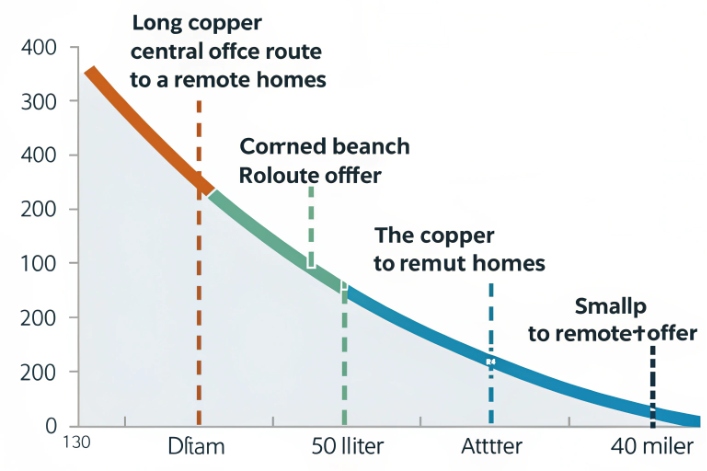
Old copper lines are still everywhere, but many sites cannot get fiber. For remote branches or small offices, ADSL often ends up as the only realistic WAN option for VoIP.
ADSL is a broadband access technology that runs over existing copper phone lines, using higher frequencies for data so voice and internet work together, with downstream speeds that are much higher than upstream.
ADSL sits between classic dial-up and modern fiber 1. It uses a DSLAM in the central office and a DSL modem on the customer side, plus filters that keep analog POTS voice separate from data. To plan VoIP over ADSL, you need to know how it differs from fiber and cable, if bandwidth is enough, how line conditions hurt quality, and how to push RTP to the front of the queue.
How does ADSL differ from fiber and cable?
Some projects assume “broadband is broadband”. Then the SIP phones go live on ADSL and people wonder why calls clip when someone starts a big upload.
ADSL uses copper pairs and DMT over limited spectrum, so speeds and latency depend heavily on line length and noise, while fiber and cable offer much higher, more stable bandwidth with lower latency and better upstream.

ADSL runs over the same twisted copper pair as the analog phone service. The line is split in frequency bands. Low frequencies carry POTS voice. Higher bands (up to about 1.1 MHz for ADSL, 2.2 MHz for ADSL2+) carry many small DMT subcarriers. The modem and DSLAM decide how many bits each subcarrier can carry, based on noise. That is why speed falls as you move further from the DSLAM, usually beyond 3–5 km.
Classic ADSL offers up to about 8 Mb/s down and 0.8 Mb/s up in ideal lab conditions. ADSL2 and ADSL2+ improve this to around 12 Mb/s and 24 Mb/s downstream, with upstream around 1–1.4 Mb/s. Annex M trades some downstream to push upstream higher. Real-world numbers are often much lower, especially on long or poor loops.
Fiber (FTTH/FTTP) 2 is very different. It uses optical fiber, not copper. Attenuation is much lower. Noise is almost a non-issue, and bandwidth is orders of magnitude higher. Symmetric 100/100 Mb/s or 1 Gbit/s links are normal. Latency is lower and more stable, which VoIP loves.
Cable internet (DOCSIS) 3 sits in the middle. It uses coax from the node to the home and shared RF channels. Downstream is usually strong, but upstream is limited and shared across many homes. Jitter can rise in the evening. Still, even low-tier cable normally beats ADSL on upstream capacity and sometimes on latency.
From a VoIP and SIP intercom point of view, ADSL has some special challenges:
- Much weaker upstream than downstream
- Higher sensitivity to line length and copper quality
- Interleaving often enabled, which adds latency
- Heavy dependence on local DSLAM congestion and policy
So ADSL can work well for small sites with a few calls. But for dense deployments or high-traffic IP PBX trunks, fiber or high-grade cable is safer.
Is ADSL bandwidth enough for VoIP?
The fear is simple: “Our ADSL is only 10 Mb/s down and 1 Mb/s up. Will the SIP intercoms sound terrible?”
Yes, ADSL bandwidth is usually enough for VoIP if upstream is at least a few hundred kb/s per concurrent call, you use efficient codecs, and you keep headroom by controlling other upload traffic on the link.
VoIP is more about upstream and stability than big downstream numbers. A single G.711 VoIP call uses around 64 kb/s 4 for the payload, but with IP/UDP/RTP and layer-2 overhead, you should plan roughly 80–100 kb/s per direction. Codecs like G.729, G.711.1, G.722.2 (AMR-WB), or Opus can cut this a lot, often to around 30–40 kb/s per call, total.
If your ADSL upstream syncs at 1 Mb/s, raw math says:
- With G.711, around 5–8 concurrent calls is a safe upper bound.
- With a compressed codec, 10–15 calls may still be fine.
But this assumes:
- No other uploads (CCTV, large file transfers, cloud backup) hog the upstream
- PPPoE overhead and ATM cell padding 5 are considered (they reduce effective throughput)
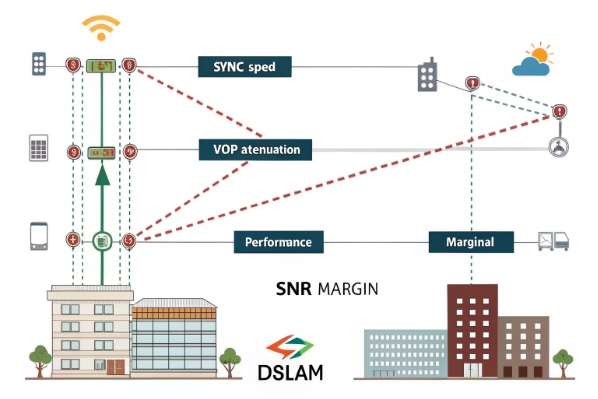
- The DSL line is stable and has decent SNR margin
VoIP also cares about jitter and latency. Interleaving and error correction add delay, sometimes 10–20 ms or more one way. That is often acceptable, but if the path also includes congested routers or bufferbloat, you quickly hit 150–200 ms end-to-end. Conversations then feel “walkie talkie”.
For remote SIP intercoms, emergency phones, or IP PBX branches on ADSL, a simple checklist helps:
- Use a more efficient codec by default, keep G.711 as fallback.
- Limit max simultaneous calls from that site in the PBX or SBC.
- Reserve some upstream headroom for signaling, keep utilization below about 70–75%.
- Avoid using ADSL uplinks as the main path for HD video if voice is critical.
In most small and medium sites, ADSL is enough for reliable voice, as long as you design for upstream reality, not the marketing downstream number.
What line conditions affect ADSL quality?
Two ADSL lines with the same tariff can behave very differently. One carries clean VoIP. The other drops calls when it rains.
ADSL quality depends on loop length, copper gauge, splices and bridge taps, noise and crosstalk, inside wiring, filters, and DSL profile parameters like SNR margin, interleaving depth, and error correction.
Copper has physics rules that no config can bypass. The longer the loop between the DSLAM and the modem, the higher the attenuation. At some point, high-frequency bins become unusable, so the modem drops them. Capacity falls. This is why a line at 500 meters might sync at 18 Mb/s down, while a line at 3 km from the same cabinet only reaches 5–6 Mb/s.
Crosstalk is another enemy. Many pairs run in the same binder. When more lines use DSL, they add noise to each other, especially in the upstream band. This can reduce SNR and cause bit errors. Forward error correction and interleaving help, but they add latency. Some providers offer “fast path” profiles with less interleaving for gamers and VoIP, but only if the line is clean enough.
Physical issues hurt more than most people expect:
- Old or corroded joints, water in joints or pedestals
- Bridge taps (unused stubs off the main pair) causing reflections
- Poor inside wiring, daisy-chained phone sockets
- Missing or wrong microfilters on analog phones and fax machines
A simple test is to connect the modem at the master socket, with other devices disconnected. If sync speed and error counts improve, the problem is inside wiring, not the provider loop.
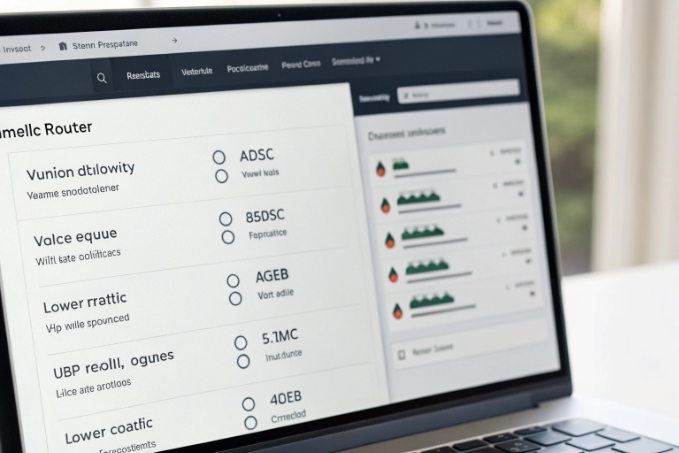
Key parameters to watch on the modem status page 6:
- Attenuation (dB): higher means longer or worse line.
- SNR margin (dB): more margin means more stability. Below ~6 dB is risky.
- CRC/HEC errors: high counts during a short time window indicate noise bursts.
- Interleaving: depth and whether “fast path” is active.
For VoIP and SIP intercom traffic, you want stable sync, decent SNR margin, and low error rates more than the last bit of headline speed. Sometimes asking the provider to use a slightly lower sync profile can make the line much more stable, which is better for voice.
How do I prioritize RTP over ADSL?
Even when raw bandwidth is enough, calls still break up when someone starts a file upload. That is not a codec problem. It is a queue and buffer problem.
You prioritize RTP over ADSL by marking VoIP packets, enabling QoS and smart queueing on the CPE router, shaping total traffic below the ADSL sync rate, and keeping upstream buffers short to avoid jitter and packet loss.
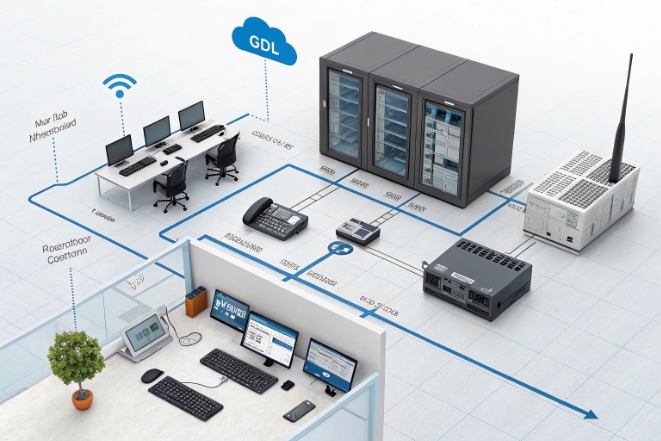
The ADSL last mile is usually the narrowest point. Many cheap routers have large buffers. When someone uploads a big file, the router fills the upstream queue with large TCP packets. RTP packets join the back of the queue, arrive late, and the jitter buffer on the phone cannot hide it. You hear choppy, robotic audio.
To fix this, the edge router must treat voice as VIP traffic:
-
Mark VoIP traffic:
- Use DSCP EF (46) for RTP streams 7.
- Mark SIP signaling as CS3 or AF31.
- Some IP phones and SIP intercoms can set DSCP themselves; otherwise, classify by UDP port ranges.
-
Enable QoS on the WAN:
- Create a high-priority queue for EF-marked packets.
- Use strict priority or low-latency queue for this class.
- Put all other traffic in normal or low classes.
-
Shape just below sync rate:
- If upstream sync is 1024 kb/s, shape to maybe 850–900 kb/s.
- This makes your router, not the DSLAM, the real bottleneck, so QoS decisions actually matter.
-
Control heavy upload traffic:
- Put backups, CCTV uploads, and big file transfers in a low-priority class.
- Limit their maximum share of the upstream, for example, 30–40%.
For PPPoE links, also think about MTU. The standard 1500 bytes does not fit cleanly inside PPPoE, so many setups use 1492 or 1480 and rely on MSS clamping. Fragmented packets waste bandwidth and CPU. A clean MTU/MSS plan keeps overhead predictable.
A simple mental picture:
- Voice = small, frequent UDP packets that hate delay.
- Data = larger TCP packets that can wait a bit.
When the router understands this and shapes accordingly, even modest ADSL links can carry clean SIP calls while users browse and send emails.
For sites with many SIP endpoints, an extra step is worth it:
- Place voice devices on a separate VLAN or subnet.
- Apply QoS rules at that interface boundary.
- Use static routes or a simple SBC so you know exactly where RTP flows.
With this design, you get predictable behavior, easier troubleshooting, and much better user experience, even if the physical link is only ADSL.
Conclusion
ADSL is not as fast or clean as fiber, but with realistic bandwidth planning, clean copper, and solid QoS that prioritizes RTP, it can still support reliable VoIP and SIP intercom deployments at many remote or cost-sensitive sites.
Footnotes
-
Overview of ADSL technology, modulation, and distance limits. Back ↩
-
Consumer guide comparing fiber with other high-speed broadband options. Back ↩
-
Technical background on DOCSIS cable standards and data services. Back ↩
-
Details on G.711 codec bitrates, bandwidth, and VoIP characteristics. Back ↩
-
Cisco guidance on PPPoE, ATM overhead, and tuning DSL throughput. Back ↩
-
Explanation of DSL statistics such as attenuation, SNR margin, and error counts. Back ↩
-
RFC describing EF PHB and DSCP EF for low-latency traffic like VoIP. Back ↩








