
Dropped calls that stay “green” on dashboards confuse agents and hide real network issues. Many teams only notice the problem when customers complain.
ADDP is a Genesys keep-alive protocol layered on TCP that sends small heartbeats, detects broken links in seconds, and lets call center apps fail over before agents feel an impact.
In this article, I focus on the Genesys meaning of ADDP: a proprietary Genesys Advanced Disconnect Detection Protocol 1 that protects TCP links between Genesys components and CTI clients. It is not the Digi “Advanced Device Discovery Protocol”, and it is not carrier answer supervision. With that in mind, I will walk through how ADDP actually detects disconnects, how it differs from answer supervision, what it can and cannot do for dialing accuracy, and where it lives in a real call center deployment.
How does ADDP detect call disconnects?
Agents hate “ghost” calls where the UI still shows a live interaction, but nothing is really connected. This often comes from broken CTI links, not the phone network itself.
ADDP detects disconnects by sending periodic heartbeat requests over otherwise idle TCP sessions and declaring the connection down if a peer does not respond within the configured timeout.
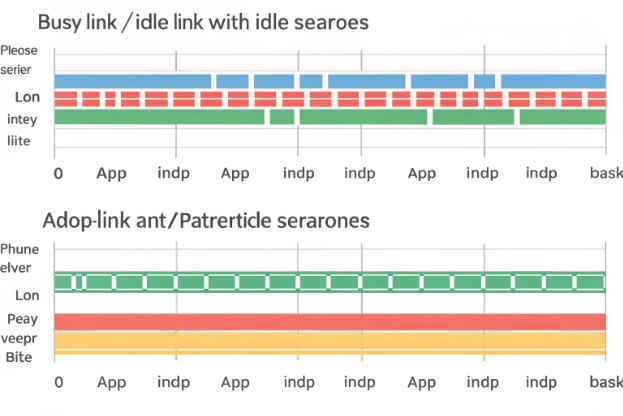
Heartbeat-based detection on idle links
ADDP works as a “protocol inside a protocol”. It does not open a new socket. It embeds light heartbeat frames inside the existing client–server protocol stream between Genesys components and their clients.
When the link is busy with normal traffic, ADDP has little to do. Requests and responses already prove the connection is alive. The heartbeat comes into play when the link becomes quiet. In that case, the ADDP side that has detection enabled starts a timer for the idle period.
When the idle timer fires, the local side sends a small ADDP “are you alive” message to the peer. If the peer receives it and ADDP is enabled on that side, it sends back an ADDP response. As soon as the response arrives, the local side resets the idle timer, and the connection is considered healthy.
If the response does not arrive before the timeout, the initiating side concludes that the TCP connection is no longer usable. This can happen because of network failures, firewall and NAT timeouts, or process crashes. The key point is that ADDP does not wait for the operating system TCP stack to notice. It decides at the application level and does it far faster than default TCP keepalive mechanisms 2.
Here is a simple view of this behavior:
| Phase | What happens | What ADDP proves |
|---|---|---|
| Normal traffic | Application messages flow both ways | Link is busy and healthy |
| Idle starts | No app messages seen for some time | Need a heartbeat to be sure |
| Heartbeat sent | Local side sends ADDP ping | Peer should respond if still reachable |
| Response received | Peer replies with ADDP pong | Connection is confirmed alive |
| No response/timeout | No pong before timeout elapses | Connection treated as lost and closed |
In real deployments, this logic gives a much tighter handle on network health. In one project, shortening ADDP timers from minutes to tens of seconds cut “stuck interaction” tickets almost to zero, without touching any carrier trunks or dialing rules.
Configurable timers and two-sided detection
ADDP is controlled per link through configuration options. A common pattern is to configure ADDP timeout options in the Host object 3, using parameters like addp-timeout for the local side and addp-remote-timeout for the peer side. A timeout value of 0 usually means “ADDP disabled” on that side.
This design is flexible. Some links only need one side to initiate detection. Other links, such as between two T-Servers, work best when both sides use ADDP. Genesys documentation recommends enabling ADDP on both ends for critical links like:
- Configuration Server ↔ its clients
- T-Server ↔ T-Server
- Solution Control Server (SCS) ↔ Local Control Agent (LCA)
- Stat Server ↔ reporting or routing clients
When a timeout occurs, the ADDP side closes the socket and raises the relevant events to the application layer. The CTI client or server can then start its reconnection or failover logic. For high-availability setups, ADDP timeouts are usually tuned together with reconnect and failover timers, so clients move to backup servers quickly but do not flap back and forth.
ADDP also supports tracing modes such as local, remote, both, or off. Traces write heartbeat send/receive and timeout events into logs. These traces help a lot when you need to prove that the problem is a firewall idle timeout, a misconfigured timer, or a one-sided ADDP setup where only one peer sends heartbeats.
How does ADDP differ from answer supervision?
Many people see “disconnect detection” and think about carriers, trunks, and tones. That is answer and disconnect supervision in telephony 4, and it solves a different problem.
ADDP watches the health of IP links between CTI components, while answer supervision tracks call progress on the voice leg between the dialer or switch and the public network.
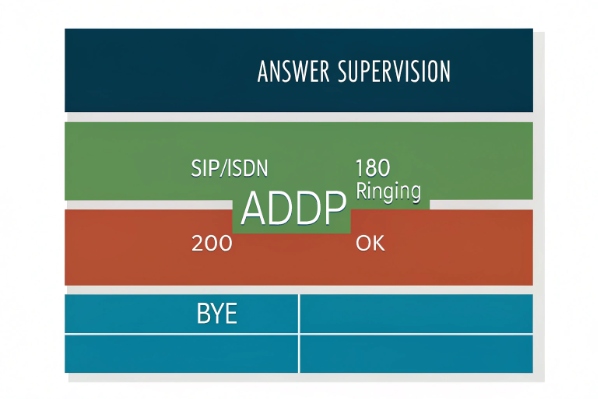
Different layers in the stack
Answer supervision is call signaling. It lives in the telephony layer, not the CTI application layer. On ISDN, it involves messages for alerting, answer, and clear. On SIP, it involves 18x responses, 200 OK, BYE, and related events. These signals tell the platform when the far party started to ring, when they answered, and when they hung up.
ADDP does not see any of this. It sits above TCP and inside the CTI protocol between a T-Server and its clients, or between core Genesys components. Its only concern is whether the peer process is still reachable over the network.
In other words:
| Aspect | ADDP | Answer supervision |
|---|---|---|
| Layer | TCP / application | Telephony signaling (ISDN, SIP, SS7, etc.) |
| Main purpose | Detect broken CTI links | Detect call answer, progress, and disconnect |
| Who uses it | Genesys components and CTI clients | Switch, carrier, voice platform |
| Typical events | Timeout, reconnect, failover | Ringing, answered, busy, no answer, release |
| Impacted metrics | Agent desktop status, routing stability | Call result codes, billing, CPA outcomes |
Because they live in different layers, you always use answer supervision and ADDP together rather than choose one. Answer supervision tells you what happened on the telephone line. ADDP tells you if the CTI control path that reports those events is actually alive.
How they interact in real call flows
Imagine an outbound call where the carrier sends a normal “remote party hung up” signal. With healthy links, the T-Server sees this signal and raises a call-released event. The dialer and reporting tools record a normal disconnect and move on.
If the CTI link between T-Server and the dialer client is broken, the answer supervision still occurs at the switch level, but the dialer might not see the event in time or at all. From the dialer’s point of view, the call may look “stuck”, “still in progress”, or “timed out”.
This is where ADDP matters. It keeps the CTI link honest. When the network quietly drops the TCP session between the dialer and T-Server, ADDP will detect it and force the client into a reconnect or failover path. This does not change answer supervision itself. It just makes sure that call progress events have a reliable path to reach the dialer or desktop.
In my experience, once teams separate these two concepts, troubleshooting gets easier. If call results look wrong but CTI logs show ADDP timeouts, the focus is on network and client reconnect logic. If ADDP is clean and trunks still misclassify calls, the focus moves to carrier signaling and call progress analysis.
Can ADDP reduce false positives in dialing?
Outbound teams often struggle with false positives: calls marked as “live” that were never connected, or calls marked as “disconnected” even though the customer is on the line.
ADDP does not change carrier call classification, but it cuts false positives that come from broken CTI links, ghost calls, and stale call states during dialing.

Where false positives really come from
False positives in dialing usually come from several sources:
- Carrier-level call progress analysis mistakes
- Answer supervision anomalies on trunks
- Aggressive answering machine detection (AMD) rules 5
- Slow or failed CTI links between dialers, T-Servers, and desktops
- Application bugs that do not clear calls when control links fail
Only some of these issues relate to network connectivity between CTI components. ADDP only touches that part.
When ADDP is not in place or not tuned, you can see patterns like these:
| Symptom | Likely cause related to ADDP |
|---|---|
| Long “in-call” but no audio | CTI client lost connection to T-Server |
| Records never leave “dialing” | CTI events stuck due to dead TCP link |
| Sudden spike in stuck interactions | Firewall or NAT dropped idle CTI sockets |
| Agents receive “phantom” popups | Old events replayed after late reconnect |
These problems create “false” call states in reporting. They are not caused by wrong carrier decisions, but by stale CTI control paths.
What ADDP does and does not fix
When ADDP runs with sensible timers, CTI clients notice broken links quickly. They drop the bad connection, clean their internal state, and reconnect to the same or a backup server. The window where a dialer thinks a call is active while the control link is dead becomes much shorter.
This reduces certain types of false positive records, for example:
- Calls that stay “in progress” for many minutes after hangup
- Contacts that never get final call results because the app crashed mid-call
- Interactions that agents cannot dispose because the desktop lost CTI connectivity
At the same time, some issues sit outside ADDP’s reach:
- A carrier mislabels a busy tone as an answer
- An answering machine detection engine misclassifies a call
- The trunk itself cuts out due to poor voice routing
In those cases, better routing, tuning the dialer’s call progress settings, or working with the carrier is the only fix. It is important not to expect ADDP to clean these errors, because it only watches the health of IP links.
In one outbound deployment, enabling ADDP and aligning dialer reconnect rules with ADDP timeouts removed most stuck “dialing” records from reports. Contact rate did not change, but the reporting became much cleaner, and supervisors trusted the metrics again.
Tuning ADDP with dialer behavior
To get the best effect on dialing quality, ADDP timers should align with dialer expectations. For example:
- The ADDP timeout should be shorter than the dialer’s “max call duration” timer.
- Reconnect attempts should not be so aggressive that clients flap between primary and backup T-Servers.
- Logging of ADDP local and remote activity should be on during pilots and major network changes.
By treating ADDP as part of the dialing architecture, not just a network checkbox, dialer teams can cut down a whole class of false positives that come from stale CTI states instead of from the voice network.
Where is ADDP deployed in call centers?
Modern call centers often run dozens of microservices and CTI components. A single silent disconnect in the wrong place can ripple through routing, reporting, and agent desktops.
ADDP is deployed on TCP links between key Genesys servers and their clients, including T-Servers, Configuration Server, Stat Server, SCS/LCA pairs, and CTI-integrated applications like dialers or CRMs.
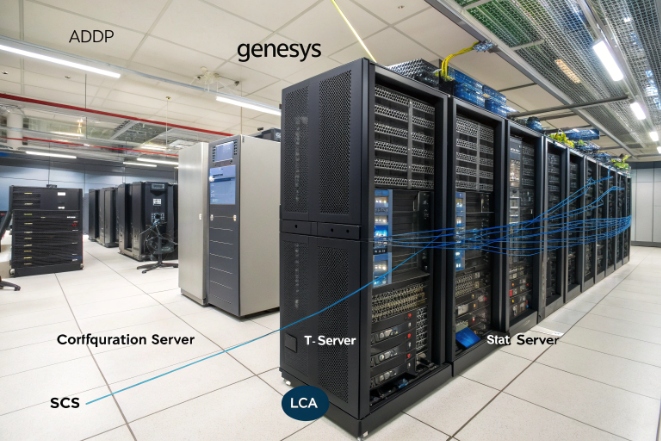
Core client–server links in the Genesys layer
Genesys recommends enabling ADDP on links between any pair of Genesys components. In practice, some links are especially critical in call centers:
| Link type | Typical components | ADDP recommendation |
|---|---|---|
| Config & management | Configuration Server ↔ URS / Stat Server / others | Enable on both sides |
| CTI control | T-Server ↔ dialer / desktop / IVR apps | Enable at least on client, often both |
| High-availability control | T-Server ↔ T-Server (primary/backup) | Enable on both sides |
| Platform supervision | Solution Control Server ↔ Local Control Agent | Enable on both sides |
| Reporting and monitoring | Stat Server ↔ monitoring or BI tools | Enable on client side |
Many third-party CTI clients, such as campaign managers, CRM connectors, or routing engines, also implement ADDP in their Genesys protocol stacks. This is why vendors like Pega share instructions for enabling ADDP tracing 6 when they integrate with Genesys platforms.
High-availability and failover design
ADDP becomes even more important in high-availability designs. In these setups, almost every core server has a backup instance. Clients must detect not only hard failures but also silent network partitions and asymmetric routing problems.
A common pattern looks like this:
- ADDP monitors the connection between client and primary server.
- If ADDP times out, the client closes the connection and marks the primary as unavailable.
- The client connects to the backup server, which also has ADDP enabled.
- After some cool-down period, the client may try to reconnect to the primary.
If ADDP timers are too long, failover takes too much time. Agents stay stuck, and calls fail. If timers are too short, brief network blips cause unnecessary failovers and flapping. So HA architects treat ADDP timeouts, reconnect intervals, and DNS or load balancer behavior as one design problem.
Cloud and firewall environments make this even more important. Many NAT devices and security rules silently drop idle TCP sessions after a short period, as described in cloud NAT idle timeout guidance 7. Standard TCP keepalives can be set, but system defaults are usually in the order of hours. ADDP gives a fast, application-level heartbeat that detects and recovers from these drops before they break routing or dialing workflows.
Design tips from real projects
From real call center rollouts, a few ADDP deployment practices stand out:
- Enable tracing at first. During pilots and early production, keep ADDP logs on at least in local mode for key components. It makes root cause analysis faster.
- Coordinate with network teams. Share ADDP timeouts, firewall idle settings, and NAT rules in one document, so everyone understands the expected behavior.
- Test failover with real traffic. Run controlled failover drills where you disable a primary server or block a path. Watch how ADDP events show up and how fast clients recover.
- Be consistent per link type. Use the same ADDP settings for similar links, such as all T-Server to dialer connections, to avoid surprises.
In one multi-site deployment, this kind of planning made the difference between frequent unexplained “controller lost” errors and a stable platform where planned failovers felt almost invisible to agents.
Conclusion
ADDP keeps CTI links honest, complements answer supervision, and, when tuned well, helps call centers avoid ghost calls, stuck records, and painful failover surprises.
Footnotes
-
Genesys documentation describing the Advanced Disconnect Detection Protocol and its role in TCP-based connections. Back ↩
-
Overview of TCP/IP keepalive behavior and how it affects long-lived network connections. Back ↩
-
Genesys reference for configuring ADDP timeout parameters on Host objects between SCS and LCA. Back ↩
-
Background on answer and disconnect supervision signaling used on trunks and telephone lines. Back ↩
-
Explanation of answering machine detection in Genesys Cloud outbound dialer campaigns. Back ↩
-
Pega Call documentation on enabling ADDP tracing for integrations with Genesys platforms. Back ↩
-
Azure NAT gateway guidance on idle TCP timeouts and using keepalives or application heartbeats. Back ↩








