

Every day, contact center agents answer calls with zero context, repeat the same questions, and let impatient callers slip away before they even start real troubleshooting.
Contact Center ANI (Automatic Number Identification) is a network-delivered billing number that identifies who is calling your contact center, independent of caller ID settings, and powers routing, screen pops, and fraud checks across your SIP trunks.
In modern SIP contact centers, ANI is no longer just a billing artifact 1. It is a reliable data point from the carrier that arrives before the call connects, so your platform can look up CRM records, decide which queue or agent should take the call, and apply basic fraud or spam rules. When ANI works well, agents start the conversation by confirming the customer, not asking, “Can I have your phone number, please?” for the fifth time this week.
How does ANI differ from caller ID?
Many teams mix up ANI and caller ID 2, so they trust the wrong field, build the wrong routing rules, and wonder why CRM matches fail or fraud slips through.
ANI is the network billing number delivered by the carrier, while caller ID is the user-presented callback number; caller ID can be blocked or changed, but ANI usually cannot, especially on toll-free and emergency lines.
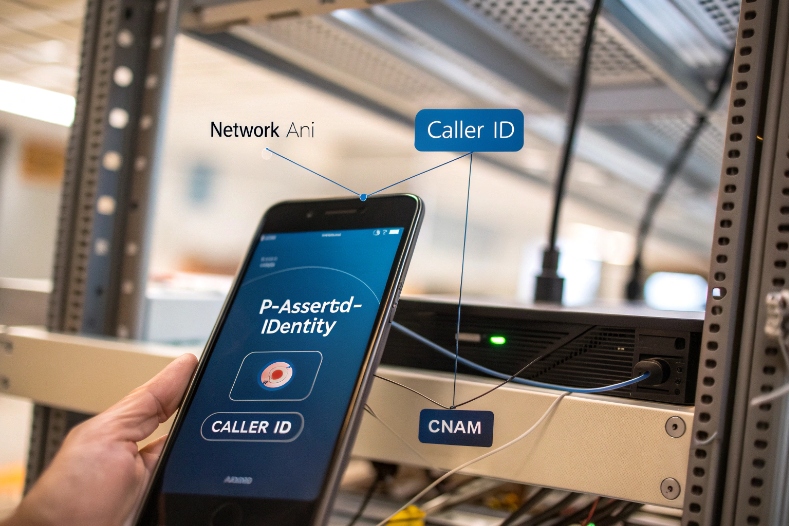
Network-delivered billing number vs presented identity
In a contact center, ANI is the calling party billing number that the carrier sends from the network side. It is tied to the line that is charged for the call. In SS7 and SIP, this often corresponds to the Charge Number or similar internal signaling fields. In SIP, carriers usually convey this in trusted headers such as P-Asserted-Identity 3 or in a dedicated charge-number parameter, not only in the public From header.
Caller ID, on the other hand, is the number that the caller’s device or PBX chooses to present. It is designed for human display and callbacks. The network treats caller ID more like a suggestion. The user or enterprise system can mask it, set an extension, or apply a main company number. Caller ID may also carry CNAM (the name), which is separate from the true billing number.
Because ANI is injected by the carrier and not by the end device, it is much harder for a normal caller to block it on toll-free or emergency calls. That is why contact centers see ANI even when the screen on the agent phone shows “Private” or “Unknown” caller ID.
Key practical differences
Here is a simple way to map the two in contact center design:
| Aspect | ANI (Automatic Number Identification) | Caller ID (CLID / CNAM) |
|---|---|---|
| Source | Carrier network / SS7 / SIP core | User device, PBX, or enterprise system |
| Purpose | Billing, network routing, internal identification | Human-readable identity and callback |
| Blockable by caller | Usually no, especially on toll-free and emergency numbers | Yes, user can hide or override |
| Typical SIP location | P-Asserted-Identity, Charge Number, trusted headers |
From, Contact, display name, CNAM dips |
| Reliability for CRM lookup | High, when delivered end-to-end | Medium, can be masked, shared, or inconsistent |
| Relation to billing | Chargeable line | May differ from billing line |
In many enterprise deployments, ANI and caller ID match. But once you add PBXs, SIP trunks, and outbound dialing strategies, they diverge quickly.
When ANI and caller ID do not match
There are some common patterns that matter for your design:
- Enterprise PBXs may present a main switchboard number as caller ID, while the ANI stays as the true trunk billing number.
- Call centers may show a local or toll-free callback number in caller ID, but the ANI still represents the upstream chargeable line.
- International carriers might normalize, rewrite, or even strip ANI, especially across multiple hops, which can break CRM matching.
- For toll-free and emergency services, ANI is usually preserved even when caller ID is suppressed by the caller.
So in your contact center platform or SBC, you should treat ANI as the trusted identity for routing and analytics, and caller ID as a user-facing convenience. In most of my projects, we always document which SIP headers carry the “network ANI” and which ones carry the “display caller ID” before we build any logic.
How does ANI improve routing and personalization?
If every inbound call lands in the same generic queue, agents talk more, customers wait longer, and your best people spend time on low-value interactions.
ANI improves routing and personalization because it lets the platform recognize the caller up front, match the CRM profile, and route based on value, language, skills, and region before an agent answers.
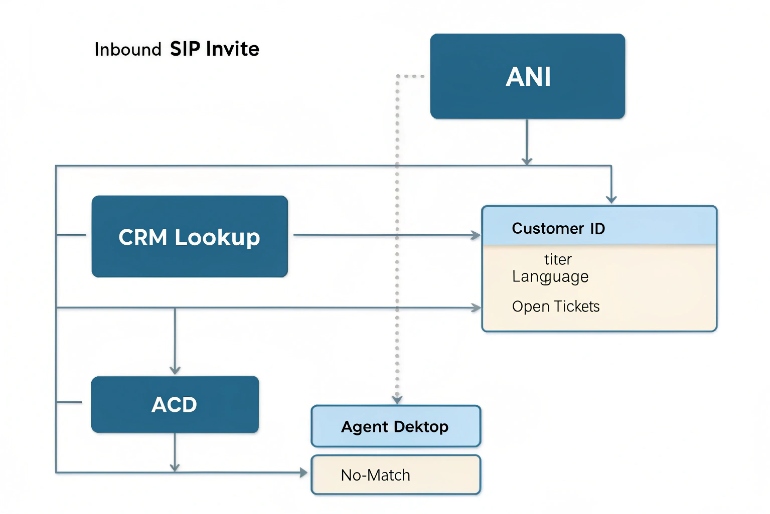
Using ANI for CRM and screen pops
When a call arrives, the carrier sends ANI in the initial SIP INVITE. Your SBC or contact center platform can use that number to query your CRM, billing system, or ticketing platform 4. If the number exists, the system attaches the customer ID, account type, or open ticket to the call context.
By the time the agent sees the call, the desktop can already display:
- Name and company
- Account tier (for example, VIP, standard, trial)
- Open cases or unpaid invoices
- Preferred language or last interaction history
This reduces the time spent on verification and basic discovery. The agent confirms the identity rather than building it from scratch. It also cuts down handle time and avoids frustration for repeat callers who are tired of answering the same questions.
Data-directed routing with ANI
With ANI, routing rules no longer depend only on which number was dialed. You can blend ANI and DNIS together: DNIS tells you which service line the caller chose (sales, support, emergency), while ANI tells you who they probably are.
Here is how that translates into routing logic:
| Use case | ANI-driven action |
|---|---|
| High-value customer number | Route to premium or “white glove” queue |
| Number tagged as partner/reseller | Send to channel support team |
| Known debtor or high-risk account | Route through specialized collections or risk handling queue |
| Mobile vs fixed line | Change IVR options or authentication steps |
| Repeat caller within short window | Route back to last agent or same team when possible |
In our SIP intercom and emergency phone deployments, ANI-based routing is also useful. For example, when an elevator emergency phone calls, the platform knows exactly which building or cabin the ANI belongs to. The system can route straight to the local property helpdesk or the relevant security monitoring center without asking the caller to explain where they are.
Geo and number-based personalization
Even without a CRM match, ANI carries geography. The country code, area code, and sometimes even number ranges give hints.
You can:
- Select language based on country code, especially for global toll-free lines.
- Route callers to the nearest regional center to reduce latency and align time zones.
- Adjust announcements or working hours messages based on the caller’s region.
This is simple but powerful. One of my customers increased first-contact resolution because German-speaking callers now land directly in the German-speaking skill group based on ANI, while DNIS alone could not tell the difference.
Can ANI help block spam or fraud?
Spam calls, bots, and fraudsters waste agent time and threaten customers, yet many of them still slip past basic blacklists and simple IVR menus.
ANI helps reduce spam and fraud by feeding repeat-number checks, velocity rules, blacklists, and carrier trust scores, especially when combined with STIR/SHAKEN attestation and analytics from your SIP provider.
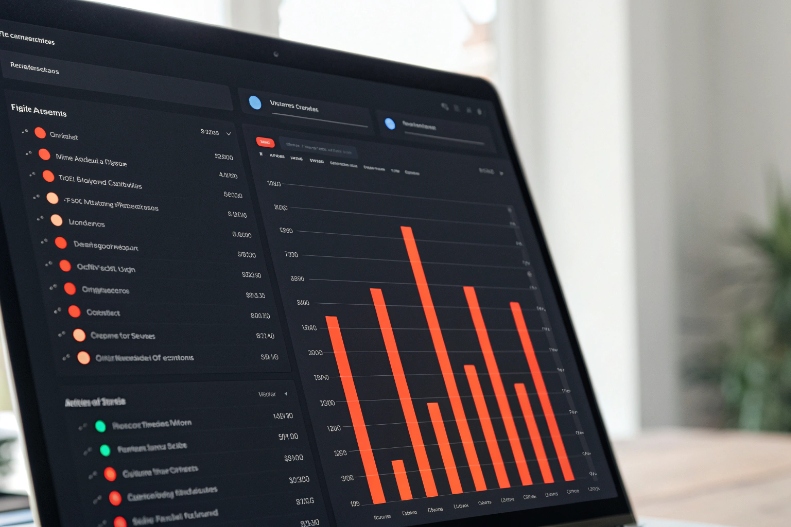
Using ANI for risk scoring and velocity checks
Because ANI is a stable network-delivered number 5, it is a strong key for counting behavior. Your contact center can track how often the same ANI hits your platform, how many calls drop in IVR, and how many reach certain queues.
Some useful indicators:
- Very high call volume from a single ANI in a short period
- A pattern of short, abandoned calls from the same ANI
- Calls that always land in sensitive queues (for example, payments, account unlock)
You can then assign a risk score based on these patterns. High-score ANIs may trigger extra IVR steps, stronger authentication, or even direct blocking if the behavior fits your spam patterns.
STIR/SHAKEN, attestation, and trust
Upstream spoofing is still possible. Attackers can inject fake calling numbers before the call reaches your carrier. This is where STIR/SHAKEN and carrier analytics 6 help.
Carriers in many countries mark calls with attestation levels (for example, A/B/C) to show how confident they are that the calling number is valid and not spoofed. Your SIP trunk can carry that information in identity headers. When you combine ANI with attestation:
| Signal | Meaning in practice | Typical action |
|---|---|---|
| ANI with full “A” attestation | High confidence real subscriber | Normal treatment |
| ANI with “B” or “C” | Lower confidence, partial verification | Add mild friction or logging |
| ANI with no identity info | Unknown lineage | Apply stricter limits or send through IVR first |
Fraud analytics services can also score ANI based on global spam reports. Some carriers offer this as an add-on. Your SBC or contact center platform can consume that score and adapt routing, hold messages, or even display a risk indicator on the agent desktop.
Practical ANI-based security rules
You do not need a full fraud lab to start. Simple ANI-based rules already help:
- Maintain a blocklist of known bad ANIs (fraud, harassment, internal abuse).
- Maintain a graylist for numbers that need extra verification.
- Rate-limit calls per ANI to reduce robocall floods.
- Combine ANI with account data: for example, only allow high-risk actions from ANIs previously verified for that account.
At DJSlink, we often see customers pair ANI security with physical devices. For example, an emergency intercom in a car park has a known ANI. If a call appears from that ANI at a strange time or from outside the expected SIP trunk, the system can flag it as suspicious. ANI is not a silver bullet, but it closes several obvious doors for attackers.
How do I enable ANI on SIP trunks?
Many contact centers already “have ANI” on paper, yet agents still see “Unknown” in the CRM, and routing rules do nothing with caller numbers. The problem is usually the SIP path.
To enable ANI on SIP trunks, you need a carrier that sends the billing number, an SBC or IP PBX that preserves trusted headers, and a contact center platform that maps those headers into its routing and CRM logic.

Step 1: Confirm how your carrier delivers ANI
Start with your SIP trunk provider 7. Ask them:
- Which header carries the network ANI (for example,
P-Asserted-Identity, Charge Number, orRemote-Party-ID)? - Does ANI always match the
Fromheader, or can it differ? - Are there differences for toll-free, local, and international calls?
- How do they handle STIR/SHAKEN and attestation?
Capture a few inbound calls with SIP traces on your SBC. Compare what you see with your expectations.
A simple mapping table helps:
| Call type | Expected ANI header | Notes |
|---|---|---|
| Domestic toll-free | P-Asserted-Identity |
Usually always present even if caller ID blocked |
| Local DID | P-Asserted-Identity / From |
Often identical, but not guaranteed |
| International | Carrier-dependent | Normalization or stripping may occur |
| Emergency or SOS hotlines | Charge Number / PAI | Highest priority for routing and logging |
If ANI is missing or unreliable, this is a carrier issue, not a contact center issue. Solve that first, or use another trunk for critical services.
Step 2: Preserve ANI through your SBC or IP PBX
Next, make sure your SBC, IP PBX, or cloud edge does not strip or overwrite ANI headers. Some default dial plans mask P-Asserted-Identity or rebuild the From header for privacy or branding reasons.
Typical best practices:
- Pass through trusted network headers from the trunk side to the contact center side.
- Avoid rewriting ANI into a generic main company number.
- For internal devices (like SIP intercoms, emergency phones, or IP phones from DJSlink), use consistent caller ID but keep ANI stable.
Many integrators decide on a “canonical caller ID” format (E.164) and normalize both ANI and visible caller ID into that format so CRM matching becomes simpler.
Step 3: Map ANI into the contact center platform
Your contact center software needs to know which field is “the ANI to trust.” In platform configuration, you usually can choose:
- Which SIP header to use as the primary caller number
- Which field to send into the CRM lookup
- Which field to display to agents
You can also combine ANI and DNIS. DNIS identifies the dialed number or entry point (for example, support line, emergency line, VIP line). ANI identifies the billing number of the caller. Together they define “who is calling” and “why they called here.”
Here is a simple design checklist:
| Task | Configuration hint |
|---|---|
| CRM screen pops | Use ANI as lookup key, fall back to manual input |
| Skill or language routing | Use ANI country/area code plus DNIS |
| VIP and blacklist handling | Use ANI for both VIP lists and blocklists |
| Reporting and analytics | Aggregate metrics by ANI for repeat callers and volume |
In some deployments, we also expose ANI to external APIs so other systems, such as building management or security platforms, can react. For example, when a SIP door phone calls from a known ANI, the access control system can log an event or open a camera feed before the security agent answers.
Step 4: Test real scenarios and edge cases
Finally, test with real phones and real networks:
- Mobile, landline, VoIP apps, and international numbers
- Calls with caller ID blocked
- Calls from enterprise PBXs behind other trunks
Check that ANI arrives correctly, that the CRM pops, and that routing behaves as designed. Document what happens when ANI is missing or invalid. You may choose to fall back to IVR-based identification in those cases.
Treat ANI as a core design element, not just a field on a phone display. When you do this, your SIP trunks, SBC, and contact center platform work together to give agents and customers a smoother, safer experience.
Conclusion
ANI is a carrier-level caller number that, when preserved over SIP trunks and used correctly, turns raw phone calls into identifiable, routable, and safer customer interactions.
Footnotes
-
Overview of automatic number identification in modern contact centers and how it works. ↩ ↩
-
Technical explanation of how ANI, CLI, and caller ID differ in SIP-based VoIP calls. ↩ ↩
-
Reference for P-Asserted-Identity and other SIP headers used to carry trusted caller identity. ↩ ↩
-
Guide showing how ANI integrates with CRM to power screen pops and intelligent call routing. ↩ ↩
-
Glossary describing ANI and its role in fraud detection, authentication, and contact center security. ↩ ↩
-
STIR/SHAKEN overview explaining call authentication, attestation levels, and how analytics reduce spoofed spam calls. ↩ ↩
-
Example of configuring SIP trunks and CVP to extract ANI correctly for contact center routing. ↩ ↩








