
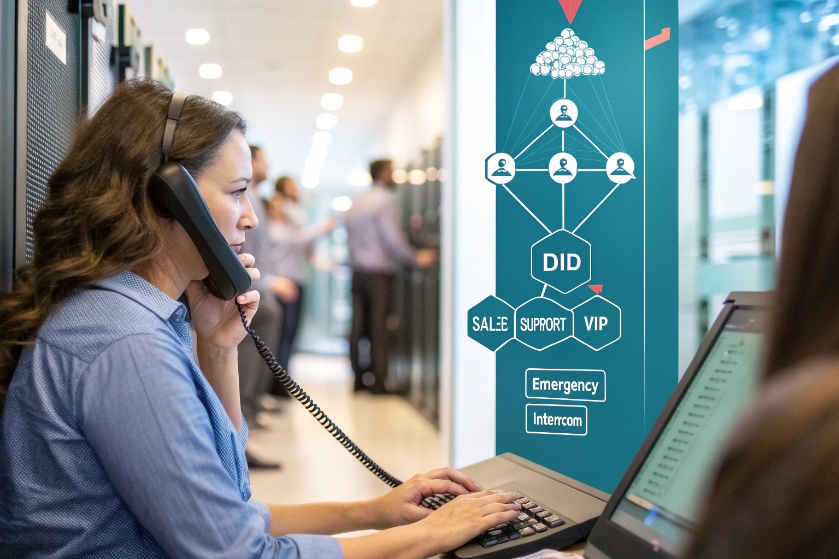
Most companies still treat their phone number like a single front door. Everything piles into one IVR, and callers wait while the system figures out who they need.
Direct Inward Dialing (DID) gives each user, queue, or workflow its own public number so external callers can reach them directly, while your SIP trunks, PBX, and routing logic quietly handle the mapping behind the scenes.
In a DID setup, the public number lives at the carrier. The intelligence lives on your IP PBX 1 or contact center platform. Once that mapping is clear, you can design smart routing, localization, tracking, and compliance around simple phone numbers that customers already understand.
How do I assign DIDs to teams or agents?
Many people still think one DID equals one physical line on the wall. In IP telephony, that idea is gone. A single number can front a team, an app, or a whole workflow.
You assign DIDs by mapping each number from the carrier to an internal target on your PBX or CCaaS platform, such as an extension, skill queue, IVR menu, or SIP endpoint.
Inside a modern SIP 2 system, DIDs are just numbers with routing rules. The carrier delivers the call to you over a SIP trunk (or legacy PRI). The “dialed number” arrives as DNIS. Your IP PBX or contact center then looks at that DNIS and decides what to do.
For a small office, you might give each employee a single DID and map it one-to-one to a SIP phone or softphone extension. For a contact center, you often do the opposite. You use one DID per team, brand, or language skill, and then route that DID into a queue served by many agents.
When you buy a DID block (for example, 100 contiguous numbers), it becomes easy to align them with extension ranges. 3xx could be sales, 4xx support, 5xx finance. The public DID and internal extension do not have to match, but keeping them aligned makes operations and documentation simpler.
Because capacity lives on the trunk, not the number, many calls can hit one DID at the same time. Concurrency is limited by your SIP trunk, session border controller, and platform license, not by the DID itself. That is why a single hotline DID can safely front a large queue, or an emergency SIP intercom group, without separate physical lines.
Over time, you can refine routing without changing the phone number. A DID that once rang a single device can evolve to ring a hunt group, overflow to a backup team, or trigger time-based rules for after-hours support. The number stays the same for customers, but the logic behind it grows with your business.
Can I port my existing DID numbers to SIP?
Losing long-standing phone numbers is a hard no for most businesses. The good news is that in almost all cases, you do not need to give them up to move to SIP.
Yes, most existing DIDs can be ported from legacy carriers to SIP providers, as long as the number is portable in that country and the ownership details match your paperwork.
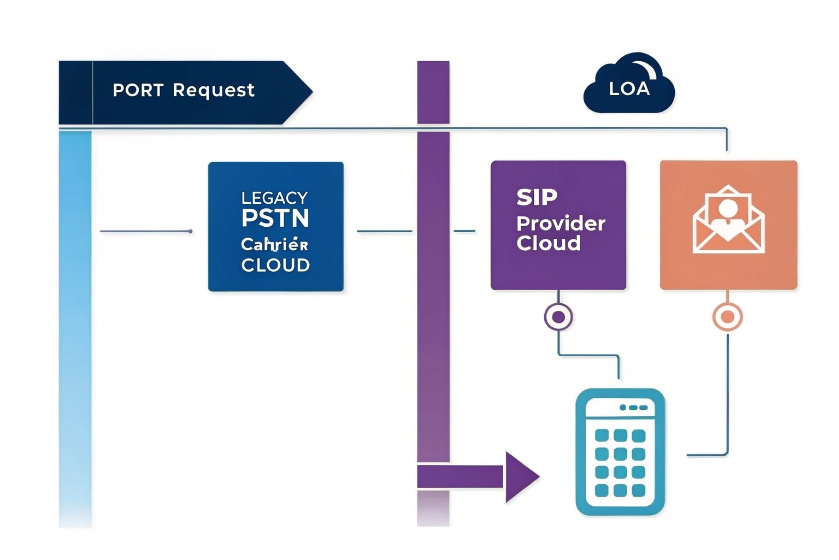
Porting takes the public number away from the old carrier and reassigns it to a new one, often a SIP trunk provider or CCaaS platform 3. The number stays the same for callers. What changes is where the carrier sends the call and how it delivers it, usually over SIP instead of TDM.
The process is mainly administrative. You submit a Letter of Authorization (LOA) with exact account details, billing name, and the list of numbers or ranges. The losing carrier validates ownership. If everything matches, they schedule a cutover date and time. At that moment, routing flips to the new trunk.
There are a few things to watch:
- Some number types in some countries are not fully portable, or they have extra checks. These can include certain toll-free, shared-cost, or very old analog numbers.
- If numbers are spread across multiple accounts or carriers, you may need separate port orders, which can add both time and cost.
- During cutover, you want clear rollback and test plans. Often, we test a small pilot block first, then port the rest.
Once numbers land on your SIP trunk, you gain more flexibility. You can route them into an on-prem IP PBX, a cloud PBX, a CCaaS platform, SIP intercom gateways, or a mix. You also get easier integration with IP door phones, emergency telephones, and other SIP endpoints that sit on the same network as your voice core.
In short, porting is rarely a technical barrier. It is a paperwork and planning exercise. When done well, callers do not notice anything except maybe better audio and faster routing.
What costs and regulations affect my DIDs?
DIDs look simple from the outside, but behind them sit monthly fees, usage charges, and a few regulations you cannot ignore, especially around emergency calling and data retention.
DID economics blend fixed monthly fees per number, inbound usage, and premiums for certain regions or features, while regulations shape emergency routing, caller identity, and how you use and store call data.
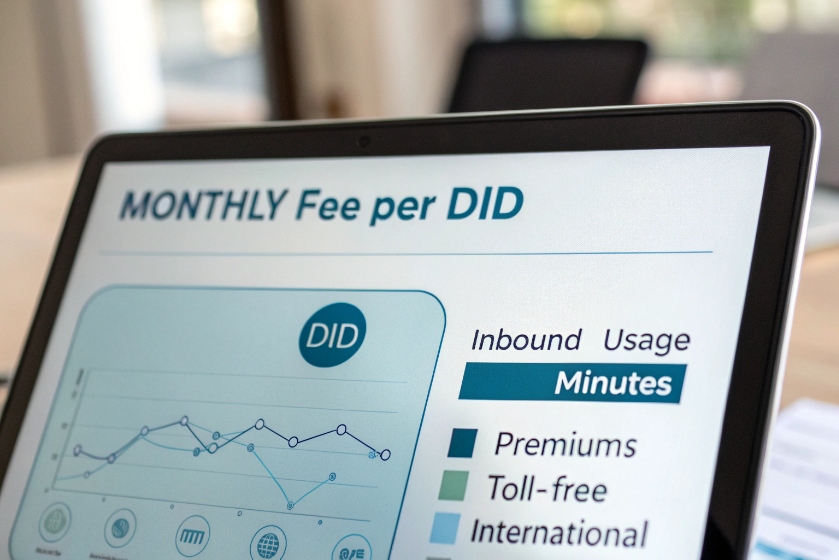
Most providers charge a monthly fee per DID. Single numbers cost more per piece. Blocks are cheaper per number. Local numbers in standard regions are usually the baseline. Toll-free, vanity, and some international ranges carry a premium. On top of that, you pay for minutes or channels, depending on how the offer is structured.
Because capacity lives at the trunk level, it often makes sense to keep fewer, smarter DIDs and let routing logic do the hard work. For example, one DID per language or brand, not one per micro-team, unless reporting or marketing tracking needs that level of granularity.
On the regulatory side, the big item is emergency calling. In many regions, you must assign a physical address to any DID that can call emergency services (E911, E112, or local equivalents). For SIP setups with mobile users, this becomes a location-management problem. Many platforms now support dynamic location or per-device address mapping, but someone still has to maintain the data.
Other items to watch:
- Caller ID and CNAM: Outbound display must follow local rules. Some countries regulate what you can present and how masking works.
- Recording and privacy: If DIDs map to recorded hotlines or queues, your prompts and retention policies must meet local privacy laws.
- Fraud and abuse: DIDs can be targets for toll fraud or spoofing. Session border controllers, rate limits, geo blocking, and monitoring of abnormal CDR patterns help protect both costs and reputation.
From a budgeting angle, it helps to bucket DIDs into tiers: critical (emergency, compliance, VIP), core (main sales and support), and flexible (campaign, tracking, temporary projects). Critical and core DIDs justify premium routing and redundancy. Flexible DIDs can use cheaper pools and be recycled when projects end.
How do DIDs improve localization and tracking?
A phone number looks like a small thing, but it carries a lot of signaling: geography, brand, language, even perceived trust. Used well, DIDs become both a localization tool and a tracking channel.
DIDs support localization by giving each region or brand its own local number and improve tracking by tying every inbound call to a specific DID, campaign, or workflow in your analytics.
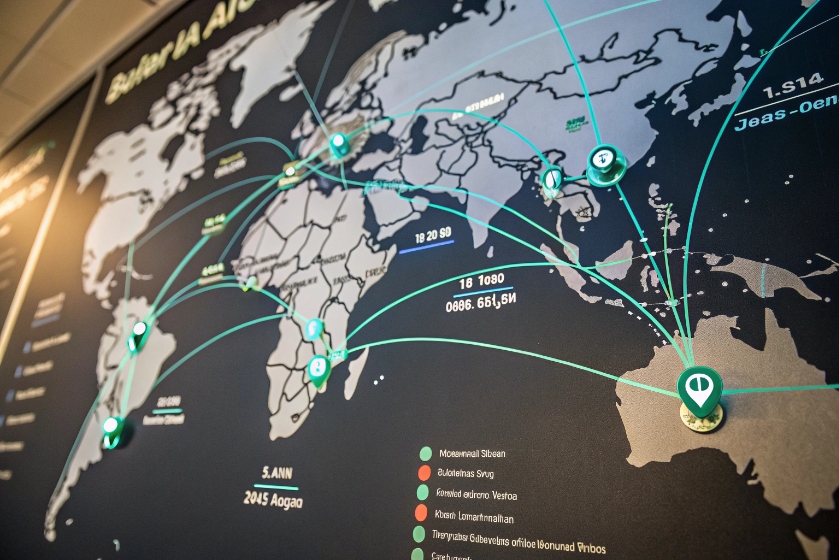
For localization, you can assign local DIDs per city, region, or country. Customers in Berlin dial a German number. Customers in São Paulo dial a Brazilian number. Behind the scenes, all of these calls can land on the same global SIP core and the same IP PBX or contact center. The DID tells the platform how to greet and route the caller.
Typical examples:
- Different language menus based on DNIS
- Local business hours and holidays per market
- Different queues or skill groups per brand or product line
- Different recordings, legal statements, or IVR flows per region
On the tracking side, DIDs become simple, powerful tags. Give one number to the website, another to a paid ad campaign, another to a printed brochure, and another to your SIP intercom or emergency kiosk network. All of them can route into the same queue, but the platform logs which DID each call hit.
This lets you measure:
- Call volume and conversion by campaign
- Cost per call and cost per sale per DID
- SLA and abandonment per number or channel
- How many calls each physical device or location generates
You can also align outbound caller IDs with inbound DIDs. If someone called your Paris sales line last time, outbound calls from that team can show the same French number. That consistency builds trust and improves answer rates, especially when the number is clearly local to the customer.
The key is to design a number plan rather than buying DIDs randomly. Decide up front which prefixes or blocks belong to which use case. Document them. Tag them in your PBX, CCaaS, or SIP management tools. Then plug that structure into your CRM and reporting, so the value of each DID is visible beyond the telecom team.
Conclusion
Well planned DIDs turn simple phone numbers into routing, localization, and tracking tools, while SIP trunks, PBX rules, and compliance settings quietly make sure every call reaches the right place.
Footnotes
-
Learn how IP PBX systems manage voice communication using internet protocols to enhance call efficiency and routing. ↩ ↩
-
Understand how SIP (Session Initiation Protocol) enables the setup and termination of communication sessions for voice and multimedia. ↩ ↩
-
A guide to CCaaS platforms and their impact on cloud-based contact center solutions for scalability and flexibility. ↩ ↩








