
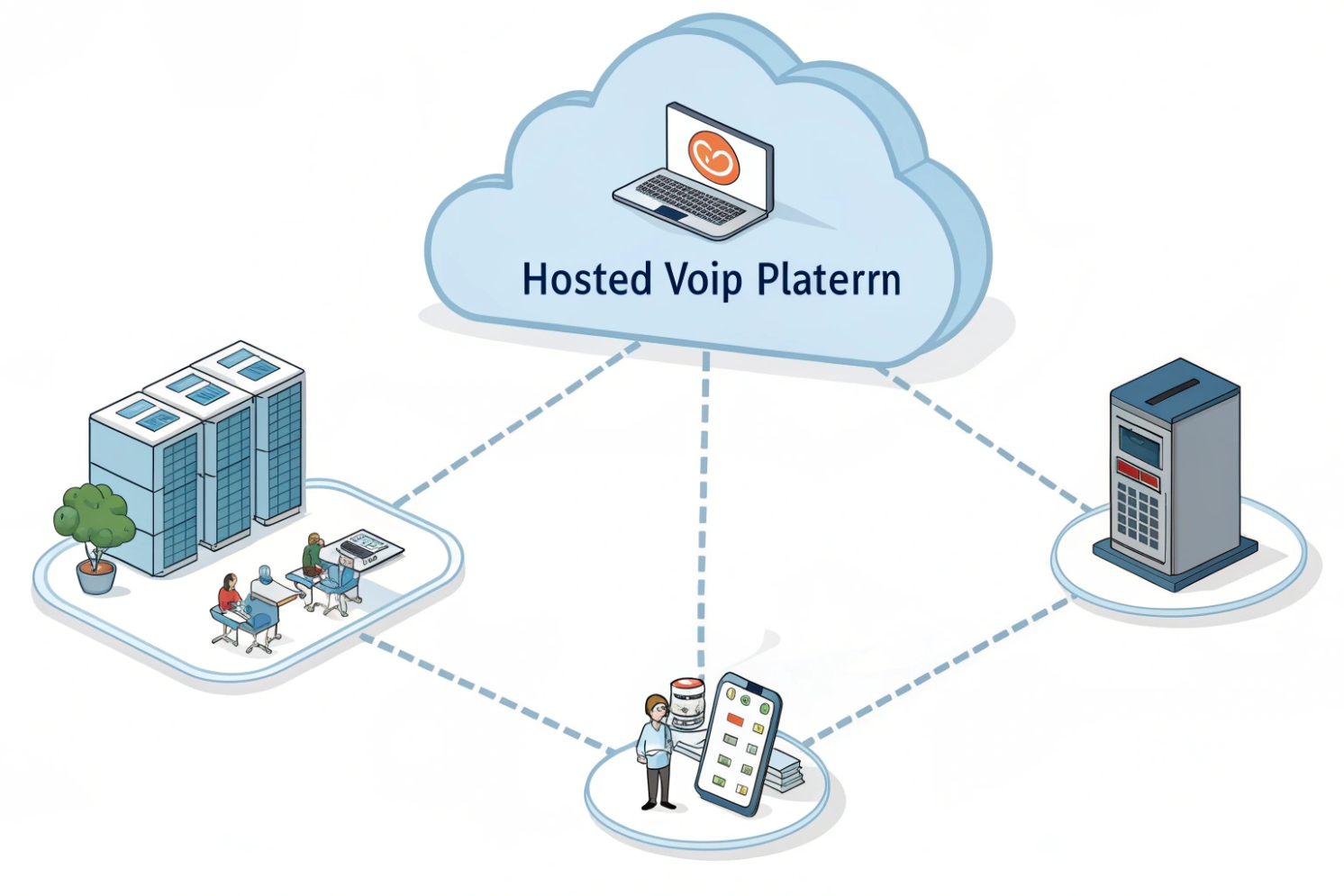
Old PBX boxes fail at the worst time, and changes take days. Hosted VoIP removes that local burden, but it can feel confusing at first.
Hosted VoIP is a cloud-delivered business phone service where a provider runs the PBX and SIP infrastructure, and your desk phones, softphones, and mobile apps connect over the internet to make and receive calls.
Hosted VoIP works best when the role split is clear. The provider owns the call platform, redundancy, and upgrades in a hosted VoIP service model 1. The business owns endpoints, internet quality, and admin policy. Once those lines are set, deployments become much easier to scale across sites.
{#ref-1}
How does hosted VoIP differ from on-prem IP PBX and UCaaS?
Many teams move to the cloud to avoid hardware stress, then get surprised by new limits and new dependencies. The difference is not only “where the server sits.”
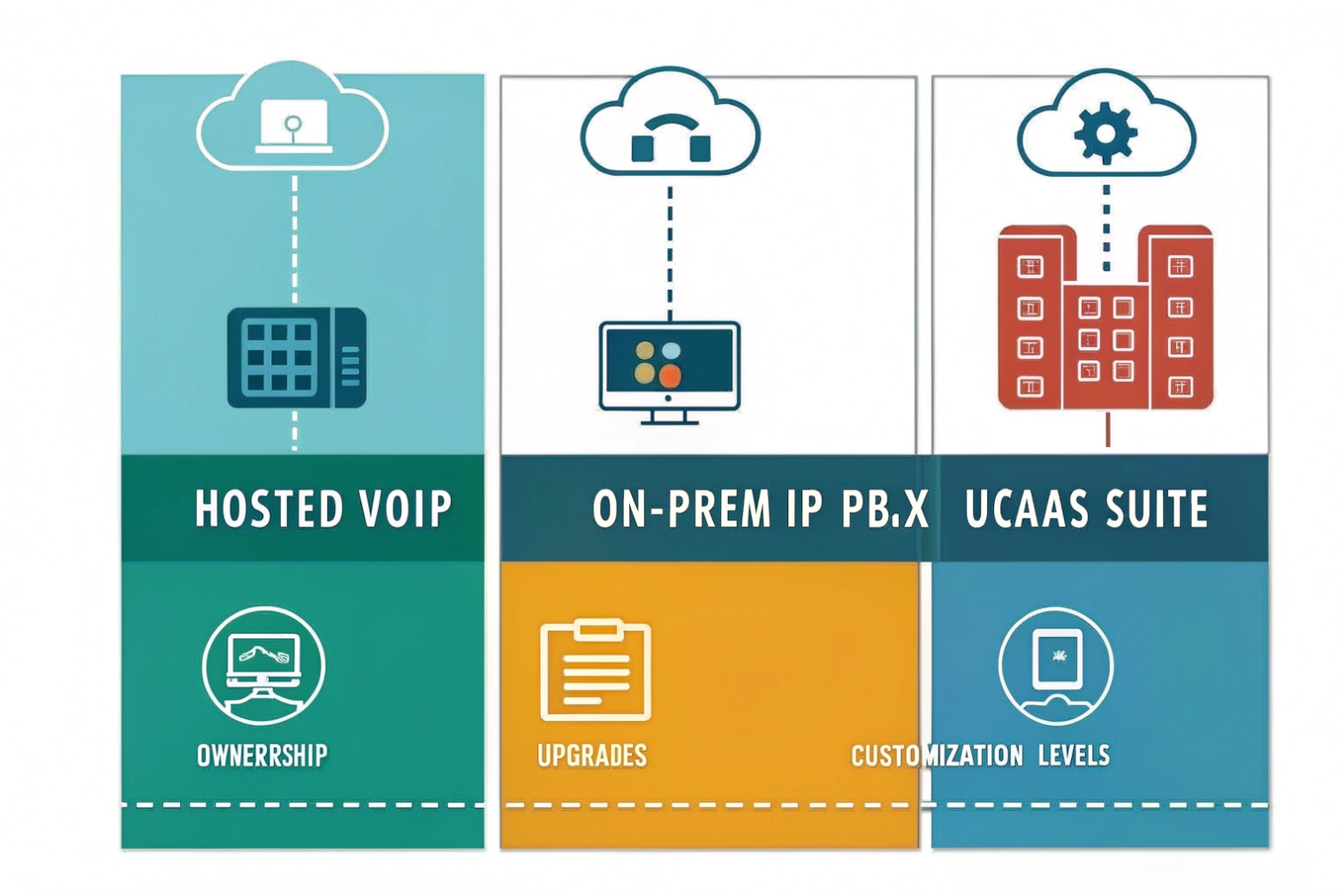
Hosted VoIP moves your PBX features into the provider cloud, on-prem IP PBX keeps call control on your LAN, and UCaaS bundles hosted voice with meetings, chat, and team collaboration, often in one app.
Where call control and risk live
Hosted VoIP puts the PBX brain in provider data centers. That brain includes registrations, dial plans, IVRs, voicemail, queues, and often recordings. This removes the need to run PBX servers on-site. It also shifts the main dependency to your WAN and the provider SLA. If your internet path fails, cloud call control becomes unreachable unless you have failover designs.
On-prem IP PBX keeps call control local. Internal calls can still work even if the internet is down, depending on design. It also allows deeper customization in many cases. But the cost is local maintenance, patching, backups, hardware lifecycle, and the need for in-house skills during outages. The classic reference point here is an IP PBX platform 2.
{#ref-2}
UCaaS is usually hosted voice plus more. Many UCaaS platforms add chat, meetings, presence, file sharing, and integrations into one client. This can simplify user experience. It can also change feature depth. Some UCaaS platforms have great voice. Some are collaboration-first, and voice is “good enough.” A business that relies on queues, call recording policy, and analytics should verify the voice depth. (A common category definition is Unified Communications as a Service (UCaaS) 3.)
{#ref-3}
Control, cost, and scaling
Hosted VoIP is usually OpEx per user per month. On-prem is often more CapEx upfront and more control later. Scaling is also different. Hosted VoIP scales by licensing and provisioning. On-prem scales by adding resources, licensing, and sometimes appliances.
| Area | Hosted VoIP | On-prem IP PBX | UCaaS |
|---|---|---|---|
| Who runs upgrades | Provider | Your team | Provider |
| Scaling users | Fast | Depends on capacity | Fast |
| Custom dial plans | Medium (vendor limits) | High | Medium |
| Internet dependency | High | Medium | High |
| Best fit | Multi-site and remote teams | Strict local control | “One app” standardization |
A short story placeholder
A multi-site distributor once stopped planning PBX hardware refresh cycles after moving to hosted VoIP. The team still invested in better WAN and PoE switching, because voice quality became a network job.
Can hosted VoIP handle SIP trunks, DIDs, E911, and number porting?
Teams often hear “hosted” and assume carrier features are automatic. In reality, hosted VoIP still sits on telecom building blocks like DIDs, routing, and emergency calling.
Yes. Hosted VoIP typically includes PSTN connectivity through the provider, with SIP trunks behind the scenes, DID phone numbers, E911/999/112 location handling, and number porting so you can keep existing numbers.
SIP trunks in hosted VoIP
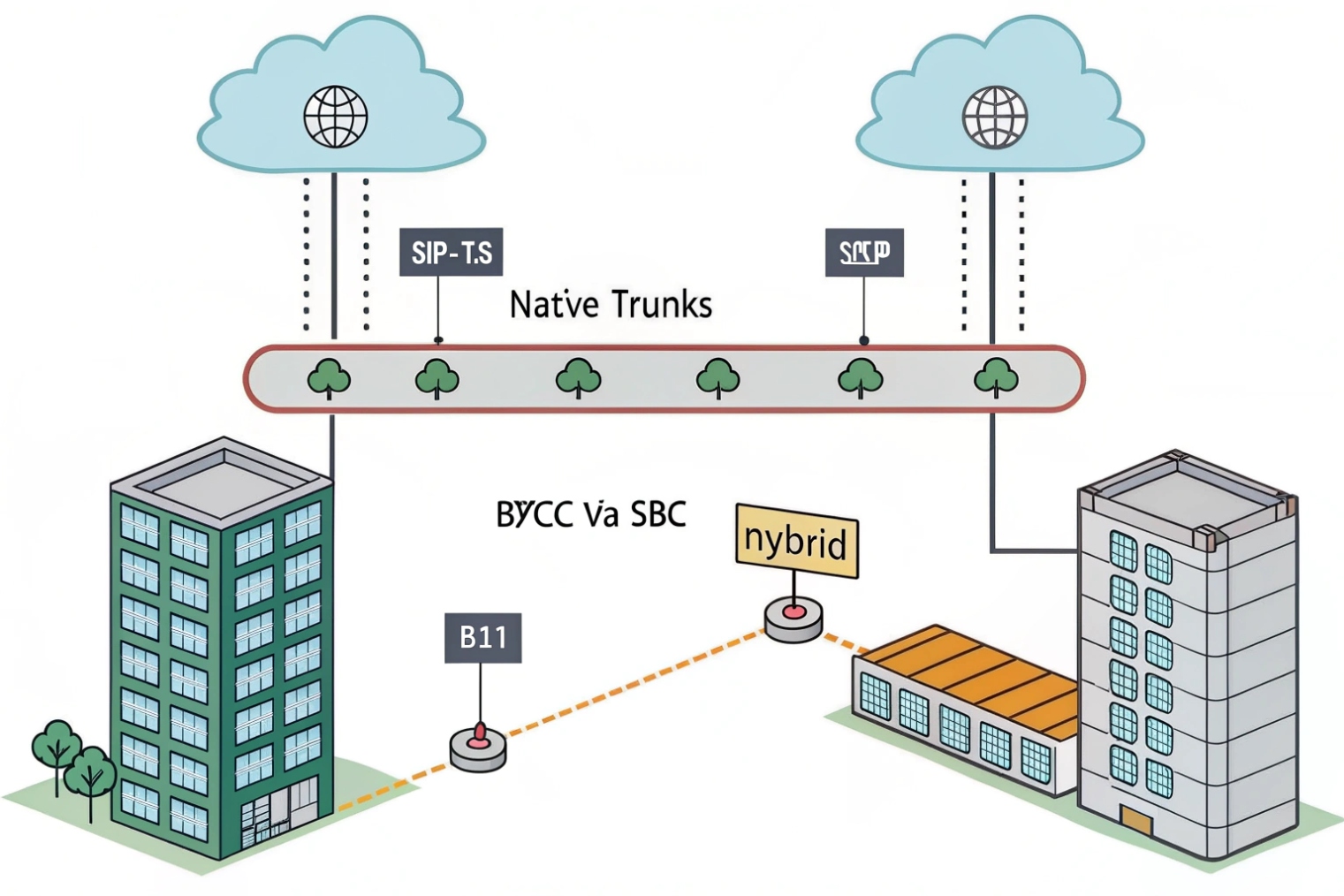
Hosted VoIP providers usually run their own SIP trunking 4 layer or partner with carriers. You do not always see it as “a trunk.” You see it as numbers and calling plans. Some platforms also support BYOC (bring your own carrier) where an external ITSP trunk connects via an SBC. BYOC can help when there are special rate centers, better pricing, or strict routing needs. It also adds complexity, because now there are two vendors in the call path.
{#ref-4}
DIDs and number inventory
DID phone numbers 5 are the public numbers that map inbound calls to your users, queues, or IVRs. Coverage varies by provider footprint. A good provider can explain:
- Which cities and rate centers are available
- Whether numbers support SMS/MMS (if needed)
- How caller ID policies work for outbound calls
- How fast new numbers can be provisioned for new sites
{#ref-5}
Emergency calling is a workflow, not a checkbox
E911 or local emergency services require accurate dispatchable location. Hosted VoIP can support this, but it depends on how endpoints move. A practical baseline is aligning to VoIP and 911 (E911) guidance 6.
{#ref-6}
- Fixed desk phones should have stable addresses tied to that DID or that device.
- Softphones need a policy for location updates.
- Shared phones, lobby phones, and intercom endpoints need clear site mapping.
- Elevator and emergency phones need special attention and testing.
Emergency calling also needs a continuity plan. Power loss and internet loss can stop VoIP. Backup power for switches and routers, plus a failover path, is part of the design.
Porting and FOC dates
Porting is how you move numbers from the old carrier to the hosted provider. A clean port plan includes:
- Correct account details and service address matching
- A committed cutover window (FOC date)
- A test plan for inbound and outbound calls
- A fallback plan if a partial port happens
| Capability | What to confirm | Why it matters | Common issue |
|---|---|---|---|
| SIP trunk model | Bundled or BYOC | Responsibility and routing | Two vendors blame each other |
| DID footprint | Rate centers and regions | Local presence | Numbers not available in key city |
| E911 model | Address and device mapping | Compliance and safety | Wrong dispatch address |
| Porting process | Tracking and cutover support | Business continuity | Port delayed due to data mismatch |
| Caller ID policy | Authorized numbers only | Trust and deliverability | Random outbound CLI gets blocked |
A short story placeholder
A port once failed because the business name on the losing carrier record did not match the LOA. The technical setup was ready, but paperwork delayed the cutover. After that, the team always validated CSR data first.
What features do I get—IVR, queues, recording, WebRTC, and analytics?
Features look similar on marketing pages. The real difference is how well they match daily call flows and how easy they are to manage across sites.
Hosted VoIP usually includes IVR/auto-attendant, ring groups and queues, call recording, softphones, WebRTC options for browser calling, and analytics through dashboards and CDR exports or APIs.
IVR and routing that keeps callers moving
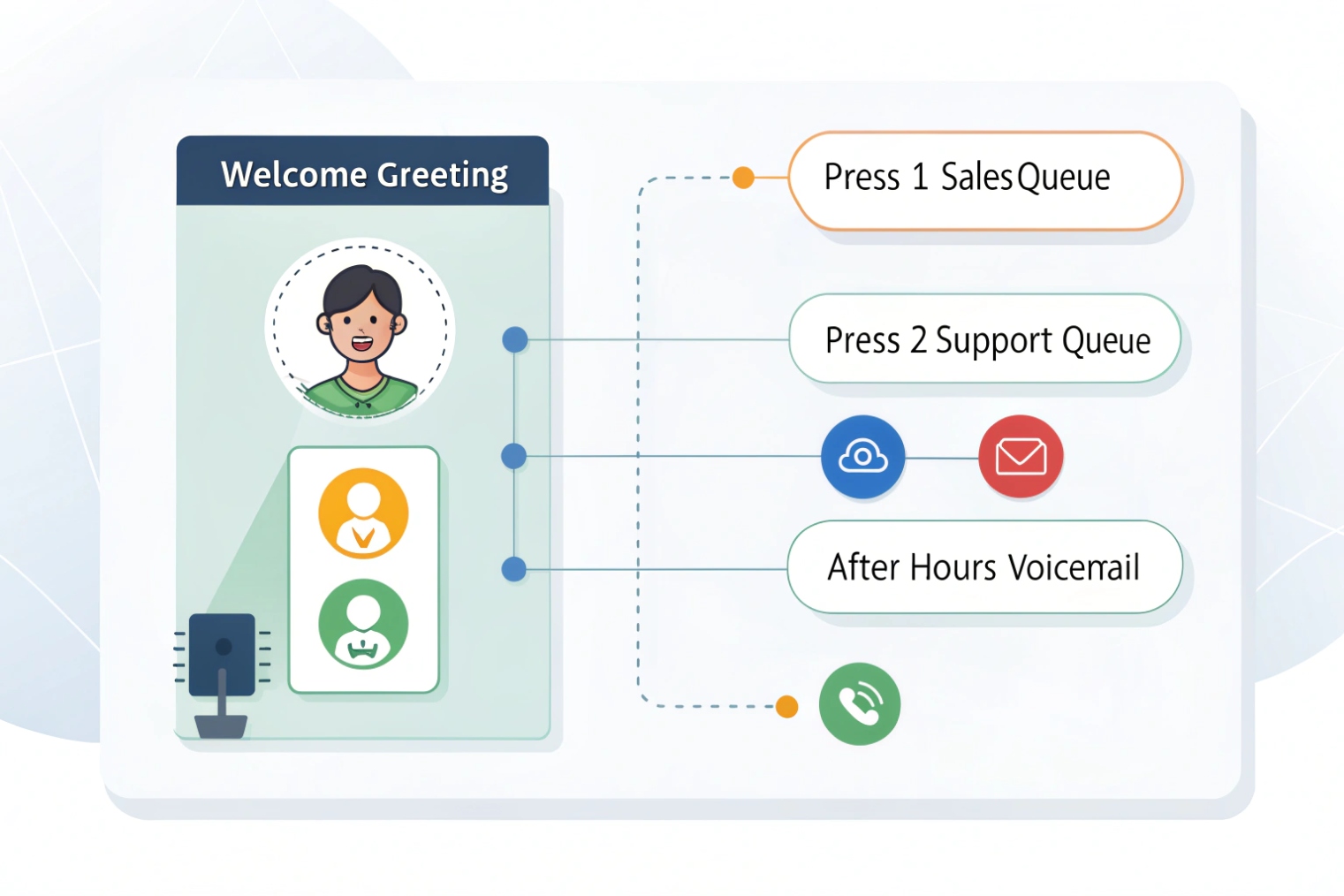
IVR is the front door. A good hosted VoIP platform supports:
- Time schedules and holiday routing
- Simple menus with quick transfers to queues
- Failsafes when agents are offline
- Multi-site routing rules when calls should follow business hours by region
IVR works best when it stays short. Many businesses create deep menus and lose callers. A simple menu plus queue overflow rules usually wins.
Queues and agent workflow
Queues are where operational detail matters. The platform should support:
- Agent states and wrap-up time
- Overflow to other teams or voicemail
- Callback or alternate routing (if offered)
- Supervisor tools and reporting
- Clear SLA metrics like answer time and abandon rate
A team that cares about service levels should verify the queue reporting before signing. Some systems have queues but weak analytics.
Recording and storage policy
Recording is not only a toggle. It includes:
- Per-user or per-queue recording rules
- Pause/resume for sensitive data (if needed)
- Retention periods
- Export controls and audit logs
- Encryption at rest
Some industries also need immutable storage or long retention. A platform that supports export to S3 or a controlled archive helps.
WebRTC and browser access
WebRTC browser calling 7 can reduce friction for remote users and guests. It also depends on NAT traversal and media security. A clean hosted platform provides:
- Browser calling with reliable audio
- TURN handling for strict networks
- Good device selection and echo control
- Clear security controls
{#ref-7}
Analytics and integrations
Hosted VoIP should provide:
- Call detail records (CDRs)
- Queue and agent analytics
- Missed call reports by site
- Export or API for BI tools
- CRM integration or click-to-dial options
| Feature | What to check | Why it matters | Quick test |
|---|---|---|---|
| IVR | Schedules and failover | Fewer lost calls | Simulate after-hours calls |
| Queues | Overflow and reporting | Service quality | Test peak-hour load and dashboards |
| Recording | RBAC and retention | Compliance and privacy | Try role-limited playback/export |
| WebRTC | TURN support and stability | Remote usability | Test from a hotel Wi-Fi and a mobile hotspot |
| Analytics | Export/API | Real reporting | Pull CDRs and match them to invoices |
A short story placeholder
A service desk improved answer rates after adding a simple IVR option for urgent calls and tuning queue overflow. The platform made the change fast, so the team kept iterating instead of waiting for a maintenance window.
How do I secure hosted VoIP—TLS, SRTP, MFA, roles, and backups?
Hosted VoIP reduces server chores, but it raises identity risk. A stolen admin login can reroute calls, export recordings, or run fraud in minutes.
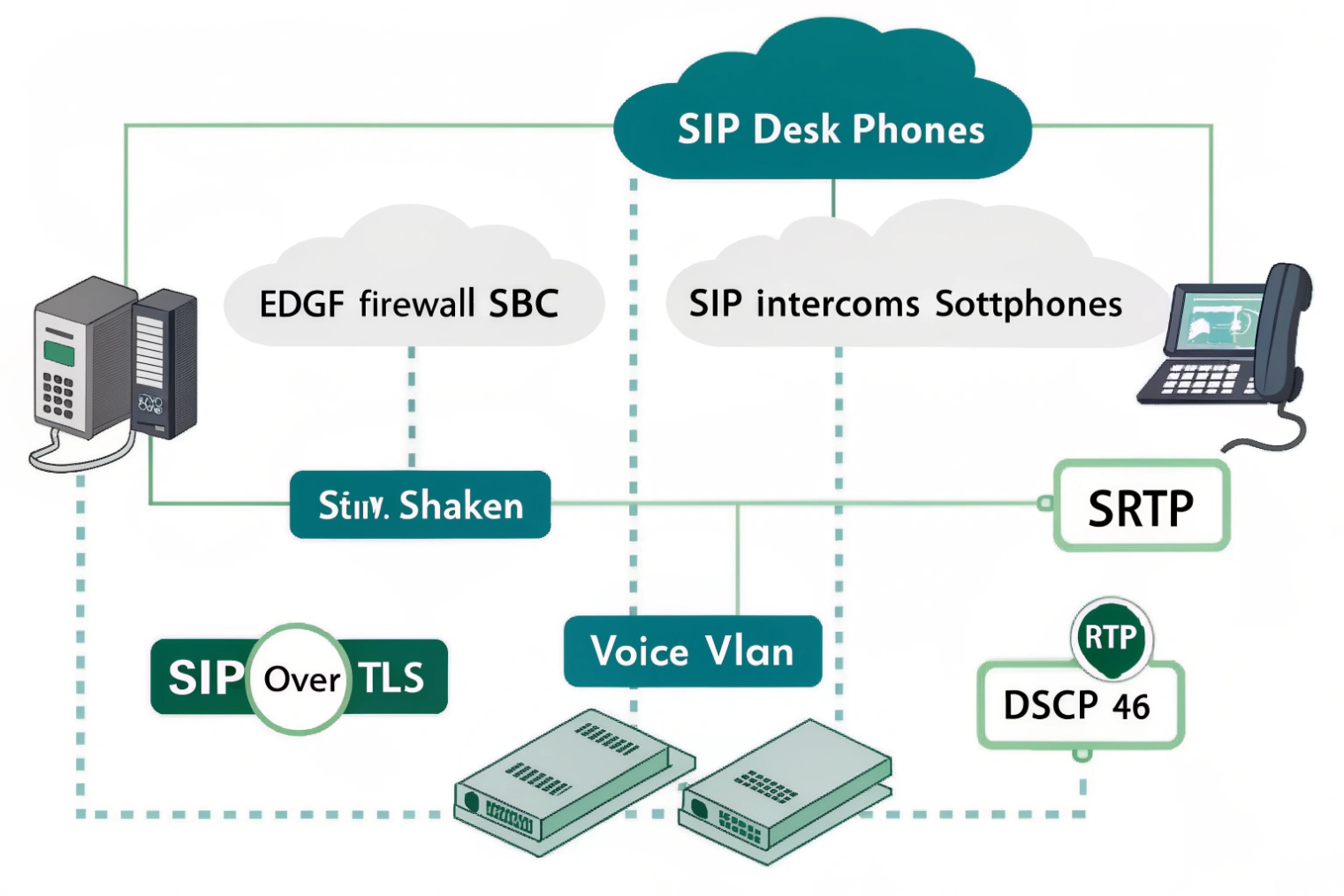
Secure hosted VoIP by enforcing TLS for signaling, SRTP for media, requiring MFA for admins and key roles, using least-privilege access controls, and keeping encrypted backups or exports in isolated storage with tested recovery plans.
TLS and SRTP as the base layer
SIP over TLS protects signaling, including credentials and call setup details. SRTP protects the media stream. Many hosted platforms support both. Some endpoints may not. A practical approach is:
- Require TLS/SRTP for modern phones and softphones
- Put legacy devices into a restricted policy group
- Avoid “encryption optional” defaults, because they often downgrade silently
MFA and SSO for account safety
MFA should be mandatory for:
- Super admins
- Porting and billing roles
- Recording access roles
- Routing and trunk policy admins
SSO is also valuable when supported. It makes offboarding clean and reduces password reuse.
Roles that match real job functions
Role-based access control should separate duties:
- Super admin (very limited people)
- Voice admin (users, IVR, routing)
- Supervisor (queues, reports)
- Compliance/auditor (recording access)
- Read-only support (status and logs)
This reduces mistakes and limits damage during account compromise.
Network and endpoint posture still matters
Hosted VoIP still depends on your LAN and WAN:
- Use PoE switching with QoS and a voice VLAN
- Mark RTP with DSCP EF where possible
- Keep jitter and loss low with proper WAN design
- Use dual ISPs or LTE backup for critical sites
- Disable SIP ALG on edge routers when troubleshooting
A hosted platform can be stable, but a bad WAN can still cause choppy audio and failed registrations.
Backups and exports: plan for “provider outage” and “admin mistake”
Providers back up their platforms, but many businesses still need customer-controlled copies for compliance and continuity:
- Export recordings and CDRs to an encrypted archive if supported
- Use object immutability for regulated retention where needed
- Keep backup credentials separate from daily admin credentials
- Run recovery drills for recordings, CDRs, and config states
| Control | What to enforce | What it prevents | Simple check |
|---|---|---|---|
| TLS | TLS-only signaling | Credential sniffing | Confirm TLS transport on phones |
| SRTP | Require SRTP where possible | Media interception | Verify SRTP negotiated on calls |
| MFA | Mandatory for admins | Account takeover | Attempt admin login without MFA |
| RBAC | Least privilege | Overreach and mistakes | Confirm roles cannot edit trunks |
| Fraud limits | Spend caps and alerts | Toll fraud | Test alert thresholds in staging |
| Backups/exports | Encrypted and isolated | Data loss and tampering | Restore a sample dataset |
A short story placeholder
A business once had calls forwarded after an email compromise. MFA and “forwarding change alerts” stopped a repeat incident. The lesson was simple: cloud voice needs cloud-grade identity controls.
Conclusion
Hosted VoIP is provider-run PBX and SIP in the cloud. It speeds rollout and scaling, but it depends on solid WAN design, clear number management, and strict security controls.
Footnotes
-
Hosted PBX concept explains how cloud-hosted voice platforms operate and what the provider manages. ↩ ↩
-
Defines IP PBX basics to compare local call control versus cloud call control tradeoffs. ↩ ↩
-
Clarifies what UCaaS bundles beyond voice so you can judge “voice depth” versus collaboration-first suites. ↩ ↩
-
Explains SIP trunking so you understand the PSTN connectivity layer behind hosted calling plans. ↩ ↩
-
DID definition helps map public numbers to users, queues, and IVRs in a hosted platform. ↩ ↩
-
FCC guidance on VoIP E911 explains address registration and why dispatchable location workflows matter. ↩ ↩
-
WebRTC basics show what browser calling needs, including device support and NAT traversal considerations. ↩ ↩








