
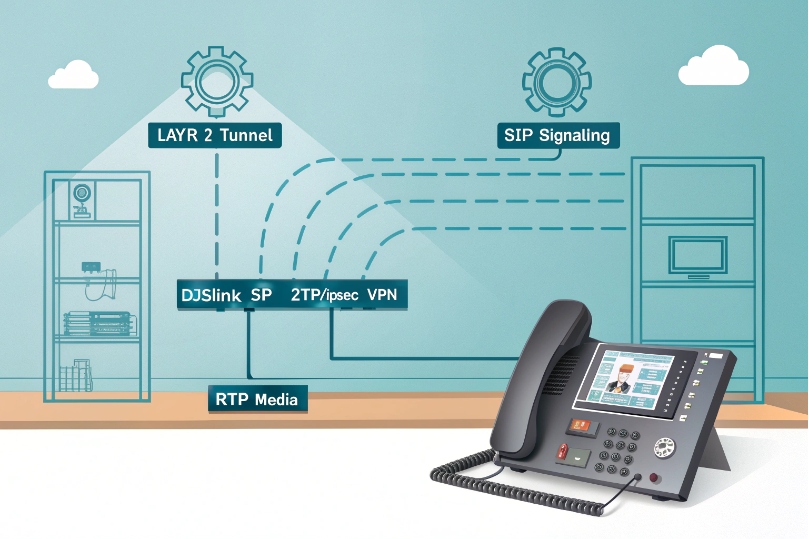
Remote phones register, but voice cuts out whenever someone turns on the VPN. Often the issue is not SIP itself, but how L2TP handles the traffic.
L2TP in a VoIP network is a Layer-2 tunneling protocol that carries PPP or Ethernet frames across IP, usually combined with IPsec for encryption, to make remote IP phones and PBXs behave like they sit on the same LAN.
L2TP sounds simple: “just a VPN.” In practice, it changes MTU, path, NAT behavior, QoS, and even VLAN design. If those details do not match your SIP and RTP flows, the tunnel works but the call experience does not. So it is worth walking through what L2TP does to voice before enabling it for every remote phone.
How does L2TP differ from PPTP, L2TP/IPsec, and OpenVPN for me?
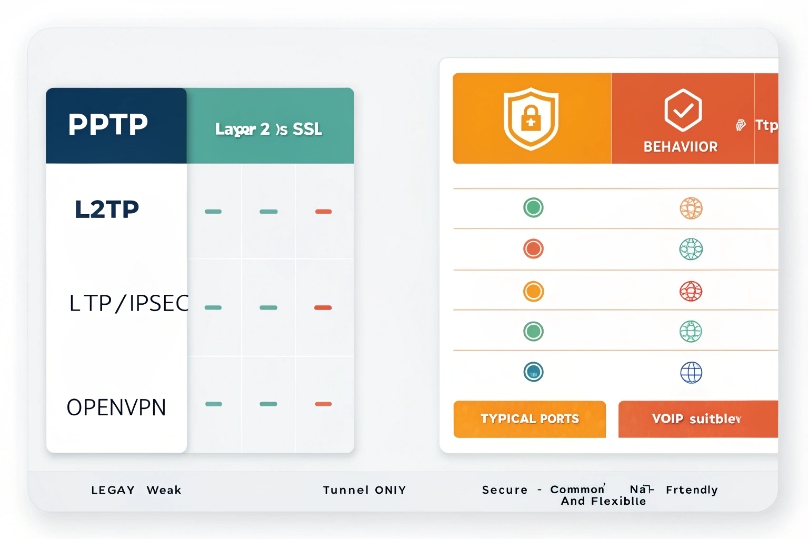
When looking at remote VoIP options, the VPN menu shows PPTP, L2TP/IPsec, SSL, and more. They all say “secure”, but they do not behave the same for voice.
L2TP by itself only tunnels Layer-2; L2TP/IPsec adds real security, PPTP is legacy and weak, and OpenVPN is an SSL VPN that is often more NAT-friendly and flexible for VoIP paths.
L2TP basics: tunnel, not encryption
L2TP protocol definition (RFC 2661) 1 describes a tunneling protocol at Layer 2:
- It wraps PPP (and in L2TPv3 for Ethernet tunneling (RFC 3931) 2, Ethernet frames) inside UDP/IP.
- It uses UDP 1701 for control and data.
- It supports multiple sessions per tunnel, with control messages and keepalives.
On its own, L2TP does not encrypt or authenticate user data. It just moves frames from one side to the other. For a VoIP network, that means:
- A remote phone can get an internal address, routes, and even a voice VLAN extension.
- Anyone who can see the path could, in theory, inspect the unencrypted traffic.
That is why most deployments use L2TP/IPsec, not plain L2TP, when they go over the internet.
L2TP/IPsec: what most people mean by “L2TP VPN”
L2TP/IPsec stacks two layers:
- IPsec provides:
- Encryption via Encapsulating Security Payload (ESP) (RFC 4303) 3.
- Integrity and authentication.
- Key management via IKE on UDP 500 and UDP 4500 (NAT-T).
- L2TP runs inside IPsec and carries PPP or Ethernet frames.
Common ports and protocols:
| Purpose | Protocol / Port |
|---|---|
| IKE Phase 1 | UDP 500 |
| NAT Traversal | UDP 4500 |
| IPsec ESP data | IP protocol 50 |
| L2TP control/data | UDP 1701 |
For VoIP, L2TP/IPsec is attractive because:
- It is widely supported on routers, firewalls, and operating systems.
- It can make remote phones appear as if they sit “inside” the office LAN.
- It keeps SIP and RTP encrypted all the way through the tunnel.
The trade-offs show up in MTU, extra processing, and stricter firewall needs.
PPTP: legacy, simple, not suitable for modern VoIP security
PPTP is older:
- It uses GRE and TCP 1723.
- It relies on legacy encryption methods that are considered weak today.
From a VoIP point of view:
- It may “work,” but it does not meet modern security expectations.
- It is often blocked by corporate firewalls and some ISPs.
- There is little reason to build new VoIP designs on PPTP now.
Most teams simply avoid PPTP in fresh deployments, especially where SIP credentials could be stolen.
OpenVPN and SSL VPNs: flexible and NAT-friendly
OpenVPN and similar SSL VPNs use:
- UDP or TCP on configurable ports (often 1194, 443, etc.).
- TLS for encryption and authentication.
- A virtual interface (TUN/TAP) that can route or bridge networks.
For VoIP these offer some benefits:
- Better NAT traversal. They look like normal TLS traffic.
- Easier to run over port 443 when networks are restrictive.
- Flexible topologies (site-to-site, remote access, per-app VPN).
The main difference:
- L2TP/IPsec: standard, good integration with OS dial-in, strong security, but more sensitive to NAT and firewall quirks.
- OpenVPN/SSL: very flexible and NAT-friendly, but needs extra software on endpoints and more planning for QoS and routing.
If you want the protocol specifics and options in one place, the OpenVPN reference manual 4 is a solid baseline.
In small VoIP setups, built-in L2TP/IPsec may be enough. In larger or more complex networks, an SBC plus TLS/SRTP or a dedicated SSL VPN can be cleaner.
Should I use L2TP/IPsec to connect remote IP phones or PBXs securely?
Remote staff want to plug an IP phone at home and talk like they are in the office. A VPN looks like the easy button. The question is if L2TP/IPsec is the right flavor.
L2TP/IPsec can securely connect remote phones and small PBXs, but it adds overhead and complexity, so it fits best for a limited number of endpoints or small sites, not as the only strategy for large-scale VoIP access.
Good use cases for L2TP/IPsec with VoIP
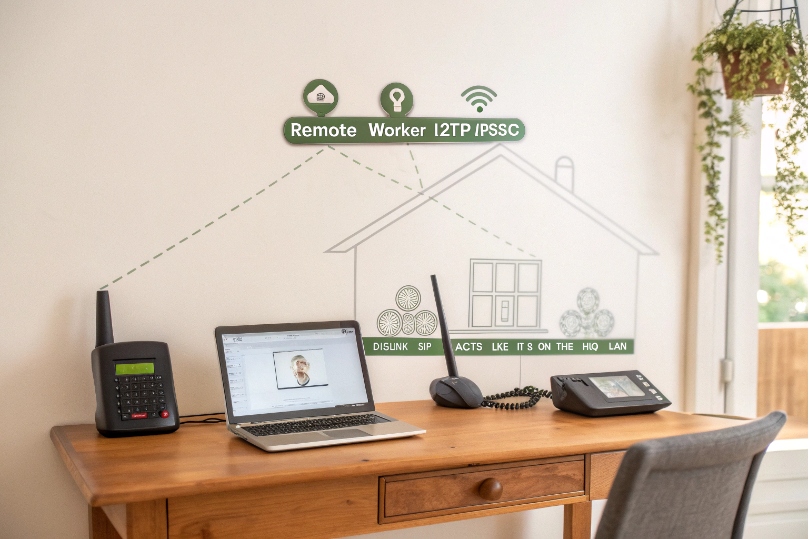
There are scenarios where L2TP/IPsec works very well:
-
Single remote worker with one or two phones:
- The phone or router creates an L2TP/IPsec tunnel to HQ.
- The device gets an internal IP as if it sits in the office.
- SIP and RTP stay inside the tunnel.
-
Small branch office:
- An edge router at the branch builds a site-to-site L2TP/IPsec tunnel.
- Local phones send traffic to that router.
- To the PBX, those phones look like another local subnet.
-
Lab and testing environments:
- Easy to simulate remote segments safely.
- No need to expose SIP directly to the internet.
In these cases, the number of tunnels and routes stays manageable. Monitoring and QoS policies can be tuned for known traffic levels.
Cases where L2TP/IPsec is not ideal
For many modern VoIP designs, it is better to rely on VoIP-aware security than pure VPN:
-
Large fleets of mobile or home users:
- Managing L2TP/IPsec on hundreds of home routers and phones is heavy.
- IP changes, NAT differences, and firmware quirks add up.
-
Global public access:
- Exposing SIP via SBCs with TLS/SRTP is often cleaner.
- Access control and rate limiting can be done at the SIP layer.
-
Carrier or multi-tenant services:
- Providers expect direct SIP over secure transports, not per-customer L2TP tunnels.
In these models, an SBC or edge proxy terminates SIP from the internet. TLS/SRTP protects signaling and media, while firewalls enforce policy. L2TP/IPsec is still useful for admin access or special sites, but not for every phone.
Security and management factors
If L2TP/IPsec is used, a few habits keep VoIP safer:
- Prefer strong pre-shared keys or certificates, not simple passwords.
- Limit which IPs or subnets can use L2TP/IPsec.
- Separate management VPN and voice VPN if possible.
- Make sure phones or routers:
- Get only the routes they need.
- Cannot reach unrelated internal systems by default.
In many real deployments, L2TP/IPsec is one tool in the box, not the only way to connect remote VoIP devices. It works well for controlled groups and branches, while other tools handle big, public-facing VoIP flows.
Will L2TP handle NAT, QoS, and SIP/RTP traffic without increasing latency?
VPNs promise security, but sometimes they turn clear audio into choppy, delayed speech. NAT, QoS, and extra headers all play a part in that story.
L2TP/IPsec can cross NAT and carry SIP/RTP, but it adds encapsulation overhead and processing, so MTU tuning, QoS on the tunnel, and proper NAT-T settings are required to keep latency and jitter low.
L2TP/IPsec and NAT traversal
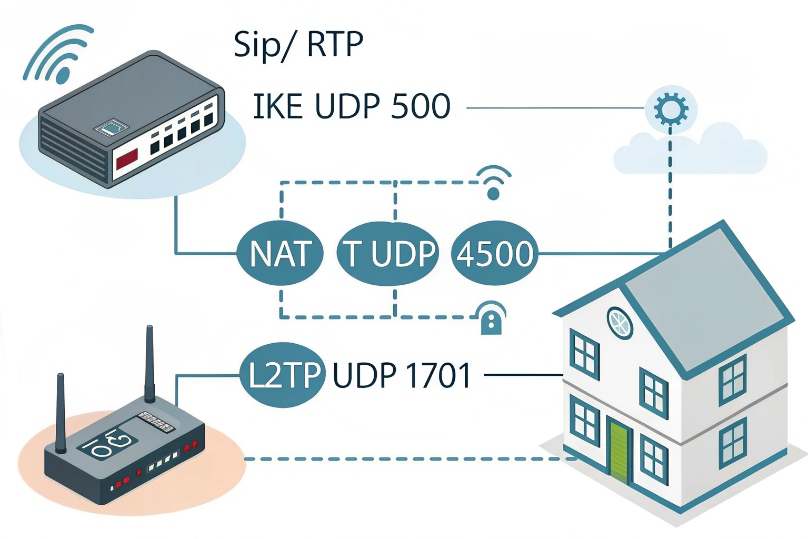
L2TP alone uses UDP 1701. With IPsec, things add up:
- IKE on UDP 500 sets up security associations.
- NAT-Traversal runs on UDP 4500 when NAT is detected.
- ESP carries encrypted payloads (often with UDP encapsulation for IPsec NAT traversal (RFC 3948) 5).
Some NAT devices:
- Block ESP or do not handle UDP 4500 well.
- Time out idle mappings too fast.
- Interfere with SIP ALG and rewrite things badly.
To help VoIP across L2TP/IPsec:
- Enable NAT-T on both ends.
- Keep NAT timeouts long enough for voice calls.
- Disable SIP ALG on edge devices, so RTP pinholes rely on correct routing, not broken rewriting.
Once the tunnel is up, SIP and RTP flows inside it as if on a private network. But the health of that outer path still controls stability.
QoS on the tunnel vs inside packets
Inner VoIP packets often use DSCP EF (46). When they enter an L2TP/IPsec tunnel:
- Those marks may be preserved or lost.
- Routers on the WAN see only the outer IP header.
Best practice is to:
- Trust or map inner DSCP to the outer header at tunnel ingress.
- Apply QoS on the outer tunnel traffic, not just on raw SIP/RTP flows.
A simple table:
| Layer | What WAN sees | What to prioritize |
|---|---|---|
| Inner | SIP/RTP with DSCP EF | Visible only at tunnel endpoints |
| Outer | L2TP/IPsec packets | What routers and WAN actually handle |
If the outer tunnel packets all look like “best effort,” voice fights with everything else on busy links. When I tune L2TP for VoIP, I always treat the tunnel as the new “voice flow” for QoS.
Latency, jitter, and MTU with L2TP/IPsec
Encapsulation adds headers:
- Outer IP + UDP + L2TP + PPP.
- IPsec ESP header and trailer.
- Possible extra padding and alignment.
This reduces the effective MTU. Without adjustment:
- Packets may fragment.
- Fragmentation adds delay and loss risk.
- Jitter grows as different fragments arrive at different times or get dropped.
A common fix is to:
- Set tunnel MTU around 1400 bytes (sometimes slightly less).
- Use TCP MSS clamping to avoid oversize packets.
- Keep RTP payload sizes modest.
If you need a precise reference for why “discovering the real MTU” matters end-to-end, Path MTU Discovery (RFC 1191) 6 is the foundational concept behind this tuning.
In practice, L2TP/IPsec often adds a few milliseconds of latency. On a clean network, this is fine. On a marginal link, that extra delay plus a small jitter increase can be enough to drop MOS below comfort level.
So L2TP can “handle” VoIP, but only if you treat NAT, QoS, and MTU as part of the design, not as afterthoughts.
The hardest part is often not theory, but turning “we will use L2TP/IPsec” into running config lines that do not break other traffic.
To configure L2TP/IPsec, I define tunnel endpoints and address pools, set IPsec policies with a strong pre-shared key or certificates, adjust MTU/QoS, and open UDP 500/4500/1701 and ESP on the firewalls.
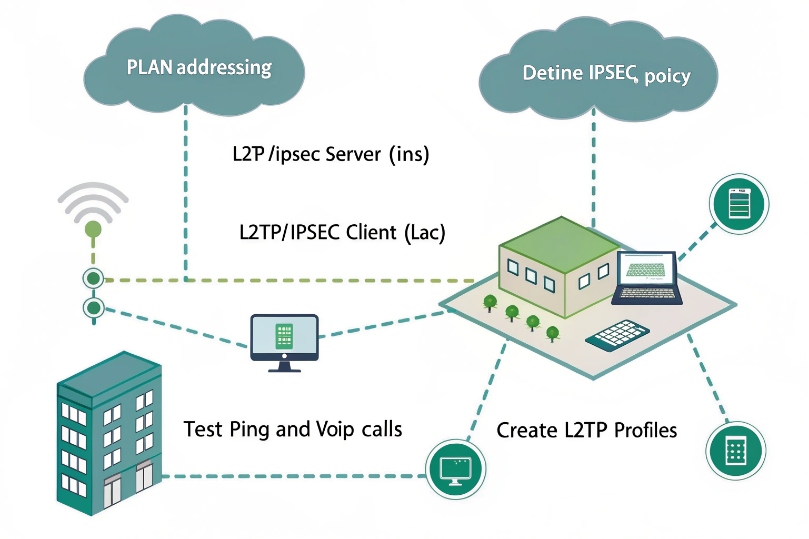
High-level configuration steps
The exact syntax varies by vendor, but the logical steps are consistent:
-
Plan addressing and roles
- Decide which side is LNS (server) and which is LAC (client).
- Choose IP ranges for remote phones or branches (for example a /24 pool).
- Decide whether you extend a voice VLAN or just route subnets.
-
Configure IPsec policy
- Set IKE phase 1 (encryption, hash, DH group).
- Set phase 2 (ESP encryption, lifetime).
- Configure a pre-shared key or use certificates.
- Bind this policy to the public IP of each router.
-
Configure L2TP
- Enable L2TP server on the central router.
- Define:
- Tunnel name or ID.
- Authentication (local users, RADIUS, or shared credentials).
- Address pool for PPP or the remote site.
- On the remote router or phone, point L2TP at the server’s public IP.
-
Adjust MTU and MSS
- Set tunnel MTU to ~1400 (or test for the best value).
- Enable TCP MSS clamping on the tunnel interface.
-
Apply QoS
- Mark tunnel traffic heading to the WAN with a “voice” or priority class.
- Reserve enough bandwidth on WAN links for VoIP loads.
Typical firewall rules
Firewalls on both sides must allow:
- IKE: UDP 500 from the peer.
- NAT-T: UDP 4500 from the peer, if NAT is in use.
- ESP (IP protocol 50) if not fully encapsulated in UDP 4500.
- L2TP: UDP 1701 between endpoints.
On many devices this is hidden behind a “VPN” or “L2TP/IPsec” checkbox, but the underlying rules still matter, especially when upstream carriers filter ESP or uncommon UDP ports.
For extra safety:
- Limit allowed sources to known IPs for site-to-site.
- Log drops on these ports while testing.
- Disable unused VPN types like PPTP to reduce attack surface.
Verifying and monitoring
Once configured, I verify step by step:
- Check that the IPsec SA is established (status commands).
- Confirm that L2TP sessions come up and get expected IP addresses.
- Ping between tunnel endpoints.
- Place a test VoIP call and capture packets:
- Look at SIP registration inside the tunnel.
- Check RTP flows for loss and jitter.
Over time, I monitor:
- Tunnel uptime.
- Reconnect frequency.
- CPU load on routers (encryption cost).
- MOS and call quality metrics when traffic goes through the tunnel.
A practical QoS reference point for voice marking is Expedited Forwarding (EF) per-hop behavior (RFC 3246) 7, which is where EF/46 comes from.
If those stay stable, L2TP/IPsec becomes a predictable, safe transport for remote VoIP legs, instead of a mysterious box that sometimes breaks audio.
Conclusion
L2TP itself only moves frames; when paired with IPsec and tuned for MTU, NAT, and QoS, it can safely carry SIP and RTP without turning secure calls into choppy ones.
Footnotes
-
Official L2TP RFC covering tunnel control, sessions, and encapsulation. ↩︎ ↩
-
L2TPv3 RFC explaining Ethernet/frame transport use cases beyond classic PPP. ↩︎ ↩
-
ESP RFC describing how IPsec encrypts and authenticates payloads. ↩︎ ↩
-
OpenVPN manual for modes, ports, and deployment options that affect VoIP paths. ↩︎ ↩
-
NAT-T RFC explaining UDP encapsulation of ESP, commonly tied to UDP 4500 behavior. ↩︎ ↩
-
PMTUD RFC explaining how MTU discovery works and why fragmentation harms performance. ↩︎ ↩
-
EF RFC defining the expedited forwarding behavior used for voice QoS marking. ↩︎ ↩








