
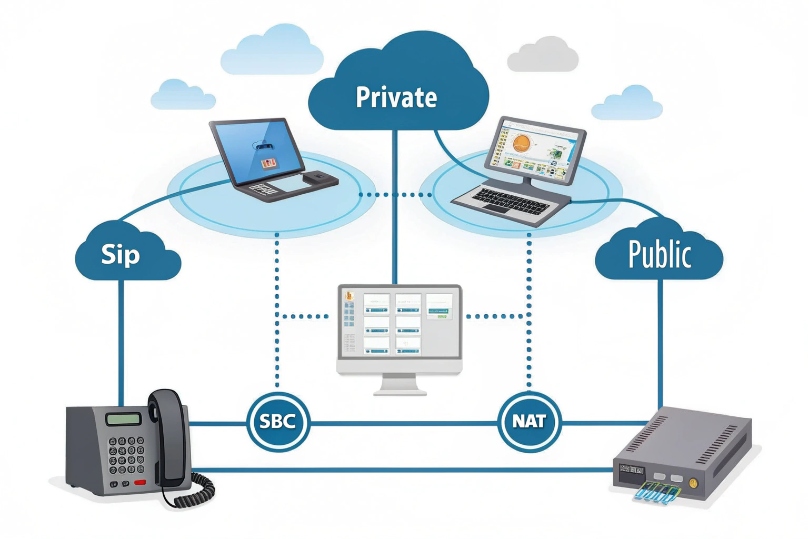
Calls ring, but audio fails or breaks. The cause often sits at the edge: NAT.
NAT translates private IPs and ports to public ones. It keeps you online, but it rewrites SIP and RTP in ways that can break voice unless you design for it.
NAT is not evil. It solves IPv4 scarcity and hides your LAN. In VoIP, it is usually Network Address Translation (NAT) 1 running on your firewall, router, or ISP gateway. But Session Initiation Protocol (SIP) 2 puts IPs and ports inside messages, and voice media depends on predictable, bidirectional reachability via the RTP/RTCP packet format (RFC 3550) 3. When NAT meets SIP/RTP, you need the right traversal tools and edge design to keep audio flowing.
How does NAT affect SIP signaling and RTP media?
SIP carries contact and media info in plain text. NAT changes packet headers, but it does not fix those message bodies.
SIP may point to private addresses in Contact/SDP. RTP then tries to flow to those private IPs and dies at the firewall. Media fails even when signaling works.
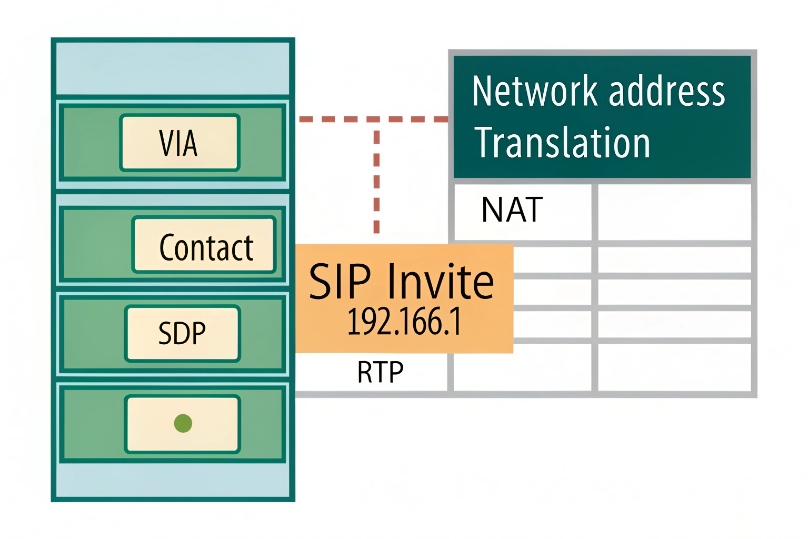
SIP header and SDP exposure
SIP uses Via, Contact, and Record-Route headers to steer requests and replies. The Session Description Protocol (SDP) 4 body advertises c=IN IP4 and m=audio port values for RTP. When a phone or PBX sits behind NAT, it fills these fields with private IPs. The firewall then rewrites only the outer IP/UDP headers. It leaves the SIP body unchanged. The far end receives a valid SIP message that contains an unreachable private address for media. The call may set up. Audio does not.
Why RTP breaks more often than SIP
SIP is transactional and can survive if the provider replies to the NAT-mapped 5-tuple. RTP is continuous and symmetric. Both endpoints must reach each other. If one side sends to a private IP or to a port that is not mapped, you get one-way audio or no audio. Symmetric NATs add another twist: each outbound destination gets a new mapped port. Return traffic from a different IP:port cannot reuse it.
NAT types and behavior
| NAT Type | Mapping behavior | VoIP impact |
|---|---|---|
| Full Cone | One mapping, any remote host can use it | Easiest for RTP |
| Restricted Cone | Remote must match IP | Still workable |
| Port-Restricted Cone | Remote must match IP and port | Harder, but possible |
| Symmetric NAT | New mapping per remote pair | Most hostile to peer-to-peer |
Practical signals to watch
- SDP shows
c=IN IP4 192.168.x.x→ guaranteed media failure from outside. - SIP REGISTER works, but inbound calls fail → NAT binding expired or wrong Contact.
- Calls set up, but only one side hears → one path cannot reach the advertised RTP port.
- Random mid-call silence → NAT timed out the mapping; no keepalive.
Why do I get one-way audio or no audio behind NAT?
Signaling may pass. Media needs two good paths. NAT breaks at either end. Then only one side hears, or both hear nothing.
The usual root causes are bad SDP addresses, port mappings that expire, and symmetric NAT rules that block return flows.

Typical failure patterns
- One-way audio (caller hears, callee silent): The callee sends RTP to a private IP from the caller’s SDP. The firewall drops it.
- One-way audio (callee hears, caller silent): The phone behind NAT sends RTP out, but the provider replies from a different IP:port than the original flow. Symmetric NAT blocks it.
- No audio both ways: Both sides advertised private IPs, or a firewall blocks the RTP range entirely.
Timeouts and mid-call drops
NAT tables age out UDP mappings fast, often in 30–60 seconds without traffic. Many phones send comfort noise or low-rate RTP that the firewall does not count. After timeout, return RTP hits a dead mapping. You hear silence. SIP dialogs can also die if the Contact mapping expires before re-REGISTER. Keepalives prevent this.
Transcoding and media hairpin
Media that hairpins through a hosted PBX or SBC can fix reachability. But if the media is forced through a distant region or a high-load box, you add delay and jitter. MOS falls. Watch one-way latency when using relays.
Quick checklist
| Symptom | Likely cause | Quick test |
|---|---|---|
| Audio only one way | SDP contains private IP | Packet capture / inspect SDP |
| Silence after 1–2 min | NAT UDP timeout | Enable RTP keepalive / shorter re-REGISTER |
| Fails with ISP modem | CGNAT / symmetric NAT | STUN test shows symmetric NAT |
| Works on 4G hotspot | Carrier gives cone NAT | Confirms local firewall issue |
Which solutions fix NAT: SIP ALG off, STUN, TURN, ICE, SBCs?
You have a toolbox. Use the lightest tool that works. Start by disabling broken helpers. Then add discovery and relay. Anchor at the edge when needed.
I favor ALG off, ICE on, SBC at the edge for business sites. Use STUN/TURN to cover remote and Wi-Fi users.
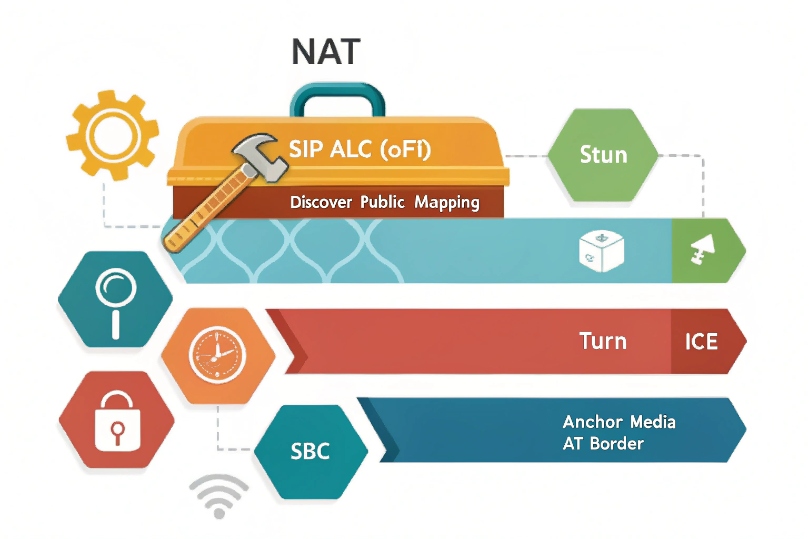
SIP ALG: why “off” is the sane default
Many routers ship with SIP ALG that rewrites SIP/SDP as packets pass. It guesses dialog state, mangles headers, and opens temporary pinholes. In practice, it breaks when messages fragment, when TLS encrypts SIP, or when providers use updated header formats. If your phones or PBX already use proper NAT settings, the ALG fights them. Turn it off on access routers and firewalls, then test.
STUN: learn your public reflexive address
STUN (RFC 8489) 5 lets an endpoint ask a server, “what public IP:port am I using?” The phone then puts that reflexive address in SDP as a candidate. STUN is light and fast. It works through cone NATs and some port-restricted NATs. It fails on symmetric NAT where each destination gets a different mapping. Still, it is the first step and gives NAT-type hints.
TURN: relay when direct paths fail
TURN (RFC 8656) 6 gives you a public relay for RTP. Each side sends media to the relay. The relay forwards to the other side. This always works, even with symmetric NAT or CGNAT. The cost is extra latency and bandwidth on the relay. Use TURN for remote users, cafés, hotels, and mobile networks where you do not control the edge.
ICE: try all candidates, pick the best
Interactive Connectivity Establishment (ICE, RFC 8445) 7 orchestrates host, STUN-discovered, and TURN-relay candidates. It runs connectivity checks over UDP and sometimes TCP/TLS. It chooses the lowest-latency working pair, per media stream. ICE reduces guesswork, adapts to path changes, and survives NAT types. For SIP stacks that support it, enable ICE by default.
SBCs: anchor signaling and media at the border
A Session Border Controller sits at your public edge. It terminates SIP and RTP from outside and re-originates them to your inside devices. Benefits:
- Stable public IP and ports for providers and partners
- Topology hiding and security policies
- Media anchoring that removes NAT from phones and PBX
- Transcoding only when needed, under your control
An SBC is the most reliable fix for multi-site and SIP trunking. It pairs well with ICE for remote clients.
Picking a pattern
| Scenario | Best first choice | Backup |
|---|---|---|
| Office with SIP trunks | SBC, ALG off | ICE to assist remote phones |
| Small branch, single ISP | STUN + ICE | TURN for remote users |
| CGNAT / no public IP | TURN or SBC in cloud | SD-WAN/VPN to provider |
| Mixed Wi-Fi/mobile users | ICE mandatory | TURN fallback |
How do I configure port forwarding and keep-alive safely?
Open as little as you can. Keep bindings alive. Prefer stateful pinholes owned by your devices or SBC, not giant permanent holes.
Forward only what your phones or PBX truly need. Use keepalive to prevent timeouts without flooding the link.
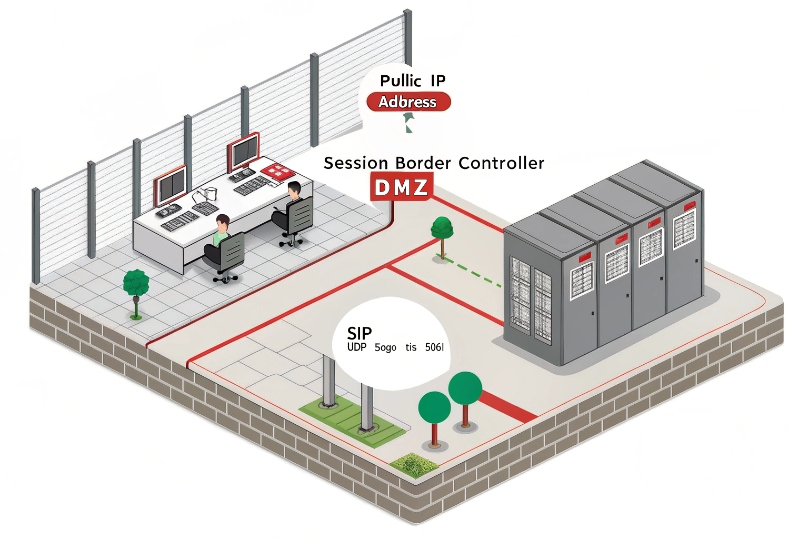
Safe inbound exposure
- Prefer an SBC: publish one public IP. Allow SIP on UDP/TCP 5060 or TLS 5061 as needed. Anchor RTP to a tight range, for example UDP 10000–20000.
- If forwarding to a PBX, lock by source IP to your provider’s SBCs. Block the world. Use TLS/SRTP if supported. Disable unauthenticated methods and limit methods to what you need.
- Never expose phones directly to the Internet. Phones are soft targets for scanning, toll fraud, and password brute force.
Keepalive and registration timers
- SIP keepalive: CRLF keepalive or OPTIONS every 15–30 s from phones to PBX/SBC.
- Registration: set Expires to 300–600 s. Some NATs need shorter.
- RTP keepalive: send comfort noise (CN) or empty RTP packets every 15–20 s when on hold or in silence. This keeps the UDP mapping alive.
- TCP/TLS: use SIP over TLS to avoid UDP timeouts. Keep the socket open with application-level keepalive.
Port planning and documentation
Create a clear map:
| Function | Protocol/Port | Direction | Notes |
|---|---|---|---|
| SIP Signaling | UDP/TCP 5060, TLS 5061 | Phone/PBX → SBC/Provider | Prefer TLS where possible |
| Media (RTP/SRTP) | UDP 10000–20000 (example) | Both ways via SBC | Keep range narrow and documented |
| STUN | UDP 3478 | Phone → STUN server | Often outbound only |
| TURN | UDP/TCP 3478/5349 | Phone ↔ TURN server | TCP/TLS helps in strict networks |
| NTP | UDP 123 | LAN → NTP | Time sync avoids TLS/SRTP issues |
Restrict by source IP when you can. Rate-limit new SIP dialogs. Enable intrusion prevention for SIP scans. Log rejects.
NAT timers and edge quirks
Different firewalls apply different UDP timeouts. Test them. A quick field rule:
- UDP mapping timeout: target ≥ 120 s.
- SIP helper features: disable ALG unless vendor guidance says otherwise with proof.
- Egress NAT: keep one stable public IP for SIP trunks to simplify provider ACLs.
Validation steps after changes
- Place a test call in both directions.
- Confirm SDP shows public or relay candidates, not private IPs.
- Check one-way audio by muting each side to verify inbound RTP.
- Leave a call up for 5–10 minutes. Watch for mid-call silence.
- Pull packet captures on both sides of the NAT to see mapped ports and return traffic.
Conclusion
Disable broken ALGs, use ICE and TURN where needed, and anchor with an SBC for trunks. Keep ports tight, bindings alive, and test both media paths.
Footnotes
-
RFC 3022 explains traditional NAT mapping behavior and terminology that helps diagnose VoIP traversal issues. ↩ ↩
-
Core SIP specification for understanding Contact/Via routing and why signaling may succeed while media fails. ↩ ↩
-
Defines RTP/RTCP timing and ports so you can interpret packet captures and one-way audio symptoms. ↩ ↩
-
SDP RFC shows how IPs and ports are advertised for RTP, making private-address leaks easy to spot. ↩ ↩
-
STUN lets endpoints discover their public mapped address and detect NAT type for better media setup. ↩ ↩
-
TURN relays RTP when direct paths fail, especially behind symmetric NAT or CGNAT networks. ↩ ↩
-
ICE coordinates STUN/TURN candidates and selects the best working path for NAT-traversed VoIP media. ↩ ↩








