
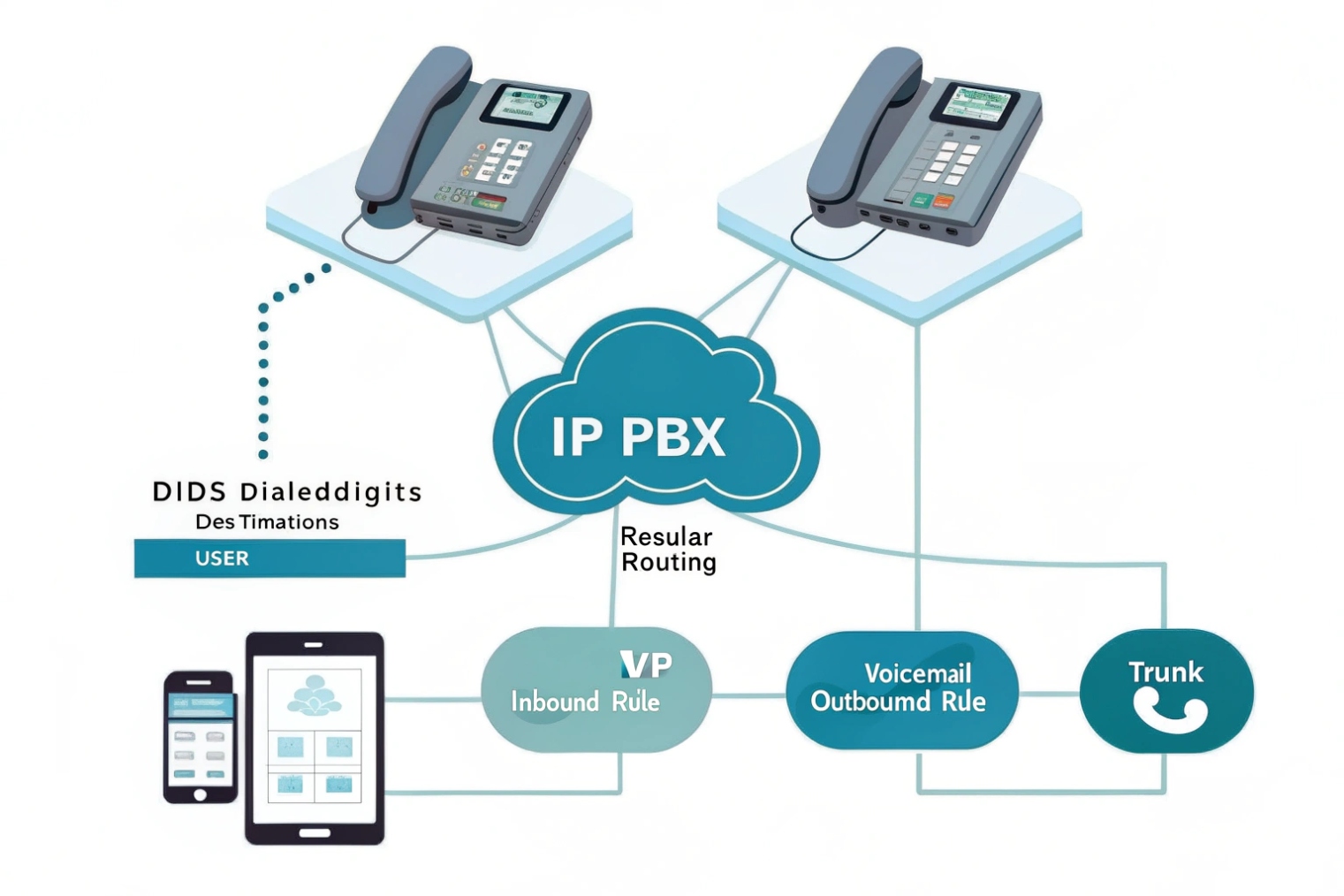
Missed calls cost money. Confusing flows waste time. Regular routing fixes both. It maps numbers to clear paths so callers reach the right place fast.
Regular routing maps dialed digits and caller context to destinations. It uses simple rules for inbound and outbound calls. It does not hold callers in hunt groups or queues. It keeps call flow predictable.
Now I will break down how regular routing differs from hunt groups and queues. I will list the rules you can use. I will show how to configure this on an IP PBX. I will end with how these choices change SLA, ASA, and overflow.
How does regular routing differ from hunt groups and queues?
People mix these terms and then build the wrong flow. That leads to long waits and angry customers. Clear lines help the team move faster.
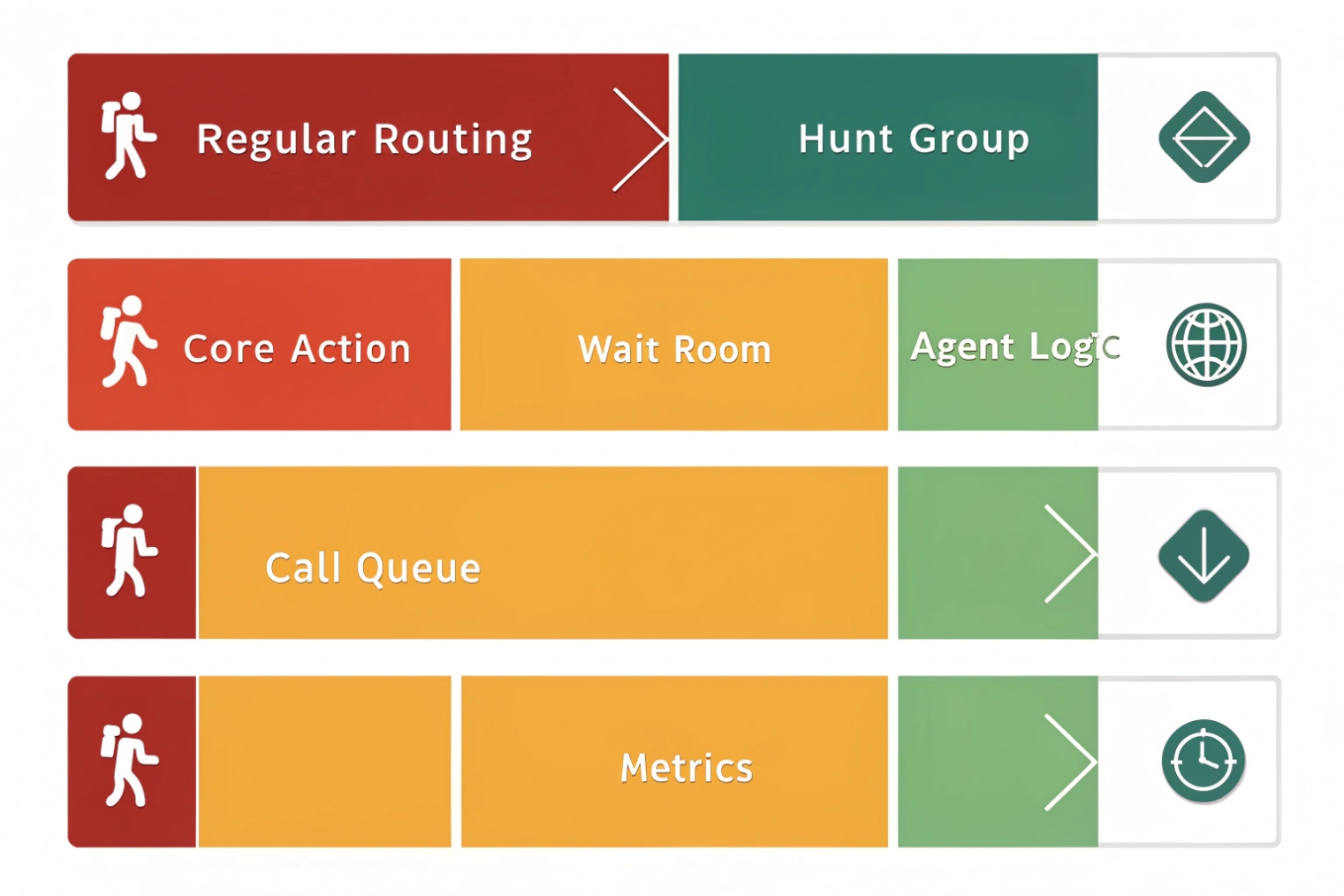
Regular routing is direct mapping. Hunt groups ring several endpoints by a pattern. Queues hold callers and apply agent logic. Use each for the right job.
The roles in plain words
Regular routing sends a call to a defined target without “holding logic.” It maps a DID to a user, an IVR, a voicemail, a trunk, or another route. It can branch by time or caller ID. But once it picks a destination, it sends the call. There is no wait list inside the route itself.
Hunt groups 1 are still simple, but they handle multiple endpoints at once. A hunt group rings many extensions at the same time or in a sequence. Common strategies are ring-all, round-robin, top-down, or longest-idle. There is no queue depth or SLA math. If nobody answers within a set timer, the call goes to a next step like voicemail or an overflow number. Hunt groups are good for small teams with low volume.
Call queues introduce hold logic, music, announcements, and advanced distribution, often using Automatic Call Distribution (ACD) 2. They track agent state, wrap-up, and service targets. They route by longest-idle, skills, or priority. They compute metrics like ASA and abandon rate. Queues also offer position-in-line and callbacks. Queues fit contact centers or any team with bursty traffic and strict SLAs.
Why this difference matters
If you need a clean path for a DID to a person or an IVR, regular routing is best. It is fast and easy to trace. If you need simple team ringing with no waiting room, use a hunt group. If you must manage hold times and agent workload, use a queue. Many systems mix them. For example, a DID hits a time-based regular route. During business hours it sends to a queue. After hours it sends to voicemail or an on-call hunt group. Keep each layer clear so you can read CDRs and fix issues fast.
| Feature | Regular Routing | Hunt Group | Call Queue |
|---|---|---|---|
| Core action | Direct map | Ring multiple | Hold, distribute |
| Wait room | No | No | Yes |
| Agent states | N/A | Basic (ringing) | Rich (ready, wrap-up) |
| Metrics | CDR only | Answer/No answer | ASA, SLAs, Abandon, Service level |
| Best use | DIDs, IVRs, trunks | Small team | Contact center |
What rules define regular routing—time, priority, caller ID, failover?
Rules decide where calls land. Good rules are clear, short, and easy to test. Bad rules hide bugs and cause loops.
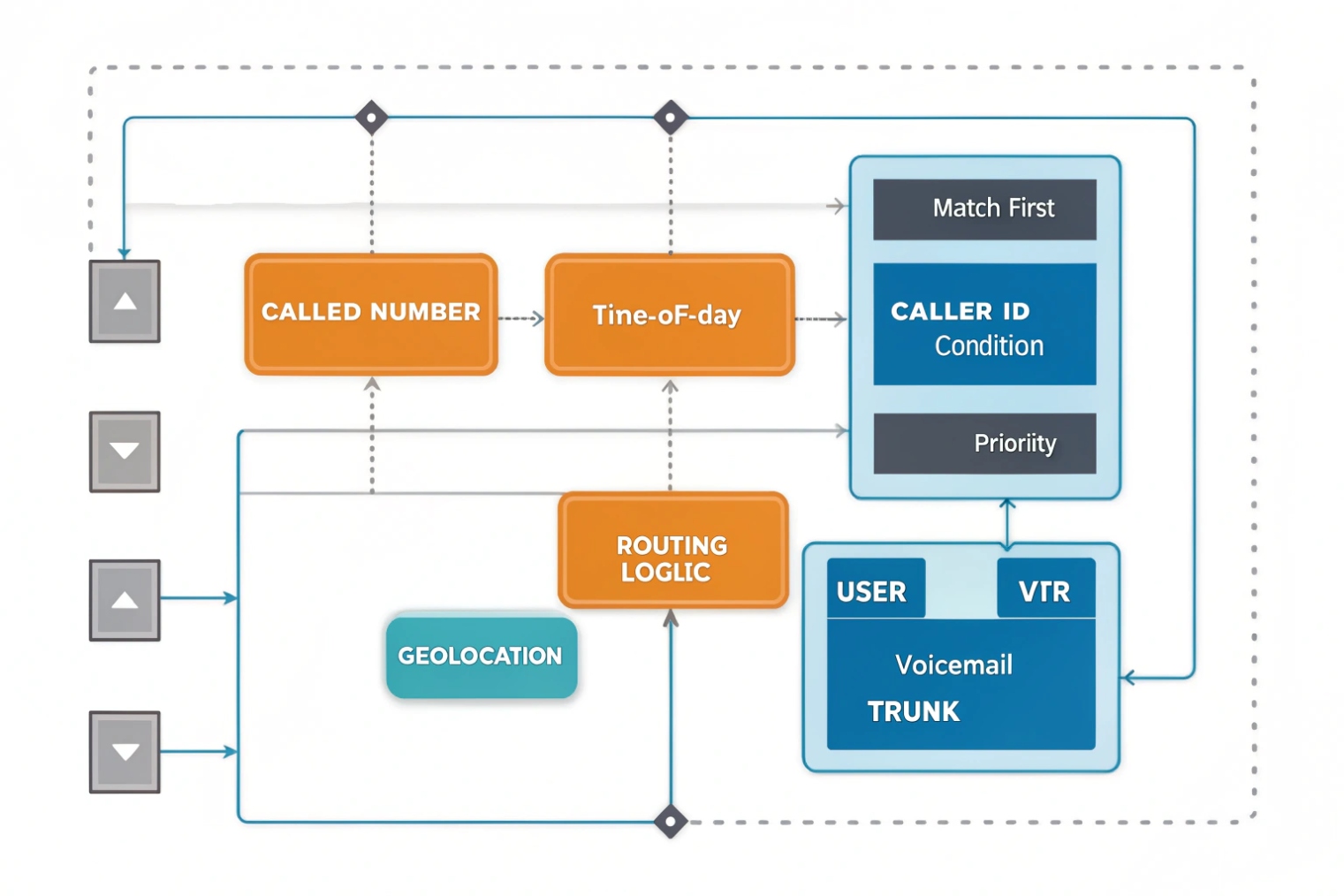
Use four rule types: match on called number, add conditions (time, caller ID, geolocation), set priority order, and define failover on no-answer or trunk failure.
Match the called number first
Inbound rules start with the dialed number. This can be a DID, an extension, or a feature code. The PBX reads the called number and finds the best match. Exact matches beat wildcard matches. Keep a one-to-one map for critical lines like emergency and VIP support. Avoid broad wildcards that catch too much.
Add time-of-day and weekday conditions
Most businesses have hours. Time conditions split calls into business-hours and after-hours paths. You can also add holiday calendars. Build this once and reuse it across many numbers. The business-hours branch often points to an IVR or a receptionist. The after-hours branch points to voicemail, an on-call number, or a recorded message with options.
Caller ID and geolocation conditions
Caller ID conditions help you shape experiences. You can fast-track VIPs or block known spam ranges. You can route local callers to a local team when you sell in many cities. Some systems can check country or area code and pick a language IVR. Keep the list short and review it each month. Too many ad hoc rules become hard to debug.
Priority and ordered targets
Regular routing supports ordered targets. For example: send to Extension 200; if busy or no answer, send to Extension 201; then to Voicemail 200. Keep the chain short. Long chains confuse users and extend post-dial delay. Use ring timers of 15–25 seconds per hop. If you need more than three hops, you probably need a hunt group or a queue.
Failover for device and trunk issues
Always add failover when a device is unreachable or a trunk fails. Failover choices include a backup SIP trunk, a PSTN gateway, a mobile number, or a voicemail. Failover can trigger on SIP response codes or on no response. Map actions to SIP response codes 3 you expect:
| SIP Response | Meaning | Good Failover Action |
|---|---|---|
| 486 Busy Here | User busy | Try next extension or voicemail |
| 408/504 Timeout | No response | Reroute to backup trunk or auto attendant |
| 503 Service Unavailable | Trunk down | Switch to backup carrier |
| 404 Not Found | Invalid route | Send to IVR or catch-all recording |
| 480 Temporarily Unavailable | Phone offline | Forward to mobile or hunt group |
Keep the design readable
Document each rule with a short note: “DID +1 212 xxx maps to Sales IVR (NYC). After hours → voicemail.” Publish a simple map so sales, support, and IT can answer “where does this number go?” without logging into the PBX.
How do I configure regular routing on my IP PBX?
Vendors differ in screens and names. The workflow is the same. Create numbers, normalize dialing, pick trunks, add rules, test, and log.
Set inbound routes by DID. Build time conditions. Add caller ID filters if needed. For outbound, normalize to E.164, apply dial patterns, pick trunks by LCR, and set failover.
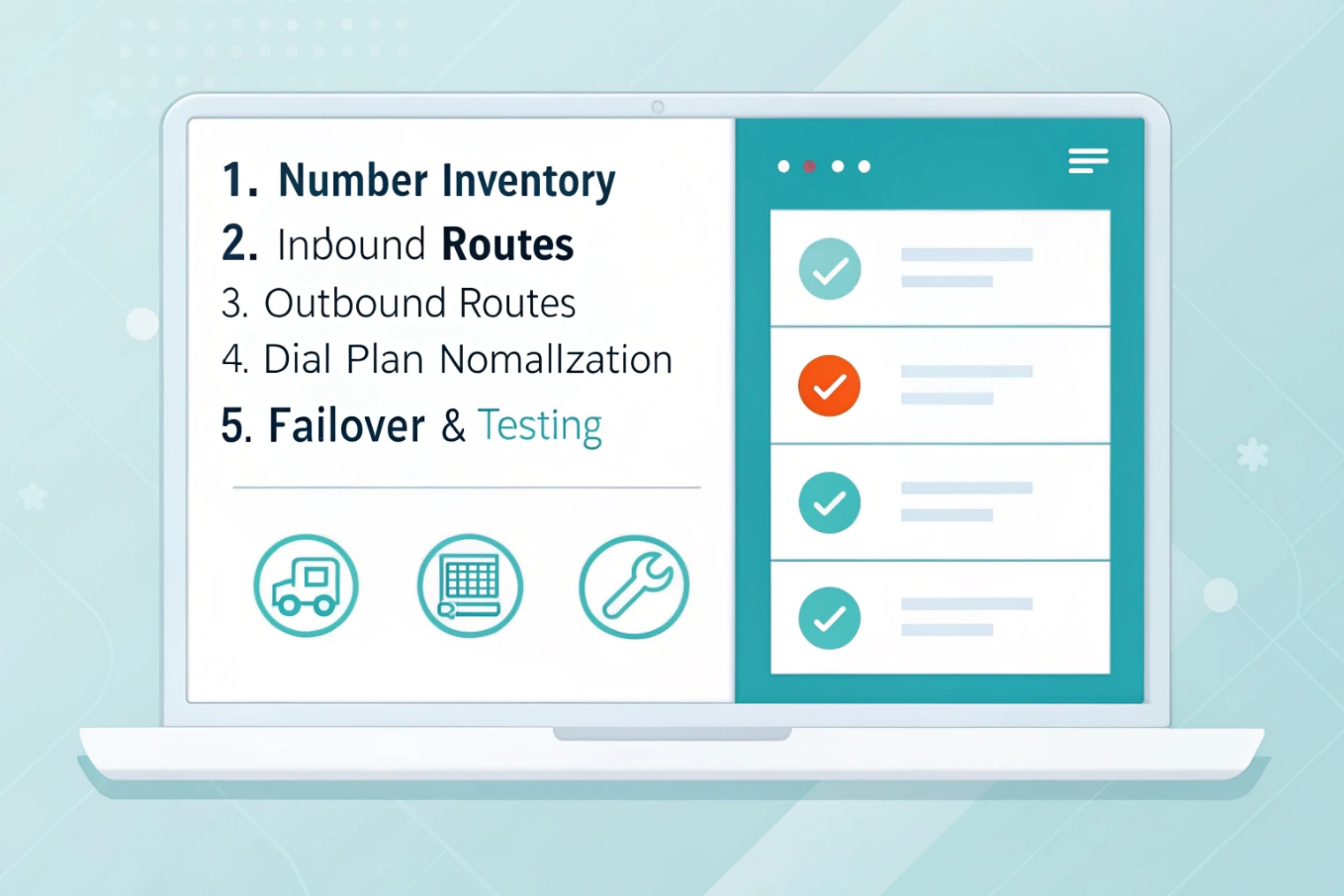
Step 1: Inventory numbers and targets
List every DID, extension, and feature code. For each, note the owner or function and the desired destination. Mark lines that must never hit voicemail, such as emergency or high-value partner lines. Create a simple spreadsheet. This is your source of truth during the build.
Step 2: Create inbound routes
In the PBX, create an inbound route per DID. Point each one to a primary destination. Add a time condition that splits business-hours and after-hours. For the hours branch, pick a user, an IVR, or a hunt group. For after-hours, pick voicemail or an on-call mobile. If the PBX supports ordered destinations, add one or two fallback steps. Keep ring timers tight and consistent.
Step 3: Normalize dialing
For outbound calls, normalize user input to a canonical format like an E.164 numbering format 4. Strip local prefixes, add country code, and remove punctuation. Users can dial short forms, but the PBX should send a clean number to trunks. This improves LCR, CNAM, and porting consistency. Use translation rules for special numbers like emergency, directory, and service codes.
Examples:
- Local 7-digit → add area code → +1NPAxxxxxxx
- 10-digit → add country code → +1NPAxxxxxxx
- International 011+ → convert to +CC…
- Emergency 911 → send unchanged on a dedicated E911 route
Step 4: Build outbound routes with LCR
Create dial patterns like +1NXXXXXXXXX for NANP local and long distance, and +\d+ for international with limits. Assign a trunk order per pattern. Put the cheapest reliable trunk first using least-cost routing (LCR) 5. Add a second trunk as backup. For key destinations, create a special route that prefers a carrier with better quality, even if it costs more. Mark emergency routes to bypass LCR and send on the E911-registered trunk with the correct caller ID.
Step 5: Set caller ID presentation
Set caller ID per route and per trunk. For sales, use a local DID that matches the target market. For support, use a single branded number for callbacks. Respect privacy rules. Allow agents to hide outbound ID for sensitive calls, except on emergency routes where the PBX must send the registered E911 CLI.
Step 6: Add class-of-service and partitions
Limit who can dial premium or international. Use partitions or classes. Add PINs for rare cases. This stops fraud and mistakes. It also keeps your cost model accurate.
Step 7: Failover and health checks
Configure trunk failover timers and SIP options keepalives. Add reroute rules for 408/503 errors. For inbound, add a “carrier-side failover” if your provider supports it, like forwarding the DID to a backup number when your PBX is unreachable. For outbound, set per-trunk call limits and error handling so loops cannot happen.
Step 8: Test and log
Place test calls for every inbound route during business hours and after hours. Test outbound to mobile, local, long distance, and international. Record SIP codes and media paths. Save screenshots or CLI outputs. This speeds up handover and future audits.
| Build Item | Good Default | Why |
|---|---|---|
| Ring timer per hop | 20 seconds | Keeps post-dial delay low |
| After-hours policy | Voicemail with transcription | Faster callbacks |
| E.164 normalization | Always on | Clean routing and LCR |
| Trunk failover | Secondary carrier | Resilience |
| CDR retention | 12–18 months | Trend and audit |
Will regular routing affect SLA, ASA, and overflow behavior?
Yes. Routing shapes the caller journey before any agent logic starts. Good routing lifts SLAs. Bad routing hides problems and breaks overflow.
Regular routing sets entry paths, timers, and failovers. It controls how fast calls reach queues or agents, how overflow triggers, and how ASA gets measured.
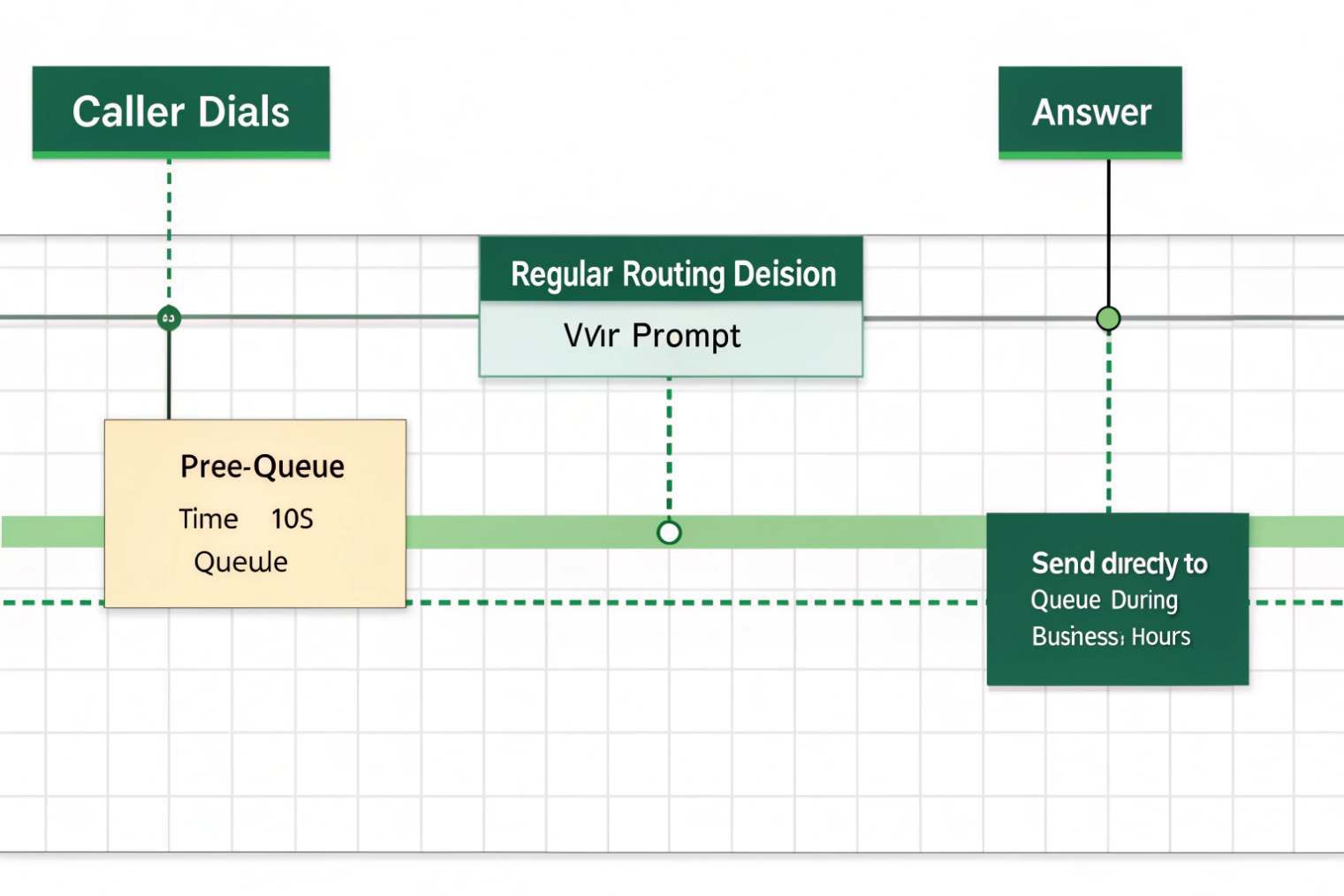
SLA and ASA start earlier than many teams think
Service Level (SL) and Average Speed of Answer (ASA) 6 often start when the call hits the queue. But routing time happens before that. Long IVR menus, long ring steps in a hunt, or slow failover add seconds that users feel. Keep pre-queue time tight. Use short, clear prompts. Minimize hops. When a DID must reach a queue, send it there directly during business hours. Route after-hours elsewhere. This keeps ASA stable and makes SL honest.
Overflow is a routing decision first
Overflow kicks in when the main destination is not available or is at capacity. With regular routing, overflow is simple and binary. If user or hunt group does not answer, go to voicemail or a backup number. With queues, overflow is time- or length-based. A call can move to a secondary queue, a remote team, or a callback flow. Your regular route should set the queue’s input cleanly. It should not add hidden delays that push many calls to overflow. If overflow rates rise, check pre-queue routing first.
Failover protects SLAs during outages
If the PBX or the main trunk fails, your SLA crashes unless inbound DIDs have carrier-side failover. Set failover to a backup SBC, a DR PBX, or a live answering service. Keep caller ID and call notes consistent so agents can return calls. Test this monthly. Write down the expected SIP codes and make sure your PBX acts on them.
Reporting and CDR alignment
CDRs show every leg. If you create many short hops with long timers, your reports get noisy and hard to read. Keep the path simple so you can trace a call from DID to final target. Mark queues and IVRs with clear names. Use tags in the PBX if available. Then you can tie ASA and abandon rate to real business events, not to routing quirks.
Practical targets you can use
- Pre-queue time: ≤ 10 seconds average
- IVR menu: ≤ 30 seconds total with skip options
- Hunt group attempts: ≤ 2 hops before voicemail or queue
- Overflow trigger: queue wait ≥ 90 seconds or queue length ≥ N (by team size)
- DR failover: cutover ≤ 15 seconds from first 503/408 event
| Metric | Routing Choice That Helps | Routing Choice That Hurts |
|---|---|---|
| ASA | Direct-to-queue during hours | Long ring chains before queue |
| SL% | Time-based routes per site hours | One-size-fits-all IVR trees |
| Overflow | Clear thresholds, clean paths | Hidden timers, nested hops |
| Abandon | Short announcements, early options | Long, unskippable messages |
Conclusion
Keep regular routing simple: match the dialed number, apply time and caller ID rules, set short ordered targets, and add failover. Use hunts for small teams and queues for volume. Test, document, and your SLAs will hold.
Footnotes
-
Learn common hunt group ringing strategies and when to use them for small teams. ↩︎ ↩
-
See how ACD works inside queues to distribute calls and track agent performance. ↩︎ ↩
-
Verify what SIP response codes mean so your failover logic matches real network conditions. ↩︎ ↩
-
Reference the official E.164 numbering format used for clean outbound normalization and inter-carrier routing. ↩︎ ↩
-
Understand how LCR chooses trunks by destination patterns to control cost and quality. ↩︎ ↩
-
Clarify what ASA measures so routing and queue reports reflect user experience accurately. ↩︎ ↩








