
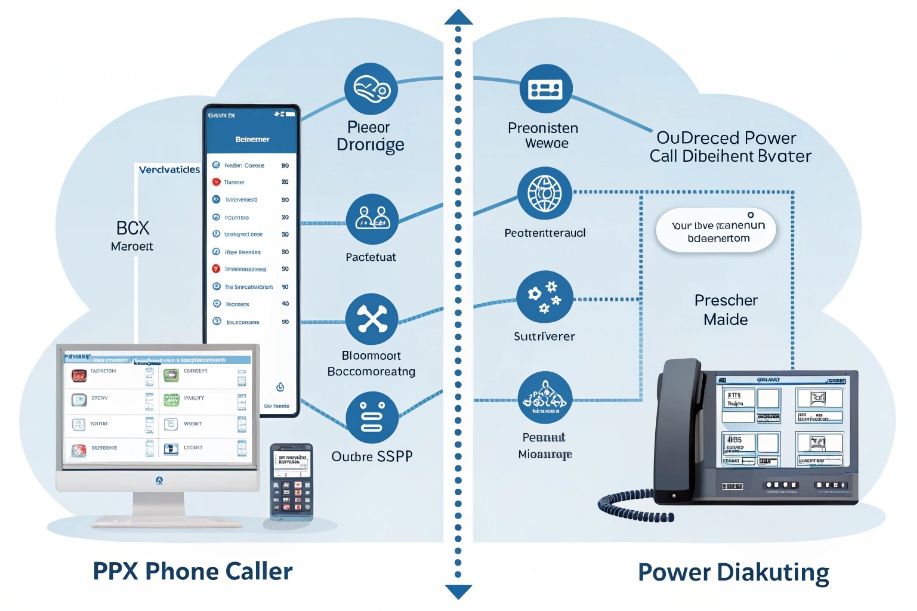
Teams need both steady inbound service and fast outbound reach. One platform routes calls. The other drives campaigns.
A phone system (PBX/VoIP) connects people: extensions, IVR, queues, voicemail, E911. A dialer automates outbound: preview, power, and predictive modes to place many calls and connect only when a live person answers.
Think of the PBX as roads and traffic lights. Think of the dialer as delivery vans with optimized routes. First, separate roles. Then, decide when you need a predictive dialer 1. After that, see how to integrate with your PBX. Finally, keep compliance clean and prove ROI with simple KPIs.
When do I need PBX vs predictive dialer?
Not every team needs predictive pacing 2. Some need a stable inbound hub. Others need speed and scale for outbound.
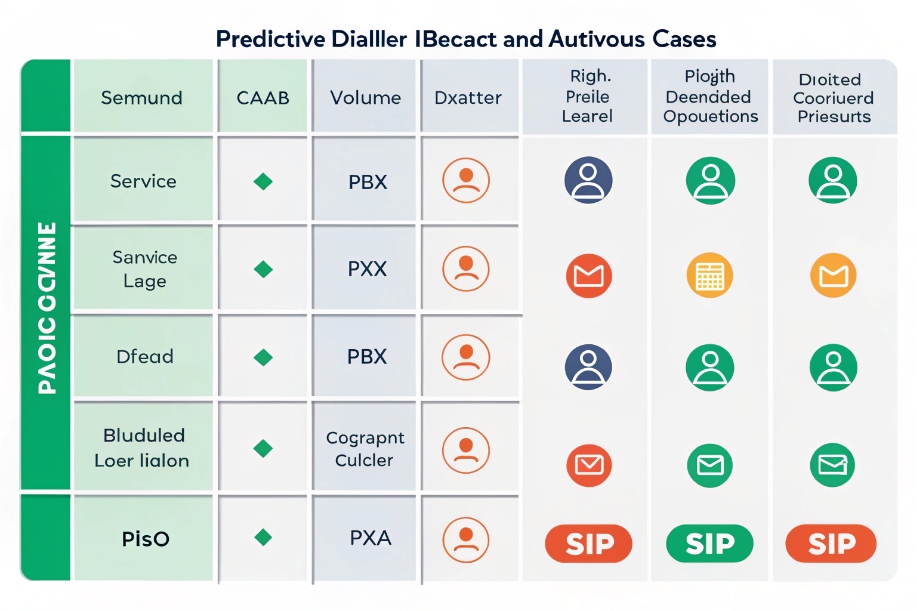
Use a PBX for inbound service, transfers, voicemail, and reliable 1:1 calls. Use a predictive dialer when you have big lists, low answer rates, and trained agents waiting for connects.
What the PBX solves
A PBX (cloud or on-prem) 3 is the core switch. It gives extensions, DID numbers, IVR menus, ring groups, queues, voicemail, call recording, call park, and E911. It links to your SIP trunks and routes calls to the right skill or device. It supports softphones, desk phones, and WebRTC. It is built for availability, policy, and compliance. Agents live here for inbound support, reception, dispatch, and internal calling. If your work is mostly inbound, or outbound is low volume and high quality (account management, complex B2B), a PBX with manual or click-to-dial is enough.
What a predictive dialer solves
A predictive dialer calls ahead of agent availability using pacing math. It dials more leads than agents, based on answer rate and talk time, so most agents meet a live party right away. This cuts idle time and raises connects per hour. It also manages lists, time zones, DNC rules, caller ID pools, answering machine detection (AMD) 4, and outcomes (dispositions). If your answer rate is low (e.g., 5–15%), lists are long, and conversations are short, a predictive dialer creates meaningful lift.
Quick chooser
| Situation | Choose | Why |
|---|---|---|
| 80% inbound service with SLAs | PBX (no dialer or preview only) | Reliability and queue control |
| High-volume outbound sales/collections | Predictive/power dialer | Utilization and connects per hour |
| Regulated outbound (tight abandonment caps) | Power/preview dialer | Human pace, safer compliance |
| Mixed inbound + outbound | PBX + dialer with blending | Share carriers, protect inbound capacity |
Reality check on predictive
Predictive is powerful, but not magic. It needs clean lists, good scripts, fast notes, and coaching. It also needs careful pacing and abandon safeguards. If calls are long or complex, predictive over-dials and hurts experience. In those cases, power or preview modes fit better.
Can I integrate a dialer with my PBX?
Yes. Run the dialer beside the PBX, or use a dialer module inside your CCaaS. Share carriers, identities, and data.
Integrate via SIP trunks and APIs. The PBX stays your inbound hub. The dialer handles campaigns. Sync CRM lists, dispositions, recordings, and user states.
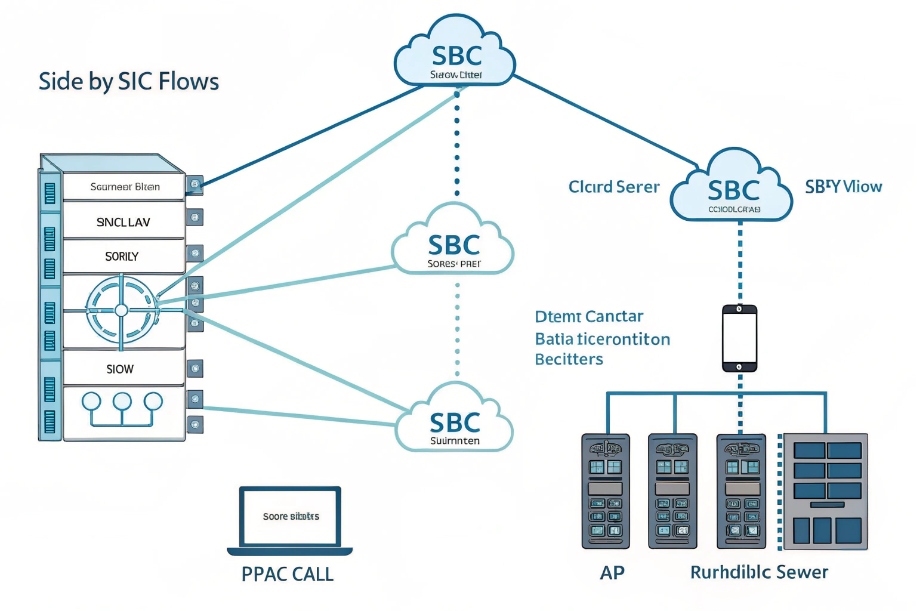
Two common patterns
- Side-by-side: The dialer is a separate platform. It registers agents as SIP endpoints or WebRTC clients. Outbound calls flow through your Session Border Controller (SBC) 5 or the dialer’s carrier. Inbound stays on the PBX. Pros: flexible, best-of-breed features. Cons: two admin planes.
- Native module: Your PBX/CCaaS vendor offers a built-in dialer. Agents use one UI. Inbound and outbound share presence and reporting. Pros: simple operations. Cons: fewer advanced pacing features in some stacks.
Key integration points
- SIP connectivity: Trunks between PBX/SBC and dialer. Agree codecs (G.711 + G.722/Opus 6), DTMF (RFC 2833), and p-time.
- Identity & caller ID: Map CNAM and number pools per campaign. Use local presence where allowed, with strict governance.
- CRM data: Push lists in with fields (name, time zone, consent, DNC flags). Write outcomes out (disposition, notes, next action). Use webhooks for real-time updates.
- Agent states: Sync Ready/Not Ready between PBX queues and dialer so outbound does not starve inbound. Use max concurrent outbound and inbound priority rules.
- Recording & storage: Unify retention, access, and redaction (PCI/PHI). Keep one source of truth for QA.
- Reporting: Land dialer events and PBX CDRs in one warehouse. Build joined dashboards: connects/hour, abandonment, AHT, conversion, and cost.
Capacity guardrails
- Reserve channels for inbound. Use a floor (e.g., 30 channels protected). The dialer sees live channel counts and self-throttles.
- Shape traffic by hour and time zone. Respect quiet hours. Avoid sudden bursts that trigger spam labels.
- Test carrier limits and error handling. Build back-off and retry logic.
Agent UX
Give agents a single login. Offer click-to-call for targeted work and preview/power/predictive for campaigns. Keep wrap-up templates short. Add hotkeys for outcomes. Use whisper and barge for coaching.
How do compliance rules affect dialers?
Outbound has stricter rules. The dialer must help you follow them by design, not by hope.
Control consent, DNC, caller ID, time windows, abandoned-call limits, and recording notices. Use platform features to enforce, log, and audit each rule.
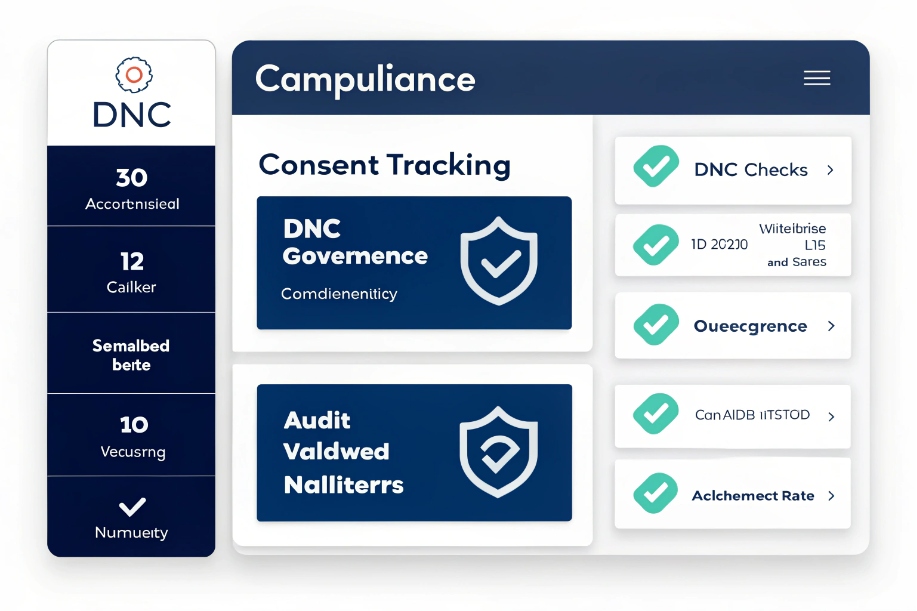
Core controls to enable
- Consent & purpose: Store opt-in with source, timestamp, and purpose (e.g., transactional vs promotional). The dialer must block sends without valid consent for the campaign type.
- DNC scrubbing: Check internal and national DNC lists before dialing. Re-check on each load. Support suppression lists by brand and product.
- Time-of-day windows: Enforce local time rules per contact’s area code + zip where available. Block holidays if required.
- Abandoned call limits: Predictive dialing can create abandons when a live person answers but no agent is ready. Many regions cap abandoned rate (e.g., ≤3% of live connects in a rolling 24-hour period) and require a compliant message on abandon with a callback number. Use pacing controls that target below the cap. See also abandoned call limits 7.
- AMD accuracy: Aggressive answering-machine detection that mislabels humans as machines is a compliance and CX risk. Tune AMD or disable on sensitive campaigns.
- Caller ID & labeling: Use good number hygiene. Warm numbers. Rotate pools with care. Monitor spam labeling. Offer opt-out and respect it.
- Recording & disclosure: Announce recording where required. Control pause/resume for payments. Redact PCI/PHI in storage.
- State/region rules: Certain sectors (health, finance, debt) have extra steps: identity scripts, mini-Miranda, or written consent. Bake scripts into the dialer with mandatory prompts.
Audit trail essentials
| Event | What to log | Why |
|---|---|---|
| Dial attempt | Contact ID, list ID, time, caller ID used, consent flag | Proof of lawful purpose |
| Connect outcome | AMD result, live/human flag, agent ID, hold before greeting | Abandon monitoring |
| Disposition | Code + notes + next action | Compliance reporting |
| Opt-out | Time, channel, scope (brand/campaign) | Enforce future blocks |
| Recording | Start/stop markers, pause/resume, storage link | Dispute resolution |
Pacing and compliance together
Set pacing targets by hour and by list quality. Slow down when connect rate rises or agent pool shrinks. Many fines trace back to one high-connect hour where pacing stayed too aggressive. Use real-time abandon alerts and auto-throttle.
Training and scripts
Agents must know the first 10 seconds cold: identity, purpose, and opt-out line. Publish a one-page rule card by region. Run monthly mock audits.
What KPIs prove dialer ROI?
If it does not show up in numbers, it did not happen. Prove value with a small set of linked metrics.
Track connects per hour, contact rate, agent utilization, conversion, revenue per hour, and cost per connect. Pair them with compliance and CX.
Core performance KPIs
- Contact rate: Live connects ÷ dial attempts. Shows list quality and caller ID health.
- Connects per agent hour (CPAH): Live connects per paid hour. This is your dialer utilization metric.
- Conversion rate: Sales or desired outcomes ÷ live connects. Separates dialer power from pitch and offer.
- Revenue per hour (RPH) / Value per hour (VPH): Outcome value per paid hour. The board cares about this one.
- Cost per connect (CPCx) 8: (Telecom + platform + labor) ÷ live connects. Use to compare modes and carriers.
- Average handle time (AHT) on connects: Talk + hold + wrap. Helps pacing and staffing.
Quality, compliance, and CX KPIs
- Abandon rate (live connects): Keep under the legal and policy cap.
- QA score: Short form for greeting, identity, purpose, and accuracy.
- DNC/opt-out rate: High rates suggest wrong audience or poor value.
- Spam label rate / caller ID health: Measured with test phones or analytics.
- Complaint rate: Regulator or platform complaints per 10k attempts.
Mode comparison example (same list, 1 week)
| Mode | Contact rate | CPAH | Abandon | Conversion | RPH | CPCx |
|---|---|---|---|---|---|---|
| Preview | 9% | 6.2 | 0% | 18% | $160 | $22 |
| Power | 9% | 10.5 | 0% | 16% | $210 | $15 |
| Predictive | 9% | 15.8 | 2.1% | 14% | $235 | $12 |
Here predictive wins on throughput and cost, stays within abandon limits, and lifts revenue per hour. If abandon rises or conversion drops on complex pitches, fall back to power for control.
ROI framing
[
\text{ROI} = \frac{\text{Incremental Gross Profit} – \text{Dialer Costs}}{\text{Dialer Costs}}
]
Compute incremental against a preview baseline: extra outcomes × margin minus extra telecom and platform fees. Include savings from reduced idle time.
Operational levers that move KPIs
- Pacing: Tighten or loosen based on live connect rate and agent states.
- Caller ID pools: Use local presence with governance and rotate labeled numbers out.
- List hygiene: Freshness, time-of-day, and segmentation by response score.
- Scripts & training: A/B test openers. Shorten wrap with templates and auto-summary.
- Carrier mix: Test routes for answer rate and early media quality.
- Compliance mode: Switch to power during sensitive hours to keep abandon near zero.
Conclusion
Use the PBX to move calls to the right people and keep inbound stable. Add a dialer when you need outbound scale. Integrate with SIP and APIs, enforce compliance in software, and prove ROI with a small set
-
Overview of how predictive dialers work to boost outbound connect rates. Back ↩
-
Practical guide to predictive pacing strategies and configuration options. Back ↩
-
Explanation of PBX systems, features, and deployment models. Back ↩
-
Deep dive into answering machine detection and its impact on campaigns. Back ↩
-
Description of SBC roles in securing and routing SIP traffic. Back ↩
-
Technical note on common VoIP codecs and their audio characteristics. Back ↩
-
Regulatory guidance on abandoned calls and telemarketing practices. Back ↩
-
Discussion of cost-per-call and cost-per-connect as key call center KPIs. Back ↩








