
Many teams buy IP PBX and SIP endpoints, then hit a wall when video meetings do not “just work.” The gap is usually architecture, not features.
Video conferencing in a SIP system means SIP sets up the session, and RTP (often SRTP) carries audio and video so multiple participants can meet through a conference bridge or media server.
What “SIP video conferencing” really means
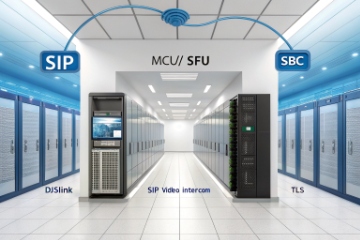
Video conferencing for a SIP communication system is not one single device. It is a set of functions that turn many point-to-point SIP video calls into a managed meeting. SIP handles signaling. It creates, updates, and ends sessions based on the Session Initiation Protocol (SIP) standard 1. The media flows over the Real-time Transport Protocol (RTP) 2. When security is enabled, media uses the Secure Real-time Transport Protocol (SRTP) 3, and signaling uses TLS.
Most multi-party meetings need a conferencing engine. This can be a Multipoint Control Unit (MCU) 4 (it mixes media) or a Selective Forwarding Unit (SFU) 5 (it forwards streams and lets clients do layout). Smaller setups often use a hosted bridge from the provider. Larger deployments often place a conference server on-prem, or in a private cloud, with an SBC in front.
A simple join method is a SIP URI like sip:meeting@company.com. Another common method is a DID or an E.164 number. The PBX routes the number to an IVR, and the IVR drops the caller into a conference room on the bridge. This looks like “dial a number to join,” but behind it the PBX is doing normal routing.
In one early project, the video “worked” only inside the LAN. Remote users saw one-way video. The fix was not a new phone. The fix was Interactive Connectivity Establishment (ICE) for NAT traversal 6, plus correct firewall pinholes, plus a bridge that handled NAT properly.
| Component | Job in the meeting | Why it matters |
|---|---|---|
| IP PBX | Dial plan, routing, identity | Decides how users reach meeting rooms |
| Conference bridge (MCU/SFU) | Mixes or forwards media | Makes multi-party video possible |
| SBC | Security and interop control | Enforces TLS/SRTP and codec policies |
| Endpoints (phones/apps/rooms) | Encode/decode media | Determines video quality and features |
So “SIP video conferencing” is best viewed as an end-to-end design. The PBX is the traffic controller. The bridge is the meeting engine. The SBC is the security gatekeeper.
If that picture is clear, the next question becomes simple: how does the call actually get built on an IP PBX?
How does SIP video conferencing work on my IP PBX?
Video meetings fail when people treat them like “just another extension.” A meeting is a service, and the PBX must route users to that service cleanly.
On an IP PBX, SIP video conferencing works by routing a join dial string (URI or number) to a conference bridge, then negotiating codecs and media paths so the bridge can mix or forward streams.
Call flow: what happens when a user dials a meeting
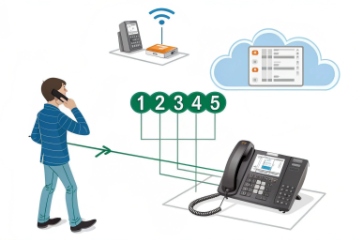
A typical flow looks like this:
- A user dials a meeting URI or a meeting number.
- The PBX applies dial plan rules and sends an INVITE to the conference service.
- SDP inside SIP negotiates codecs and media parameters.
- Media flows via RTP/SRTP between endpoint and bridge, or via the SBC if policy requires it.
- The bridge assigns a layout, handles mute and admit, and manages active speaker logic.
The PBX does not need to “mix” video. The PBX mainly needs to route to the right resource and keep identity clean. This is why many deployments keep conferencing on a dedicated server or cloud service, while the PBX stays focused on call control.
MCU vs SFU: which style fits a SIP-heavy environment
An MCU can transcode and mix into one stream per participant. This is helpful for older SIP video phones and mixed codec environments. An SFU forwards multiple streams and expects modern clients to manage decoding and layout. That works well for browser and mobile users, but it can stress weak endpoints.
| Bridge type | What it does | Strength | Common tradeoff |
|---|---|---|---|
| MCU | Mixes and can transcode | Strong interop for legacy SIP endpoints | More CPU cost and higher latency |
| SFU | Forwards streams | Scales well and keeps quality high | Clients must handle more streams |
Screen sharing: why it feels different than video
Screen or content sharing often uses BFCP (Binary Floor Control Protocol) 7 as a separate channel. Some systems also map content share to WebRTC data paths when browsers join. This is why a “video call” may work while content share fails. It is also why firewall rules must cover more than one media stream type.
In PBX design, the best practice is to treat conferencing as a named destination with its own trunk or route group. That keeps logs clean, makes troubleshooting easier, and keeps policy consistent across sites.
Now it is time to answer a practical question that comes up in almost every project: can all SIP devices join, or only some?
Can I join from IP phones, intercoms, and mobile apps?
Teams want one meeting link that works everywhere. Reality is that endpoints have different video stacks, and some devices were never built for full meetings.
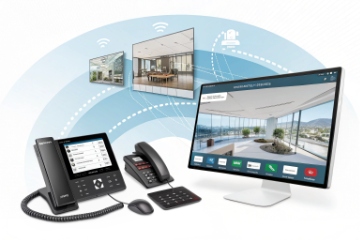
Yes, many SIP environments support joining from IP video phones, softphones, room systems, and mobile apps, but SIP intercoms often have limited layouts and may join best through a dedicated room or operator workflow.
IP phones and room endpoints
SIP video phones and room endpoints can join meetings if they support the right codecs and the meeting bridge supports their signaling and media model. Many endpoints handle one main video stream well. Some struggle with multi-stream layouts. This is where an MCU helps, because it can deliver a single mixed stream to each endpoint.
DTMF controls also matter. Many SIP conference services let users enter meeting IDs, PINs, and in-meeting commands via RFC4733 DTMF. That can be the difference between “it joins” and “it is usable.”
SIP intercoms: what is realistic
Most SIP intercoms are built for point-to-point calls and fast response. They can call a “meeting room” SIP URI, but the experience is often not the same as a full client:
- Video is often one camera feed with limited decode power.
- UI controls are minimal, so lobby and admit features are hard to use.
- Content share is usually not supported.
- Echo control and acoustic conditions can be harsh near doors and gates.
A clean pattern is to route intercom video to a fixed operator group, a wall display endpoint, or a control room meeting that is always available. This keeps the intercom simple and keeps meetings predictable.
Mobile apps and desktop clients
Mobile and desktop softphones can join through SIP if the vendor supports it, but many modern meeting experiences are WebRTC-first. In mixed environments, a gateway bridges SIP to WebRTC. Media may shift to DTLS-SRTP for the WebRTC side and SRTP for the SIP side. This is normal, but it adds complexity and makes SBC policy important.
| Endpoint type | Typical join method | What usually works | Common limitation |
|---|---|---|---|
| SIP video phone | SIP URI / number | Video + audio + DTMF | Multi-stream layouts may be limited |
| Room SIP endpoint | SIP URI / number | Strong video, good audio | Codec mismatch needs bridge help |
| SIP intercom | Calls a room/queue | Fast video calls | Minimal UI and limited features |
| Mobile/desktop app | SIP client or WebRTC gateway | Best UI and sharing | Needs NAT traversal and policy tuning |
So yes, it can all connect, but it must be designed with the weakest endpoint in mind. The next factor is the one that breaks projects silently: bandwidth and codec planning.
What bandwidth and codecs do I need for HD video?
Video meetings can look fine in a lab and fail in a live network. The reason is usually bandwidth, jitter, and codec mismatch, not the PBX brand.
HD SIP video needs enough steady uplink and downlink per participant, and common codecs like H.264 for video and Opus or G.722 for audio; bridges and SBCs often handle transcoding when endpoints differ.
Typical bandwidth ranges that stay safe
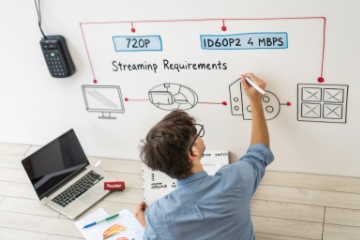
Exact bitrate depends on camera motion, codec profile, and bridge behavior. Still, planning with realistic ranges avoids pain:
- 720p: often around 1–2 Mbps per stream in many deployments
- 1080p: often around 2–4 Mbps per stream in many deployments
- Content share can add another stream and more burst traffic
Two details matter more than peak speed:
- Uplink for each participant is often the bottleneck.
- Jitter and packet loss hurt video faster than audio.
If a site has many rooms, the design should focus on the busy hour. A single meeting is easy. Ten meetings at once is the real test.
Codec choices in SIP conferencing
H.264/AVC is widely supported and is the common interop choice. H.265/HEVC can save bandwidth, but it is not universal across SIP endpoints, and licensing and support vary. For audio, Opus is excellent when supported, and G.722 is a common wideband choice in SIP systems. G.711 remains a baseline codec for compatibility.
When endpoints do not match codecs, the bridge or SBC may transcode. Transcoding solves interop. It also costs CPU, adds latency, and can reduce quality if profiles are mismatched.
| Media type | Common codec | Strength | When problems appear |
|---|---|---|---|
| Video | H.264/AVC | Broad SIP support | Different profiles/levels across vendors |
| Video | H.265/HEVC | Lower bitrate for similar quality | Not supported on many SIP endpoints |
| Audio | Opus | Great quality and resilience | Some SIP devices do not support it |
| Audio | G.722 | Wideband and common | Less resilient than Opus under loss |
| Audio | G.711 | Universal | Uses more bandwidth and is narrowband |
Network quality controls that keep HD stable
QoS and traffic priority are not optional in serious deployments. DSCP marking helps keep media ahead of bulk traffic. Also, some bridges support adaptive bitrate, FEC, and packet-loss concealment. These features can turn a shaky WAN into a usable meeting.
NAT and firewall also matter. Misconfigured port ranges often cause one-way video or broken content share. This is why an ICE/STUN/TURN plan is part of bandwidth planning, not a separate topic.
With media planning in place, the next question is the one that security teams ask first: how are meetings protected?
How do I secure video meetings with encryption and SSO?
A video meeting is a live media session and a user access session at the same time. Security must cover both, or the design is incomplete.
Secure SIP video meetings use TLS for SIP signaling and SRTP for media, and they can add SSO (SAML/OIDC) for user access, plus SBC enforcement, lobby controls, and audit logs for operational security.
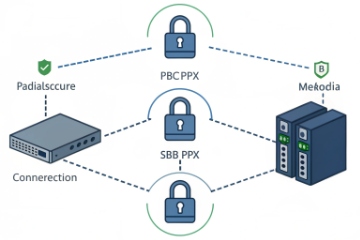
Encryption layers: signaling and media
SIP signaling can be protected with TLS. This prevents credential leaks and reduces spoofing risk. Media can be protected with SRTP, usually using SDES in many SIP setups. When browsers join through WebRTC, media commonly uses DTLS-SRTP on the WebRTC side. A gateway or bridge can translate while keeping encryption on both sides.
In well-run deployments, the SBC enforces these rules:
- Require TLS for SIP registrations and trunk connections
- Require SRTP for media where possible
- Block weak ciphers and outdated protocols
- Normalize SIP headers to reduce attack surface
Identity and access: what SSO means in a SIP world
SSO usually lives in the meeting platform and user directory, not inside SIP itself. A clean model is:
- Users authenticate to the meeting service with SSO (SAML/OIDC).
- The meeting service issues tokens or policies for join permissions.
- SIP endpoints join via allowed SIP URIs, often controlled by SBC policy and meeting PINs.
- External participants can join through a gateway, with domain rules and additional verification.
SSO is strongest when paired with meeting controls like lobby, host admit, and role-based permissions. It is also important to keep logs. Security teams want to know who joined, from where, and when.
Practical security features to include in the design
A secure SIP meeting design often includes:
- Lobby and host admit
- Unique meeting IDs and optional PINs
- Mute on entry and restricted screen sharing
- Recording controls and retention policy (SIPREC is common for SIP recording)
- Rate limits and fraud detection on PSTN dial-in/out routes
- Separate policies for internal and external federation
| Control | What it protects | Where it is enforced |
|---|---|---|
| TLS | SIP signaling and credentials | PBX, SBC, endpoints |
| SRTP / DTLS-SRTP | Media confidentiality | Endpoints, bridge, gateways |
| SSO (SAML/OIDC) | User identity and access | Meeting service and IdP |
| SBC policy | Interop and threat control | Edge of the network |
| Lobby/PIN/roles | Meeting privacy | Conference bridge |
Security is not only encryption. It is also clean routing and strict defaults. The simplest secure setup is the one where endpoints can only reach the services they need, and every external path is intentional.
Conclusion
SIP video conferencing is SIP signaling plus RTP/SRTP media, powered by a bridge and protected by SBC policy. With codec, bandwidth, and SSO planning, meetings stay stable and secure.
Footnotes
-
Read SIP call setup basics and message flow for conferencing. ↩ ↩
-
Understand RTP media transport and why conferencing needs stable RTP paths. ↩ ↩
-
Learn how SRTP protects voice/video media streams in SIP meetings. ↩ ↩
-
See how MCUs mix/transcode media to support legacy SIP video endpoints. ↩ ↩
-
Learn how SFUs scale meetings by forwarding streams for modern clients. ↩ ↩
-
Use ICE concepts to prevent one-way media across NAT and firewalls. ↩ ↩
-
Understand BFCP content-sharing control and why it can fail separately from video. ↩ ↩








