
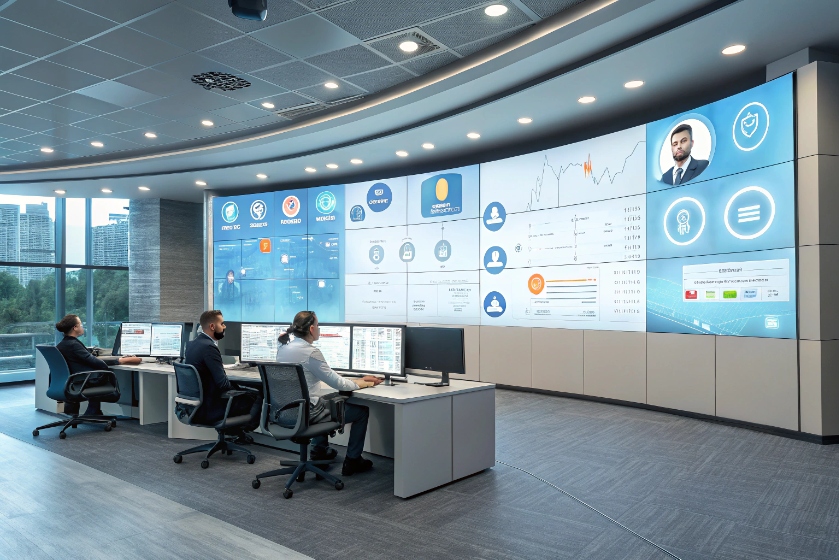
Customers move fast across apps and devices. Service must follow them without losing context.
A digital call center is an omnichannel platform that handles voice, chat, email, SMS, and social in one place with shared routing, context, and analytics.
A modern stack blends cloud voice (SIP/WebRTC) 1, CRM history, AI assist, and real-time analytics. It scales on demand, keeps quality stable, and makes every contact traceable. Next, I explain how it differs from legacy PBX, which channels to digitize first, how to unify SIP, CRM, and analytics, and a practical roadmap to CCaaS (Contact Center as a Service) 2.
How does digital differ from legacy PBX?
Legacy PBX focuses on calls to extensions. It routes voice. It stores voicemail. It runs on fixed trunks and desk phones. Digital centers run all channels 3. They route by intent, skill, SLA, and customer value. They are cloud-first and API-first.
Omnichannel means one queue for many channels, not many queues for one channel. Agents work in a browser. Presence, coaching, and QA span voice and text. Elastic scale adds seats and capacity in minutes, not weeks. Security covers SSO/MFA, encryption, redaction, consent, and audit. Upgrades roll out with no downtime.
Dive deeper
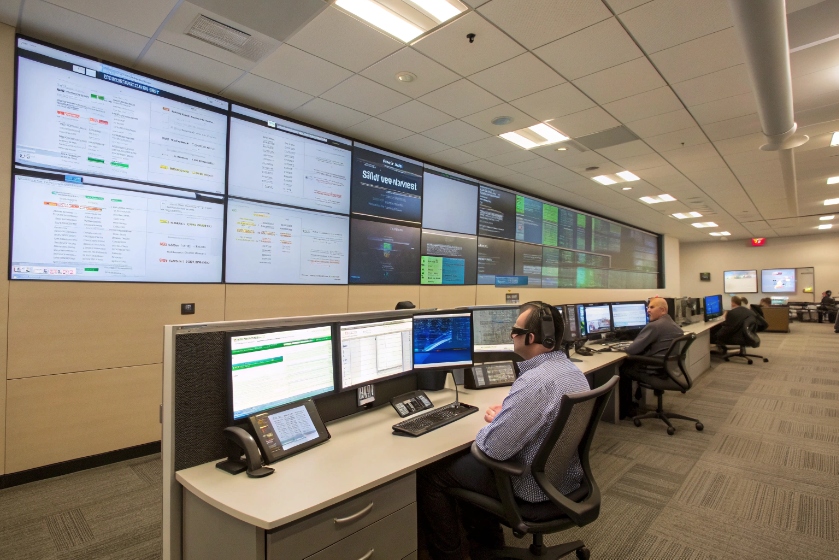
Legacy PBX centers optimize switch features: DID mapping, ring groups, hunt lists, and on-prem SBCs. Reporting centers on CDRs, AHT, ASA, and service level. Digital centers add context and automation. The router reads CRM fields, past tickets, and live web events. It picks a target skill and SLA bucket. If staffing is tight, it offers a callback or deflects to a channel with a faster answer. This reduces abandons and protects CSAT.
Devices change too. A PBX expects desk phones and maybe a softphone. Digital centers lean on WebRTC with secure media and echo control 4. Agents log in from office or home. Quality relies on QoS, SBCs, and jitter policy, not just a LAN. Failover shifts traffic across regions. Disaster recovery is no longer a forklift project.
Data is the big gap. PBX gives call detail. Digital gives journey detail 5: what the customer tried, which articles they read, which bot step failed, and which phrase triggered an escalation. Speech and text analytics tag topics, sentiment, and effort. Quality teams score cross-channel samples on one card. Leaders see cost per contact alongside FCR and NPS, not just calls answered.
Finally, changes are faster. IVR edits used to need a change window and a reload. Now flows, intents, and messages ship in small, safe increments. This tight loop is the real efficiency win: less wait, fewer repeats, and fewer handoffs.
Which channels should I digitize first?
Start where customers already try to reach you, and where deflection saves the most time. Pick quick wins that reduce queue pressure without hurting resolution.
Chat and messaging often come first. They handle short, structured tasks well. Email needs structure and SLAs. SMS is great for alerts and two-way confirmations. Voice remains core, but smarter IVR and callback unlock capacity fast.
Dive deeper
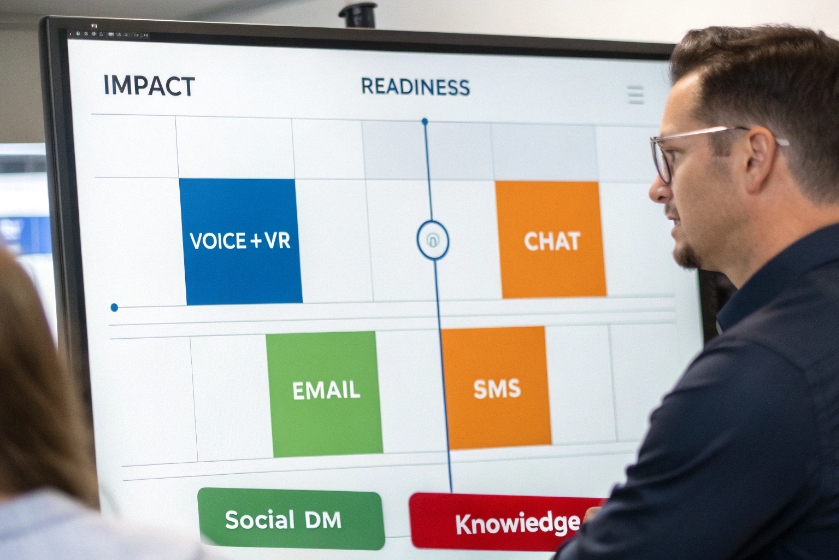
I use a simple matrix: impact vs readiness. Impact asks, “How much volume or effort can this channel remove from voice now?” Readiness asks, “Do we have processes, templates, and consent in place?” High-impact, high-readiness channels go first.
Typical order:
1) Voice with callback and smart IVR. Keep the line moving while you build digital. Add intent capture and simple self-service (order status, password reset, balance). Use contact reasons to feed the backlog.
2) Web chat / in-app messaging. Pair agents with a bot front door that gathers identity and intent. Use guided flows and knowledge snippets. Limit concurrent chats to protect quality; start with two per agent, then tune.
3) Email with templates and SLAs. Add auto-classification and suggested replies. Break giant “other” queues into clear folders. Show customers the expected time to answer.
4) SMS/WhatsApp (where consent allows). Use for proactive updates and short two-way tasks: delivery changes, appointment confirms, one-time codes, outage notices. Keep messages short and branded. Store consent and opt-outs.
5) Social DMs. Start with monitors and canned responses. Escalate sensitive issues to private channels with verification.
6) Self-service knowledge. Clean top 50 articles. Add short steps, screenshots, and search tags. Link to chat or callback when the article fails.
A quick channel table:
| Channel | Best for | First steps | Watch outs |
|---|---|---|---|
| Voice + IVR | Complex issues, urgency | Callback, intent capture | Long menus, poor containment |
| Chat | Short, structured | Bot front door, KB snippets | Too many concurrent chats |
| Investigations | Templates, auto-classify | Slow loops, hidden backlogs | |
| SMS | Alerts, confirms | Consent, short replies | Quiet hours, opt-out |
| Social DM | Public issues → private | Triage, verify | Brand risk, identity checks |
Pick two moves per quarter. Land them. Then add the next.
How do I unify SIP, CRM, and analytics?
Voice runs on SIP or WebRTC. Context lives in CRM/CDP. Truth lives in analytics. The win is one routing brain that reads CRM, one desktop that displays it, and one warehouse that stores it.
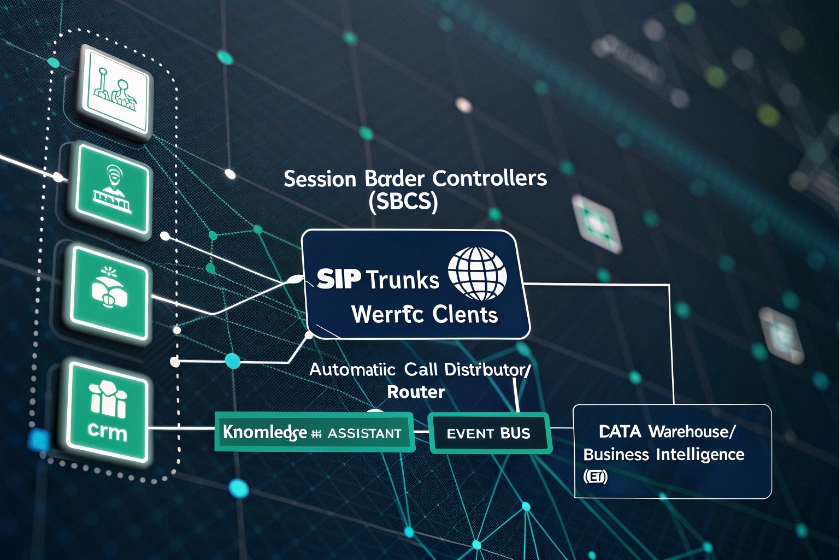
Integrate the ACD (SIP/WebRTC) with CRM for screen-pop and case creation 6. Send events to a data warehouse. Use BI for real-time ops and trend views. Keep IDs consistent across systems.
Dive deeper
Architecture in short:
- Edge & media: SBCs terminate trunks, encrypt media, and normalize codecs. WebRTC endpoints reach regional media edges. QoS tags voice. Failover is per region.
- ACD/Router: Skills, priorities, SLAs, and intents live here. The router reads CRM traits (tier, value, status) and picks the path. It triggers callback when wait exceeds the promise.
- CRM / Ticketing: Customer profile, cases, orders, and notes. The agent desktop shows this as a screen-pop when the call or chat lands. Dispositions and follow-ups write back automatically.
- Knowledge & Assist: Agents search guides; AI suggests steps and drafts summaries. This cuts ACW and raises FCR.
- Event bus: The ACD emits events (ring, answer, hold, wrap, transcript, sentiment). The CRM emits case events. A small bus or iPaaS ties actions to triggers.
- Warehouse & BI: Land interval metrics, per-interaction facts, QA scores, and survey results. Build dashboards: SL/ASA, AHT, FCR, CSAT/NPS, occupancy, cost per contact.
Data model basics:
- Use a global interaction ID from first contact through transfers and channel switches.
- Store who, what, when: customer ID, channel, queue, agent, start, stop, and outcomes.
- Add context: intent, product, sentiment, and resolution.
- Keep recording links and redaction markers for compliance.
Operational glue:
- Screen-pop under 500 ms from answer improves first seconds.
- Auto-dispo and summary save 30–60 seconds per call.
- QA + coaching pull from one library, not three systems.
- Alerting uses shared thresholds: SL dips, abandon spikes, bot containment failures.
Security and privacy:
- SSO/MFA on all apps, role-based access, field masking for PCI/PHI, and regional data residency if required.
- Consent records travel with the contact across channels.
- Immutable audit logs for regulators and customers.
With this spine, you can change processes fast without breaking the data trail.
What roadmap gets me to CCaaS?
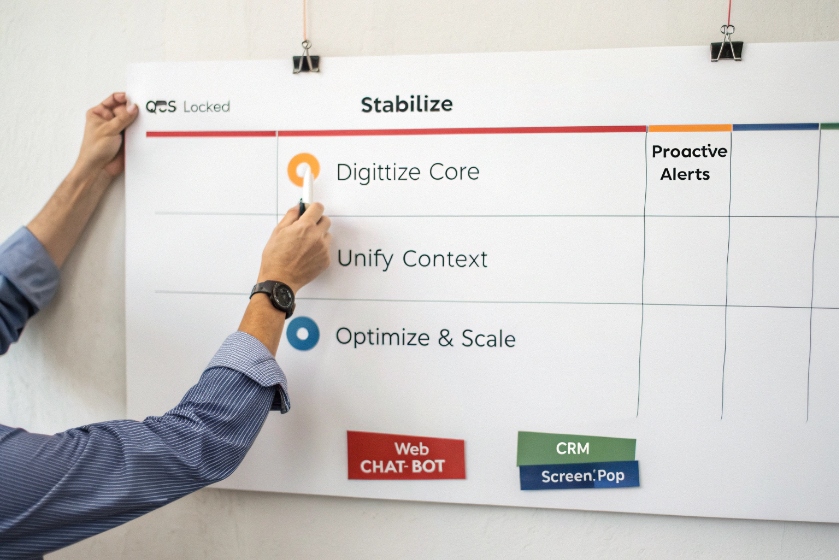
Move in calm steps, following a cloud contact center migration plan 7. Protect service while shifting the core. Prove value every quarter. Keep rollbacks possible. Think in four phases: Stabilize, Digitize, Unify, Optimize.
Dive deeper
Phase 1 – Stabilize (0–90 days)
- Goals: call quality, basic reporting, backup plan.
- Actions: deploy SBCs, lock QoS, fix jitter policy, add callback to IVR, publish baseline KPIs (SL/ASA, AHT, Abandon, FCR, CSAT).
- Wins: fewer abandons, better first impression, known numbers.
Phase 2 – Digitize Core (90–180 days)
- Goals: reduce voice load, speed resolutions.
- Actions: launch web chat with bot front door; clean top knowledge articles; enable email auto-classify; add agent assist for notes; start post-call surveys across channels.
- Metrics: bot containment, chat AHT, email SLA, ACW drop, FCR up.
Phase 3 – Unify Context (180–270 days)
- Goals: single desktop, single ID, single store of truth.
- Actions: integrate ACD with CRM for screen-pop and case sync; adopt global
interaction IDs; stream events to the warehouse; ship unified dashboards. Launch skills and priorities that read CRM traits. - Metrics: screen-pop under 500 ms, transfer rate down, FCR up, recontact rate down.
Phase 4 – Optimize & Scale (270–360 days)
- Goals: elasticity, advanced routing, proactive service.
- Actions: add SMS/WhatsApp with consent; enable proactive alerts for known events; roll WFM for forecast/schedule; expand QM with speech/text analytics; pilot work-from-anywhere.
- Metrics: cost per contact down, occupancy in target, CSAT up, schedule adherence stable.
Runbooks and governance
- Change management: small releases, A/B tests, feature flags.
- DR: multi-region failover tested quarterly.
- Security: redaction and key rotation on a schedule.
- Compliance: transcript retention, consent records, and export tools.
| Simple readiness checklist | Area | Ready when | Why |
|---|---|---|---|
| Network | QoS stable, SBC in HA | Voice quality | |
| Data | CRM fields mapped, IDs aligned | Context routing | |
| People | Playbooks, coaching, WFM time blocks | Adoption | |
| Process | IVR intents defined, KB cleaned | Containment | |
| Metrics | Baselines set, dashboards live | Proof of progress |
The roadmap is linear on paper but cyclical in life. Each phase informs the next. Keep the loop tight, the wins visible, and the risks small.
Conclusion
Digital beats legacy when routing uses context, channels share one brain, and data flows end to end. Start with IVR and chat, wire SIP to CRM and analytics, and step into CCaaS in four calm phases.
Footnotes
-
Learn how SIP trunking supports cloud voice and modern contact center architectures. ↩ ↩
-
Overview of CCaaS capabilities and how cloud platforms modernize contact centers. ↩ ↩
-
Explanation of omnichannel contact centers and unified customer interactions. ↩ ↩
-
Official WebRTC site describing browser-based real-time communication technology. ↩ ↩
-
Guide to applying customer journey analytics in contact centers. ↩ ↩
-
Glossary explaining CRM screen-pop in contact center environments. ↩ ↩
-
Best practices for planning and executing cloud contact center migration. ↩ ↩








