
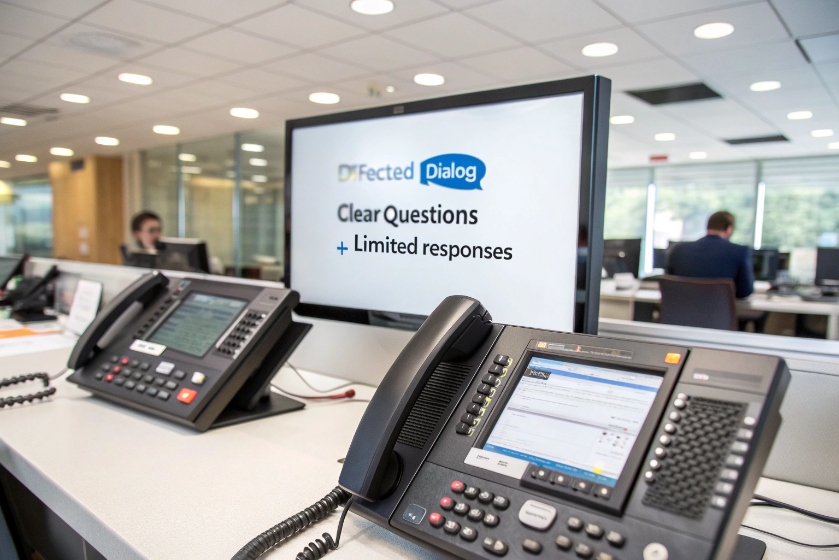
Many IVRs try to sound smart and end up wasting caller time. The real issue is often not technology, but how we design the dialog itself.
Directed dialog is a structured IVR style where the system asks clear questions and limits caller responses to specific options, so routing stays accurate and automation is easy to control and improve.
When the IVR behaves like a predictable state machine 1, every path is visible. Each prompt collects one piece of information, and each reply moves to the next known state. That gives you cleaner data, better containment, and fewer surprises for agents and callers.
How does directed dialog differ from natural language IVR?
Many teams hear “voice bot” and think open, free speech is always better. In practice, a well-built directed dialog often beats a sloppy natural language IVR on speed and accuracy.
Directed dialog uses fixed menus, DTMF, and constrained grammars, while natural language IVR accepts free speech and uses NLU to guess intent across many phrases and multi-intent sentences.
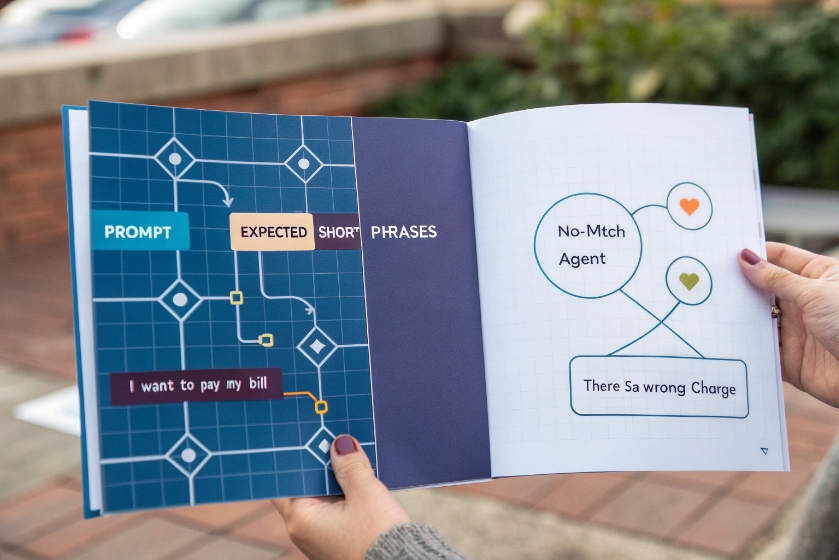
State machine vs open intent space
Directed dialog works like a state machine. At each step, the system plays a short prompt and expects a narrow set of replies. That reply can be a key press or a limited speech phrase such as “Billing”, “Support”, or “Operator”. The system does not try to understand full sentences. It only matches callers against fixed menus, DTMF, and constrained grammars 2. If nothing matches, it runs a no-match path, often a simple reprompt or a handoff to an agent.
Natural language IVR behaves very differently. It allows free speech. Callers can say “I want to pay my bill”, “I need to talk about my card”, or “I think there is a wrong charge”. The NLU engine tries to map all of these to the same intent. It also tries to pull entities out of the sentence, like “credit card” or “last month”. That gives more flexibility, but it also introduces more ways for recognition to fail in a natural language IVR 3.
Directed dialog usually enables barge-in, so callers can interrupt the prompt and answer early. This keeps journeys fast once people learn the pattern. Natural language IVR also supports barge-in, but the engine must process longer, less predictable audio.
The trade-off looks like this:
| Aspect | Directed dialog | Natural language IVR |
|---|---|---|
| Input type | DTMF, short phrases, small grammars | Free speech, long sentences |
| Logic model | State machine, fixed branches | Intent and entity recognition |
| Design effort | Prompts, grammars, routing rules | Prompts, training data, NLU tuning |
| Failure mode | No-match / no-input, simple escalation | Low confidence, wrong intent, odd edge cases |
| Best fit | Narrow, repeatable tasks with strict rules | Broad, varied intents and multi-intent calls |
Directed dialog gives control and predictability. Natural language IVR gives flexibility and a more “human” feel when it works well. Many modern platforms mix the two. For example, they start with free speech but fall back to directed options or an agent when confidence drops below a safe level.
When should I choose directed prompts over free speech?
Open language sounds better in demos. In real traffic, the safe choice is not always the most “human” interface. It is the one that matches task shape, risk, and team capacity.
Use directed dialog when tasks are stable and high volume, when misroutes are expensive, or when you need something that is easy to test, explain, and maintain without a huge NLU project.

Matching dialog style to tasks and risk
A simple way to decide is to look at three things: task type, risk of error, and team skills.
For task type, directed dialog fits flows with a clear path and a limited set of outcomes. These include balance checks, simple payments, PIN changes, outage checks, order status, or routing to a small set of queues. Each step gathers one “slot” such as account number, ZIP code, or reason code. The IVR does not need to guess intent. It just asks and collects.
Free speech fits messy, open problems. For example, when customers often say “I am moving and need to talk about my contract, account, and equipment” in one breath. Natural language can capture this in a single utterance, then split the work for agents or for back-end workflows. Directed dialog would force people through multiple menus, which can feel heavy.
Risk of error is next. In billing, identity verification, and compliance flows, misroutes and wrong interpretations hurt more. Directed dialog helps because it uses confirmation prompts 4 like “You said billing, is that right?” and strict grammars. You know exactly which audio played and which response was accepted, which is easier to defend and debug.
Then think about the team. Directed dialog needs skills in prompt writing, call flow design, and basic grammar work. NLU needs data, training, and ongoing tuning. If the team does not have this, a simple directed design can deliver real value faster and with fewer surprises.
In many projects, a hybrid wins. You can start with directed options for the top few reasons that drive most volume. Later, you add an open speech entry that routes into the same backbone, and you keep directed behavior for narrow, rule-based tasks where structure is an advantage.
Most misroutes do not come from the recognition engine. They come from confusing menus and vague prompts that do not match the way callers think about their problem.
To reduce misroutes, design short menus based on real call reasons, put the most common options first, use clear confirmation and error paths, and always offer a fast route to a human.

Good directed dialog starts with data, not guesswork. Pull reports on actual call reasons, transfer paths, and agent notes. Group those reasons into a few clear top-level intents. These become your main menu items. Usually three to five options are enough to capture most volume. If you have more, you are probably too deep in internal department names and not enough in customer language.
Once the top-level buckets are clear, write short prompts. Skip long intros. Go straight to the choice. For example:
- “For billing and payments, press 1 or say Billing.”
- “For technical support, press 2 or say Support.”
- “To check an order, press 3 or say Order.”
Put the most common option first. Many callers will barge in as soon as they hear it. Keep each menu under a few seconds. If you have to explain something, break it into two steps instead of one long speech.
Error handling is critical. Plan no-input and no-match flows. A simple pattern works well:
| Event | Response example | Next step |
|---|---|---|
| 1st no-input | “Sorry, I did not hear you. For billing, press 1…” | Repeat same menu |
| 1st no-match | “Sorry, I did not understand. Please say Billing, Support, or Order.” | Repeat with simplified wording |
| 2nd failure | “Let me send you to an agent who can help.” | Route to a general queue |
Use confirmation prompts at key points. When speech recognition hears “billing”, play back “You said billing, correct?” and listen for yes/no. This one extra turn often saves a transfer later.
Menu depth also matters. Try to stay within three levels. If you see callers go through four or five levels, then get transferred anyway, the design is wrong. In that case, move common combinations up. For example, “Billing for mobile” and “Billing for internet” might deserve their own early options.
Finally, always give a quick escape. “Press 0 at any time to reach an agent” is simple, and it reduces frustration. You can still track how many callers bail out from each menu. That number becomes a clear signal that a prompt needs work in your IVR menu design 5.
Which KPIs prove my dialog design works?
Without clear metrics, dialog design turns into opinion. With the right KPIs, you can see if each change helps callers or just makes the flow look nicer on a diagram.
Key KPIs for directed dialog are containment, misroute and transfer rate, error rate (no-input and no-match), IVR time per task, and caller satisfaction or ease-of-use scores.
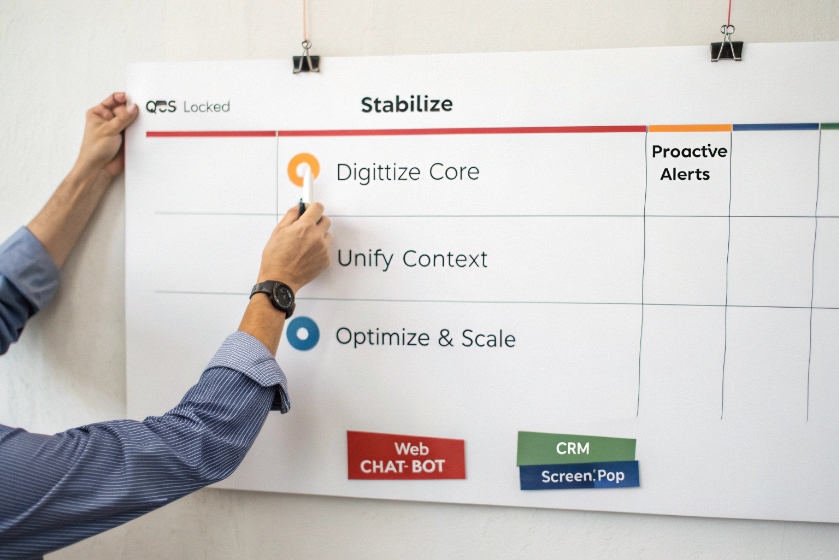
Turning dialog flows into numbers you can trust
Start with containment rate 6. This is the share of calls that complete their task inside self service without an agent. You should measure this per intent, not just overall. Balance is important. A slight drop in containment is fine if misroutes and overall handling time improve.
Next, watch misroute and transfer rate. A misroute happens when the IVR sends the call to the wrong queue, and the agent then transfers it somewhere else. The transfer exposes the problem, but the root cause sits in dialog design. To fix it, you need to log the IVR path, the first queue reached, and the final queue. Then you can spot patterns like “billing callers often start in support” and adjust prompts.
Error metrics reveal where callers struggle. Track no-input and no-match rates at each prompt. High no-input can mean callers are confused, distracted, or afraid of saying the wrong thing. High no-match often points to over-complex wording or a grammar that does not match real language. When you change a prompt, watch these numbers for a few days.
You also want to see how the IVR affects agents. Compare AHT (average handle time) and wrap-up time for calls that arrive with good IVR data versus calls that bypass it. If directed dialog captures account number, reason code, or device type correctly, agents should spend less time asking basic questions.
Finally, look at caller satisfaction. A small post-call survey works well, even if it is just one or two questions like “How easy was it to get what you needed today?” Use a simple 1–5 scale. Break results down by path: fully contained, IVR plus agent, or direct to agent.
A compact IVR KPI dashboard 7 makes it easier to review dialog health each week:
| KPI | Why it matters |
|---|---|
| Containment rate | Shows self-service success |
| Misroute / transfer rate | Shows routing accuracy and menu quality |
| No-input / no-match rate | Shows how clear prompts and grammars are |
| IVR time per task | Shows whether flows are fast or bloated |
| AHT with IVR data | Shows real impact on agent workload |
| CSAT / ease-of-use score | Shows how callers feel about the experience |
When these metrics move together in the right direction, you know the dialog is not just neat in a design tool. It is working in live traffic, with real callers, at real scale.
Conclusion
Directed dialog works best when prompts are simple, choices are clear, and KPIs guide every change, so callers finish tasks faster and agents get better-routed, richer-context calls.
Footnotes
-
Background on finite state machines used to model predictable IVR flows. ↩ ↩
-
Overview of IVR using menus, DTMF input, and constrained grammars. ↩ ↩
-
Explanation of natural language IVR and how it interprets free speech. ↩ ↩
-
IVR best practices including the use of confirmation prompts. ↩ ↩
-
Practical tips for designing effective IVR menu structures. ↩ ↩
-
Definition and calculation of IVR containment rate in contact centers. ↩ ↩








