
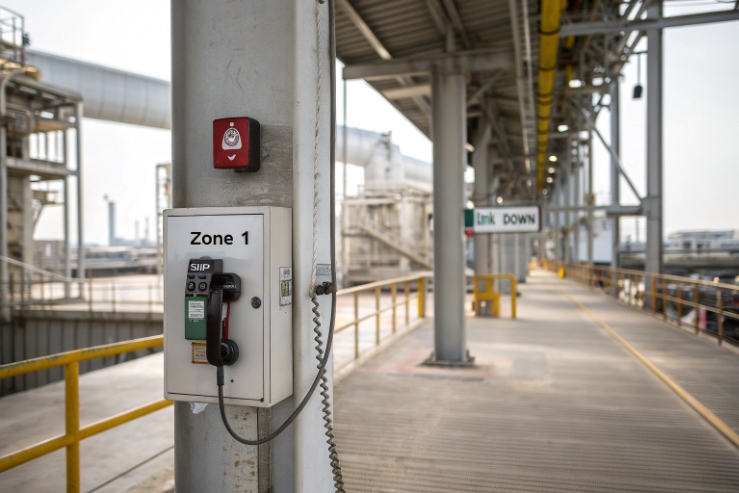
A Zone 1 hazardous area classification 1 phone can be certified and still go offline when one switch fails. That is painful during emergencies and audits.
Yes, some explosion-proof SIP telephones support dual LAN, but “dual LAN” can mean very different hardware and network behaviors. The safe plan is to define the exact dual-NIC mode, VLAN/QoS needs, and PoE limits in your tender.
Dual LAN on Ex telephones: what does “dual LAN” really mean?
Dual LAN can mean three different designs
In real projects, “dual LAN” is used for three different hardware layouts:
1) LAN + PC port (2-port switch inside the phone)
This is common in office IP phones. The phone has one uplink and one downlink. It is not true network redundancy. If the uplink fails, both ports go down.
2) True dual-NIC (two independent Ethernet interfaces)
This is the design used for redundancy or for strict segregation. Each port has its own MAC/PHY and can be placed on a separate switch and separate subnet. This is the design you want for failover and disaster recovery.
3) Service port + network port
Some rugged devices use the second port only for maintenance or local commissioning. It should not be treated as a second production LAN.
Why Ex telephones are more strict than normal SIP phones
Explosion-proof products (Ex d / Ex e protection concepts 2) are built around controlled entries, thermal limits, and certified construction. Dual LAN usually means:
- extra cable entry hardware (glands, adaptors, stopping plugs)
- extra internal heat (PHY power, surge parts, isolation)
- more bonding points and more chances for corrosion issues offshore
So dual LAN is possible, but it must be implemented in a way that does not weaken flamepath integrity or IP66/67 sealing.
A tender-friendly definition that avoids vendor confusion
| “Dual LAN” claim | What it actually is | Can it do redundancy? | What to ask for |
|---|---|---|---|
| 2×RJ45 | LAN + PC passthrough switch | No | “Is Port 2 bridged to Port 1?” |
| 2×RJ45 dual-homing | Two independent NICs | Yes | “Two MACs? Two IPs? Failover mode?” |
| Maintenance port | Service-only | No | “Is Port 2 disabled in normal operation?” |
The simplest procurement rule
When the project needs real redundancy, the spec should say “two independent Ethernet interfaces with failover capability” and should reject “LAN + PC port” designs for that use case.
If this baseline is clear, the next step is choosing the dual-NIC mode. That choice decides how the phone behaves when links flap, when VLANs are used, and when SIP must fail over.
Now let’s go deeper into the specific dual-NIC modes buyers ask for.
What dual-NIC modes are available—redundant failover, port isolation, or link aggregation (LACP)?
Power plants and offshore platforms often ask for “dual LAN + LACP” because it is common on servers. Most endpoints do not behave like servers, so the mode must be defined carefully.
The most practical modes for Ex telephones are redundant failover and strict port isolation. LACP is uncommon for endpoint phones, so it should be requested only if the vendor explicitly supports it and can prove interoperability.
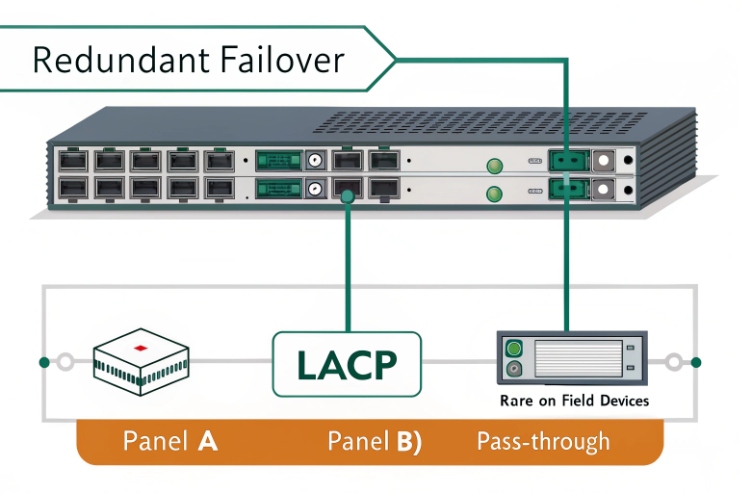
Redundant failover (active/standby)
This is the mode most sites actually need:
- Port A is active.
- Port B is standby.
- If Port A link drops (or fails health checks), the phone switches to Port B.
Key details to specify:
- failover trigger: link-down only, or link + ARP/gateway reachability
- failover time: how many seconds until SIP service is restored
- behavior during recovery: does it revert to Port A automatically or stay on Port B until manual reset
- IP method: static IP, DHCP, or both supported in failover
This mode works well with two separate switches and two separate cabling routes.
Port isolation (two networks, no bridging)
This is for segregation:
- Port A for voice/SIP to the PBX.
- Port B for control, maintenance, or a separate OT network.
- No traffic is bridged between them.
This is often the safest compliance story in industrial sites because it prevents accidental cross-connection between networks.
Port isolation questions to lock down:
- can each port have its own VLAN and its own IP subnet
- can management be forced onto one port only
- can the phone block web UI/SSH on the voice port
Link aggregation (LACP)
Link Aggregation Control Protocol (LACP) 3 is usually used on switches and servers to bundle two physical links into one logical link. Many telephones do not implement it, even if they have two ports. If LACP is requested, require proof:
- supported standard name and mode
- switch interoperability test evidence
- behavior on partial failure (one member link down)
- impact on PoE power and thermal load
A practical reality: if you want high availability, active/standby dual-homing is often better than LACP for an endpoint. It is simpler to troubleshoot and easier to qualify in Ex projects.
A mode selection table for your project
| Your goal | Best dual-LAN mode | Why it fits Ex projects |
|---|---|---|
| Keep calling if one switch fails | Redundant failover | Simple, predictable recovery |
| Keep OT and voice separated | Port isolation | Clean segregation and audit clarity |
| More throughput | LACP (only if proven) | Rarely needed for telephony traffic |
| Simple cabling, no redundancy | LAN + PC port | Not a redundancy solution |
Once the port behavior is defined, the next question is SIP resilience. Some buyers want each LAN to register to separate SIP servers for disaster recovery.
Can each LAN register to separate SIP servers for hot-standby and disaster recovery?
A phone can have dual LAN and still lose service if SIP registration is tied to one route only. Disaster recovery needs both network and application failover.
Yes, it is possible, but it depends on the SIP stack. The clean approach is to require multi-server SIP support (primary/secondary proxy, DNS SRV, or dual registration if supported) and tie that to dual-LAN routing policy.
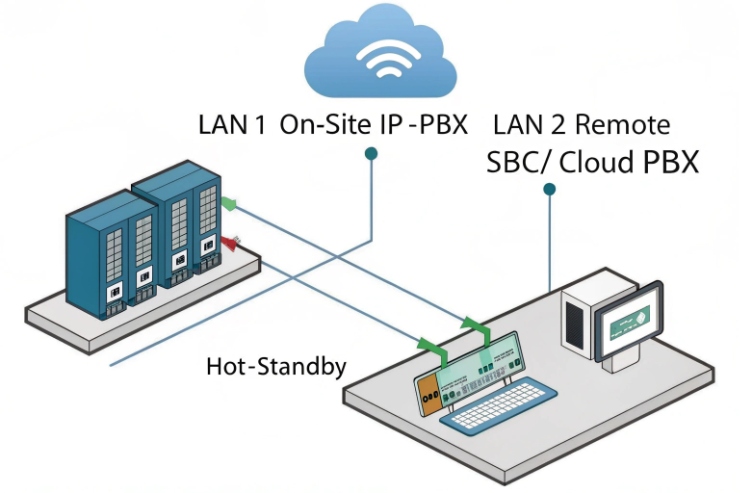
Three common SIP resilience patterns
1) Primary/secondary server list (most common)
The phone registers to a primary SIP server. If it fails, it switches to the next server in the list. This works well with dual LAN failover because:
- when the active link changes, DNS and routing can still reach the same server list
- the phone does not need two concurrent registrations
What to specify:
- number of servers supported in the list
- failover trigger (no response, registration fail, keepalive fail)
- registration retry timers (so recovery is not too slow)
2) DNS SRV / multiple A records
This is a clean IT method. The phone uses DNS SRV records 4 to discover a working server. This can be very effective when the network team controls DNS well.
What to specify:
- SRV support (if required)
- behavior when DNS results change
- cache time and refresh logic
3) Dual registration (hot-standby at the SIP layer)
Some devices can register to two SIP servers at the same time. This gives fast recovery if one server fails. It also creates more SIP traffic and more state complexity. Many PBX systems handle it differently, so interoperability testing matters.
If you request dual registration, also request:
- supported call routing behavior during switchover
- how inbound calls are handled (duplicate ringing risk)
- PBX compatibility list or test evidence
Mapping SIP servers to each LAN
Some customers want: “LAN1 registers to PBX-A, LAN2 registers to PBX-B.” This is possible only if the phone supports policy-based routing or per-account routing bound to an interface. Many phones do not expose that level of control.
A safer and simpler architecture is:
- dual LAN failover at Layer 2/3 (keep the phone reachable)
- SIP server failover at application layer (keep call control alive)
- each site or region uses DNS or a server list to route to the best PBX
A tender table that keeps DR requirements precise
| DR requirement | What to write | Why it avoids surprises |
|---|---|---|
| PBX failover | “Support primary/secondary SIP server with auto failover” | Simple and widely supported |
| Hot-standby | “Dual registration supported and documented (optional)” | Only if you truly need it |
| Interface binding | “Must support per-interface routing for SIP (only if required)” | Prevents false assumptions |
| Proof | “Provide failover test steps and results” | Makes quotes comparable |
Once SIP resilience is settled, the next layer is network segmentation. Dual LAN is often requested to separate voice and control networks using VLANs, QoS, and routing.
How are VLAN, QoS, and static routing configured per port for segregated voice and control networks?
Segregation is easy to describe and easy to break. One wrong VLAN setting and the phone becomes a bridge between networks.
Most Ex SIP phones support VLAN tagging and QoS marking. True per-port static routing is less common, so it should be requested only when the vendor can show policy routing capability. For strict segregation, use port isolation plus VLANs and keep routing in the switches/routers.
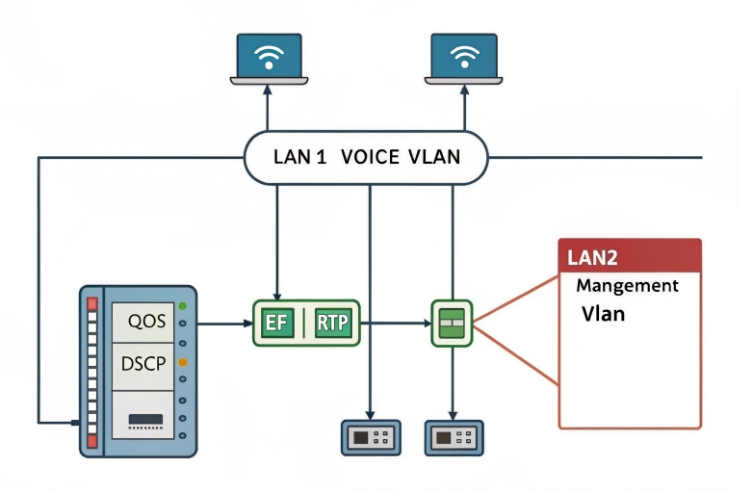
VLAN (802.1Q): the normal approach for voice segregation
Typical deployments use VLAN tagging (IEEE 802.1Q) 5 to separate voice, management, and adjacent device traffic:
- Voice VLAN tagged (example VLAN 100)
- Management VLAN tagged or untagged (example VLAN 10)
- PC/control network on a different VLAN (example VLAN 200)
Two-port phones often implement:
- tagged voice frames on the uplink
- untagged access VLAN on the downlink for a connected device
For a true dual-NIC Ex phone, you can do:
- Port 1: Voice VLAN(s) only
- Port 2: Control/maintenance VLAN(s) only
QoS: keep voice stable during congestion
QoS settings usually include:
- Layer 2 priority (802.1p)
- DSCP marking (common voice marking is DiffServ Expedited Forwarding (EF) 6 /46)
- separate queue settings for voice vs signaling vs management
The tender should define:
- whether the phone can mark DSCP and 802.1p
- whether it can trust upstream markings or must overwrite
- whether RTP and SIP can be marked differently
Static routing per port: what is realistic
Many endpoints support:
- one default gateway
- static IP or DHCP
- VLAN tags
Fewer endpoints support:
- multiple routing tables
- policy-based routing per interface
- static routes bound to a specific port
If your project truly needs “Port 1 to PBX subnet via GW-A, Port 2 to SCADA subnet via GW-B,” then request:
- per-interface IP + gateway settings
- policy routing support
- a configuration export that shows the routing behavior
If the vendor cannot provide this, the safer design is:
- keep routing external (switch/router/firewall)
- keep the phone simple: one operational route at a time, or strict port isolation without complex routing
A configuration pattern table for segregated networks
| Goal | Recommended pattern | Why it is reliable |
|---|---|---|
| Voice + management separated | VLAN voice + VLAN mgmt on one uplink | Works with most devices |
| Voice and OT fully isolated | True dual-NIC + port isolation | Clean, auditable segregation |
| Complex multi-gateway routing | External router/firewall policy | Avoids endpoint routing limits |
| High voice priority | DSCP + 802.1p + switch QoS | End-to-end behavior is consistent |
With VLAN and QoS defined, the final hard question is power: do both LAN ports accept PoE, can the phone pass PoE through, and what are the Ex grounding rules.
Do both LAN ports support PoE input or PoE pass-through, and what are the power/grounding rules in hazardous areas?
Power is where “nice features” can become compliance risk. Dual ports can create backfeed risk, extra heat, and new certification conditions.
Most dual-port Ex telephones use PoE on one port only, and the second port is data-only. PoE pass-through is uncommon in Ex products because it increases heat and complicates certification. In Zone 1/2, follow the phone’s certificate conditions and keep bonding, glands, and shield termination consistent.
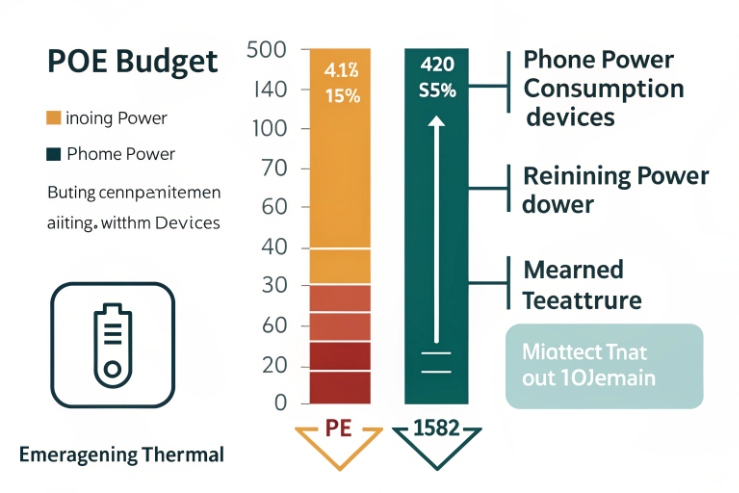
Typical PoE behaviors seen in rugged devices
PoE input on Port 1 only (most common)
- Port 1 is the uplink and accepts PoE (PD).
- Port 2 is secondary LAN and is not powered.
This avoids backfeeding. It also reduces internal power conversion complexity.
Dual PoE input (rare)
Some devices can accept PoE on either port, but they need internal OR-ing and protection so two powered links do not fight each other. This is more complex and usually not needed for telephony.
If you request dual PoE input, also request:
- “no backfeed” proof
- thermal test evidence at maximum ambient
- clear installation rules (only one port powered at a time, or both allowed)
PoE pass-through (very rare in Ex phones)
PoE pass-through means the phone acts as a PSE to power another device. This adds:
- higher internal power handling
- more heat
- more fault energy available at the device
In hazardous areas, this is often avoided unless there is a strong use case and clear certification support.
If the design assumes PoE+ headroom, specify IEEE 802.3at (PoE+) 7 explicitly so “boots-but-resets” behavior is prevented at full load.
Hazardous area power and grounding rules that matter most
1) Do not exceed certified power and ambient limits
Extra watts become heat. The phone’s Ex marking and temperature class depend on staying within rated conditions.
2) Keep flamepaths and entries intact (Ex d/ex e)
No drilling new holes for extra ports or power inputs. Use certified entries and certified stopping plugs for unused holes.
3) Bonding and PE continuity must be explicit
- Use the enclosure external grounding lug as specified.
- If armored cable is used, bond armor via the gland method and link it into the bonding system.
- If shielded Ethernet is used, define where the shield bonds (often at the gland plate or equipment end) and keep it consistent to avoid ground loops and noise.
4) Surge and ESD work only with low-impedance bonding
Short, direct bonds and clean metal contact points keep protection effective. Offshore sites should treat lugs and straps as corrosion-critical hardware.
A tender table for PoE and Ex-safe installation controls
| Requirement | What to specify | Why it protects uptime and compliance |
|---|---|---|
| PoE port behavior | “PoE input on Port 1 only; Port 2 data-only” | Avoids backfeed and heat surprises |
| Optional upgrade | “Dual PoE input only if proven and certified” | Prevents untestable promises |
| Pass-through | “PoE pass-through not required unless stated” | Keeps Ex risk low |
| Grounding | “Bond to lug; armor/shield bonding method defined” | Prevents floating metalwork |
| Entries | “Certified glands/adaptors/stopping plugs only” | Maintains Ex and IP66/67 |
A simple client explanation works well here: dual LAN is a network feature, but PoE is a thermal and certification feature. They must be specified together.
Conclusion
Yes, dual LAN is possible on Ex telephones, but only true dual-NIC designs provide real redundancy. Define mode, SIP failover, VLAN/QoS, and PoE behavior clearly to keep compliance and uptime.
Footnotes
-
Zone classification standard for defining Zone 1 boundaries and assumptions used in hazardous-area telecom layouts. ↩︎ ↩
-
IECEx list of IEC 60079 standards explaining Ex d and Ex e protection concepts referenced in specifications. ↩︎ ↩
-
Official IEEE link aggregation standard defining LACP behavior and interoperability expectations for redundant Ethernet links. ↩︎ ↩
-
Defines DNS SRV records used by SIP systems for locating servers and enabling resilient registration behavior. ↩︎ ↩
-
IEEE VLAN bridging standard describing 802.1Q tagging and related priority mechanisms for segregated voice networks. ↩︎ ↩
-
IETF definition of Expedited Forwarding per-hop behavior (DSCP EF) used to prioritize RTP/voice traffic. ↩︎ ↩
-
Official PoE+ standard reference for budgeting device power and avoiding resets when accessories increase load. ↩︎ ↩








