
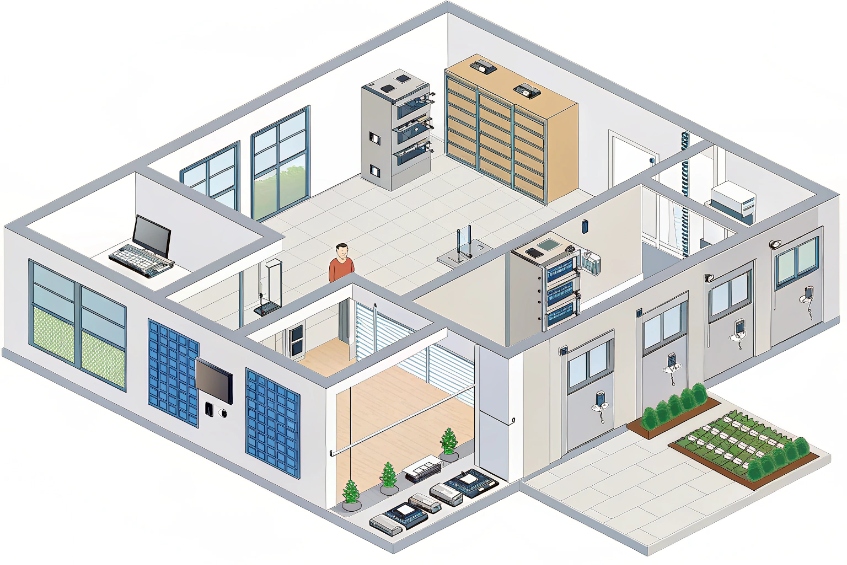
When a door never locks, everyone notices. When it never unlocks, everyone calls you. Access control is where both problems usually start.
Access control for my doors and gates is the system that decides who can open which doors, when they can enter, and how locks, readers, intercoms, and logs all work together on a central platform.
At the core, there is always the same stack: a controller or panel, readers (RFID, PIN, mobile, biometrics), credentials, door hardware (strike or maglock), and sensors. Above that live rules: who, where, when. Then integrations: SIP intercoms, CCTV, alarms, and my PBX. When I treat physical access control 1 as one integrated system instead of random boxes on doors, troubleshooting becomes simple and audits become much easier.
How do SIP intercoms integrate with controllers and locks?
Visitors do not care if you used a PBX, a door controller, or cloud APIs. They just want to press a button, talk to someone, and hear the door click.
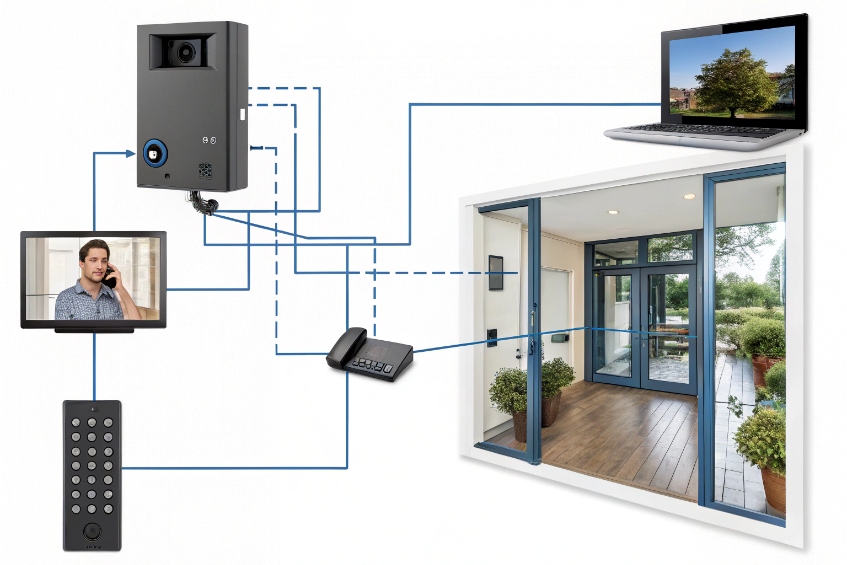
SIP intercoms integrate by making a call to my PBX or phones, then triggering a relay or secure door module that drives the strike or maglock, often in parallel with a proper access controller.
Two roles: communication and control
A SIP intercom at a door really has two jobs:
- Talk: place SIP audio calls 2 (and often video) to phones, soft clients, or a PBX.
- Control: activate a relay or send a command to open the lock.
There are three basic integration patterns I use:
| Pattern | How it works | Where I use it |
|---|---|---|
| Intercom drives lock directly | Phone sends DTMF, intercom closes its relay to unlock | Simple single-door setups |
| Controller owns the lock | Intercom talks SIP, controller controls strike/maglock | Larger sites, more rules and logging |
| Secure remote relay module | Intercom sends signal to secure side relay over network | Higher security, avoid wiring at public side |
For small doors and gates, the intercom’s relay can drive the strike through a low-voltage PSU. For security doors, I prefer a real door controller with door position and REX inputs, and I let the intercom act as a “remote button + audio” device.
Wiring and logic with a controller
In a controller-centric design:
- The intercom calls a receptionist or guard group on my SIP PBX.
- The operator sees video, talks to the visitor, and presses “Open” on a soft client or phone (DTMF or button).
- That action sends a command back to the controller (dry contact, Wiegand interface 3, API, or input).
- The controller checks rules (time, area, lock state) and then energizes the strike or maglock.
This gives me:
- One central place for who/when/where rules.
- Clean event logs: “Intercom call → door open via operator”.
- Simple expansion: I add more intercoms and controllers, but keep the same pattern.
For vandal resistance, I keep unlock relays on the secure side whenever possible. Even if someone tears the intercom off the wall, they should not be able to short the lock wires directly.
SIP, PBX, and security VLANs
On the network side, SIP intercoms look like any other VoIP endpoint:
- They register to the PBX with extension credentials.
- They dial ring groups, hunt lists, or an operator extension.
- They can join paging or emergency call flows.
To keep things safe and clean, I:
- Put intercoms on a voice or security VLAN with QoS for RTP.
- Use TLS/SRTP when supported.
- Limit which devices can talk to their web UI and APIs.
Once the PBX and controller both know how to talk to the intercom, the door becomes just another endpoint in the unified communication system, not a separate world.
Can I use RFID, PINs, and mobile credentials together?
Most sites start with simple cards or fobs. Then someone asks for PINs. Then management wants phone-based mobile credentials. If the system is not planned, it becomes a patchwork.
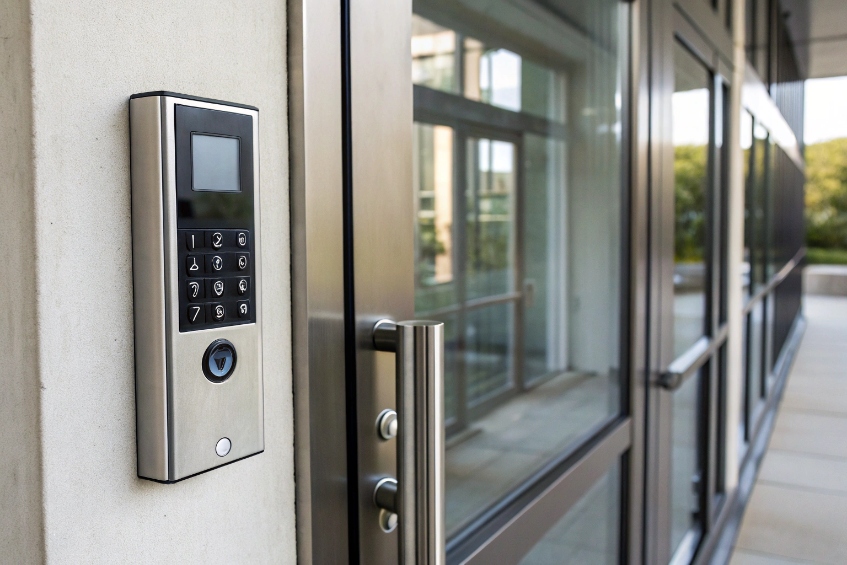
Yes. Modern readers and controllers can use RFID, PINs, and mobile credentials at the same door, either as alternatives or combined (card+PIN) for higher security.
Multi-technology readers: one device, many ways in
Today, most good readers are “multi-tech”:
- Low-frequency 125 kHz prox cards and fobs.
- High-frequency 13.56 MHz smart cards (including MIFARE DESFire smart cards 4).
- Mobile credentials over BLE or NFC.
- Integrated keypad for PIN entry.
- Optional QR or barcode in some models.
The controller or cloud platform then decides what each door accepts:
| Mode | Description | Typical use |
|---|---|---|
| Card or PIN | Either is enough | Low-risk internal doors |
| Card only | No PIN allowed | Fast throughput areas |
| Card + PIN (2FA) | Both required | High-security offices, data rooms |
| Mobile or card + PIN | Mixed physical and mobile options | Modern lobbies, staff entries |
So one door can support workers with cards, contractors with PINs, and directors with mobile passes, without changing the hardware.
Credential lifecycle and user experience
The benefit of multiple credential types is flexibility. The risk is chaos if I do not manage them well. A good platform lets me:
- Bind multiple credentials to one user identity (card, PIN, mobile token).
- Apply roles and schedules to the identity, not to each card.
- Disable all credentials with one action when someone leaves.
Practical rules that help:
- Give staff a primary credential (usually card or mobile) and keep PINs for backup or high-security doors.
- Give visitors and contractors time-limited QR codes or PINs, not permanent cards.
- Use card+PIN only where the added friction is worth it; not on every door.
Mobile credentials through BLE or NFC are great in offices with heavy smartphone use. They reduce card printing and loss, and they are easier to revoke and reissue. In factories and harsh environments, durable RFID cards and tags still win.
Security versus convenience balance
Mixing credentials lets me tune each door:
- Lobby turnstiles: fast card or mobile only, with guards watching.
- Server room: card + PIN, and maybe higher audit requirements.
- External gates: resilient RFID, maybe backed by mobile for vehicles.
If I design the rules at the controller software level instead of on each reader, it is much easier to adapt over time. I change a profile or schedule, not the physical device on the wall.
How do I log events and video for compliance?
When something goes wrong—an incident, a theft, or even a false accusation—the question is always the same: “Who opened the door, and what do we see on camera?”
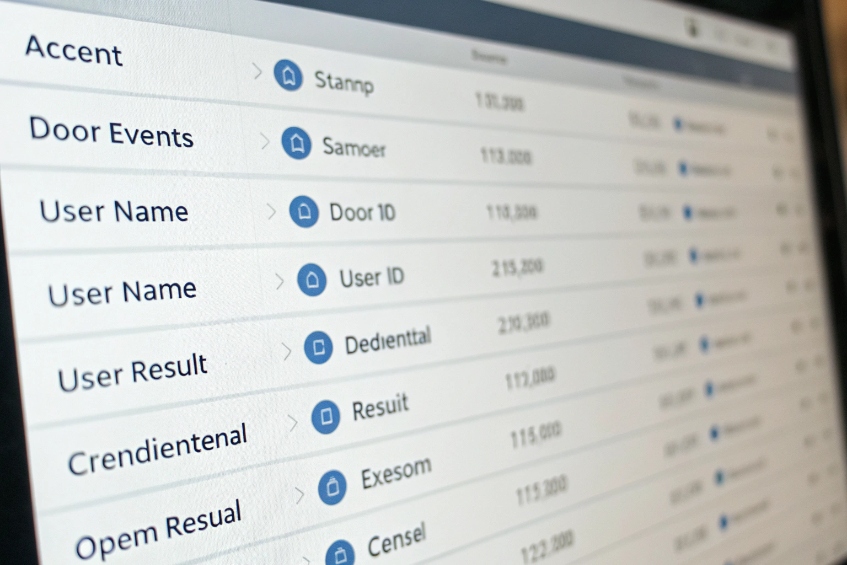
I log events in the access controller and pair them with video from intercoms and cameras, using time stamps, door status, and user IDs, then keep the data under clear retention and export rules.
What to log for each access event
A good access control system should record every meaningful door event. At minimum:
| Event type | Typical fields |
|---|---|
| Access granted | User ID, credential type, door, time, schedule |
| Access denied | User ID / card ID, reason (no rights, schedule) |
| Door forced open | Door, time, armed state |
| Door held/propped | Door, duration, user or zone |
| Intercom unlock | Intercom, operator identity, call reference |
When I integrate SIP intercoms, I also log:
- Which operator or extension answered the intercom.
- Whether the door was opened during that call.
- Any notes or dispositions if the operator uses a client app.
These events feed compliance reports: who entered sensitive areas, how long doors stayed open, and whether emergency exits were blocked.
Adding video and audio context
Logs tell me “what” and “when”. Video and audio show me “who” and “how”. The usual pattern:
- The door’s area is covered by a CCTV camera or the intercom’s built-in camera.
- The access system sends events to a VMS (Video Management System) via API or message bus.
- The VMS tags the video timeline with events: “Card used”, “Door forced”, “Intercom call”.
Later, when I investigate a case:
- I filter events in the access system (for example, all denied attempts on Door 3 yesterday).
- I jump from an event to the matching video clip in the VMS.
- If calls went through the PBX, I can also pull related call recordings.
For SIP-based intercoms and cameras, the ONVIF interoperability standard 5 (or RTSP) integration with an NVR is common. The intercom provides both a SIP endpoint for calls and a video stream for recording and live view.
Compliance, privacy, and retention
Compliance is not only about having data, but also about how long I keep it and who can see it. A few simple principles help:
- Define retention periods per data type: door logs, video, audio, and call records.
- Use roles: security staff, admins, auditors; each sees only what they need.
- Mask or pseudonymize identifiers where privacy rules require it, but keep a way to re-identify under proper process.
- Export reports as needed for audits, using stable formats (CSV, PDF) and including clear timestamps and time zones.
When access logs, PBX logs, and video all share time sync via Network Time Protocol (NTP) 6 and consistent naming, investigations and audits stop being painful. A door event is no longer just a line in a log; it has sound, image, and context.
Why do relays click but doors won’t open?
Few things are more annoying than hearing the relay click and still seeing the door stay locked. Users blame the intercom or controller, but the problem is usually further down the chain.
Relays click but doors stay locked when power, wiring, contact type (NO/NC), or lock configuration do not match what the door hardware needs, even though the control signal is fine.
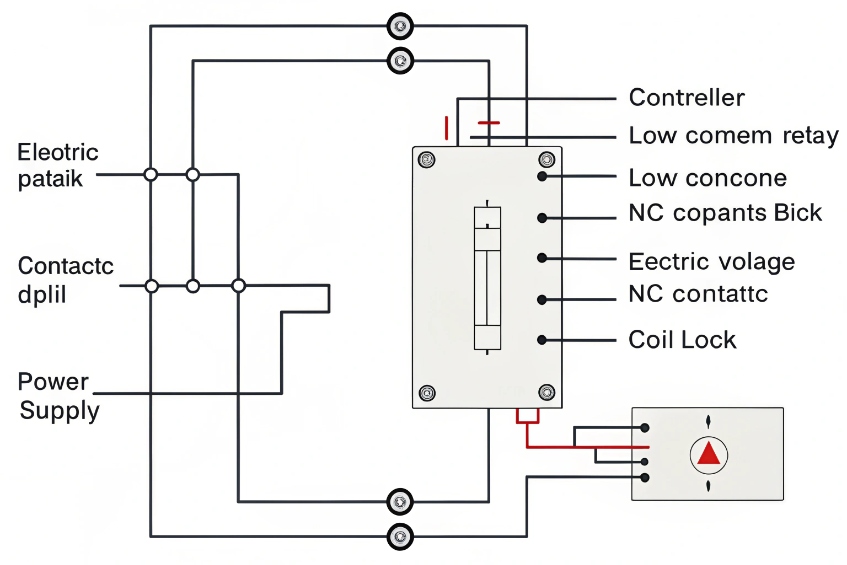
Understand the power path, not just the relay
A relay is only a switch. It does not create power. A basic electric strike 7 circuit looks like:
Controller or intercom relay → power supply → strike or maglock → back to supply.
Common failure points:
- The strike has no power or wrong voltage.
- The relay is wired on the wrong terminal (NO vs NC).
- Polarity is wrong for maglocks or diode-protected strikes.
- The lock is configured fail-safe vs fail-secure, but the wiring assumes the opposite.
A quick checklist table:
| Symptom | Likely cause |
|---|---|
| Relay clicks, lock never moves | No power, wrong voltage, or wrong contact type |
| Lock buzzes but does not release | Under-voltage or current too low |
| Door always unlocked | NC/NO reversed or fail-safe misconfigured |
| Lock works in test but not from system | Different wiring path or missing common |
Separate logic testing from hardware testing
To avoid chasing ghosts, I split the test in two:
-
Logic side
- Confirm the controller or intercom shows an output event when I press “Open”.
- Use a meter or test lamp directly on the relay contacts.
- If the relay does not change state, the problem is in software or permissions.
- If the relay works, I move to the power side.
-
Power side
- Measure voltage at the strike or maglock when the relay activates.
- Check current requirements of the lock vs power supply capacity.
- Bypass the relay briefly (safe practice) by connecting the lock directly to the supply to confirm it actually releases.
If the lock works on direct power but not through the relay, I check:
- Are we using common + NO for fail-secure strikes, or common + NC for fail-safe as designed?
- Is the relay contact rating high enough for the lock’s inrush current?
- Did someone mix up door hardware wiring inside the frame?
Door mechanics and life safety
Sometimes the relay and lock both work, but the door still does not open because of mechanics:
- The strike is misaligned with the latch, so the door has to be pulled to release.
- Weather strips, paint, or swelling jam the door.
- Extra mechanical locks (keys, bolts) are still engaged.
In addition, life-safety rules matter:
- Fail-safe maglocks need power to stay locked and must release on fire alarm or power fail.
- Fail-secure strikes stay locked when power fails and fit some security doors.
If I choose the wrong type for a door, the “relay click” test will never match what the fire code and lock hardware expect.
When I walk the whole chain—controller or intercom output, wiring, power, lock spec, and door mechanics—the “relay clicks but door won’t open” problem becomes a straightforward checklist instead of a mystery.
Conclusion
When I design access control as one system—rules, SIP intercoms, credentials, locks, logs, and video—doors stop being black boxes and become predictable, auditable parts of the security and communication platform.
Footnotes
-
Overview of physical access control concepts: identities, permissions, and audit trails. ↩ ↩
-
SIP specification reference for how intercoms and PBXs place calls and negotiate media. ↩ ↩
-
Explains Wiegand signaling used between readers, keypads, and controllers in many legacy installs. ↩ ↩
-
Learn why MIFARE DESFire smart cards offer stronger security than basic prox credentials. ↩ ↩
-
ONVIF standards help cameras and intercoms integrate with NVR/VMS platforms without vendor lock-in. ↩ ↩
-
NTP guidance for keeping access logs, PBX records, and video timestamps aligned for investigations. ↩ ↩
-
Electric strike basics to match voltage, fail mode, and wiring when the relay clicks but doors stay locked. ↩ ↩








