

Most meetings still sound like “Can you hear me now?”, even though everyone has a phone, a laptop, and a room speakerphone in front of them.
An audio conference system is the combination of a conference bridge, join methods (SIP/PSTN/app), and room audio gear (mics + speakers + echo control) that lets many people join one call and actually hear each other clearly.
A good system is not “one device.” It’s a designed path:
- People join easily (one number or one extension/link).
- The bridge mixes voices reliably.
- The room audio doesn’t feed back or clip.
- You can control, secure, record, and report it.
What are the main components of an audio conference system?
Think of it as three layers: join, mix, and speak/hear.
| Layer | Component | What it does | Common examples |
|---|---|---|---|
| Join layer | Access numbers / extensions / links | Gets people into the meeting | DID + IVR, conference extension, meeting link |
| Mix layer | Conference bridge / mixer | Combines all voices and manages participants | PBX bridge, hosted audio bridge, contact-center bridge |
| Room layer | Mics + speakers + AEC/DSP | Makes the room sound natural and echo-free | conference phone, mic array + DSP, USB speakerphone |
If any layer is weak, the meeting “works” but sounds bad.
How do I bridge SIP, PSTN, and room mics together?
People join from desk phones, mobiles, and apps, while a group sits around a table speakerphone. If those paths are not joined correctly, half the team gets left out.
You bridge SIP, PSTN, and room audio through a single conference bridge that mixes all endpoints. SIP trunks, PSTN gateways, and room endpoints all connect to that same bridge.
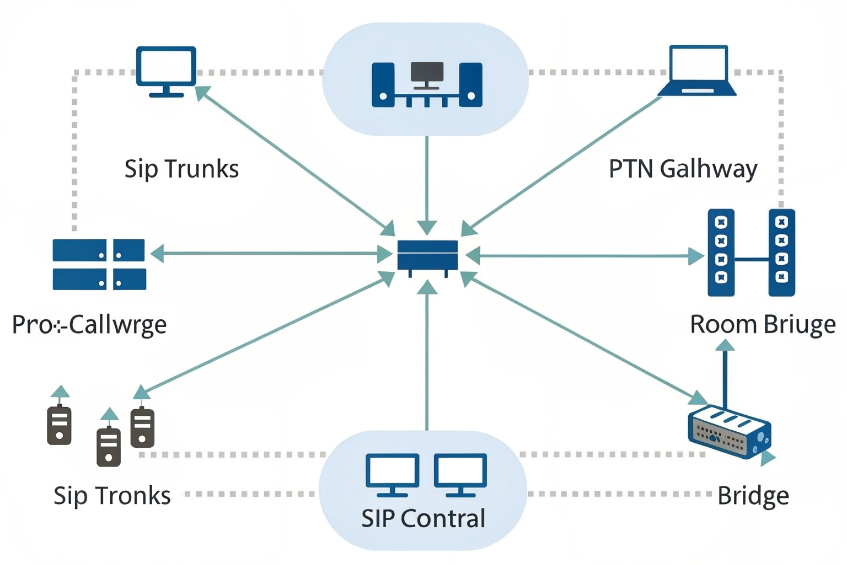
Plain-English call flow
- A conference room (virtual) exists on your PBX or conferencing service.
- Everyone joins that same room:
- SIP phones dial an extension or SIP URI.
- PSTN callers dial a DID that routes into the same room.
- Apps join via a SIP client or a gateway/bridge.
- The bridge mixes audio and manages controls (mute, lock, recording).
Room audio connection options (pick one)
| Room option | Best for | Pros | Cons |
|---|---|---|---|
| Table SIP speakerphone | Small rooms | Simple, “appliance” feel | Coverage drops in medium/large rooms |
| DSP + ceiling/table mics + speakers + SIP endpoint | Medium/large rooms | Best intelligibility + control | Requires tuning and installation |
| PC softphone + USB audio (speakerphone or DSP) | Flexible/hybrid rooms | Easy to reuse existing apps | OS updates/USB issues can break meetings |
Rule: the room should appear as one participant to the bridge (one clean send + one clean return).
Which echo cancellation and mic placement work best?
If echo cancellation fights the room acoustics, people hear ringing, pumping, or strange cut-outs.
Good audio conferencing is mostly “geometry + gain staging”: sensible mic placement, controlled speaker paths, and full-duplex AEC (echo cancellation) that has a clean reference signal.
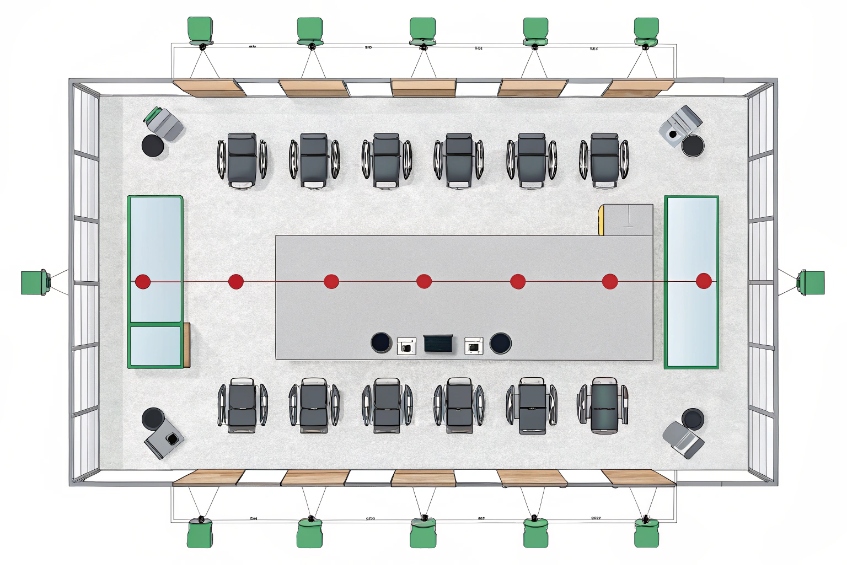
Mic placement rules that prevent pain
- Keep mics closer to talkers than to speakers.
- Avoid firing speakers directly into open mics.
- Use fewer open mics (or an automixer) instead of “everything always on.”
- Treat reflective surfaces (glass, bare walls) as echo multipliers.
Quick sizing guide
| Room size | Typical “good enough” setup | Notes |
|---|---|---|
| 2–4 people | One tabletop conference phone | Works if everyone stays close |
| 6–10 people | Beamforming bar or 2–3 table mics + AEC | Keep pickup tight; avoid extra open mics |
| 10+ / boardroom | DSP + mic array + distributed speakers | Needs tuning, but scales properly |
Don’t let multiple devices “fight” over gain
A common failure is stacking gain boosts in multiple places (PBX + endpoint + amp + DSP).
Pick one place as the “gain owner” (usually the DSP or the room endpoint) and leave everything else near default.
How do I keep conference audio clear over the network?
Even perfect room gear sounds bad if the network is unstable.
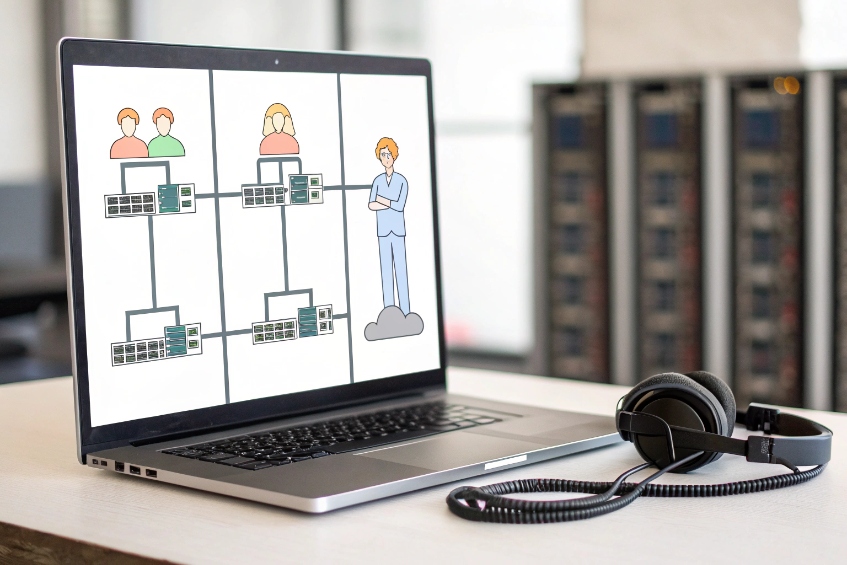
Simple network settings that matter
- Use wired Ethernet for room systems when possible (Wi-Fi is the #1 “random” cause).
- QoS / DSCP for voice on LAN/WAN if you control the network.
- Keep codecs consistent (often G.711 for PSTN/SIP trunks; wideband internally if supported).
- Avoid unnecessary transcoding hops (they add delay and sometimes artifacts).
A tiny “go/no-go” checklist
- ☐ Room endpoint is wired and stable
- ☐ RTP ports allowed between endpoints/bridge (or media relay is enabled)
- ☐ One clean codec path (no codec lottery)
- ☐ No SIP ALG mangling traffic at the edge
Can I record conferences and get CDR metrics?
If calls sound fine but there is no trace of who joined, how long they stayed, or what happened, you lose operational value.
Yes. A proper bridge can record the mixed meeting and generate CDRs with join method, duration, and participant list.
Best place to record
| Recording point | Captures | When to use |
|---|---|---|
| Bridge / PBX | Full mixed meeting | Compliance, training, incident review |
| Endpoint (laptop/softphone) | One user’s perspective | Personal notes, special cases |
| External room recorder/DSP | Custom mix / room-only capture | High-end AV workflows |
Metrics worth collecting (without overcomplicating it)
- Conference ID / room number
- Start/end time + duration
- Participant count peak
- Join method (SIP vs PSTN vs app)
- Basic quality markers if available (jitter/loss/MOS)
Why do participants hear feedback, clipping, or chopped words?
If the setup “fights itself,” meetings become exhausting.

Symptom → likely cause → first fix
| Symptom | Likely cause | First fix |
|---|---|---|
| High-pitched squeal | Speaker → mic loop in the room | Lower room volume; reposition speakers/mics |
| “Boomy” echo/loop | Too many open mics | Enable automix; mute unused mics |
| Harsh distortion | Input gain too hot somewhere | Reduce mic/DSP gain; stop boosting on multiple devices |
| First syllables missing | Noise gate/VAD too aggressive | Lower gate threshold; reduce VAD/VOX aggressiveness |
| Only happens with remote laptop users | They’re using open speakers | Require headsets for remote participants |
A practical setup plan you can apply today
- Choose your bridge (PBX conference, hosted audio, or integrated UC platform).
- Standardize join paths (one DID/extension per room or per team; avoid “mystery links”).
- Pick the room audio model (conference phone for small rooms, DSP+arrays for larger rooms).
- Tune echo + gain once, then lock it (don’t let users “fix it” by cranking random knobs).
- Test with real voices from typical seats + one remote caller on a normal home network.
- Turn on recordings/CDRs where allowed, and document who can access them.
Conclusion
An audio conference system is not just a “conference phone” or a “bridge.” It’s the designed combination of how people join, how audio is mixed, and how the room captures and plays speech. When those three layers are aligned, meetings stop being a troubleshooting session and become a reliable part of how your team works.








