
Queues overflow, customers sit on hold, and agents jump between calls with no clear order. Service feels random, and one busy hour ruins your whole day’s metrics.
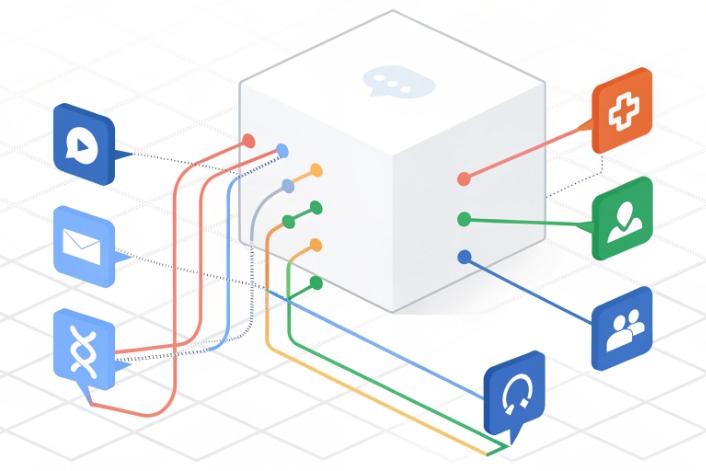
An Automatic Call Distributor (ACD) is the contact center brain that answers, queues, and routes inbound interactions to the best available agent or bot, across voice and digital channels, using clear business rules.
An Automatic Call Distributor (ACD) 1 sits in the middle of your phone system, SIP trunks, and applications. It decides which queue each interaction enters, how long it waits, and who handles it first. It uses skills, priorities, languages, and business rules instead of “first come, first served” guesswork. When you pair it with IVR, CRM, and WFM, the ACD becomes a real-time engine that balances customer demand, agent skills, and service goals.
How does an ACD route multi-channel traffic?
Voice calls are only part of the story now. Customers also message from apps, websites, email, and social channels, and they expect a single consistent experience.
A modern ACD routes multi-channel traffic by treating voice, chat, email, SMS, and social as queues with shared rules for skills, priority, and capacity, not as separate systems.
From entry point to smart queue
Every interaction has an entry point. For voice it might be a DID on a SIP trunk. For chat it might be a widget on your website. For social it might be a message API. The ACD wraps these into logical queues as part of an omnichannel routing strategy 2.
A typical voice flow looks like this:
- SIP or PSTN delivers the call to your platform.
- IVR or Audio Response Unit (ARU) answers and plays menus.
- Caller authenticates, selects intent, or says why they call.
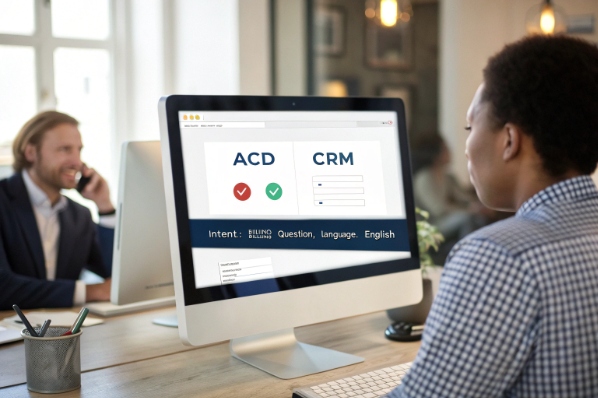
- IVR passes context to the ACD: intent, language, customer ID, priority flags.
- ACD places the call in the right queue and selects the best agent when one is free.
The same pattern works for digital channels:
- A web chat form collects name and reason.
- A bot or simple router tags the conversation with an intent code.
- The ACD pushes that chat into a “chat support” queue that uses skills and concurrency rules.
Agent states drive everything. When an agent is Ready on voice and chat, the ACD checks:
- Current load and concurrency limits (for example, two chats plus one call max).
- Skills and language tags.
- Any manual state like “Not Ready” or “After Call Work (ACW)”.
Then it offers the next best interaction.
Here is a simple channel view:
| Channel | Typical unit | Special ACD notes |
|---|---|---|
| Voice | Calls | Ringing, music, EWT, callbacks, classic SLAs |
| Chat | Conversations | Concurrency rules, typing indicators, bot handoff |
| Cases / tickets | Longer SLAs, batch routing, less strict “real time” | |
| SMS | Message threads | Short bursts, often paired with bots or IVR |
| Social | Threads / DMs | Priority rules for public posts and brand risk |
In my own projects, the biggest ACD win comes when all channels use the same skill model. Voice might still be the heaviest, but a good ACD lets you decide if a bilingual expert should take one high-value chat instead of a simple call, using one set of rules instead of five.
Which ACD strategies match my queues?
Routing is where your ACD either shines or hurts. If every queue uses the same simple rule, some agents burn out while others stay idle, and customers get bounced around.
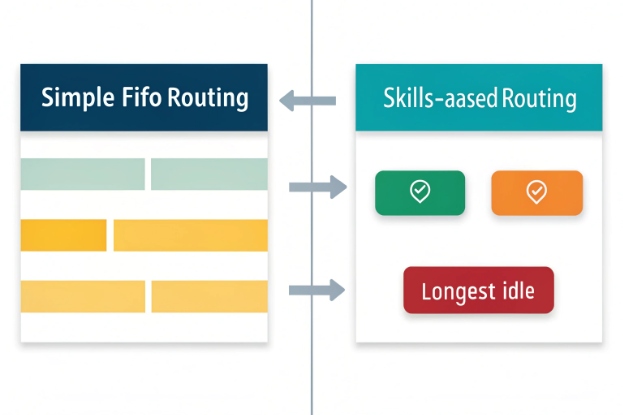
ACD strategies include skills-based, priority and SLA-aware, bullseye, preferred or last-agent routing, and data-directed routing, and each fits different queue goals.
Choosing the right routing method for each queue
Routing strategy is basically your “who gets what next” policy. Different queues need different policies.
Core ACD strategies
-
Skills-based routing
The ACD uses a skills-based routing approach 3 to match each interaction to agents who have the right skills. That might be language, product line, or technical depth. The system then uses a secondary rule (like “longest idle”) to pick among those agents. -
Priority and SLA-aware routing
Some queues and customers matter more. You assign priority tags to queues, intents, or segments. The ACD then tries to protect service level by pushing urgent or VIP interactions ahead of normal ones, while still avoiding starvation for lower tiers. -
Bullseye (expanding ring) routing
The ACD first looks for a tight skill group of specialists using a bullseye routing pattern 4. If no one is free within a short time, it gradually opens the ring to include more general agents. This keeps complex work with experts when they are free but avoids long waits. -
Preferred / last-agent routing
When relationship continuity matters, the ACD tries to route the next contact to the same agent who handled the last one. If that person is not available, it falls back to the skill group. This is common in high-value B2B or assigned account models. -
Data-directed routing
The ACD uses CRM or IVR data to decide the queue and even the individual agent. For example, route high-risk collections to a senior team, or send customers with open cases to a dedicated resolution group.
Here is a simple match guide:
| Queue type | Good strategy mix | Why it helps |
|---|---|---|
| General service | Skills-based + SLA-aware | Balance speed with basic skill needs |
| Technical support | Bullseye + skills-based | Keep experts for deep issues, overflow if busy |
| VIP / premium | Priority + preferred agent | Shorter waits and better relationship feel |
| Collections | Data-directed + skills-based | Map risk level to agent skill and tone |
| Sales / upsell | Preferred agent + bullseye | Keep continuity, then expand if needed |
Business rules sit on top. Time-of-day schedules control which sites are open. Holiday logic changes routing when local teams are offline. Emergency rules let you bypass normal queues and send everything to a crisis group or message.
When you model ACD strategies this way, you stop asking “Which algorithm is best?” and start asking “What outcome does this queue need?” The routing then becomes a simple reflection of that goal.
How do I integrate ACD with CRM and WFM?
An ACD can route calls with no context, but then agents keep asking the same questions and planners guess demand from rough averages.
You integrate ACD with CRM and WFM so the router knows who is calling and why, agents see full context on answer, and planners get accurate, real-time load and handle-time data.

Making the ACD part of your application stack
Two integrations make the ACD move from “smart phone switch” to “customer and workforce engine.”
ACD + CRM (CTI and data-directed routing)
Computer Telephony Integration (CTI) 5 links the telephony side to CRM and line-of-business apps.
Key elements:
- Screen pops: when the ACD connects an interaction, the agent desktop opens the right record. This can use caller ID, account number from IVR, or a ticket ID from chat.
- Data-directed routing: the ACD queries CRM or uses an API to fetch flags like segment, open cases, risk, or order status. It then routes based on that data.
- Workflows and triggers: events like “call answered”, “call ended”, or “disposition saved” fire workflows in CRM. These can create cases, send emails, or start approvals.
You want one consistent view of the customer. So the ACD should write outcomes back to CRM:
- Queue and skill that handled the interaction.
- Handle time and wrap-up code.
- Call or chat recordings and links when needed.
ACD + WFM (forecasting and scheduling)
Workforce Management (WFM) tools 6 need clean interaction data to forecast and to schedule the right number of agents at the right time.
The ACD feeds WFM with:
- Interval-based volume (for example, every 15 minutes) per queue and channel.
- Average handle time and distribution shapes.
- Agent state timelines: Ready, Busy, ACW, Not Ready, and custom codes.
In turn, WFM sends:
- Planned schedules and shrinkage assumptions.
- Intraday changes when volume shifts away from forecast.
A simple integration map:
| Integration point | What flows from ACD | What flows back in |
|---|---|---|
| CRM | Interactions, outcomes, recordings | Customer data, intent, flags, case links |
| WFM | Volume, AHT, agent states, SLAs | Schedules, staffing plans, intraday rules |
| BI / Data lake | Raw events, queue stats, routing changes | Dashboards, alerts, experiments |
In SIP-based deployments, these links are mostly APIs and webhooks. Once they are in place, your ACD stops being just “the call router” and turns into a real-time signal for the whole business.
What reports come from an ACD?
Leadership often asks “How is the call center doing?” A vague answer like “Busy but fine” is not enough when you manage SLAs, budgets, and customer promises.
An ACD provides real-time and historical reports at site, queue, agent, and interaction levels, covering ASA, AHT, abandonment, service level, occupancy, and multi-channel performance.

Turning raw events into useful ACD reporting
Every route decision, state change, and answer creates an event. A good ACD groups those into reports that match how you run the center. These reports focus on core contact center KPIs like ASA, AHT, abandonment, service level, and occupancy 7.
Real-time views
Supervisors need live insight:
- Queue length and longest wait time by queue.
- Current service level for each skill and channel.
- Agent states and number of agents Ready vs Busy vs Not Ready.
- Active callbacks and virtual queue status.
Real-time dashboards answer questions like:
- “Do I need to move people from sales chat to support voice?”
- “Is one region about to miss its SLA?”
Historical and analytic views
Operations and finance need trends:
- ASA (Average Speed of Answer) and SLA by queue and time of day.
- AHT (Average Handle Time) and its components for voice and digital.
- Abandonment rate and where in the IVR or queue it happens.
- Agent occupancy and productivity by team, skill, and channel.
- Contact reasons mapped from IVR choices or text tags.
A simple KPI table:
| KPI | Level | Question it answers |
|---|---|---|
| ASA | Queue | How long do people wait before we answer? |
| AHT | Agent / queue | How long do we spend per interaction? |
| Abandon | Queue | How many give up before talking to us? |
| Occupancy | Agent / team | Are agents overworked or under-used? |
| SLA | Queue / site | Are we meeting our promised answer times? |
Modern ACDs extend this to digital. They track chat response times, email backlogs, and social media handling in the same frame as voice. High availability, QoS, and recording features often add their own reports, like site failover events, codec quality, and recording success rates.
In my experience, the best ACD reporting setups send raw events into a data platform as well. That way your BI team can blend contact center metrics with sales, churn, and product data, and show how routing and staffing changes actually move business outcomes.
Conclusion
A well tuned ACD is more than a switchboard. It is a routing and insight engine that links channels, agents, CRM, and WFM into one system that customers and planners can trust.
Footnotes
-
Overview of how Automatic Call Distributors route inbound calls to appropriate agents in modern contact centers. ↩ ↩
-
Explains omnichannel routing that unifies voice and digital channels under one intelligent routing engine. ↩ ↩
-
Guide to skills-based routing and how it improves customer satisfaction and agent performance. ↩ ↩
-
Defines bullseye routing and shows how expanding rings manage wait time and agent eligibility. ↩ ↩
-
Definition of Computer Telephony Integration and how CTI links phone systems with desktop and CRM applications. ↩ ↩
-
Overview of contact center workforce management tools for accurate forecasting, scheduling, and real-time staffing adjustments. ↩ ↩
-
Detailed breakdown of core call center KPIs including ASA, AHT, abandonment rate, service level, and occupancy. ↩ ↩








