
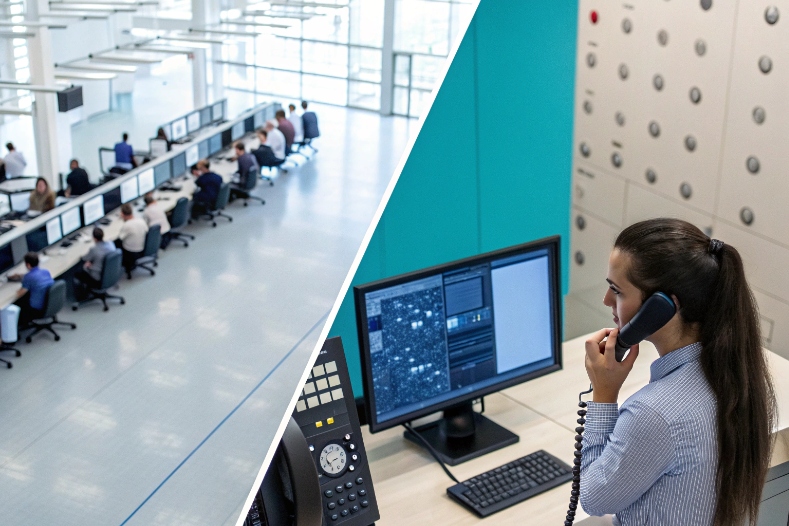
Customers hate waiting in silence. Agents blame the system. Engineers blame “the network”. Somewhere in the middle sits one idea: delay.
A delayed call is a call that cannot connect or be answered right away. In contact centers that means queueing. On VoIP networks it often means post-dial delay between dialing and hearing ringback.
When I talk about delayed calls, I separate two things in my mind. In the contact center, delay is time in queue before an agent answers. In the VoIP network, delay is the time between placing a call and hearing ring or voice. Both matter for experience, but their root causes and fixes live in different layers: staffing and routing on one side, signaling and media handling on the other.
How do I reduce post-dial delay on VoIP?
Long “dead air” after pressing Call makes users think the call failed, even if it eventually connects. That gap is post-dial delay.
Post-dial delay (PDD) is the time from sending the call (INVITE or dial) to first feedback like ringback or early media. To reduce it, I tighten SIP routing, avoid slow media negotiation, and keep upstream trunks and SBCs responsive.

Breaking down post-dial delay step by step
I find it easier to troubleshoot PDD when I see it as a chain of stages. Each hop can add a small delay that stacks up.
1. What makes up PDD?
On a simple VoIP call, post-dial delay (PDD) 1 includes:
- Time to send the call using SIP INVITE signaling 2 to the first SIP proxy or SBC
- Time for each network hop and DNS lookup
- Time for the remote side to alert (ring) the called device
- Time until the caller hears ringback or early media
In SIP terms, PDD ≈ time from INVITE out to first 18x provisional response with ringback or early media, or in some cases to 200 OK if early media is not used.
Common sources of delay:
- Slow or overloaded SIP proxies
- DNS timeouts or fallback lookups
- Interworking between different networks (SIP ↔ SS7)
- Complex routing logic and policy checks before alerting the called endpoint
2. Tuning signaling paths
Some practical levers:
- Simplify routes
Remove unnecessary SIP hops and avoid chaining many B2BUAs. Each hop adds processing and network delay. - Fix DNS
Use fast, local resolvers. Ensure SRV and NAPTR records are correct and not forcing many retries. - Keep SBCs and proxies healthy
Monitor CPU, memory, and transaction queues. Overloaded control planes slow down call setup before media even starts. - Trim heavy logic in call setup
Move non-critical checks (for example, some database lookups) out of the critical INVITE path when possible.
A simple way to visualize the chain:
| Stage | What happens | Risk for delay |
|---|---|---|
| Caller device | INVITE sent, DNS resolution | Slow DNS, bad STUN/TURN config |
| Local SBC / proxy | Policy, routing, translations | High load, complex scripts |
| Carrier or trunk | Number analysis, interconnect, PSTN translation | Legacy interop, slow gateways |
| Remote side | Phone rings, 18x or 200 sent | Slow PBX, device registration |
| Media to caller | Ringback / early media played | Early media issues, NAT, QoS |
3. Use early media and ringback correctly
Sometimes the call is alerting, but the caller hears silence:
- Remote side sends 18x without early media and expects the caller side to generate local ringback
- Or the far end sends early media (180/183 with SDP), but NAT, firewall, or SRTP issues block it
To fix this:
- Align expectations: either use reliable early media, or let the caller side generate local ringing consistently
- Ensure media path (RTP) can flow as soon as SDP is agreed, not only after 200 OK
Short PDD is not just about speed. It is about fast, clear feedback that tells users “this call is alive.”
How do I reduce jitter buffer delays?
Calls that feel “laggy” or “talk-over-y” are often victims of jitter buffer behavior. The buffer protects against network variation, but if it grows too much, it adds noticeable delay.
A jitter buffer smooths variations in packet arrival time by holding audio for a short period. To reduce jitter buffer delay, I improve network quality, tune buffer size and mode, and avoid unnecessary transcoding and VPN bottlenecks.
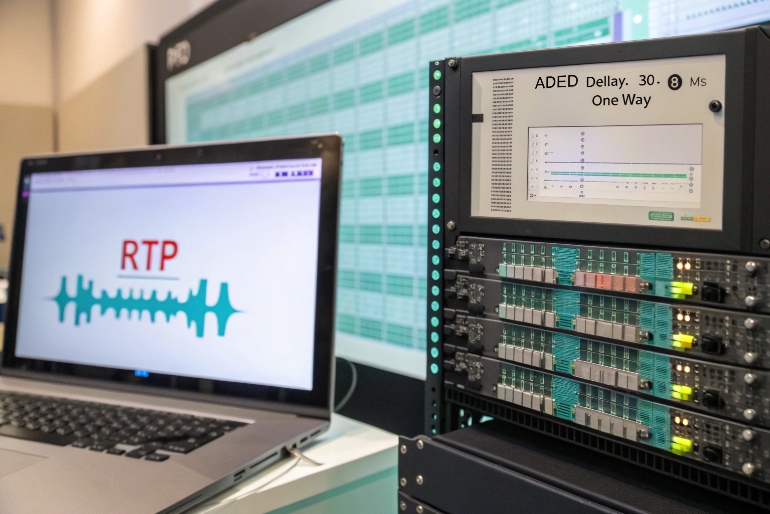
Balancing stability and latency
A good jitter buffer 3 is a compromise. Too small and you get choppy, robotic audio. Too large and you get clean audio that arrives late.
1. What a jitter buffer really does
On a VoIP endpoint:
- RTP packets arrive with varying gaps (jitter)
- The jitter buffer queues them for a short time
- Audio is played out at a constant rate
Average jitter buffer delay is roughly:
buffer size (ms) + any extra added when network conditions get worse.
For example:
- Fixed 30 ms buffer → adds about 30 ms one way
- Adaptive buffer can grow to 80–100 ms when jitter is bad
Remember this is one-way. Round-trip mouth-to-ear delay includes:
- Encoding / decoding time
- Jitter buffer at both ends
- Network latency
2. Reduce network jitter first
The best jitter buffer tuning still fails if the network is a mess. So I start with:
- Quality of Service (QoS) with voice traffic prioritization 4: prioritize RTP (voice) over bulk traffic
- Avoid double NAT and flaky Wi-Fi where possible
- Watch for overloaded links and high utilization on VPNs
I want jitter as low and stable as I can get. Then I let the buffer be smaller.
3. Tune buffer behavior
Most clients and desk phones allow some control:
- Fixed vs adaptive
Fixed is simple but fragile under changing conditions. Adaptive grows and shrinks, but can add delay if it overreacts. - Min / max limits
Set a reasonable minimum (for example 20–30 ms) and a sane maximum (for example 80–100 ms), not 200+ ms, unless the path is very unstable.
A simple tuning mindset:
| Symptom | Likely cause | Possible adjustment |
|---|---|---|
| Choppy audio, gaps | Buffer too small for real jitter | Raise min buffer size |
| Clean but very laggy audio | Buffer too large or grows too fast | Lower max, tweak adaptive aggressiveness |
| Issues only over Wi-Fi / VPN | Network jitter spikes | Fix network first, then adjust buffer |
4. Avoid extra delay sources
Other VoIP elements add small delays that stack with the jitter buffer:
- Transcoding between codecs at SBCs
- Recording or lawful intercept pipes that duplicate streams
- Encrypt/decrypt stages when devices are underpowered
Whenever possible, I keep:
- One end-to-end codec (no transcoding)
- Reasonable encryption settings with hardware support
The goal is not a “zero ms” jitter buffer. The goal is audio that is stable and natural, with total mouth-to-ear delay low enough that people can talk without stepping on each other.
Does carrier routing add extra latency?
Even if my LAN is perfect, the path through one or more carriers can add a big slice of delay. Some of it is physics. Some of it is commercial routing policy.
Carrier routing can add noticeable latency and post-dial delay, especially when calls hairpin through distant points or multiple hops. Smart carrier choice, regional trunks, and avoiding unnecessary interconnects keep delay under control.

How calls wander and why it matters
A call might look simple from the outside, but in the middle it can bounce through many networks.
1. Latency from distance and hops
Each additional element can add:
- A few milliseconds of network transit
- A few milliseconds of processing in media gateways, SBCs, or TDM interconnects
If a call goes:
- From your agent in one region
- To your SBC in another
- To a global carrier hub
- To a regional carrier
- To a local PSTN gateway
You can easily see 100+ ms of one-way delay just from path length and conversions, even before jitter buffers.
2. Latency from policy and cost optimization
Carriers often route based on cost and capacity:
- Least-cost routing 5 may send a call on a longer path through cheaper partners
- Fallback routing kicks in when a preferred route fails, sometimes with extra steps
This can:
- Increase PDD: more time to find a working route and return ringback
- Increase media path delay: media goes through extra gateways
3. Ways to reduce carrier-induced delay
Some practical steps:
- Choose regionally close POPs for SIP trunks
Terminate traffic in or near the same region as your agents or customers. - Ask providers for latency and PDD targets, not just ASR and price
- Avoid unnecessary media anchoring
If possible, let media flow on the shortest practical path, not always through a single central DC. - Prefer quality-based routing
Some carriers offer routing optimized for quality instead of pure least cost.
A simple comparison mindset:
| Routing style | Typical behavior | Latency impact |
|---|---|---|
| Centralized, one hub | Simple to manage | Can add distance for remote |
| Regional breakout | More complex to manage | Lower latency for each region |
| Pure least-cost routing | Cheaper per minute | Higher and more variable delay |
| Quality-optimized routing | Slightly higher per-minute cost | Lower, more stable delay |
Carrier routing will always add some delay. The goal is to keep it predictable and small enough that conversations feel natural.
Which metrics reveal signaling delays?
Agents feel “slow calls”. Customers feel “why is nothing happening?”. To fix that, I need numbers that describe where time goes in the setup and answer path.
Key metrics for signaling delays include post-dial delay, SIP response times (INVITE to 18x/200), call setup time, and queue metrics like average speed of answer. Together they show whether delay lives in the network, carrier, or contact center.
From vague feeling to clear timing
I like to split metrics into signaling-level and queue-level groups.
1. Signaling and network metrics
These sit mostly in logs and traces:
- Post-dial delay (PDD)
Time from INVITE or dial to first ringback or early media. - INVITE → 18x / 200 OK time
How long the remote side takes to respond at all, then to accept. - Call setup time
Often defined as INVITE to 200 OK or to media established. - SIP transaction times
Response times for DNS, registration, and re-INVITEs. - RTT, jitter, packet loss
Once the call is up, these show how stable the path is.
If PDD is high but ASA in the ACD is low, I know the delay lives before the contact hits the queue. That often points to carrier or SBC behavior.
2. Contact-center and queue metrics
Once the call reaches the platform, I care about:
- Average Speed of Answer (ASA) 6
Time from queue entry to agent answer. - Service Level (% answered in X seconds)
- Average Delay of Delayed Calls (ADDC)
The average wait for calls that had any delay. - Delayed-call rate / probability of delay
Delayed calls ÷ total offered (often mirrors Erlang C 7 outputs).
These tell me:
- If staffing, AHT, or adherence are creating extra delay
- Which queues or intents suffer the most
3. Putting it together in one view
A simple diagnostic table:
| Symptom | PDD | ASA / queue delay | Likely source |
|---|---|---|---|
| Long silence before ring, then fast answer | High | Low | Carrier, SBC, or PBX signaling |
| Fast ring but long wait for agent | Low | High | Staffing, routing, or adherence |
| Both long PDD and long queue wait | High | High | End-to-end overload |
| Good PDD and ASA, but “laggy” audio | — | — | Jitter, latency, or codec path |
When I track both signaling delay and queue delay, I stop guessing who is to blame. Network teams, carriers, and operations all get clear signals they can act on.
Conclusion
A “delayed call” can mean time in queue or dead air during setup. When I break it into post-dial delay, jitter buffer behavior, carrier routing, and signaling metrics, the problem is no longer mysterious. It becomes a set of clear dials I can tune.
-
Overview of call setup timing and factors that affect post-dial delay. Back ↩
-
Reference for how SIP INVITE signaling establishes VoIP calls on IP networks. Back ↩
-
Explains how jitter buffers smooth packet timing variations in real-time audio. Back ↩
-
Introduction to Quality of Service techniques used to prioritize voice traffic. Back ↩
-
Definition of least-cost routing and its impact on call paths and delay. Back ↩
-
Call center overview covering metrics such as Average Speed of Answer and service level. Back ↩
-
Description of the Erlang C formula for modeling queue delay and probability of wait. Back ↩








