

When extensions are a mess, internal calls fail, people share numbers, and debugging becomes painful every time you touch the PBX.
A phone extension is a short internal number on my PBX that represents a user, device, or service, with rules for dialing, permissions, presence, voicemail, and emergency location.
Once I treat extensions as identities instead of “just numbers”, planning ranges, hot desking, DIDs, and E911 all become much easier. Let me walk through how I design extension ranges, mobility, mapping to users/devices/mailboxes, and why “404 Not Found” appears on internal calls.
How do I plan extension ranges and dialing rules?
If I start adding extensions one by one with no plan, I always end up blocked by collisions, strange length mixes, and feature codes that overlap real numbers.
I plan extensions as a structured numbering plan: fixed length, clear ranges per site or department, no overlap with feature codes, and simple dialing rules that scale when I add phones or locations.
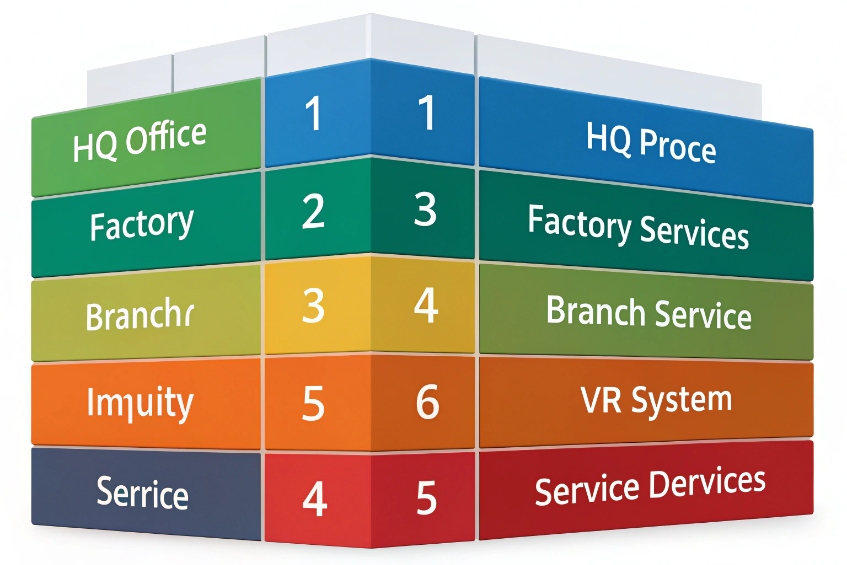
Build a simple, future-proof numbering plan
I begin with one decision: how many digits. For most systems, 3–5 digits works. The key is consistency. Every internal extension should have the same length so phones, gateways, and users behave predictably.
Then I carve ranges for sites or roles, like a telephone numbering plan 1. For example:
| Range | Meaning | Example usage |
|---|---|---|
| 1xxx | HQ office extensions | 1000–1499 staff, 1500–1599 meeting rooms |
| 2xxx | Factory or warehouse | 2000–2299 offices, 2300–2399 paging/intercom |
| 3xxx | Remote branch | 3000–3199 staff, 3200–3299 common phones |
| 8xx / 9xx | Services and IVRs | 800 for main IVR, 801 queue, 900 voicemail |
I keep special destinations (IVRs, queues, ring groups, paging) in a clearly separate range so nobody mistakenly assigns them to a person. I also reserve star codes for calling features 2 (8 pickup, 72 forward, etc.) and make sure no extension starts with those.
Dial rules then map:
- Internal calls: always the short extension, on-net, never going to a trunk.
- External calls: normalized to E.164 (+country) phone number format 3 before going to SIP or PSTN trunks.
- Emergency codes: specific, unambiguous patterns that never collide with extensions.
Most PBXs let me define dial patterns and translation rules. I use them to:
- Strip leading 0 or 9 if users are used to “9 for an outside line”.
- Add country code and plus sign to match the trunk’s expectations.
- Block certain prefixes or countries per extension class of service.
This is also where I connect DIDs to extensions. A DID is the public number; the extension is the internal identity. One DID can map to one extension directly, or to an IVR that lets callers dial extensions during greeting.
Finally, I write the plan down. A simple one-page table for ranges and a short note on dial rules saves many hours later when I add sites, SIP intercoms, phones, or gateways.
Can I use extension mobility and hot desking?
Open offices, shifts, and remote work kill the idea of “one person, one desk phone forever”. If I hard-bind extensions to physical phones, users move and my dial plan does not.
Yes. Extension mobility and hot desking let users log into any phone with their extension and PIN so that device becomes “their” line, with their caller ID, voicemail, and permissions.

How hot desking changes my extension model
Without mobility, the mapping is often:
- Extension 2010 → MAC address of one phone on one desk.
With mobility, I separate user identity from physical device:
- User “Alice” owns extension 2010, voicemail 2010, permissions of 2010.
- Any compatible phone can be “logged into” as 2010.
- When Alice logs out, the phone returns to a default or shared state.
Most PBXs support this in one of two ways:
-
Extension mobility / hot desking login 4
- User presses a button or dials a code.
- Enters extension and PIN.
- PBX reassigns that device to the user account.
-
Multiple registrations per extension
- Alice’s extension 2010 registers on two or more devices at once (desk phone, softphone, mobile app).
- All ring together, or follow a defined order.
I use hot desking when devices are shared between people, like in call centers, factory floors, or co-working spaces. I use multiple registrations when a single user just owns many endpoints (desk + mobile + softphone).
Design and security considerations
To make mobility work in practice:
- Keep login/logout simple: a single button or code, not a long manual re-provisioning process.
- Define idle or auto-logout times so shifts do not forget to release phones.
- Update presence and BLF based on extension state, not specific hardware.
Security is important, because a logged-in phone is a ticket to your outbound routes:
- Use strong PINs for hot desking, not 0000 or extension = PIN.
- Tie class of service (allowed destinations) to the extension, so when users log in, their permissions follow them.
- Limit where hot desking is allowed if you do not want random lobby phones to become international trunks.
With good extension mobility, I can move teams, change seating plans, or even swap brands in a multi-tenant environment without touching the dial plan. The numbers stay, only devices come and go.
How do extensions map to users, devices, and mailboxes?
When I start adding softphones, mobile apps, SIP intercoms, and shared phones, the simple “one extension = one phone” model falls apart. Then reporting, recording, and E911 all become confusing.
I treat the extension as the primary identity, then link it to users, one or more devices, a voicemail box, DIDs, and policies like recording, presence, outbound caller ID, and emergency location.

Think in terms of identities and endpoints
A clean model looks like this:
| Object | Example | Notes |
|---|---|---|
| Extension | 2103 | Internal short number and core identity |
| User | Alice Chen | Owns extension 2103, login, and permissions |
| Devices | Desk phone, softphone, mobile app | All registered to extension 2103 |
| Mailbox | Voicemail box 2103 | Shared across all devices for that user |
| DID | +1 212 555 2103 | Optional direct public number |
| Policies | CoS, recording, E911 profile | Applied at extension/user level |
This gives me several benefits:
- Calls to 2103 ring all of Alice’s devices according to one rule set.
- Her voicemail greeting, PIN, and storage live in one mailbox.
- Her outbound caller ID is consistent no matter which device she uses.
- Presence, BLF, and queue agent status follow the extension.
I also use virtual extensions for:
- Hunt targets like “Sales hotline” with no physical phone.
- SIP intercoms, door phones, paging groups, or IVRs.
- Service mailboxes that people forward to or monitor.
Class of service, presence, and emergency location
Extensions are also a convenient place to attach:
- Class of service / outbound rules: what regions each extension can call (local, long distance, mobile, international). This prevents toll fraud and mistakes.
- Call recording and analytics: which calls to record, how long to keep them, and what stats to collect per user or team.
- Presence and BLF: Busy Lamp Field (BLF) indicators 5 let phones watch extension states like idle, ringing, busy, DND.
- Queue / agent status: membership in queues, pause/resume state, and performance metrics.
For emergency calling (E911 and similar), I define per-extension profiles:
- Callback number (often a DID that maps back to a reception or security position).
- Dispatchable location 6: building, floor, room, or zone, especially in multi-site or multi-floor installations.
When extensions are the central identity, it becomes much easier to map a 911 call from “2103” to a specific door, office, or intercom zone, instead of trying to guess based on MAC addresses or IPs alone.
Why do internal calls fail with “404 Not Found”?
Nothing confuses users faster than “I dial my colleague’s extension and the phone shows 404 Not Found.” That feels like an internet error, not a phone problem.
Internal 404 errors usually mean the PBX cannot find that extension or route in the dial plan, or the call left the system on a trunk instead of staying on-net.
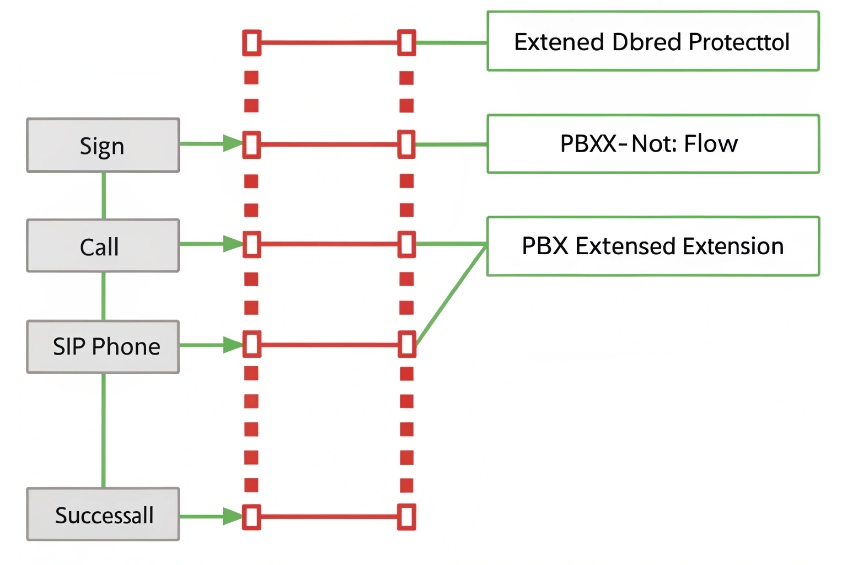
Common causes inside the PBX
When I see a SIP 404 Not Found response 7 on an internal call, I check:
-
Does the extension exist?
Maybe 5601 was never created, was deleted, or is in a different tenant or context. -
Is the extension in the right context/site?
Some systems use separate dial contexts per site or tenant. Dialing 5601 in “HQ” will fail if 5601 only exists in “Branch”. -
Do dial patterns match this length?
If my plan expects 4-digit extensions, but someone tries a 3-digit shortcut, the PBX might not match anything and return 404. -
Is the phone sending the digits I think it is?
Some phones have their own dial plans (digit maps). They might be stripping or adding digits, so the PBX gets the wrong number.
In multi-site setups, if I require a site code (for example, dial 31 + extension for Branch), calling the bare extension from HQ may send the call to the wrong context or even to a trunk, which will then reply 404 because that pattern is not routable externally.
When trunks are accidentally involved
Internal calls should never hit external trunks, but misconfigured routes can send them out. Typical problems:
- A catch-all outbound route intercepts any number and tries to send it to a SIP carrier.
- The carrier understandably returns 404 because
2103is not a valid external number. - Phones see 404 and everyone blames the PBX.
I fix this by:
- Ensuring internal extension patterns are matched before any outbound routes.
- Using clear numbering so trunks only see patterns that belong outside (for example, E.164 or specific prefixes).
- Checking CDRs and SIP traces to confirm whether the call ever touched a trunk.
Step-by-step troubleshooting
When internal 404 appears, I run a very simple checklist:
- Look up the dialed extension in the PBX. Does it exist, and in which context?
- Place a test call from a different phone or softphone. Same result or not?
- Capture a SIP trace from the PBX and see which dial plan rule matches.
- Confirm the call never leaves on a trunk when it should stay internal.
- Fix extension ranges, contexts, or phone digit maps so patterns are unambiguous.
In most cases, 404 is not a “network down” event. It is the PBX politely saying “I do not know what to do with that number.” Once the numbering plan and dial rules are clear, internal calls stop disappearing and extension dialing feels as simple as it should.
Conclusion
When I treat extensions as structured identities with clear ranges, mobility, mapping, and dial rules, internal calls become reliable, easier to manage, and much safer to grow across sites and devices.
Footnotes
-
Quick guide to numbering plans, helpful for designing clean extension ranges. ↩ ↩
-
Explains star-code feature dialing so you can avoid collisions with real extension ranges. ↩ ↩
-
Reference for formatting external numbers consistently before sending calls to carriers. ↩ ↩
-
Overview of hot desking concepts for shared phones and shift-based workspaces. ↩ ↩
-
Technical basis behind SIP BLF-style status monitoring used by many PBXs and phones. ↩ ↩
-
FCC guidance on dispatchable location requirements for multi-line and multi-site emergency calling. ↩ ↩
-
Official SIP spec that defines 404 Not Found and why a PBX returns it. ↩ ↩








