
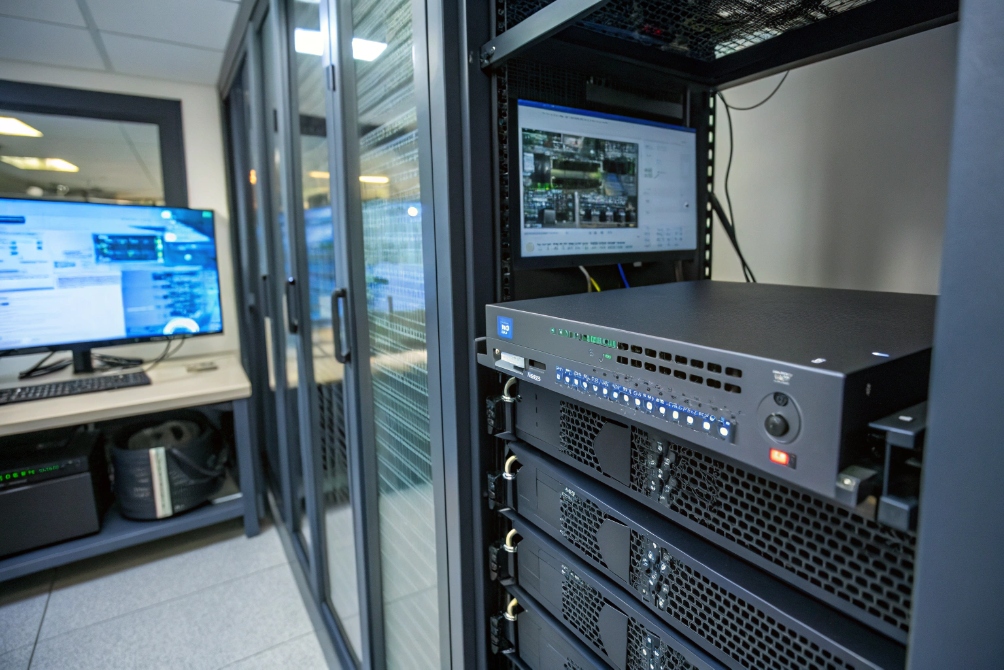
No one wants to find out after an incident that the cameras were “online” but nothing was actually recording or easy to review.
A Network Video Recorder (NVR) is a dedicated system that receives digital streams from IP cameras over the network and stores, manages, and plays them back for surveillance.
An NVR sits at the center of your IP video system, just like a PBX sits at the center of your VoIP system. Cameras and video door phones send compressed video over Ethernet or Wi-Fi, and the NVR handles storage, search, remote viewing, and integration with alarms or SIP intercoms. When this part is designed well, your security team does not think about codecs or bitrates. They just pull up an entrance and scrub the timeline.
How does an NVR differ from a DVR for IP cameras?
It is easy to mix NVR, DVR, and even “hybrid” boxes, then end up with the wrong recorder for modern IP cameras and SIP door stations.
A DVR records analog camera feeds and digitizes them locally, while an NVR records already-encoded video streams from IP cameras over the network. For IP cameras and SIP intercoms, you want an NVR.
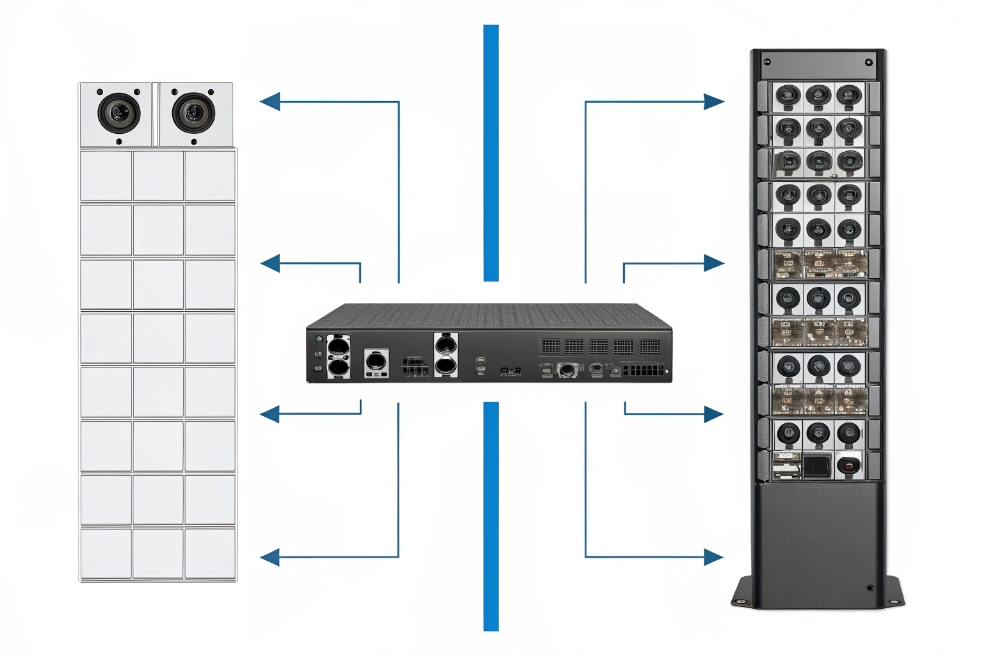
Where the video is encoded
The first big difference is where video gets compressed:
| Recorder type | Camera type | Where encoding happens |
|---|---|---|
| DVR | Analog (CVBS, HD-CVI) | Inside the DVR |
| NVR | IP (RTSP, ONVIF) | Inside each camera or doorphone |
In a DVR design, the recorder has BNC connectors. It takes raw analog signals from legacy cameras, converts them to digital, compresses them, then stores them. The network may only carry a management stream or remote viewing.
In an NVR design, each IP camera and each SIP video intercom is already a small computer. It encodes H.264 or H.265 and sends that stream over the LAN. The NVR only needs enough CPU to receive, index, and write those streams to disk. That is why a single NVR can live in a secure rack room while cameras and door stations sit all over the campus.
Cabling and PoE
For modern projects, cabling is another key reason to choose NVR:
- An NVR connects to cameras with Ethernet.
- A PoE NVR or PoE switch can send power and data over one cable.
- You can place cameras and door stations where power outlets are not easy to add.
With DVRs and analog cameras, you run coax plus power to each device. On retrofit jobs, coax re-use can make sense. On new builds, IP and PoE are almost always the cleanest path.
Flexibility and scaling
Because NVRs use normal IP networking:
- The NVR can sit anywhere on the LAN or even in a different room or cabinet, as long as routing and bandwidth are correct.
- You can add switches and fiber to reach distant buildings without changing the recorder.
- You can mix different IP camera brands, as long as the NVR supports their protocols (ONVIF, RTSP, vendor SDK).
So for any system that already uses SIP, VoIP, or IP intercoms, an NVR-based architecture fits better than a DVR. It matches the way your network, PBX, and access control already work.
Which NVR features integrate best with SIP intercoms?
Many teams add SIP video door phones later, then discover their existing NVR cannot see or record those streams in a useful way.
For SIP intercom integration, look for an NVR that supports ONVIF/RTSP, event-based recording, door snapshots, audio recording, and easy multi-screen layouts for entrances and lobbies.
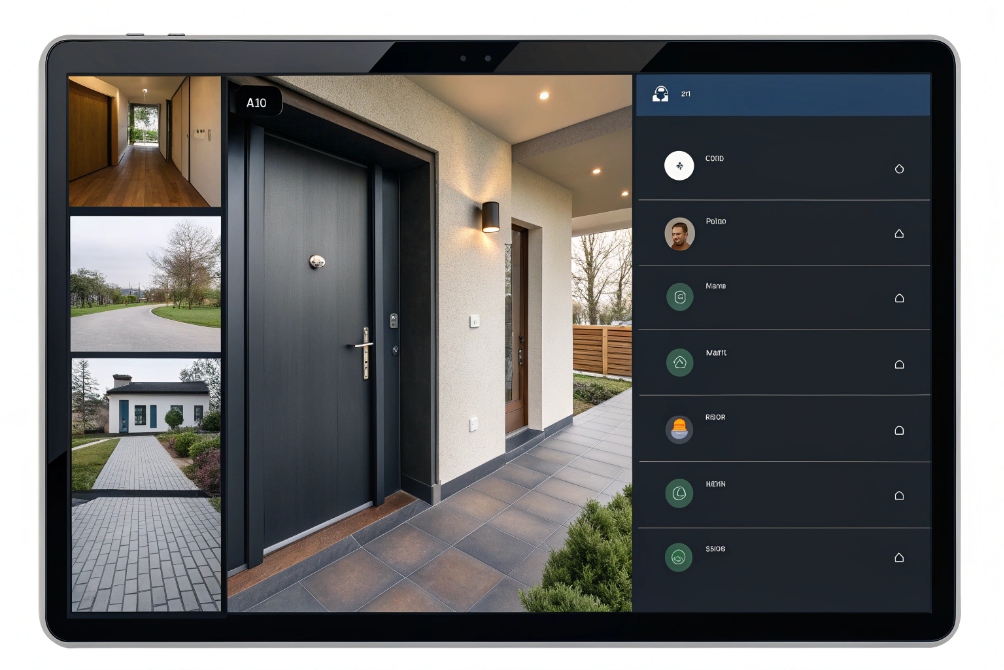
Core integrations that matter in real projects
When an NVR and SIP intercom work together, the security operator should see a clean workflow:
| Feature area | What helps with SIP intercoms |
|---|---|
| Video protocols | RTSP, ONVIF Profile S/T for live view and recording |
| Audio support | G.711 or AAC audio track along with video |
| Event triggers | Motion, line crossing, alarm input from door station |
| Snapshots | Automatic still images on call start or button press |
| Layouts | Door tiles pinned on main view for instant access |
| Search | Filter by camera, time, and event type (door call, motion) |
You want the intercom to appear to the NVR as “just another IP camera,” but with better event hooks. The door station sends a stream over RTSP or ONVIF. The NVR records full-time, on motion, or only on specific events such as the call button or relay activation.
SIP plus NVR plus PBX
In many designs, the SIP intercom talks to two worlds at once:
- To the PBX, as a SIP endpoint (extension, ring group, or hunt list).
- To the NVR, as an IP camera (RTSP/ONVIF channel).
This way:
- Phones and soft clients ring when a visitor presses the button.
- The NVR also records the video and audio around that event.
- Operators at a guard console see a multi-camera layout that includes the door.
Some higher-end NVRs or VMS platforms can even show SIP events on the timeline (for example, when someone answered or unlocked the door), if you push those events from the PBX or access controller via API.
Useful extras
For security projects, a few more features are very helpful:
- Pre- and post-alarm buffers: record a few seconds before and after an intercom event.
- Bookmarks or tags: mark a door event on the timeline for later review.
- User permissions: allow reception to see entrances and lobbies, but restrict back-of-house cameras.
- Multicast support: let multiple clients watch one intercom stream without overloading the network.
When selecting an NVR, it helps to test with one of your real SIP door stations early, not just with a generic bullet camera. This avoids surprises on audio, stream format, or event mapping later on site.
Can ONVIF NVRs record SIP doorphone video reliably?
Datasheets often say “ONVIF supported,” but in practice some combinations of NVR and SIP doorphone behave strangely with audio, dual streams, or motion events.
Most ONVIF-compatible NVRs can record SIP video doorphones reliably if the intercom exposes a standard RTSP/ONVIF camera profile and you fix stream settings, time sync, and network QoS.
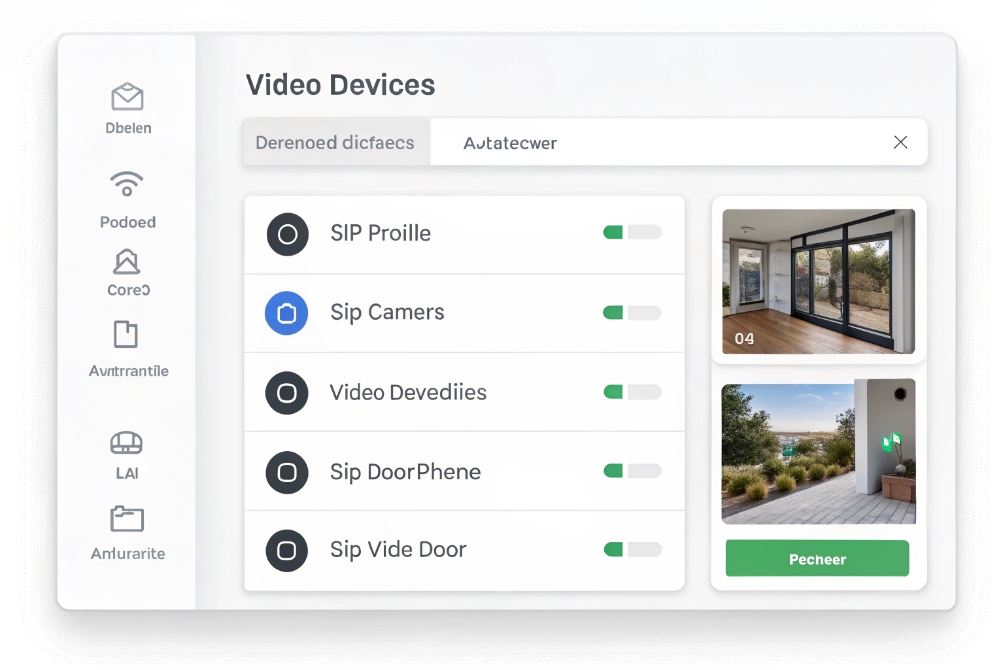
How SIP doorphones present video to an NVR
A SIP video intercom usually has two faces:
- As a SIP endpoint, it registers to the PBX and sends media to phones.
- As an IP camera, it exposes one or more RTSP/ONVIF URLs, such as:
rtsp://doorphone-ip:554/stream1(main 1080p/4K)
rtsp://doorphone-ip:554/stream2(sub-stream for low bandwidth)
Using ONVIF Profiles 5 helps the NVR:
- Discover the device automatically.
- Pull the list of streams and resolutions.
- Configure basic settings like time, motion windows, or encoding.
If both sides implement ONVIF cleanly, the NVR can treat the doorphone like a standard camera.
Reliability checklist
To keep that recording stable day after day, a few items matter:
| Area | What to check for SIP doorphones |
|---|---|
| Time sync | SNTP/NTP set on both NVR and intercom |
| Bitrate/profile | H.264 / H.265 with fixed bitrate that matches NVR capacity |
| Resolution | Use 1080p or 4MP unless you really need 4K at the door |
| Keyframe interval | Reasonable GOP (e.g., 1–2 seconds) for smooth seeking |
| Network | Voice / video VLAN with QoS and enough uplink |
Most “random” recording drops on door stations come from:
- Wrong or unstable IP addressing.
- Too aggressive variable bitrate on the intercom.
- Weak PoE power or unstable switches.
- Oversubscribed uplinks from remote gates back to the NVR.
Dealing with quirks
In mixed-brand systems, sometimes ONVIF is implemented only partially. Practical workarounds include:
- Adding the doorphone as a manual RTSP camera if auto-discovery fails.
- Forcing a simpler codec profile (for example, H.264 Baseline) that every NVR can handle.
- Using the sub-stream for low-bandwidth remote views while recording the main stream at the NVR.
If you need a protocol reference for what many devices mean by “RTSP,” the Real Time Streaming Protocol (RTSP) specification (RFC 2326) 6 is the baseline.
When a project depends on reliable entrance video for investigations and liability, it is wise to lab test the exact NVR and SIP intercom combination before committing to a large rollout.
How many 4K channels can an NVR handle?
“Supports 4K” on the box does not mean “supports 32 channels of 4K at full frame rate with long retention.” The real limit is almost always bandwidth and disk throughput.
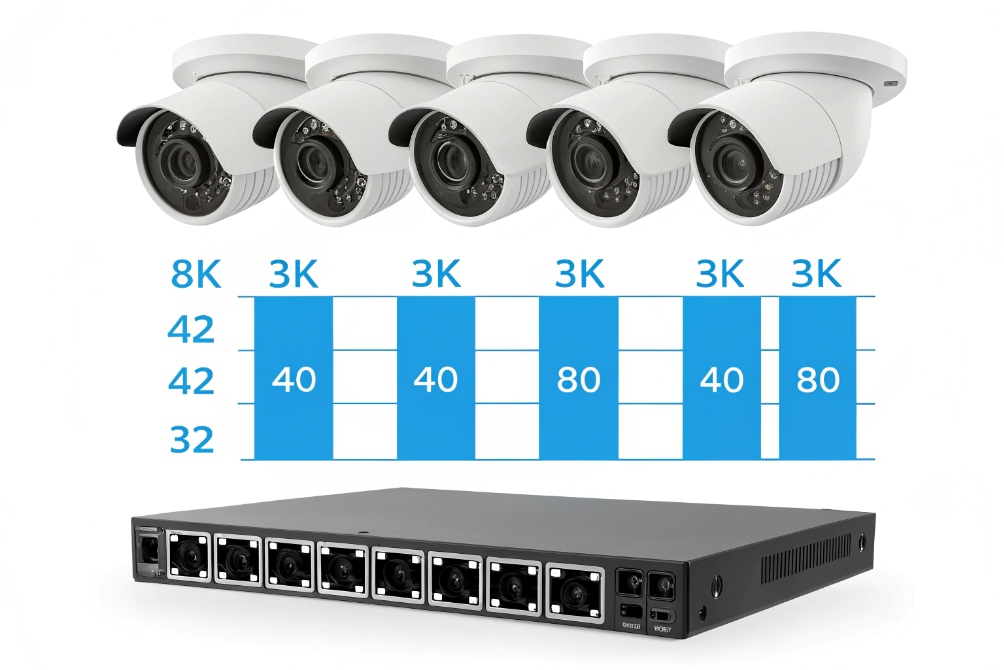
The number of 4K channels an NVR can handle depends on its total recording throughput (Mbps), per-camera bitrate, and disk performance; you estimate it by dividing available Mbps by your chosen per-camera bitrate.
From marketing numbers to real capacity
Most NVRs list two key specs:
- Max incoming bandwidth (for example, 160 Mbps, 320 Mbps, 640 Mbps).
- Max recording bandwidth and max playback bandwidth.
They also list a “max number of channels” such as 8, 16, 32, or more. That number assumes typical 1080p streams at moderate bitrates, not always full 4K.
To plan 4K channels, use a simple table:
| Example value | Meaning |
|---|---|
| NVR recording capacity | e.g., 320 Mbps total |
| 4K camera bitrate | e.g., 8 Mbps (H.265, medium quality) |
| Theoretical 4K channels | 320 ÷ 8 ≈ 40 channels (before safety margin) |
In practice, it is wise to apply a safety margin of 20–30% to allow for peaks, extra viewers, and future changes. So that 40-channel “math” might become 28–32 4K channels in a conservative design.
Factors that change the number
Several real-world factors reduce the headline number:
- Codec and compression: H.265 allows lower bitrates than H.264 for the same image quality.
- Scene complexity: a busy car park at night with headlights needs more bits than a quiet corridor.
- Frame rate: 4K at 15 fps uses less bandwidth than 4K at 30 fps.
- Recording mode: continuous recording uses more capacity than motion-only.
Storage also matters. You need enough disk space to match your retention target:
| Variable | Impact on storage |
|---|---|
| Bitrate (Mbps) | Higher bitrate = more GB per day |
| Number of cameras | More cameras = more total GB per day |
| Retention days | More days = larger disk or RAID array |
Surveillance-grade hard drives are recommended because they are built for 24/7 sequential writes and higher workload rates. Pairing the NVR with a UPS further reduces the risk of corrupted footage after power dips.
Matching 4K to real needs
4K looks great, but it is not always necessary for every camera. A common, balanced approach is:
- Use 4K only where you really need high-detail evidence (entrances, cash areas, license plate zones).
- Use 4MP or 1080p for general coverage of corridors and open areas.
- Use dual streams: high resolution for recording, lower resolution for remote mobile viewing.
This mixed strategy keeps your NVR within its bandwidth and disk limits, while still giving your clients the clarity they need at critical points like SIP video intercoms and main gates.
Conclusion
An NVR is the recording and management brain of your IP video system, and when you size it correctly and integrate SIP intercoms cleanly, it becomes a reliable, long-term part of your security platform.
Footnotes
-
Reference image of a typical rack-mounted NVR and monitoring setup for security documentation. ↩︎ ↩
-
Visual comparison aid for explaining DVR vs NVR architectures to stakeholders. ↩︎ ↩
-
Example multi-view door monitoring layout showing how intercom tiles fit into NVR client workflows. ↩︎ ↩
-
Example device list UI illustrating how NVRs organize IP doorphones and cameras for recording. ↩︎ ↩
-
Explains ONVIF profiles and compatibility between IP cameras, doorphones, and NVR/VMS clients. ↩︎ ↩
-
Defines RTSP control protocol commonly used for IP camera streaming to NVRs and VMS platforms. ↩︎ ↩
-
Capacity-planning visual for translating “4K support” into real channel and throughput limits. ↩︎ ↩








