

A harsh site needs one button to pull video, audio, and records fast. If the “ONVIF” box is wrong, the VMS stays blind and the incident is missed.
Most explosion-proof telephones do not support ONVIF because they are SIP audio endpoints, not IP video or access-control devices. ONVIF is common on hazardous-area video intercoms or access terminals, where Profile S/T (and sometimes M) matter more than Profile A/C. [Ref 1][Ref 2][Ref 6]
Where ONVIF fits in hazardous-area communication projects
ONVIF is built for video and access control, not classic telephony
ONVIF 1 was made to help VMS platforms talk to IP cameras, encoders, and access-control devices. That is why Profile S and Profile T focus on video streaming and related features. Profile C and Profile A target access-control workflows. A pure explosion-proof telephone, even if it is SIP, usually has no video stream, no ONVIF services, and no ONVIF discovery. In that case, the right “language” is SIP plus a vendor API, not ONVIF. [Ref 1][Ref 2][Ref 4][Ref 5]
When “explosion-proof + ONVIF” is real
There are two cases where ONVIF becomes realistic in a hazardous-area endpoint:
1) A certified video intercom that behaves like a small IP camera with audio and I/O.
2) A certified access-control terminal that exposes door/credential functions to a PACS.
In both cases, the product is not just “a telephone.” It is a security endpoint with streams, events, and sometimes relay inputs. Those are ONVIF-shaped features. [Ref 1][Ref 2][Ref 4][Ref 5]
A decision table that avoids false expectations
| Your device type | What you want the VMS to do | ONVIF likely? | Integration path that usually works |
|---|---|---|---|
| Explosion-proof SIP audio endpoints 2 | Pop-up on SOS, log calls, start recording nearby cameras | Low | SIP events + VMS rules, or HTTP webhook from PBX/middleware |
| Explosion-proof video intercom | Show live video, record clip, pop-up on button press | Medium to high | ONVIF Profile S/T, plus event mapping in VMS |
| Explosion-proof access control terminal | Door events, alarms, access logs | Medium | ONVIF Profile C/A (or native PACS integration) |
| Mixed system (phone + cameras) | One incident workflow | Depends | Middleware that links SIP call state to VMS actions |
What to ask before testing any VMS
| Question to ask the supplier | Why it matters |
|---|---|
| “Does the unit run ONVIF Device + Media + Events services?” | Many products claim “ONVIF” but only offer RTSP |
| “Which profiles are claimed, and is the model listed as conformant?” | Profiles define feature sets and reduce guesswork |
| “Can it publish events for button press, hook state, relay input?” | VMS pop-ups need events, not just video |
| “How does discovery work on segmented networks?” | WS-Discovery multicast often fails across VLANs |
If ONVIF support is not clear, do not force it. Use SIP and a clean event bridge. The next sections break down profiles, eventing, gateway options, and how VMS platforms prove interoperability in the field.
Which ONVIF profiles are relevant—Profile S for video, T for H.264/H.265, or A for access control?
A lot of specs mix profiles and features. That causes wrong bids and painful rework. The fix is simple: match the profile to the job, not to the brochure.
For hazardous-area video intercoms, Profile S and Profile T are the core. Profile T is the practical choice when H.265 and richer event support are needed. For door controllers, Profile C and Profile A are the access-control set, not S/T. [Ref 1][Ref 2][Ref 4][Ref 5][Ref 6]
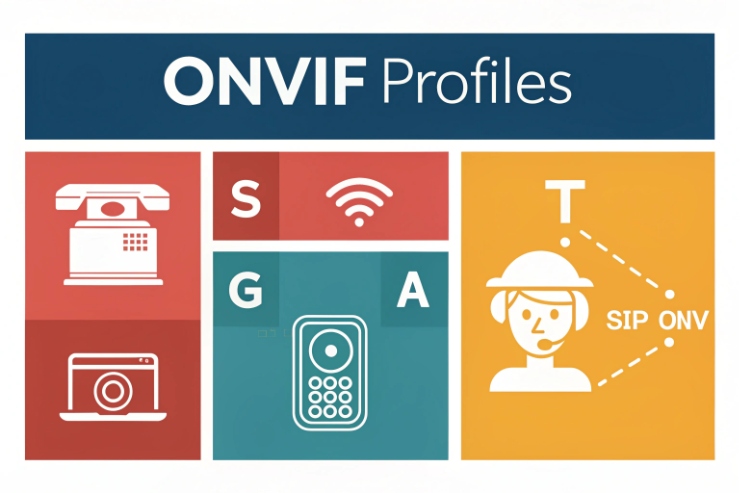
Profile S: basic video streaming interoperability
Profile S is the common baseline for IP video devices. A VMS that supports Profile S can typically discover a device, pull a stream, and control basic functions tied to streaming. If the hazardous endpoint is a video intercom, Profile S is the “minimum bar” for video in many VMS projects. [Ref 1]
Profile T: modern streaming plus stronger feature expectations
Profile T 3 adds support for modern video streaming needs, including H.264 and H.265, and it is often tied to better handling of events and metadata. In many real sites, Profile T is the difference between “video works” and “video plus events work in a stable way.” If the intercom is expected to provide alarm events, bidirectional audio, and better security options, Profile T is usually the safer target. [Ref 2]
A simple point that gets missed: Profile S alone may not cover every event type a VMS wants. Some VMS features also depend on how the vendor implements ONVIF Events. That is why Profile T is often requested by integrators who rely on events for alarms and recordings. [Ref 2][Ref 10]
Profiles for access control: A and C
If the device is an access-control terminal, the “video profiles” are not the right focus. Profile C is aimed at door control and event/alarm management for PACS. Profile A is for broader access-control configuration workflows. That matters when the goal is to manage credentials, schedules, and access rules through interoperable interfaces. [Ref 4][Ref 5]
A practical profile selection table
| Use case | Relevant profile(s) | What it gives you | What it does not guarantee |
|---|---|---|---|
| Video pop-up from hazardous-area intercom | S, then T | Video stream + control baseline; modern codecs with T | That every custom button event maps cleanly in every VMS |
| “SOS press” triggers alarm in VMS | T (often) + Events | Event framework for alarms | That the VMS has the right event driver mapping |
| Door station controls locks | C | Door control + events in PACS style | Full credential workflow across vendors |
| Credential and schedule configuration | A | Broader access-control configuration | Video streaming by itself |
When the device is a pure explosion-proof telephone, these profiles often do not apply at all. That is not a weakness. It just means SIP-first integration is the correct route.
Can ONVIF eventing trigger VMS pop-ups and recordings from SOS or hook events?
Sites want one action to light up the VMS. The problem is that “eventing” is not one thing. It is a chain: device event → subscription → VMS rule → UI and recording.
Yes, ONVIF eventing can trigger VMS pop-ups and recordings, but only when the device publishes standard ONVIF events and the VMS driver successfully subscribes and maps them. Many VMS platforms use PullPoint subscriptions and periodic PullMessages polling, so event latency depends on the polling interval and network health. [Ref 3][Ref 7]
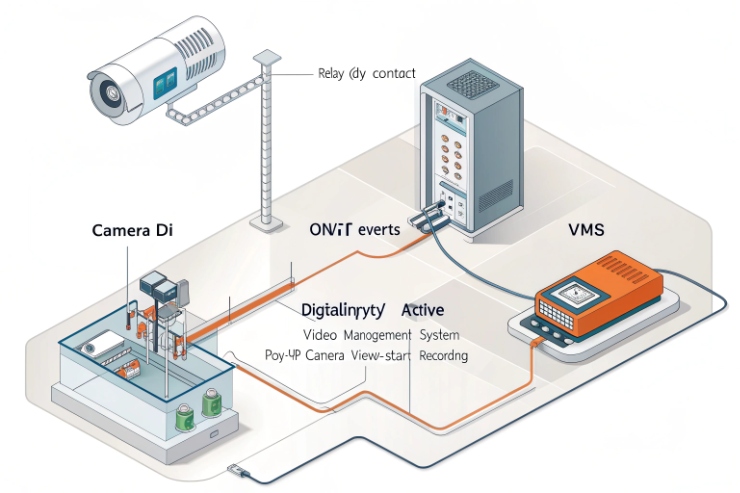
What “ONVIF eventing” means in practice
ONVIF Events can work in “pull” or “push” patterns, depending on the implementation. A common VMS approach is PullPoint: the VMS creates a subscription and then polls messages. This is reliable in many enterprise networks because it avoids inbound firewall issues, but it creates a natural latency window based on how often the VMS polls. [Ref 3][Ref 7]
One example that helps planning: VMS platforms 4 like Milestone describe creating a PullPoint subscription and sending PullMessages requests periodically, with a default interval noted in documentation. That single detail explains why some sites see “a few seconds” delay from button press to pop-up. [Ref 7]
SOS press and hook state are not always standard ONVIF topics
For cameras, events like motion or tampering are common. For intercoms and telephony, events like SOS press, off-hook, and call state can be vendor-specific. Some devices expose these as digital input changes or relay events. Some expose them as proprietary event topics. Some do not expose them over ONVIF at all. When a VMS cannot match a topic to a known filter, the event never becomes a rule trigger. [Ref 7]
If ONVIF is not native, can RTSP/HTTP APIs or SIP–ONVIF gateways achieve integration?
A team can still integrate without native ONVIF. The goal is not the logo. The goal is reliable workflows: pop-up, record, and audit trail.
Yes. If ONVIF is not native, integration can still be done by combining RTSP for video (if present), HTTP APIs for button/I/O state, and SIP call-state signals. A SIP–ONVIF gateway or middleware can translate SIP events into VMS triggers, either as ONVIF events or as the VMS’s generic event inputs. [Ref 2][Ref 7]
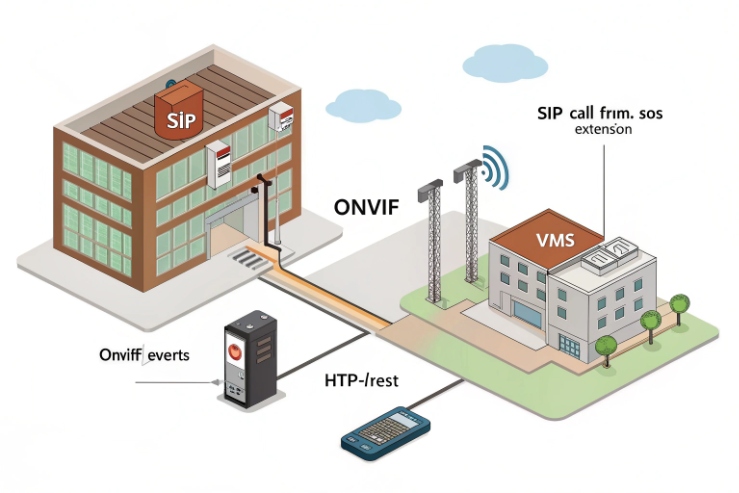
Option 1: RTSP for video, separate path for events
Some hazardous-area video endpoints provide RTSP 5 streams even when ONVIF is missing or incomplete. RTSP solves “video on screen,” but it does not solve “SOS press triggers alarm.” That second part needs an event channel:
- HTTP push: device sends a webhook on SOS
- HTTP pull: middleware polls device state
- Digital I/O: relay closes into an input module that the VMS already understands
Option 2: SIP-first integration for explosion-proof telephones
For audio phones, SIP is the natural control plane. Call start, call end, off-hook, and DTMF are already part of the ecosystem through IP PBX and SIP servers. In projects like refineries and tunnels, a common method is:
- Phone places a SIP call to a paging or control extension
- PBX sends a webhook to middleware on certain call states
- Middleware tells the VMS to pop up the nearest cameras and start recording
Option 3: SIP–ONVIF gateway or event translator
A gateway can listen to SIP events (call state, DTMF, SIP MESSAGE) and publish:
- ONVIF-style events toward a VMS that expects ONVIF events
- Or a native VMS “generic event” trigger
Some platforms leverage MQTT 6 to relay these messages in real-time. This is useful when a customer requires “everything appears as ONVIF,” even though the phone is not ONVIF.
How do NVR/VMS platforms validate interoperability—device discovery, event subscriptions, and latency under harsh networks?
Many lab tests pass, then the field fails. Harsh networks have VLANs, multicast blocks, EMI, and packet loss. Interoperability needs proof under those conditions.
VMS platforms validate ONVIF interoperability by confirming discovery (often WS-Discovery), checking device capabilities, subscribing to events (often PullPoint), and measuring latency under real network load. If discovery is blocked, devices may need manual add. If polling intervals are high, alarm-to-pop-up latency grows. [Ref 6][Ref 7][Ref 8]

Discovery: WS-Discovery is fast, but it does not cross every boundary
ONVIF discovery often depends on WS-Discovery 7, which uses multicast UDP. In a plant network with segmentation, multicast may not pass routers. That means “auto-discovery” works on a bench switch, then fails across VLANs. Good VMS platforms support manual add by IP as a fallback, but discovery problems still slow commissioning. Also, security teams may disable discovery on wider networks due to attack surface concerns. [Ref 8][Ref 9]
Capability validation: the VMS checks what the device claims
After discovery, the VMS reads the device services and capabilities. This is where many “almost ONVIF” products fail. The VMS may get video but miss events, or it may fail authentication methods that the device does not support well. ONVIF documentation and test specs exist because small deviations break interoperability. [Ref 6]
Event subscriptions: PullPoint is common, and it shapes latency
Many VMS drivers use PullPoint subscriptions and then poll PullMessages. This is stable in locked-down networks, but the polling interval becomes part of alarm response time. If the VMS polls every 5 seconds, a worst case near 5 seconds can occur. That can be fine for recording, but it can be slow for an operator pop-up during an emergency. Some systems tune the polling rate, but higher frequency means more load. [Ref 7]
Conclusion
Explosion-proof telephones are usually SIP-first, not ONVIF-first. ONVIF fits hazardous video intercoms and access devices. When ONVIF is missing, SIP and middleware still deliver strong VMS workflows.
⸻
Footnotes
-
ONVIF – An open industry forum providing a global standard for the interface of IP-based physical security products. ↩ ↩
-
SIP audio endpoints – Devices using the standard protocol for initiating and managing voice and video calls over IP networks. ↩ ↩
-
Profile T – A standard for advanced video streaming that supports H.264, H.265, and sophisticated event handling. ↩ ↩
-
VMS platforms – Software used to collect, record, and manage video from security cameras and integrated devices. ↩ ↩
-
RTSP – A network control protocol designed for use in entertainment and communications systems to control streaming media. ↩ ↩
-
MQTT – A lightweight messaging protocol designed for constrained devices and low-bandwidth, high-latency, or unreliable networks. ↩ ↩
-
WS-Discovery – A technical specification that allows for the discovery of services on a local area network using multicast. ↩ ↩








