
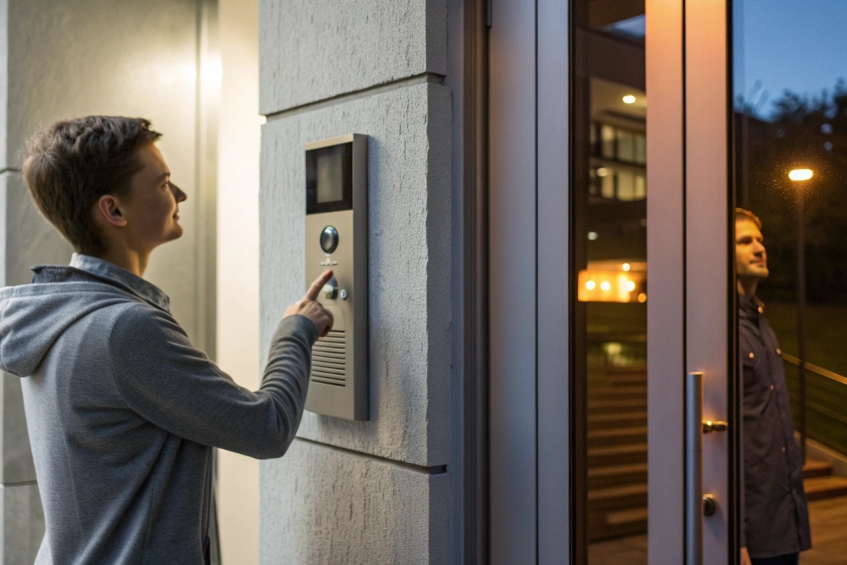
Visitors still press a buzzer, wait, and hope someone hears it. Security wants video and logs, but the legacy doorphone cannot talk to phones or apps at all.
A VoIP intercom is an IP/SIP door station that calls your phones and apps over the network, shows live video, and lets authorized users unlock the door from anywhere.
With SIP (Session Initiation Protocol) 1, the intercom becomes just another endpoint on your PBX. It can ring ring groups, queues, or mobiles, and it can feed video into your VMS or mobile client. Door release runs through relays or APIs instead of mystery wires. The rest of this guide walks through connection, door control, camera choices, and common audio problems.
How does a SIP intercom connect to my PBX and apps?
Staff often treat the door intercom as something separate from the phone system, so calls are missed and workflows stay manual.
A SIP intercom connects like a SIP phone: it registers to your PBX as an extension (or auto-dials a SIP address), then your call flow decides which phones, apps, or groups ring.
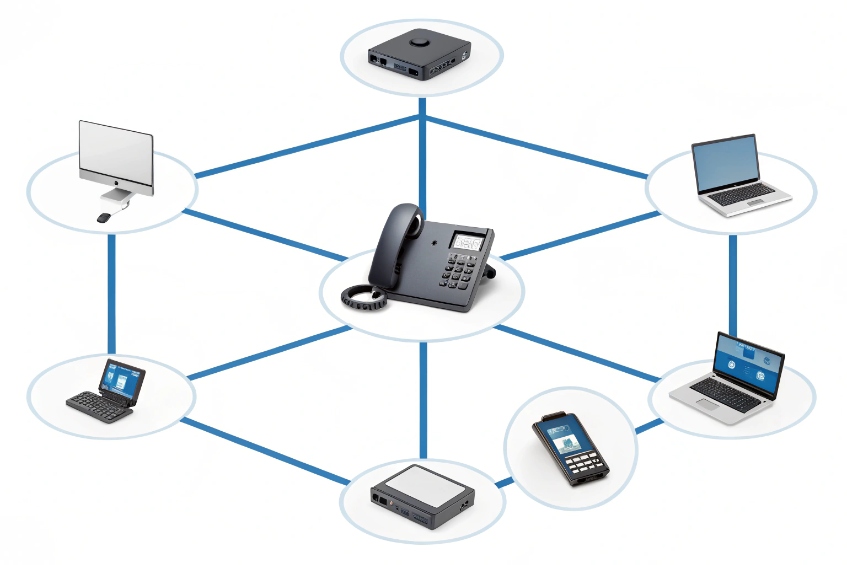
A VoIP intercom is basically a rugged SIP phone with a relay and often a camera. It talks SIP for signalling and Real-time Transport Protocol (RTP) 2 for audio. Power usually comes from Power over Ethernet (PoE) 3, so one Ethernet cable carries SIP, audio, video, and power at the same time.
Register vs auto-dial: two simple connection modes
Most intercoms support two main patterns:
-
SIP registration (extension mode)
The intercom registers to the PBX with a username, password, and extension. When a visitor presses the button, it places a call from that extension to a target like a ring group, queue, or operator. -
Peer / auto-dial mode
The intercom does not register. Instead, it always dials a fixed SIP URI or IP address when triggered. This is handy for direct integration with a recording server or a stand-alone softphone.
In office and multi-tenant buildings, registration is usually better. The PBX then knows “Door A = extension 301”, can show that label to operators, and can route or log calls like any other endpoint.
Call flow ideas: who should ring and when
Once the intercom is on the PBX, the fun part is the call flow. Common patterns:
- Single desk or guard phone for a small site.
- Ring group so reception, security, and a backup desk all ring.
- Time-based routing: reception by day, security mobile at night.
- Queue or hunt list in bigger campuses, so someone always answers.
For remote reach, the same call can ring:
- Desk phones and softphones in the control room.
- Mobile apps for on-call staff.
- Video panels at the lobby or gatehouse.
A simple mapping looks like this:
| Element | Example | Purpose |
|---|---|---|
| Intercom ext | 301 (Main Entrance) | Caller ID label for staff |
| Ring group | 620 (Reception + Security) | First destination when button pressed |
| Fallback route | Forward to on-call mobile after 20s | Coverage outside normal hours |
| Apps | Softphone / mobile client for guards | Remote answer and unlock |
With this setup, the intercom behaves like a proper part of unified communications, not a lonely buzzer on the wall.
Can my intercom trigger doors via relays and API?
A door intercom that cannot release the lock just becomes an expensive phone. At the same time, an exposed relay can become a security hole.
Yes. Most SIP intercoms provide dry-contact relays and sometimes APIs. You trigger them with DTMF, HTTP, or app buttons, and you mount relays on the secure side for safety.
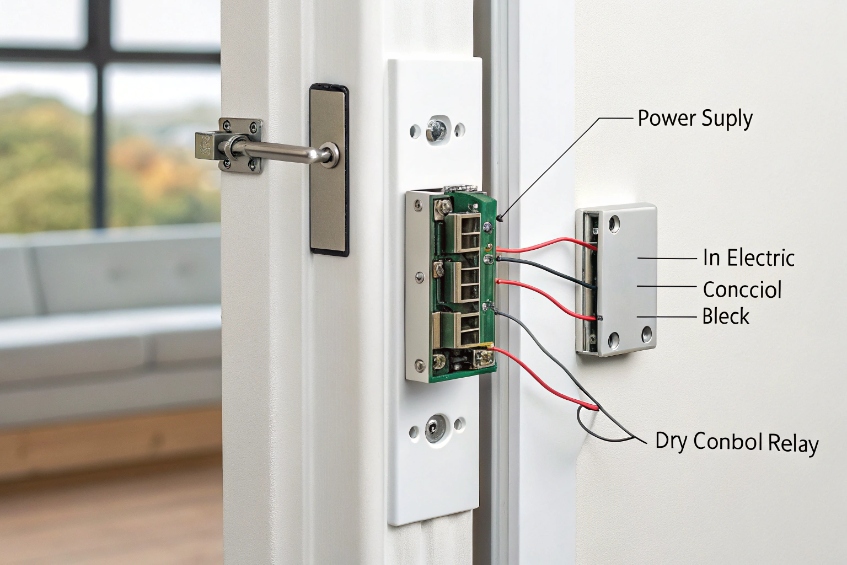
Almost every VoIP door station includes at least one set of dry-contact relays 4. It behaves like a digital push button that can close a circuit for a few seconds to fire an electric strike or control a maglock. The relay itself does not power the lock; it just connects the lock supply in a controlled way.
Relays, locks, and real-world wiring
At a basic level, a door release loop looks like this:
- Power supply for the lock (often 12/24 VDC).
- Electric strike or magnetic lock.
- Relay contacts wired in series with that power.
When the operator presses a key or button, the intercom:
- Receives a DTMF code (for example, “9”) from the answering phone or app.
- Matches it to a programmed door release action.
- Closes the relay for a set time, like 3–5 seconds.
- Then opens it again, so the door re-locks.
You can also wire exit buttons, door position sensors, and even multiple locks through the same or additional relays. Some models support more than one relay so you can trigger a gate and a pedestrian door separately.
Safer door control with secure relays and APIs
The big security mistake is putting the relay that controls the lock inside the outdoor station itself. An attacker who removes the front panel could short the contacts and pop the door.
Safer patterns include:
- Remote secure relay modules mounted inside the secure area, linked to the intercom over a separate bus or network.
- Using the intercom’s relay only to signal a proper access controller, which then decides if the door should open.
- Combining PINs, RFID, QR codes, or mobile credentials with intercom calls, so humans can verify visitors while regular users self-serve.
Many modern SIP intercoms and access controllers also offer HTTP(S) APIs or MQTT/webhook events:
- Phone app taps “Unlock” → PBX or app calls an API → access controller fires the relay.
- VMS or PSIM system approves a visitor → sends API command back to open the door.
This keeps critical logic on the inside and lets you record every unlock event with user, time, and door ID.
A practical design table:
| Scenario | Unlock method | Recommended relay placement |
|---|---|---|
| Small office, simple strike | DTMF via intercom relay | Remote relay module inside building |
| Multi-tenant building | Intercom → access controller API | Controller relays inside rack |
| High-security gate | Guard console → secure relay | Secure box in guard house |
This way, the intercom remains the face and ears at the door, while real power and logic live in safer places.
What camera and ONVIF options should I choose?
Audio-only intercoms work, but in real life people want to see who they are letting in, log snapshots, and pull video into their VMS.
Choose an intercom with a wide, well-lit camera, ONVIF/RTSP support, and the right resolution and night performance for your entrance distance and lighting.
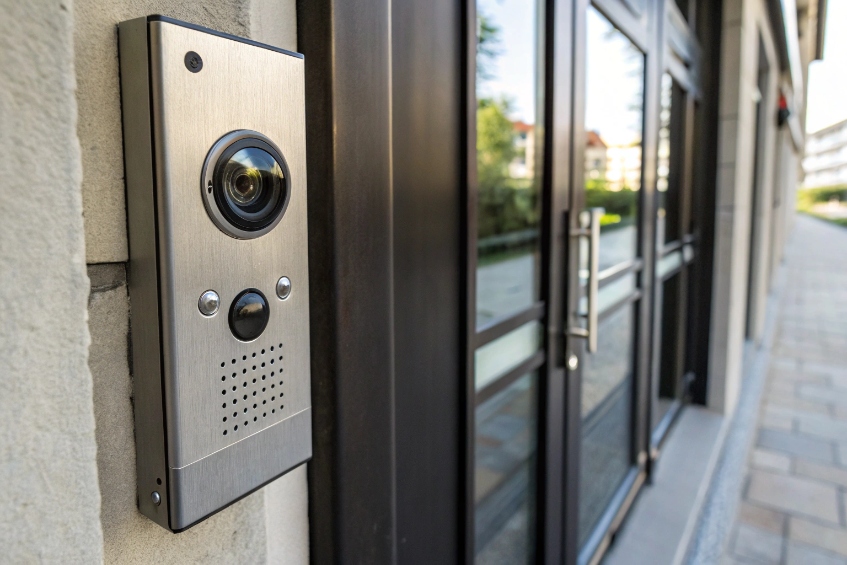
Video intercoms turn the door station into a small CCTV camera at face height. The goal is not cinematic footage; it is fast, clear identification in all lighting. The right choice depends on corridor width, visitor distance, and whether you need recording or just live view.
Picking the right camera specs at the door
Key camera factors:
- Resolution: 1080p is a good baseline. Higher is possible, but encoding and network load also grow.
- Field of view: wide enough to catch people standing close, but not so wide that faces become tiny. Often 110–130° horizontal is ideal.
- Low light and WDR: good performance with strong backlight (glass doors, bright outside) and during night with or without IR.
- Mounting height: usually close to eye level. Too high and you only see heads; too low and you mostly see chins.
If the entrance is outdoors, look for:
- Weather rating (IP65 or similar).
- Vandal resistance (IK rating, metal housing).
- Heater or extended temp range for harsh climates.
ONVIF, RTSP, and VMS integration
Most professional setups want the video not just inside a door app, but also inside a VMS or NVR. That is where ONVIF and RTSP matter.
Common pieces:
- RTSP stream URL: a direct video stream from the intercom to NVR or client, using standards like RTSP stream URL 5.
- ONVIF Profile S: for basic streaming and discovery, such as ONVIF Profile S 6.
- ONVIF Profile T (on newer devices): for advanced features like H.265, analytics, events.
With these, you can:
- Add the intercom as a camera in your VMS.
- Record 24/7 or on motion / call events.
- Pop up video on operators’ screens when the intercom calls.
- Use video analytics for extra alerts, depending on the platform.
A handy way to think about options:
| Need | Recommended choice |
|---|---|
| Simple live view only | 1080p camera, app integration |
| Integration with NVR/VMS | ONVIF S/T + RTSP, standard resolutions |
| Tight WAN bandwidth | H.265 support, adjustable frame rate/bitrate |
| Strong backlight at glass door | Wide Dynamic Range (WDR) camera |
Video also ties into privacy. Decide early how long you keep recordings, who can view them, and how to log access. The intercom camera becomes part of your CCTV system, not just a door gadget.
Why is intercom audio low or one-way?
The most common complaints after installing a VoIP intercom are simple: “I can’t hear visitors” and “they can’t hear me,” even when the SIP registration looks perfect.
Low or one-way audio usually comes from gain settings, acoustic mounting, PoE or network issues, and sometimes NAT or codec mismatches on the PBX or firewall.

Intercoms combine speakerphone acoustics, outdoor noise, and SIP networking. That is more complex than a normal desk phone call. The good news: most problems follow a few repeat patterns.
Low or muffled audio: physical and config causes
If both sides hear something but it is weak, think first about hardware and levels:
-
Speaker and mic placement
If the intercom is recessed, behind a grill, or near strong wind, voices get muffled. Visitors may stand too far away or off-axis. -
Volume and gain settings
Almost all intercoms have separate levels for speaker, microphone, and sometimes AGC (automatic gain control). If AGC is too aggressive, it may pump or cut quiet voices. -
Power budget
Low PoE power or long cable runs can starve the amplifier. Check that the PoE switch supplies the right class and that cables are solid. -
Ambient noise
Busy streets, loading bays, or lobbies with music all mask speech. Directional mics and reasonable horn volume on the far side help a lot.
A simple mapping:
| Symptom | Likely cause | First steps |
|---|---|---|
| Quiet in both directions | Global volume low, AGC too low | Raise levels, test from known-good phone |
| Visitor loud, operator quiet or reversed | One mic gain wrong | Adjust uplink/downlink separately |
| Clear but harsh or distorted at high vol. | Levels too high, small enclosure buzzing | Lower gain slightly, fix mounting |
Always test from a known-good LAN phone first. If audio between intercom and a local desk phone is good, the problem is not power or hardware; it is elsewhere in the path.
One-way audio: network, NAT, and SIP issues
If one side hears nothing at all, even though the call connects, now it is time to think about SIP and RTP:
-
NAT or firewall
The classic problem: SIP signalling passes, but return RTP packets cannot find their way back through the firewall. This is common when intercoms sit on one network and PBXs or apps sit on another without proper SBCs. -
Codec mismatch
The intercom and PBX agree on a codec they do not both truly support, or transcoding fails. Check that G.711 and any wideband codecs are set up correctly. -
RTP port ranges
Some firewalls or routers block the UDP port range used for RTP. The call sets up, but the media cannot flow. -
Half-duplex or talk-through bugs
Some devices support half-duplex or push-to-talk modes. Wrong settings can hold one side muted.
A quick troubleshooting table:
| Symptom | Likely root cause | Fix direction |
|---|---|---|
| Intercom hears, app does not | RTP from PBX to app blocked | Check firewall, NAT, SRTP/TLS settings |
| App hears, intercom does not | RTP to intercom blocked | Check VLAN routes, port ranges |
| One-way only on remote devices | WAN / VPN / SBC config | Check SIP ALG, use SBC or VPN |
For security-grade systems, I prefer to place intercoms on a voice/security VLAN, bring them back to the PBX or a Session Border Controller (SBC) 7 over controlled links, and use predictable RTP port ranges with proper firewall rules. With TLS/SRTP configured and QoS in place, audio becomes stable and tamper-resistant, even for outdoor entrances.
Conclusion
A VoIP intercom turns each entrance into a smart SIP endpoint with audio, video, and door control, all tied cleanly into your PBX, apps, and security systems when designed with care.
Footnotes
-
SIP is the core call-control protocol that lets intercoms behave like PBX extensions. ↩ ↩
-
RTP explains how the live voice audio stream moves once the SIP call is established. ↩ ↩
-
PoE basics help you size switches and confirm the intercom gets enough power for speaker and camera. ↩ ↩
-
Relay fundamentals clarify what “dry contact” means and why relays switch power without supplying it. ↩ ↩
-
RTSP details help you validate stream URLs and troubleshoot VMS/NVR video pull issues. ↩ ↩
-
ONVIF Profile S shows what VMS-friendly discovery and streaming support should look like. ↩ ↩
-
SBC overview explains why edge SIP control improves security, NAT traversal, and reliability for remote apps. ↩ ↩








